Block 1 - When clicking ‘Execute workflow’
- Type / Role
- n8n-nodes-base.manualTrigger - manualTrigger
- Config choices
- Version 1


 Early Deal
This workflow is provided as-is. Please review and test before using in production.
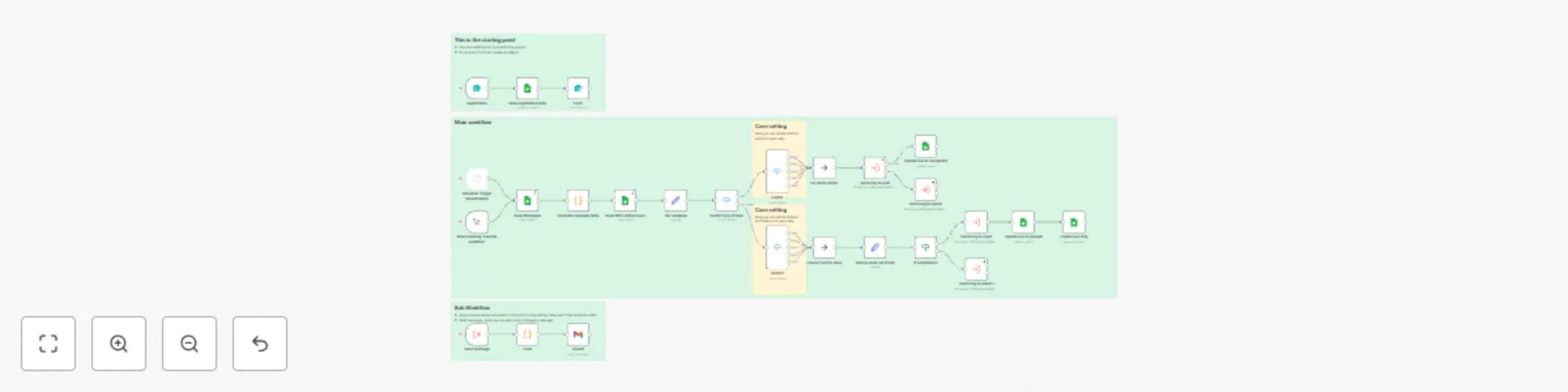
This n8n workflow enables teams to automate and standardize multi step onboarding or messaging workflows using Google Sheets , Forms , Gmail , and dynamic logic powered by Code and Switch nodes. It...
n8n-nodes-base.manualtrigger, n8n-nodes-base.code, n8n-nodes-base.googlesheets, n8n-nodes-base.scheduletrigger, n8n-nodes-base.if, n8n-nodes-base.form, n8n-nodes-base.noop, n8n-nodes-base.executeworkflowtrigger
This workflow is cataloged by N8N Workflows and links back to its original n8n.io source page by PollupAI.
Original n8n.io sourceThis n8n workflow enables teams to automate and standardize multi-step onboarding or messaging workflows using Google Sheets, Forms, Gmail, and dynamic logic powered by Code and Switch nodes. It ensures the right email is sent at the right step, tracks progress in Google Sheets, and handles errors or escalations.
HR and PeopleOps teams managing candidate or employee onboarding processes
Customer success or onboarding teams handling structured, step-based journeys
Any team using Google Sheets as a lightweight CRM or workflow tracker
Coordinating multi-step onboarding or communication flows using spreadsheets and email can quickly become error-prone. This workflow:
Dynamically detects the current step and status from a Google Sheet
Sends the right message at the right time
Updates statuses and creates next steps
Handles errors with escalation logic
Trigger via Form or Manual Execution
Read Google Sheets
Retrieves step definitions and user progress from two sheets:
One for message templates
One for user step/status tracking
Generate Message Table
Determine User Step
A Switch node checks the user’s current step and status.
Logic branches into the correct flow for message sending and verification.
Send Message
Message variables are replaced using a Code node.
Final message is sent via Gmail or another workflow (using Execute Workflow).
Update Sheets
Marks the step as completed or passed.
Creates the next step in the sheet with updated status.
Handle Errors
Connect Google Sheets and Gmail:
Prepare Sheets:
Customize Webform:
Connect to Your Email Templates:
Add More Steps: Expand the Switch logic and template sheet for more steps.
Use Different Channels: Replace Gmail with Slack, Telegram, or another messaging node.
Change Form Fields: Adjust the FormTrigger node to match your onboarding fields.
Custom Error Logic: Customize escalation emails, including admin routing or Slack alerts.
Integrate with Databases: Swap Google Sheets with Airtable, PostgreSQL, or Notion.
This workflow is ideal for automating repetitive, step-based processes involving human communication. It’s modular, extensible, and powered by spreadsheet-driven logic.
This catalog entry is organized from the workflow JSON. The node-level section below shows the executable blocks available for review before importing the template.
Showing the first 24 of 31 workflow blocks. Download the JSON for the full node graph.
| Workflow | Automate multi-step onboarding with Google Sheets, Forms and Gmail notifications |
|---|---|
| Complexity | advanced |
| Nodes | 31 |
| Categories | HR, Multimodal AI |
| Author | PollupAI |
| Published | 25 Aug 2025 |
Use the JSON export at /data/workflows/7809/7809.json as the source template for this automation.
Open n8n, import the downloaded JSON, and review each node before activating the workflow.
Replace placeholder credentials, API keys, webhook URLs, account IDs, and environment-specific values with your own settings.
Run the workflow manually or in a staging workspace, inspect node output, and confirm downstream systems receive the expected data.
Enable the workflow only after testing, then monitor executions, errors, and rate limits during the first production runs.
Review imported nodes carefully before activation. This catalog entry is intended to help you inspect the workflow structure, understand required services, and find related templates faster.
Node names, credentials, schedules, webhook paths, and external service limits may need adjustment for your workspace.
This n8n workflow enables teams to automate and standardize multi step onboarding or messaging workflows using Google Sheets , Forms , Gmail , and dynamic logic powered by Code and Switch nodes. It...
Review the workflow JSON, configure any required credentials in n8n, and test the automation in a safe workspace before using it in production.
Yes. Use the block-by-block analysis and the downloadable JSON to inspect each node, then adjust credentials, prompts, schedules, filters, or destinations for your HR, Multimodal AI use case.