Block 1 - Candidate Placed
- Type / Role
- n8n-nodes-base.webhook - webhook
- Config choices
- Version 2


 Early Deal
This workflow is provided as-is. Please review and test before using in production.
Automated Contract Employee Placement & Management System: Setup Guide This guide will walk you through setting up your n8n workflow. By the end, you'll have a fully automated system for managing...
n8n-nodes-base.webhook, n8n-nodes-base.airtable, n8n-nodes-base.googledocs, n8n-nodes-base.httprequest, n8n-nodes-base.wait, n8n-nodes-base.slack, n8n-nodes-base.googlecalendar, n8n-nodes-base.scheduletrigger
This workflow is cataloged by N8N Workflows and links back to its original n8n.io source page by Marth.
Original n8n.io sourceThis guide will walk you through setting up your n8n workflow. By the end, you'll have a fully automated system for managing your contract employee placements, from generating documents to sending renewal reminders.
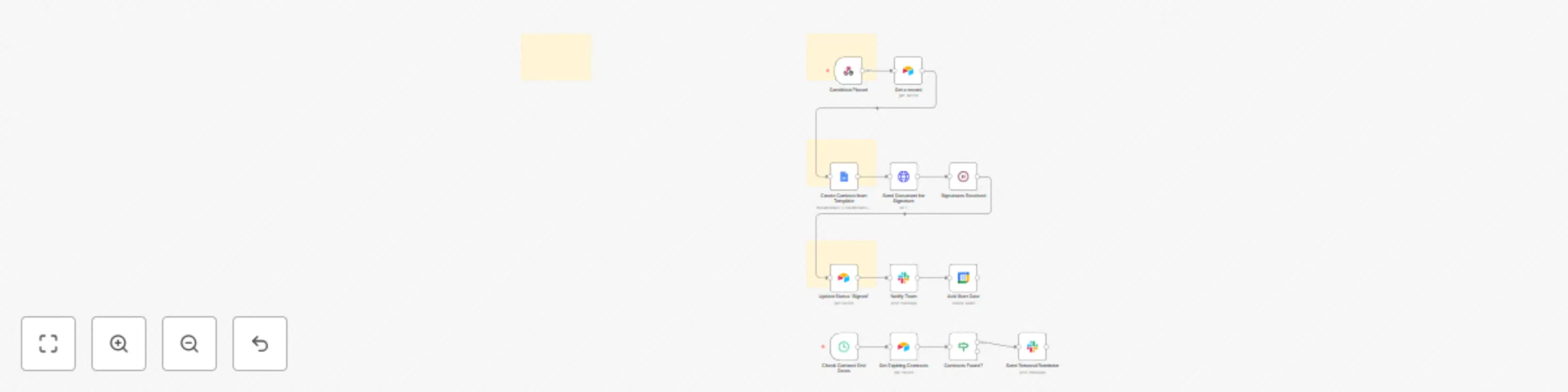
This workflow is structured in three logical phases to automate the entire contract management lifecycle:
Phase 1: Placement Trigger & Data Retrieval: The workflow begins when a new placement record is created in your CRM or database. It automatically retrieves all necessary employee and client data to prepare for contract generation.
Phase 2: Contract Generation & Delivery: The system uses a pre-made Google Docs template to generate a professional contract. It then automatically sends this document for e-signature via DocuSign to both the employee and the client.
Phase 3: Post-Placement Management & Reminders: Once the contract is signed, the workflow updates your database, notifies your team, and adds the start date to your calendar. A separate scheduled automation runs weekly to proactively check for expiring contracts and send renewal reminders.
Follow these steps to configure the workflow in your n8n instance.
Before you begin, ensure you have the following accounts and a workspace set up:
Airtable Database Preparation:
Create an Airtable base with a Placements table. This table must include the following columns:
Candidate NameCandidate EmailClient NameClient Contact EmailStart DateEnd DateStatusGoogle Docs Template Preparation:
Create a contract template in Google Docs with placeholders in the format {{placeholder}} (e.g., {{candidateName}}, {{clientName}}).
.json file into your n8n instance. All the necessary nodes will appear on your canvas.Airtable or DocuSign node).Configure the following key nodes to match your specific setup:
Webhooks Trigger:
Webhooks Trigger node and copy the Webhook URL.POST request to this URL whenever a new placement is created.Airtable Nodes:
Airtable node in the workflow, enter the correct Base ID and Table Name (Placements) that you created in Step 1.Google Docs Node:
Template File ID field, enter the file ID of your Google Docs contract template.{{candidateName}} should be mapped to ={{ $json.candidate_name }}).DocuSign Node:
Account ID in the credentials settings.Signer Name and Signer Email fields to the data from your database./signature/) that matches the anchor tags in the DocuSign node.Cron Trigger:
Cron Trigger node is set up to check for expiring contracts. You can adjust the Interval parameter (e.g., Every Week) to match your desired schedule.The workflow is now live! It will automatically handle contract generation, signatures, and reminders for every new placement.
This catalog entry is organized from the workflow JSON. The node-level section below shows the executable blocks available for review before importing the template.
| Workflow | Automate contract employee lifecycle with Google Docs, DocuSign & Airtable |
|---|---|
| Complexity | advanced |
| Nodes | 16 |
| Categories | HR |
| Author | Marth |
| Published | 08 Aug 2025 |
Use the JSON export at /data/workflows/7185/7185.json as the source template for this automation.
Open n8n, import the downloaded JSON, and review each node before activating the workflow.
Replace placeholder credentials, API keys, webhook URLs, account IDs, and environment-specific values with your own settings.
Run the workflow manually or in a staging workspace, inspect node output, and confirm downstream systems receive the expected data.
Enable the workflow only after testing, then monitor executions, errors, and rate limits during the first production runs.
Review imported nodes carefully before activation. This catalog entry is intended to help you inspect the workflow structure, understand required services, and find related templates faster.
Node names, credentials, schedules, webhook paths, and external service limits may need adjustment for your workspace.
Automated Contract Employee Placement & Management System: Setup Guide This guide will walk you through setting up your n8n workflow. By the end, you'll have a fully automated system for managing...
Review the workflow JSON, configure any required credentials in n8n, and test the automation in a safe workspace before using it in production.
Yes. Use the block-by-block analysis and the downloadable JSON to inspect each node, then adjust credentials, prompts, schedules, filters, or destinations for your HR use case.