N

Nguyễn Thiệu Toàn (Jay Nguyen)

6
Workflows

Workflows by Nguyễn Thiệu Toàn (Jay Nguyen)
Workflow preview:  Smart human takeover & auto pause AI-powered Facebook Messenger chatbot
Free advanced

Smart human takeover & auto pause AI-powered Facebook Messenger chatbot

![nguyenthieutoann8nworkflowfacebookmessenger 3.jpeg](fileId:3783) # 🤖 Facebook Messenger Chatbot - Smart Human Takeover, Auto Pause & Context-Aware ## Adaptable to n8n 1.113+ and 2.x **by Nguyen Thieu Toan (Jay Nguyen)** --- ## 📖 Overview An **intelligent Facebook Messenger chatbot** that automatically detects human agent intervention and pauses AI responses accordingly. Features smart pause management, full context preservation, and seamless handoff between AI and human support. **Perfect for:** - 💼 Customer support with AI + human escalation - 🎯 Sales conversations requiring manual intervention - 🛠️ Technical support needing human expertise - 🤝 Any chatbot requiring human oversight capability **Requirements:** n8n v1.113.0+, Facebook App with Messenger, Google Gemini API key (or compatible LLM) --- ## 🔗 Complementary Workflow [Smart Facebook Messenger Chatbot – Message Batching & History](https://n8n.io/workflows/9192) Enhances Messenger automation with intelligent batching, conversation tracking, and context-aware responses. Messages are grouped, stored, and processed with full history for smoother interactions. **Why combine?** - 🧩 **Smart Batch (v3)**: Efficient multi-message handling, reduced spam - 📜 **Conversation History**: Maintains context across sessions - 🤖 **AI Responses**: Natural, context-aware replies - ⚡ **Scalability**: Sequential processing for reliable delivery 👉 Access workflow [Smart Facebook Messenger Chatbot – Message Batching & History](https://n8n.io/workflows/9192) --- ## ⚡ Key Features ### **Core Capabilities** | Feature | Description | |---------|-------------| | 🔍 **Human Takeover Detection** | Automatically detects when admin/human sends messages from page via metadata checking | | ⏸️ **Smart Auto-Pause** | Bot pauses for configurable duration (default 60s) when human joins conversation | | 📝 **Context Preservation** | Saves both AI and human responses in conversation history for seamless continuity | | 📋 **Whitelist Management** | Tracks paused users with timestamp-based auto-resume (no manual intervention needed) | | 🔄 **Seamless Handoff** | Smooth transition between AI and human, then automatic resume after timeout | | 🏢 **Multi-Page Support** | Single workflow handles multiple Facebook Pages via `page_id` differentiation | | 📊 **Full History Context** | AI sees both previous AI and human responses when resuming | ### **Technical Highlights** - ✅ Metadata-based detection (`message.metadata == "bot_rep"`) - ✅ Timestamp-based pause management (auto-expires) - ✅ Upsert operation for whitelist (updates if exists, inserts if new) - ✅ Composite key indexing (`user_id` + `page_id`) - ✅ Zero manual cleanup required - ✅ Full conversation context preserved across handoffs --- ## 🏗️ How It Works ``` ┌──────────────────────────────────────────────────────────┐ │ 1. Message Intake │ │ • The system receives incoming messages from different │ │ sources and identifies their type. │ └──────────────────────────────────────────────────────────┘ ↓ ┌──────────────────────────────────────────────────────────┐ │ 2. Human Interaction Recognition │ │ • Detects when a human is involved and records the event │ │ • Adjusts automated handling accordingly. │ └──────────────────────────────────────────────────────────┘ ↓ ┌──────────────────────────────────────────────────────────┐ │ 3. Pause & Resume Control │ │ • Temporarily pauses automation when needed │ │ • Resumes once conditions are met. │ └──────────────────────────────────────────────────────────┘ ↓ ┌──────────────────────────────────────────────────────────┐ │ 4. Automated Response │ │ • Processes messages with context │ │ • Generates and delivers appropriate replies. │ └──────────────────────────────────────────────────────────┘ ``` --- ## 🛠️ Setup Guide ### Step 1: Facebook App Setup ### Step 2: Data Storage Preparation ### Step 3: Workflow Configuration ### Step 4: Testing --- ## 👤 About the Author **Nguyen Thieu Toan (Nguyễn Thiệu Toàn / Jay Nguyen)** *AI Automation Specialist | n8n Workflow Expert | Business Optimization Consultant* **Services**: AI Automation Solutions, n8n Workflow Development, Custom Chatbot Implementation, Team Training Programs **Contact**: - 🌐 [nguyenthieutoan.com](https://nguyenthieutoan.com) - 📘 [Facebook](https://www.facebook.com/nguyenthieutoan) - 💼 [LinkedIn](https://www.linkedin.com/in/nguyenthieutoan) - 🐦 [X (Twitter)](https://www.x.com/nguyenthieutoan) - 📺 [YouTube](https://www.youtube.com/@NguyenThieuToan) - 📧 [email protected] **GenStaff Company**: [genstaff.net](https://genstaff.net) | [email protected] --- ## 📄 License After purchase, use in commercial/personal projects. No redistribution or resale. Keep author attribution when sharing. **Last Updated**: December 18, 2025 | **Version**: 1.0 | **n8n Compatibility**: v1.123.0+ and v2.0.0+ | **Facebook API**: v23.0/v24.0 --- **Ready to enable intelligent human-AI collaboration in your Facebook Messenger? Import this workflow and transform your chatbot today! 🚀**

N
Nguyễn Thiệu Toàn (Jay Nguyen)
Support Chatbot
18 Dec 2025
38
0
Workflow preview: AI-Powered automated news (stock, economy...) collector with expert comment
Free advanced

AI-Powered automated news (stock, economy...) collector with expert comment

### What is This Workflow? V2 (2026) available! An intelligent, fully automated news aggregation system that collects articles from multiple sources (RSS feeds + Google Search), uses AI to classify and summarize the most important stories, then delivers a professional HTML email report with expert commentary. --- ![Screenshot_1612026_55828_mail.google.com.jpeg](fileId:4002) ![Screenshot_1612026_55840_mail.google.com.jpeg](fileId:4003) #### ***Contact to customize this workflow for your business: [[email protected]](mailto:[email protected])*** --- ### Use Cases: 📈 **Financial Markets**: Stock news, economic indicators, market analysis 📰 **Industry News**: Tech, healthcare, real estate, etc. 🌍 **Regional Updates**: Country-specific news, local events 🏢 **Corporate Intelligence**: Competitor monitoring, industry trends 🎓 **Academic Research**: Paper aggregation, research updates ⚡ **Crisis Monitoring**: Breaking news, emergency alerts ### Key Features: ✅ **Multi-Source Collection**: RSS feeds + Google Search API (expandable) ✅ **AI Classification**: Auto-categorizes articles by topic (e.g., stock market, economy) ✅ **AI Summarization**: Selects top 15 stories, groups by region, adds expert insights ✅ **Professional Email**: Finance-themed HTML design with structured tables ✅ **Data Table Storage**: Central repository with auto-cleanup (3-day retention) ✅ **Duplicate Prevention**: Link-based deduplication ✅ **Cost Optimized**: GPT-4.1 Nano for classification, Gemini Flash for summarization ✅ **Fully Customizable**: Topics, languages, sources, schedules, styling—all flexible --- # How It Works ## 1. News Collection - Gather updates from multiple sources (RSS feeds, keyword searches). - Standardize format (title, link, snippet, date, source, tag). - Store in a central table with duplicate prevention. ## 2. AI Processing & Analysis - Classify articles into categories (e.g., Stock Market, Economy). - Summarize top items per category and region. - Add short expert-style commentary for context. - Output structured JSON with title, content, insights, and links. ## 3. Email Generation & Delivery - Merge summaries into professional tables. - Apply finance-themed design (Navy Blue, Gold, Green). - Include header (date + “Daily Executive Briefing”) and footer attribution. - Send via Gmail with HTML body and subject line including date. ### Requirements: **n8n Version:** 1.113.0+ (for Data Table feature), 2.4.0+ for Auto Create Data Table (or you need to create manually). **APIs & Credentials:** - **SerpAPI**: For Google Search (free tier available) - if you need to use Google Search source. - **OpenAI API**: GPT-4.1 Nano access - **Google Gemini API**: Gemini Flash access - **Gmail OAuth2**: For sending emails **Optional:** - Custom RSS feeds (public, no auth required) --- ### Cost Optimization: **API Usage per Day:** - SerpAPI: 2-4 searches (free tier: 100/month) - OpenAI: ~50 classification calls (~$0.01) - Gemini: ~2 summarization calls (~$0.005) - **Total: < $0.02/day** (~$0.60/month) **Cost Reduction Tips:** - Use free Gemini tier (2M tokens/day) - Batch classification (reduce API calls) - Adjust article limits (fewer = cheaper) - Use Claude Haiku instead of GPT-4.1 Nano (even cheaper) --- ### Customization & Support: 🎁 **FREE Workflow Customization** Need to adapt this workflow for your specific use case? Contact the author for **FREE** basic customization: - Change topics/categories/languages - Adjust sources and schedules - Modify email styling - Simple logic changes - Lifetime free updates and bug fixes 📧 **Email**: [email protected] 💼 **Paid Advanced Support** (~$15-30 USD) For complex customization + full setup + additional features: - Multi-language support with auto-translation - Advanced AI analysis (sentiment, trends, predictions) - Integration with Slack/Discord/Teams - Custom web dashboard - Database integration (PostgreSQL, MongoDB) - Webhook integrations - Custom reporting formats (PDF, Slack cards, etc.) **Author**: Nguyen Thieu Toan (Jay Nguyen) **n8n Profile**: [n8n.io/creators/nguyenthieutoan](https://n8n.io/creators/nguyenthieutoan) **Status**: n8n Verified Creator **Website**: nguyenthieutoan.com --- ### Version History: **v2.0** (Current) - Multi-source collection (RSS + Google Search) - AI-powered classification & summarization - Professional HTML email generation - Data Table storage with auto-cleanup - Fully customizable architecture --- ### Related Workflows: 🔗 Browse more workflows by Jay Nguyen: [n8n.io/creators/nguyenthieutoan](https://n8n.io/creators/nguyenthieutoan) **Similar Templates:** - Social Media Content Aggregator - Competitor Monitoring System - Research Paper Digest Generator - Breaking News Alert System

N
Nguyễn Thiệu Toàn (Jay Nguyen)
Crypto Trading
13 Nov 2025
469
0
Workflow preview: Download TikTok videos without watermarks via Telegram bot
Free advanced

Download TikTok videos without watermarks via Telegram bot

# 🎬 TikTok Video Downloader (No Watermark) - Telegram Bot &gt; **Download TikTok videos instantly without watermarks via Telegram** &gt; Fast, reliable, and user-friendly automated workflow --- ## ✨ What This Workflow Does This powerful automation turns your Telegram bot into a **TikTok video downloader**. Simply send any TikTok link, and the bot will: - ✅ Validate the URL automatically - ⚡ Extract video without watermark - 📊 Display video statistics (views, likes, author) - 🚀 Send the clean video file directly to you **No ads. No watermarks. Pure automation magic.** --- ## 🎯 Key Features | Feature | Description | |---------|-------------| | **🔍 Smart Validation** | Automatically checks if the link is a valid TikTok URL | | **💬 Real-time Feedback** | Keeps users informed with status messages at every step | | **⚠️ Error Handling** | Catches and explains errors in user-friendly language | | **📈 Video Analytics** | Shows author name, view count, and likes | | **🎥 High Quality** | Downloads original video quality without TikTok watermark | | **⚡ Fast Processing** | Optimized HTTP requests with proper headers and timeouts | --- ## 🔧 How It Works ### **Workflow Flow Diagram** ``` 📱 User sends TikTok link ↓ ✅ URL Validation ├─ Valid → Continue └─ Invalid → Send error message ↓ 💬 Send "Processing..." status ↓ 🌐 Fetch TikTok page HTML ↓ 🔍 Extract video URL from page data ↓ ⬇️ Download video file (no watermark) ↓ 📤 Send video to user with stats ``` ### **Technical Process** 1. **Trigger Reception**: Telegram webhook receives user message 2. **URL Validation**: IF node checks for `tiktok.com` or `vm.tiktok.com` domains 3. **User Feedback**: Bot sends "uploading video..." chat action + status message 4. **Variable Configuration**: Stores chat ID and video URL for later use 5. **HTML Fetching**: HTTP request to TikTok with browser-like headers 6. **Data Extraction**: JavaScript code parses `__UNIVERSAL_DATA_FOR_REHYDRATION__` JSON 7. **Video Download**: HTTP request with proper cookies and referrer headers 8. **Delivery**: Telegram sends video file with formatted caption including stats ### **Error Handling Strategy** Each critical node (HTTP requests, code execution) has error output enabled: - **On Success**: Continues to next processing step - **On Error**: Routes to "Format Error" → "Send Error Message" path - **User Experience**: Clear, actionable error messages instead of silent failures --- ## 🚀 Set Up Steps ### **Prerequisites** - ✅ n8n instance (v1.116.0 or higher) - ✅ Telegram Bot Token ([Create via @BotFather](https://t.me/botfather)) - ✅ Basic understanding of n8n workflows ### **Step 1: Import Workflow** 1. Copy the workflow JSON 2. In n8n, click **"+ Add workflow"** → **"Import from JSON"** 3. Paste the JSON and click **"Import"** ### **Step 2: Configure Telegram Credentials** 1. Click on any **Telegram node** 2. Select **"Create New Credential"** in the Credentials dropdown 3. Enter your **Bot Token** from @BotFather 4. Click **"Save"** 5. All Telegram nodes will automatically use this credential ### **Step 3: Enable Error Handling** ⚠️ **CRITICAL** You **MUST** manually configure error outputs on these 3 nodes: #### **Node: "Get TikTok Page HTML"** - Click the node → **Settings tab** - Find **"On Error"** section - Select **"Continue With Error Output"** - Click **Save** #### **Node: "Extract Video URL"** - Click the node → **Settings tab** - Set **"On Error"** to **"Continue With Error Output"** - Click **Save** #### **Node: "Download Video File"** - Click the node → **Settings tab** - Set **"On Error"** to **"Continue With Error Output"** - Click **Save** &gt; 💡 **Why?** n8n cannot import error handling settings via JSON. This manual step ensures errors are caught instead of crashing the workflow. ### **Step 4: Activate Workflow** 1. Click the **"Active"** toggle in the top-right corner 2. The workflow is now listening for Telegram messages ### **Step 5: Test Your Bot** 1. Open Telegram and find your bot 2. Send a TikTok link like: `https://www.tiktok.com/@user/video/123456789` 3. Watch the magic happen! 🎉 --- ## 🧪 Testing Scenarios | Test Case | Input | Expected Output | |-----------|-------|----------------| | **Valid Video** | Working TikTok link | ✅ Video file + stats caption | | **Invalid URL** | `hello world` | ❌ "Please send valid TikTok link" | | **Deleted Video** | Link to deleted video | ❌ "Video data not found" error | | **Private Video** | Private account video | ❌ "Video may be private" error | | **Short Link** | `https://vm.tiktok.com/abc` | ✅ Resolves and downloads | --- ## 🎨 Customization Ideas ### **Change Language** Edit text in Telegram nodes to translate messages: ``` "⏳ Downloading video..." → "⏳ Đang tải video..." ``` ### **Add Video Compression** Insert a **Compress** node between "Download Video File" and "Send Video to User" for smaller files. ### **Store Statistics** Add a **Google Sheets** node after "Extract Video URL" to log: - Video URL - Author - Views/Likes - Download timestamp ### **Multi-Platform Support** Duplicate the workflow and modify URL validation + extraction logic for Instagram, YouTube Shorts, etc. ### **Rate Limiting** Add a **Wait** node (2 seconds) before "Get TikTok Page HTML" to avoid IP bans. --- ## 🐛 Troubleshooting ### **Problem: Bot doesn't respond** - ✅ Check if workflow is **Active** - ✅ Verify Telegram credentials are correct - ✅ Check **Executions** tab for errors ### **Problem: "Video data not found" error** - ✅ TikTok may have changed their HTML structure - ✅ Update the regex in "Extract Video URL" node - ✅ Check if video is actually deleted/private ### **Problem: Download fails** - ✅ Ensure "On Error" is set to "Continue With Error Output" - ✅ Check if your IP is blocked by TikTok (use VPN) - ✅ Verify headers in "Download Video File" node ### **Problem: Error messages not appearing** - ✅ Double-check error output connections (red dots) - ✅ Make sure "Format Error" node references correct variables - ✅ Test by intentionally breaking a node (invalid URL) --- ## 📊 Performance Metrics | Metric | Value | |--------|-------| | **Average Processing Time** | 5-10 seconds | | **Success Rate** | ~95% (valid public videos) | | **Max Video Size** | Limited by Telegram (50MB) | | **Concurrent Users** | Unlimited (webhook-based) | --- ## 🔐 Privacy & Security - ✅ **No Data Storage**: Videos are streamed directly to users, not stored - ✅ **No Logging**: User IDs and links are processed in-memory only - ✅ **Secure Headers**: Mimics browser requests to avoid detection - ✅ **Error Sanitization**: Sensitive data is filtered from error messages --- ## 📚 Technical Stack - **n8n Version**: 1.116.0+ - **Node Types Used**: - `telegramTrigger` (v1.2) - `telegram` (v1.2) - `if` (v2.2) - `set` (v3.4) - `httpRequest` (v4.2) - `code` (v2) - `stickyNote` (v1) - **External APIs**: TikTok CDN, Telegram Bot API --- ## 🎓 Learning Resources Want to understand the workflow better? Check these concepts: - [n8n Error Handling](https://docs.n8n.io/workflows/error-handling/) - [Telegram Bot API](https://core.telegram.org/bots/api) - [HTTP Request Headers](https://developer.mozilla.org/en-US/docs/Web/HTTP/Headers) - [JavaScript Code Node](https://docs.n8n.io/code-examples/javascript/) --- ## 🤝 Contributing Found a bug? Have an improvement idea? 1. Test your changes thoroughly 2. Document any new nodes or logic 3. Share your enhanced workflow with the community 4. Credit the original author (see below) --- ## 👨‍💻 About the Author **Nguyen Thieu Toan** *n8n Automation Specialist & Workflow Creator* 🌐 Website: [nguyenthieutoan.com](https://nguyenthieutoan.com) 📧 Contact: Available on website 🎯 Specialty: Building production-ready n8n workflows for real-world automation &gt; "I create workflows that just work. No fluff, no complexity—just reliable automation that saves time and solves problems." ### **Other Workflows by Nguyen Thieu Toan** - 🎵 Spotify to YouTube Playlist Converter - 📸 Instagram Media Downloader Bot - 📊 Multi-Channel Social Media Scheduler - 🔄 Automated Content Repurposing Pipeline *Visit [nguyenthieutoan.com](https://nguyenthieutoan.com) for more automation workflows and tutorials.* --- ## 📝 License & Attribution This workflow is provided **free of charge** for personal and commercial use. **Required Attribution:** - When sharing or modifying: Include author name and website link - When showcasing: Tag @nguyenthieutoan or link to nguyenthieutoan.com **Not Required But Appreciated:** - Star the workflow on n8n community - Share your success story - Suggest improvements --- ## 🎉 Version History | Version | Date | Changes | |---------|------|---------| | **2.0** | 2025-10-22 | • Added comprehensive error handling<br>• Improved user feedback<br>• Added video statistics<br>• English language support<br>• Enhanced documentation | | **1.0** | 2025-10-21 | • Initial release<br>• Basic download functionality | --- ## ⭐ Support This Work If this workflow saved you time: - ⭐ Star it on n8n community - 📢 Share with fellow automation enthusiasts - 💬 Leave feedback on [nguyenthieutoan.com](https://nguyenthieutoan.com) - ☕ Buy me a coffee (link on website) **Happy Automating! 🚀** --- *Last Updated: October 22, 2025* *Workflow Name: `TikTok Video Downloader (No Watermark) - Telegram Bot`* *Author: Nguyen Thieu Toan*

N
Nguyễn Thiệu Toàn (Jay Nguyen)
Social Media
22 Oct 2025
1854
0
Workflow preview: Smart message batching AI-powered Facebook Messenger chatbot
Free advanced

Smart message batching AI-powered Facebook Messenger chatbot

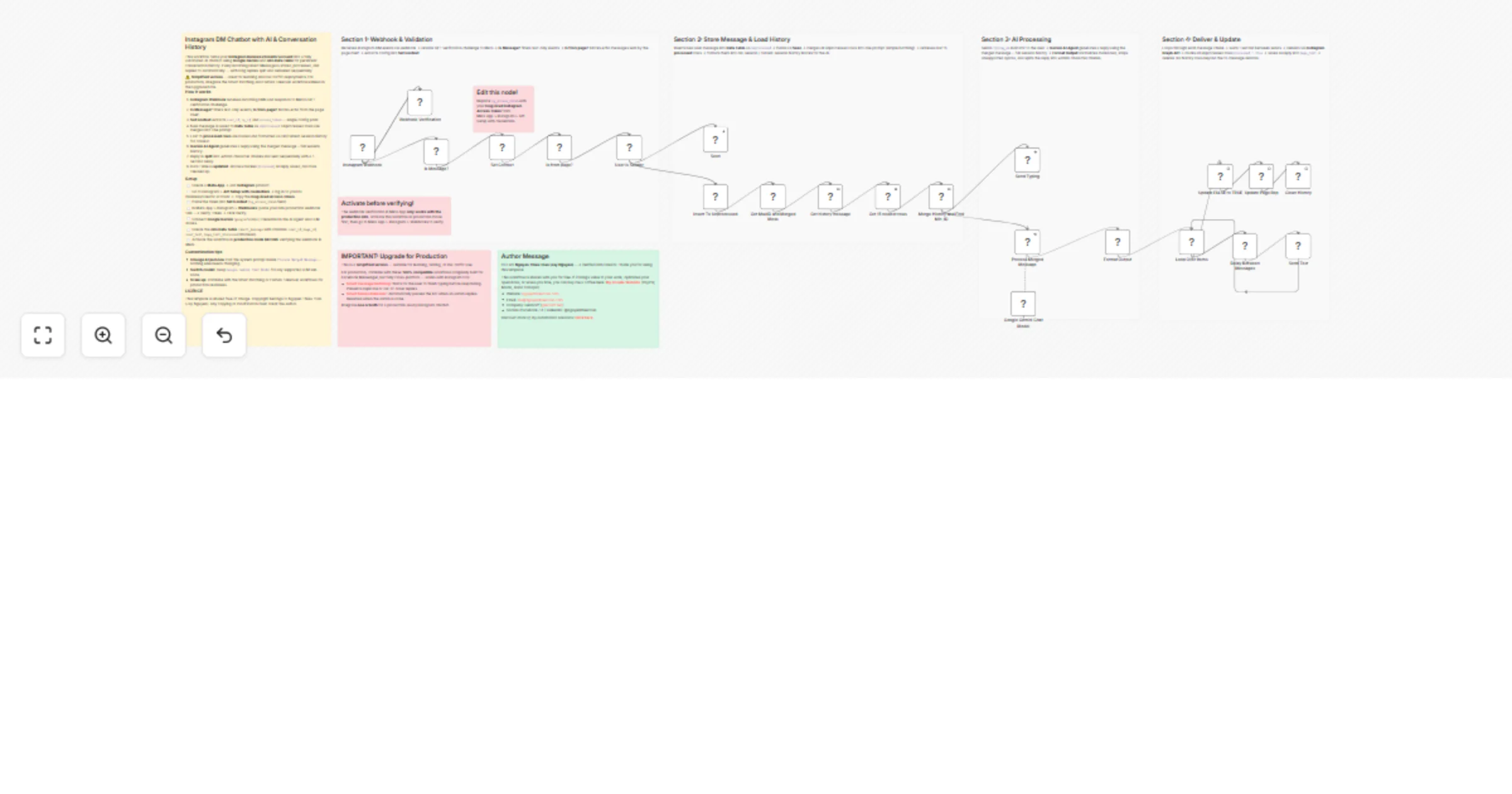
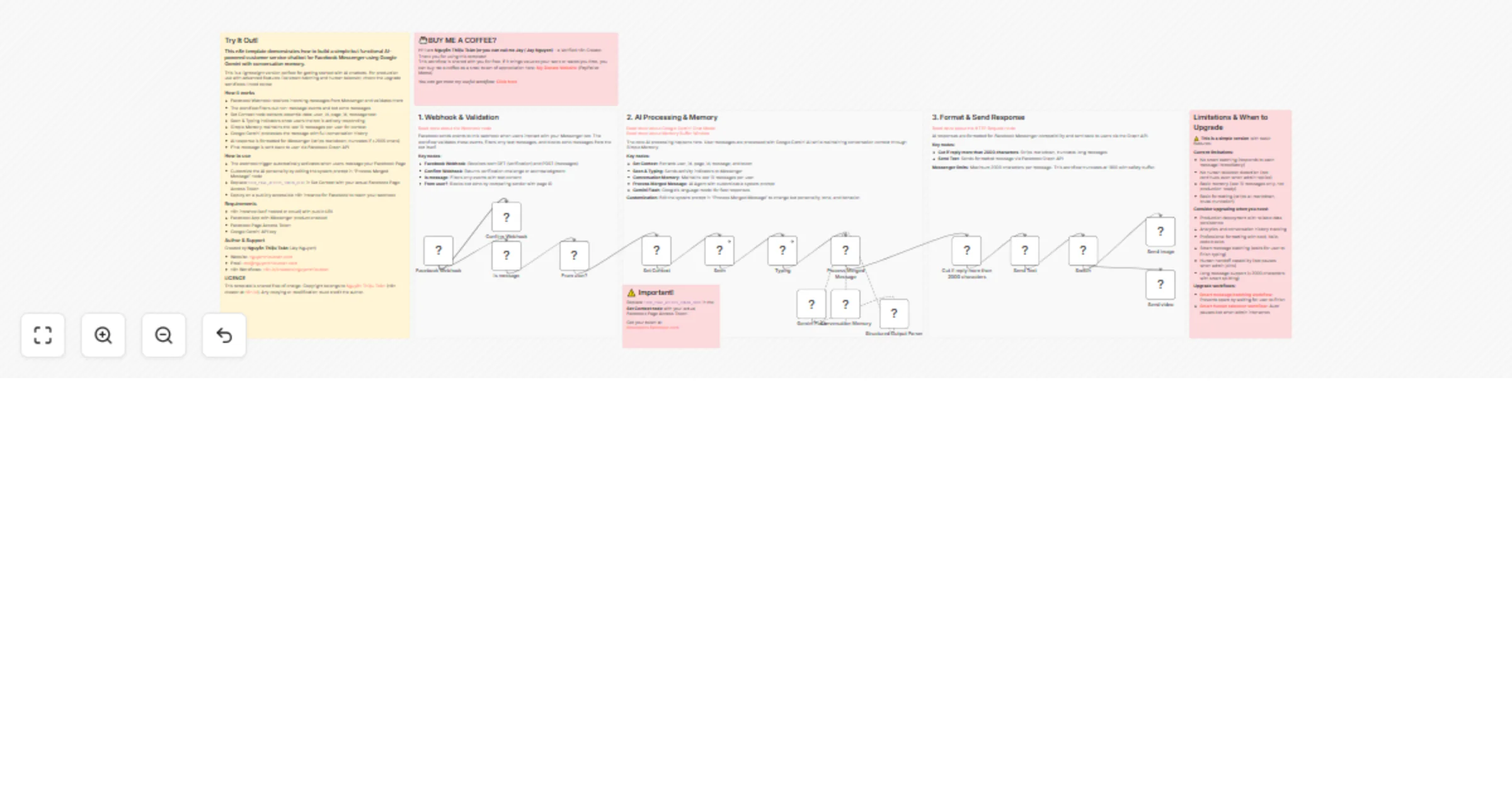
# 🤖 Facebook Messenger Smart Chatbot - Smart Batch, Format & History with n8n Data Table v3 ## Version 2026 - Adaptable to n8n v1.113+ and v2.x **by Nguyen Thieu Toan (Jay Nguyen)** --- ![bananapro20251218T102041765Z1.png](fileId:3772) ## 📖 Overview A **production-ready, enterprise-grade chatbot solution** for Facebook Messenger built entirely in n8n. Features intelligent message batching, session-aware conversation tracking, multi-page support, and natural AI-powered responses. **Perfect for:** - 💼 Customer support automation - 🛒 E-commerce product inquiries - 📅 Appointment scheduling & consultation booking - 🎓 Educational assistants & training - 🤝 Lead qualification & sales automation **Requirements:** n8n v1.113.0+, Facebook App with Messenger, Google Gemini API key (or compatible LLM) ## 🔗 Complementary Workflow **Facebook Messenger Chatbot – Smart Human Takeover, Auto Pause & Context-Aware** Adds intelligent human agent detection and automatic AI pause. When a human joins, AI pauses for configurable duration, then resumes automatically. **Why combine?** - Smart Batch (v3): Multi-message batching, spam reduction - Human Takeover: AI pauses for humans, smooth collaboration 👉 [Access workflow](https://n8n.io/workflows/11920) --- ![Screenshot_18122025_154423_n8n.nguyenthieutoan.com.jpeg](fileId:3771) ## ⚡ What's New in Version 3 ### **Major Upgrades** | Feature | Impact | |---------|--------| | 🏢 **Multi-Page Support** | Manage multiple pages within one workflow | | ⏱️ **Flexible Timing** | Adjustable wait times instead of fixed delays | | 🔒 **Improved Detection** | More reliable identification of system vs. user messages | | 📦 **Smart Delivery** | Sequential message handling to avoid overload | | 🧹 **Automatic Cleanup** | Removes outdated records to keep storage efficient | | 📊 **Better Context** | Clear separation of past vs. current sessions | | 🔄 **Ordered Updates** | Ensures actions run in the right sequence | | 📝 **Simplified Naming** | Clearer labels for easier understanding | **Architecture Comparison**: Previous version had fixed timing, parallel updates, no multi-page handling, and no cleanup. New version introduces flexibility, sequential processing, and scalability for real-world use. --- ## 🎯 Key Features - **🔄 Smart Batching**: Groups consecutive messages within configurable window (default 7s) - **🧠 Session-Aware Context**: Distinguishes old vs. current sessions for temporal awareness - **📋 Full History**: Stores complete chat logs with both user and page responses - **👀 Natural UX**: "Seen" marker and "Typing..." indicator for human-like feel - **🎯 AI Integration**: Extensible prompts for domain-specific consulting (Gemini, Groq, or any LLM) - **🌐 Multi-Language**: Handles Vietnamese (anh/chị/em) with customizable settings - **🏢 Multi-Page Ready**: Single workflow serves multiple Facebook Pages simultaneously **Technical Highlights**: Idempotent processing, timezone-aware timestamps (Asia/Ho_Chi_Minh), Facebook API v24.0 compatible, sequential delivery with rate limiting protection, auto cleanup (keeps last 15 rows) --- ## 🏗️ How It Works ``` ### 🔄 General Flow Reception & Validation → Batching & Storage → Context Aggregation ↓ ↓ ↓ Identify input Store for later use Combine with history Filter duplicates Apply short delay Build conversation context ↓ AI Processing → Delivery & Cleanup ↓ ↓ Generate response Format & send Add signals Maintain records Ensure continuity Clean old data ``` --- ## 🛠️ Setup Guide ### Step 1: Facebook App Create app, add Messenger, set webhook, get token, subscribe page ### Step 2: Data Table Prepare tables for messages batching ### Step 3: Workflow Import template, set context, link tables, connect AI ### Step 4: Test Activate workflow, send test messages, verify pause/resume --- ## 👤 About the Author **Nguyen Thieu Toan (Nguyễn Thiệu Toàn / Jay Nguyen)** *AI Automation Specialist | n8n Workflow Expert | Business Optimization Consultant* **Services**: AI Automation Solutions, n8n Workflow Development, Custom Chatbot Implementation, Training Programs **Contact**: - 🌐 [nguyenthieutoan.com](https://nguyenthieutoan.com) - 📘 [Facebook](https://www.facebook.com/nguyenthieutoan) - 💼 [LinkedIn](https://www.linkedin.com/in/nguyenthieutoan) - 🐦 [X (Twitter)](https://www.x.com/nguyenthieutoan) - 📺 [YouTube](https://www.youtube.com/@NguyenThieuToan) - 📧 [email protected] **GenStaff Company**: [genstaff.net](https://genstaff.net) | [email protected] --- ## 📄 License After purchase, use in commercial/personal projects. No redistribution or resale. Keep author attribution when sharing. --- **Last Updated**: December 18, 2025 | **Version**: 3.0 | **n8n Compatibility**: v1.123.0+ and v2.0.0+ | **Facebook API**: v24.0 --- **Ready to transform your Facebook Messenger into an intelligent AI assistant? Import this workflow and start automating today! 🚀**

N
Nguyễn Thiệu Toàn (Jay Nguyen)
Support Chatbot
2 Oct 2025
2065
0
Workflow preview: Forum pulse for Telegram: community monitoring with Gemini & Groq AI models
Free advanced

Forum pulse for Telegram: community monitoring with Gemini & Groq AI models

# ForumPulse for n8n – Daily Pulse & On-demand Deep Dives **Author:** Nguyen Thieu Toan **Category:** Community & Knowledge Automation **Tags:** Telegram, Reddit, n8n Forum, AI Summarization, Gemini, Groq --- ## How it works ForumPulse is an AI-powered assistant that keeps you connected to the latest discussions around **n8n**. The workflow integrates **Reddit (r/n8n)** and the **n8n Community Forum**, fetches trending and recent posts, and uses **Gemini/Groq AI models** to generate clean, structured summaries. It works in two complementary modes: 1. **Daily Pulse (Automated Digest):** Runs on schedule (default: 8:00 AM) to gather highlights and deliver a concise summary directly to your Telegram. 2. **On-demand Deep Dive (Interactive):** Listens to Telegram queries in real-time, detects intent (search, deep dive, open link, or chat), and provides summaries, comments, and insights for any chosen post. When AI intent detection confidence drops below `0.7`, the bot automatically asks for clarification before proceeding—ensuring accuracy and transparency. --- ## Step-by-step ### 1. Setup & Prerequisites - **n8n instance** (cloud or self-hosted). - **Telegram Bot** (created via BotFather). - **MongoDB** (optional, for persistent memory). - **API keys** for Gemini and Groq. - **Your Telegram user ID** (to receive replies). ⚠️ Replace all test credentials and tokens with your own. Never commit real secrets into exported templates. --- ### 2. Daily Pulse Automation - **Schedule Trigger** runs the workflow every morning at the configured time. - **Reddit + Forum Search** collects hot/new topics. - **Merge Results** combines both sources into a unified dataset. - **AI Summarizer Overview** condenses the results into a short, engaging digest. - **Telegram Output** delivers the digest, automatically split into safe chunks under 2000 characters. --- ### 3. On-demand Interaction - **Telegram Trigger** listens for incoming messages. - **Intent Analysis (AI Agent)** classifies the query as *Search | Open Link | Deep Dive | Chitchat*. - **Confidence Gate**: if confidence &lt; 0.7, sends a clarification prompt to the user. - **Branch by Intent**: - *Search*: Query Reddit/Forum with filters. - *Open Link*: Fetch details of a specific post. - *Deep Dive*: Retrieve comments and metadata. - *Chitchat*: Respond conversationally. - **AI Summarizer** structures the output, highlighting trends, issues, and takeaways. - **Telegram Delivery** formats and sends the reply, respecting HTML tags and message length. --- ### 4. Deep Dive Details - **Post Extraction** fetches titles, authors, timestamps, and stats. - **Comment Parsing** organizes replies into structured data. - **Merge Post + Comments** builds a complete context package. - **Summarizer** produces detailed, actionable insights. --- ### 5. Error Handling & Safety - **Confidence Check** prevents wrong answers by requiring clarification. - **Error Paths** handle API downtime or unexpected formats gracefully. - **Auto Chunking** avoids Telegram’s message length cap (2000 chars). - **Safe Defaults** ensure fallback queries when inputs are missing or unclear. --- ## Customization Options - **Sources**: Add or replace platforms by editing HTTP Request nodes. - **Schedule**: Change the cron time in the Schedule Trigger (e.g., 7:30 AM). - **Filters**: Adjust default sort order, time ranges, and result limits. - **AI Persona**: Reword the `systemMessage` in AI Agent nodes to change tone (professional, casual, emoji-rich). - **Languages**: Auto-detects user language, but you can force English or Vietnamese by editing prompt settings. - **Memory**: Enable MongoDB nodes for persistent user context across sessions. - **Integrations**: Extend beyond Telegram—send digests to Slack, Discord, or email. - **Models**: Swap Gemini/Groq with other supported LLMs for experimentation. --- ✨ Crafted by **Nguyen Thieu Toan** with a focus on clarity, reliability, and community-driven insights. This workflow is not just functional - it reflects a design philosophy: automation should feel natural, transparent, and genuinely useful.

N
Nguyễn Thiệu Toàn (Jay Nguyen)
Market Research
14 Sep 2025
337
0
Workflow preview: AI-powered news update bot for Zalo using Gemini and RSS feeds
Free advanced

AI-powered news update bot for Zalo using Gemini and RSS feeds

# How it works ## 🧠 AI-Powered News Update Bot for Zalo using Gemini and RSS Feeds This workflow allows you to build a smart Zalo chatbot that automatically summarizes and delivers the latest news using Google Gemini and RSS feeds. It’s perfect for keeping users informed with AI-curated updates directly inside Vietnam’s most popular messaging app. --- ## 🚀 What It Does - Receives user messages via Zalo Bot webhook - Fetches the latest articles from an RSS feed (e.g., AI news) - Summarizes the content using Google Gemini - Formats the response and sends it back to the user on Zalo --- ## 📱 What Is Zalo? Zalo is Vietnam’s leading instant messaging app, with over 78 million monthly active users—more than 85% of the country’s internet-connected population. It handles 2 billion messages per day and is deeply embedded in Vietnamese daily life, making it a powerful channel for communication and automation. --- ## 🔧 Setup Instructions ### 1. Create a Zalo Bot - Open the Zalo app and search for **"Zalo Bot Creator"** - Tap **"Create Zalo Bot Account"** - Your bot name must start with `"Bot"` (e.g., `Bot AI News`) - After creation, Zalo will send you a message containing your **Bot Token** ### 2. Configure the Webhook - Replace `[your-webhook URL]` in Zalo Bot Creator with your n8n webhook URL - Use the **Webhook node** in this workflow to receive incoming messages ### 3. Set Up Gemini - Add your Gemini API key to the **HTTP Request node** labeled `Summarize AI News` - Customize the prompt if you want a different tone or summary style ### 4. Customize RSS Feed - Replace the default RSS URL with your preferred news source - You can use any feed that provides timely updates (e.g., tech, finance, health) --- ## 🧪 Example Interaction **User:** "What's new today?" **Bot:** "🧠 AI Update: Google launches Gemini 2 with multimodal capabilities, revolutionizing how models understand text, image, and code..." --- ## ⚠️ Notes - Zalo Bots currently do **not support images, voice, or file attachments** - Make sure your Gemini API key has access to the model you're calling - RSS feeds should be publicly accessible and well-formatted --- ## 🧩 Nodes Used - Webhook - HTTP Request (Gemini) - RSS Feed Read - Set & Format - Zalo Message Sender (via API) --- ## 💡 Tips - You can swap Gemini with GPT-4 or Claude by adjusting the API call - Add filters to the RSS node to only include articles with specific keywords - Use the `Function` node to personalize responses based on user history --- Built by Nguyen Thieu Toan (Nguyễn Thiệu Toàn) (https://nguyenthieutoan.com). Read more about this workflow by Vietnamese: https://nguyenthieutoan.com/share-workflow-n8n-zalo-bot-cap-nhat-tin-tuc/

N
Nguyễn Thiệu Toàn (Jay Nguyen)
Support Chatbot
9 Sep 2025
894
0