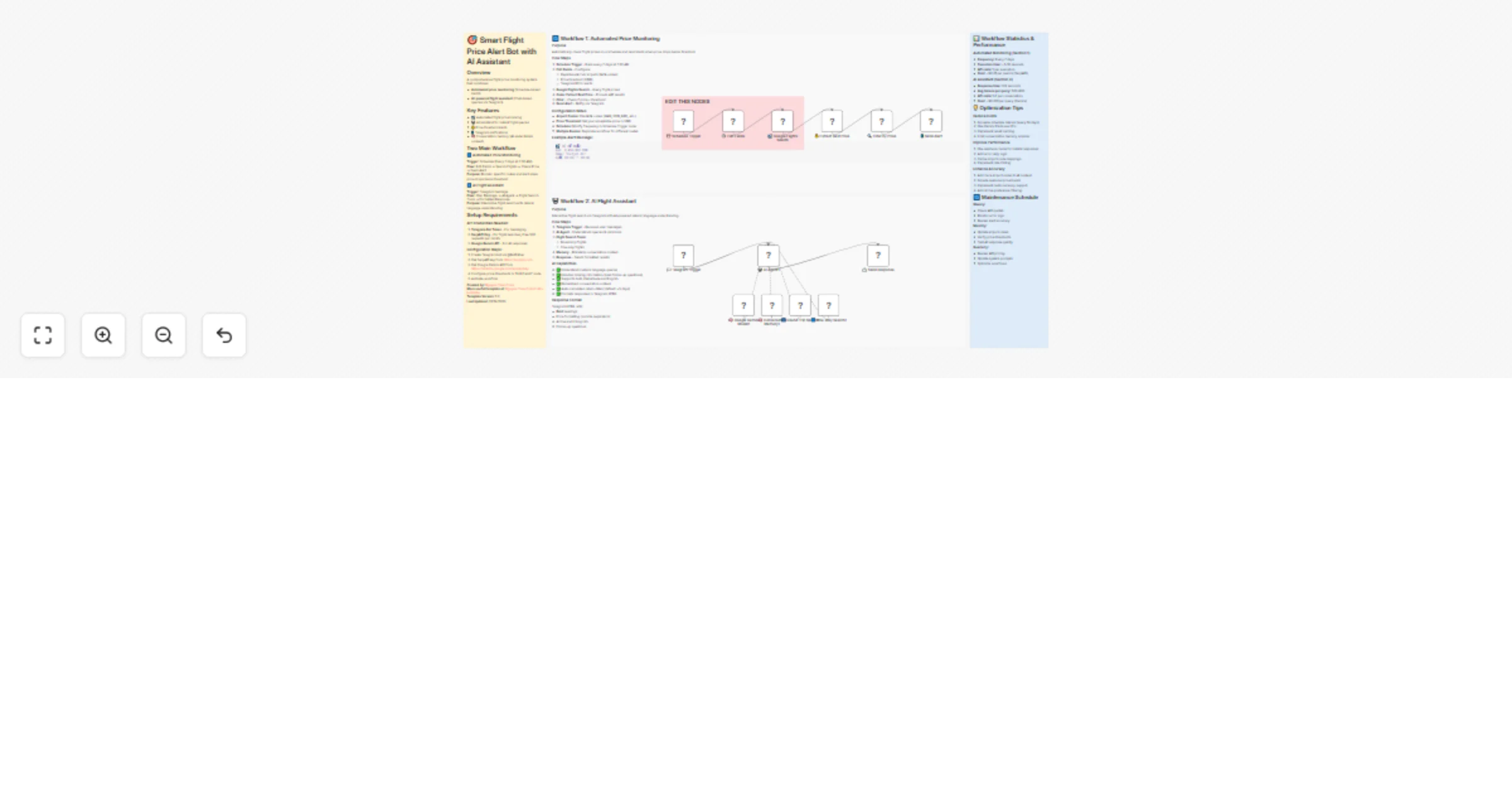
Search flights with Gemini via Telegram and send SerpAPI price alerts

Workflow preview

Workflow preview
100%
Search flights with Gemini via Telegram and send SerpAPI price alerts preview
Open on n8n.io

1. Workflow Overview

Overview A comprehensive flight price monitoring and AI assistant solution built entirely in n8n. Combines automated price tracking with intelligent conversational flight search via Telegram. ![...

Best for

  • Market Research automation workflows
  • AI Chatbot automation workflows
  • advanced n8n builders looking for reusable templates

Tools used

n8n-nodes-base.stickynote, n8n-nodes-base.scheduletrigger, n8n-nodes-base.set, n8n-nodes-serpapi.serpapi, n8n-nodes-base.code, n8n-nodes-base.filter, n8n-nodes-base.telegram, n8n-nodes-base.telegramtrigger

Source and attribution

This workflow is cataloged by N8N Workflows and links back to its original n8n.io source page by Nguyễn Thiệu Toàn (Jay Nguyen).

Original n8n.io source

1.1 Workflow description

Title
Search flights with Gemini via Telegram and send SerpAPI price alerts
Workflow name
Search flights with Gemini via Telegram and send SerpAPI price alerts

📖 Overview

A comprehensive flight price monitoring and AI assistant solution built entirely in n8n. Combines automated price tracking with intelligent conversational flight search via Telegram.

Perfect for:

  • ✈️ Tracking flight prices to favorite destinations
  • 💰 Getting alerts when prices drop below threshold
  • 🗓️ Planning trips with AI-powered flight searches
  • 🌍 Finding best deals across airlines
  • 📱 Managing travel plans through Telegram chat

Requirements: n8n v1.123.0+ or v2.0.0+ SerpAPI key (500 free/month), Google Gemini API, Telegram bot token


⚡ What's in the Box

Two Powerful Workflows

Workflow Function Trigger
🔔 Automated Monitoring Tracks specific routes, alerts on price drops Schedule (every 7 days)
💬 AI Flight Assistant Interactive search with natural language Telegram messages

Key Capabilities:

  • 🎯 Set price thresholds and get instant alerts
  • 🤖 Ask questions in natural language (Vietnamese/English)
  • 🧠 AI remembers conversation context
  • 📊 Compares prices across airlines
  • ⚡ Real-time search results from Google Flights

🎯 Key Features

  • 📅 Scheduled Price Checks: Automatic monitoring every 7 days (customizable)
  • 💡 Smart AI Assistant: Understands "find cheapest flight to Bangkok next weekend"
  • 🔔 Instant Alerts: Telegram notifications when prices drop
  • 🧠 Context-Aware: AI remembers your preferences and previous searches
  • 🌐 Multi-Language: Handles Vietnamese and English seamlessly
  • 📱 Mobile-Ready: Full control via Telegram chat interface

Technical Highlights: SerpAPI integration for real-time prices, Google Gemini Flash for AI responses, session-based conversation memory, Telegram HTML formatting, automatic date calculations (+5 days for returns)


🏗️ How It Works

### Workflow 1: Automated Monitoring
Schedule Trigger → Configure Route → Search Flights → Extract Best Price 
 ↓ 
 Price < Threshold? → Send Alert 

### Workflow 2: AI Assistant
Telegram Message → AI Agent → Flight Search Tools → Format Response 
 ↓ ↓ ↓ 
 Understand Round-trip/One-way Telegram HTML 
 Context Auto +5 days return Send to user 

🛠️ Setup Guide

Step 1: API Credentials

Get SerpAPI key (https://serpapi.com), Google Gemini API (https://aistudio.google.com/app/apikey), Telegram bot token (@BotFather)

Step 2: Configure Monitoring

Edit Fields node: Set departure/arrival codes, price threshold, Telegram ID

Step 3: AI Assistant Setup

Link Gemini model to AI Agent, connect flight search tools, activate memory

Step 4: Activate & Test

Enable workflow, send test message to bot, verify alerts


💡 Usage Examples

Automated Alert:

✈️ CHEAPEST TICKET
Price: 2,450,000 VND
Airline: Vietjet Air
Time: 06:00 → 08:00

AI Chat:

  • "Find round-trip tickets Hanoi to Bangkok tomorrow"
  • "What's the cheapest flight to Nha Trang next weekend?"
  • "Search one-way Da Nang to Singapore on March 15"

👤 About the Author

Nguyen Thieu Toan (Nguyễn Thiệu Toàn / Jay Nguyen)

AI Automation Specialist | n8n Workflow Expert

Contact:

GenStaff Company: genstaff.net


📄 License

  • Free for commercial/personal use.
  • Keep author attribution when sharing.

Ready to never miss a flight deal again? Import this workflow and start tracking prices today! 🚀

1.2 Logical Blocks

This catalog entry is organized from the workflow JSON. The node-level section below shows the executable blocks available for review before importing the template.

2. Block-by-Block Analysis

Block 1 - 📌 Workflow Introduction

Type / Role
n8n-nodes-base.stickyNote - stickyNote
Config choices
Version 1

Block 2 - 📊 Workflow 1 Documentation

Type / Role
n8n-nodes-base.stickyNote - stickyNote
Config choices
Version 1

Block 3 - 💬 Workflow 2 Documentation

Type / Role
n8n-nodes-base.stickyNote - stickyNote
Config choices
Version 1

Block 4 - ⏰ Schedule Trigger

Type / Role
n8n-nodes-base.scheduleTrigger - scheduleTrigger
Config choices
Version 1.3

Block 5 - ⚙️ Edit Fields

Type / Role
n8n-nodes-base.set - set
Config choices
Version 3.4

Block 6 - ✈️ Google Flights Search

Type / Role
n8n-nodes-serpapi.serpApi - serpApi
Config choices
Version 1

Block 7 - 💰 Extract Best Price

Type / Role
n8n-nodes-base.code - code
Config choices
Version 2

Block 8 - 🔍 Filter by Price

Type / Role
n8n-nodes-base.filter - filter
Config choices
Version 2.3

Block 9 - 📱 Send Alert

Type / Role
n8n-nodes-base.telegram - telegram
Config choices
Version 1.2

Block 10 - 💬 Telegram Trigger

Type / Role
n8n-nodes-base.telegramTrigger - telegramTrigger
Config choices
Version 1.2

Block 11 - 📨 Send Response

Type / Role
n8n-nodes-base.telegram - telegram
Config choices
Version 1.2

Block 12 - 📈 Performance & Optimization

Type / Role
n8n-nodes-base.stickyNote - stickyNote
Config choices
Version 1

Block 13 - Sticky Note

Type / Role
n8n-nodes-base.stickyNote - stickyNote
Config choices
Version 1

Block 14 - 🤖 AI Agent1

Type / Role
@n8n/n8n-nodes-langchain.agent - agent
Config choices
Version 3.1

Block 15 - 🧠 Google Gemini Model1

Type / Role
@n8n/n8n-nodes-langchain.lmChatGoogleGemini - lmChatGoogleGemini
Config choices
Version 1

Block 16 - 🔄 Round Trip Search1

Type / Role
n8n-nodes-serpapi.serpApiTool - serpApiTool
Config choices
Version 1

Block 17 - ➡️ One-Way Search1

Type / Role
n8n-nodes-serpapi.serpApiTool - serpApiTool
Config choices
Version 1

Block 18 - 🧠 Conversation Memory1

Type / Role
@n8n/n8n-nodes-langchain.memoryBufferWindow - memoryBufferWindow
Config choices
Version 1.3

3. Summary Table

Workflow Search flights with Gemini via Telegram and send SerpAPI price alerts
Complexity advanced
Nodes 18
Categories Market Research, AI Chatbot
Author Nguyễn Thiệu Toàn (Jay Nguyen)
Published 24 Jan 2026

4. Reproducing the Workflow from Scratch

  1. 1. Download the workflow JSON

    Use the JSON export at /data/workflows/12971/12971.json as the source template for this automation.

  2. 2. Import the template into n8n

    Open n8n, import the downloaded JSON, and review each node before activating the workflow.

  3. 3. Configure credentials and variables

    Replace placeholder credentials, API keys, webhook URLs, account IDs, and environment-specific values with your own settings.

  4. 4. Test with sample data

    Run the workflow manually or in a staging workspace, inspect node output, and confirm downstream systems receive the expected data.

  5. 5. Activate and monitor

    Enable the workflow only after testing, then monitor executions, errors, and rate limits during the first production runs.

5. General Notes & Resources

Review imported nodes carefully before activation. This catalog entry is intended to help you inspect the workflow structure, understand required services, and find related templates faster.

Node names, credentials, schedules, webhook paths, and external service limits may need adjustment for your workspace.

Frequently asked questions

What does Search flights with Gemini via Telegram and send SerpAPI price alerts do?

Overview A comprehensive flight price monitoring and AI assistant solution built entirely in n8n. Combines automated price tracking with intelligent conversational flight search via Telegram. ![...

What do I need before importing this workflow?

Review the workflow JSON, configure any required credentials in n8n, and test the automation in a safe workspace before using it in production.

Can I customize this workflow?

Yes. Use the block-by-block analysis and the downloadable JSON to inspect each node, then adjust credentials, prompts, schedules, filters, or destinations for your Market Research, AI Chatbot use case.