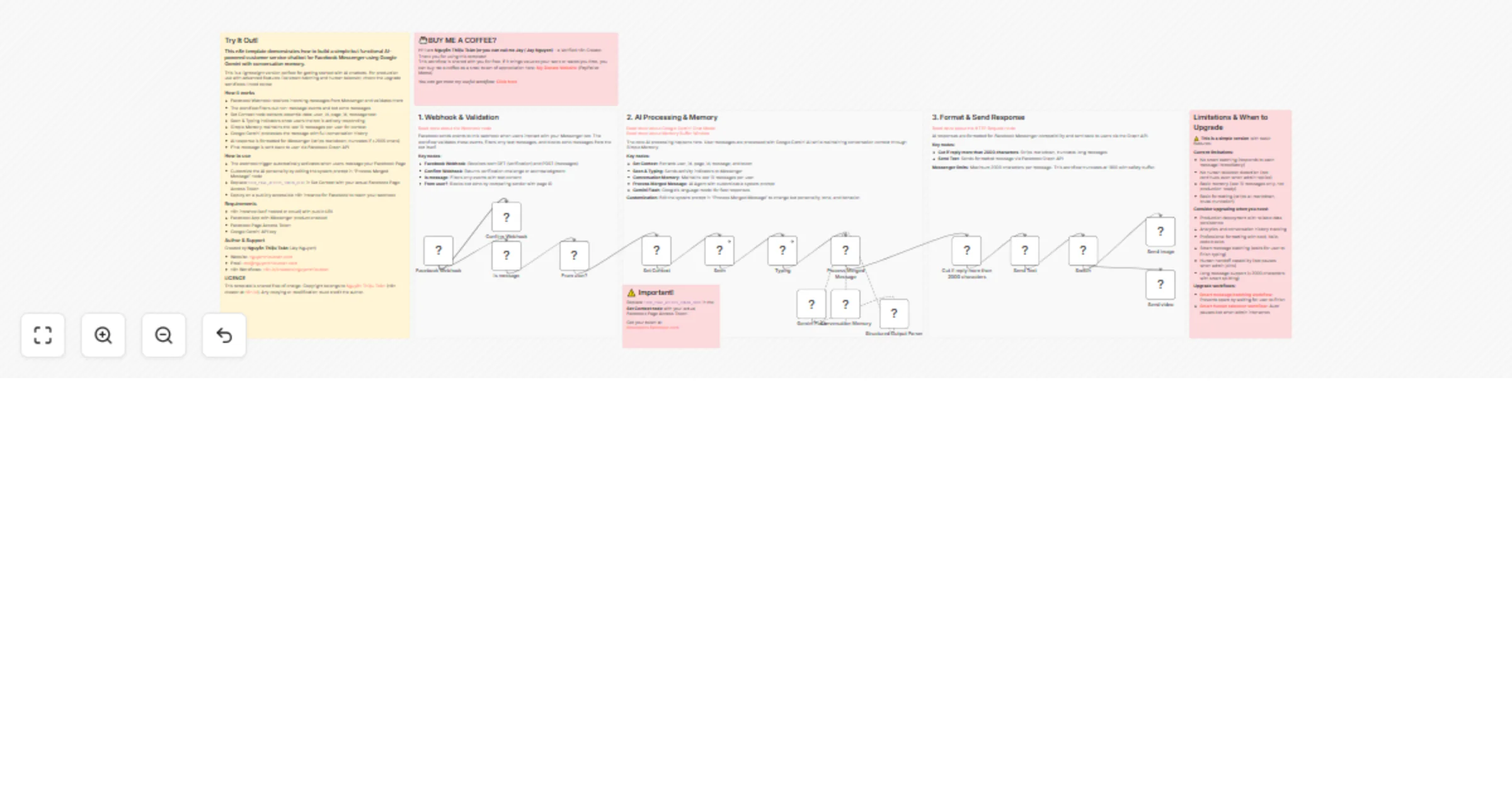
Build a Facebook Messenger customer service AI chatbot with Google Gemini

Workflow preview

Workflow preview
100%
Build a Facebook Messenger customer service AI chatbot with Google Gemini preview
Open on n8n.io

1. Workflow Overview

Build a customer service AI chatbot for Facebook Messenger with Google Gemini Overview A streamlined Facebook Messenger chatbot powered by AI with conversation memory. This is a simplified ve...

Best for

  • Support Chatbot automation workflows
  • AI Chatbot automation workflows
  • advanced n8n builders looking for reusable templates

Tools used

n8n-nodes-base.stickynote, n8n-nodes-base.set, n8n-nodes-base.webhook, n8n-nodes-base.respondtowebhook, n8n-nodes-base.httprequest, n8n-nodes-base.if, n8n-nodes-base.code, n8n-nodes-base.switch

Source and attribution

This workflow is cataloged by N8N Workflows and links back to its original n8n.io source page by Nguyễn Thiệu Toàn (Jay Nguyen).

Original n8n.io source

1.1 Workflow description

Title
Build a Facebook Messenger customer service AI chatbot with Google Gemini
Workflow name
Build a Facebook Messenger customer service AI chatbot with Google Gemini

🤖 Build a customer service AI chatbot for Facebook Messenger with Google Gemini


📌 Overview

A streamlined Facebook Messenger chatbot powered by AI with conversation memory. This is a simplified version designed for quick deployment, learning, and testing — not suitable for production environments.

Base workflows:


🎯 What This Workflow Does

Core Features:

  • Receives messages from Facebook Messenger via webhook
  • Processes user messages with Google Gemini AI
  • Maintains conversation context using Simple Memory node
  • Automatically responds with AI-generated replies
  • Handles webhook verification for Facebook setup
  • Send image or video to customer through Facebook Messenger

🔹 Simplified Approach:

  • Memory: Simple Memory node (10-message window)
  • Format: Cleans text, strips markdown, truncates >1900 chars
  • Response: Single message delivery

⚠️ Limitations & Trade-offs:

  1. No Smart Batching → fragmented user messages cause spam-like replies
  2. No Human Takeover Detection → bot continues even when admin joins
  3. Basic Memory Management → no persistence, not reliable in production
  4. Basic Text Formatting → strips markdown, truncates brutally, no smart splitting

🚀 When to Upgrade

Upgrade to full workflows when you need:

  • Production deployment with reliability & persistence
  • Analytics & tracking (query history, reports)
  • Professional formatting (bold, italic, lists, code blocks)
  • Handling long messages (>2000 chars)
  • Smart batching for fragmented inputs
  • Human handoff detection
  • Full conversation persistence

Key upgrades available:


⚙️ Setup Requirements

Facebook Setup

  1. Create Facebook App at developers.facebook.com
  2. Add Messenger product
  3. Configure webhook:
  • URL: https://your-domain.com/webhook/your-path
  • Verify token: secure string
  • Subscribe to: messages, messaging_postbacks
  1. Generate Page Access Token
  2. Copy token to "Set Context" node

n8n Setup

  1. Import workflow
  2. Edit "Set Context" node → update page_access_token
  3. Configure "Gemini Flash" node credentials
  4. Deploy workflow (must be publicly accessible)

🔄 How It Works

User Message → Facebook Webhook → Validation
 ↓
Set Context (extract user_id, message, token)
 ↓
Mark Seen → Show Typing
 ↓
AI Agent (Gemini + 10-message memory)
 ↓
Format Output (remove markdown, truncate)
 ↓
Send Response via Facebook API

🏗️ Architecture Overview

Section 1: Webhook & Initial Processing

  • Facebook Webhook: handles GET (verification) & POST (messages)
  • Confirm Webhook: returns challenge / acknowledges receipt
  • Filters text messages only
  • Blocks echo messages from bot itself

Section 2: AI Processing with Memory

  • Set Context: extracts user_id, message, token
  • Seen & Typing: user feedback
  • Conversation Memory: 10-message window, per-user isolation
  • Process Merged Message: AI Agent with Jenix persona
  • Gemini Flash: Google’s AI model for response generation

Section 3: Format & Delivery

  • Cuts replies >2000 chars, strips markdown
  • Sends text via Facebook Graph API

🎨 Customisation Guide

  • Bot Personality: edit system prompt in "Process Merged Message" node
  • Memory: adjust contextWindowLength (default 10), change sessionKey if needed
  • AI Model: replace Gemini Flash with OpenAI, Anthropic Claude, or other LLMs

📌 Important Notes

⚠️ Production Warning: testing only, memory lost on n8n restart in queue mode 📊 No Analytics: no history storage, no reporting 🔧 Format Limitations: responses ≤1800 chars, markdown stripped, no complex formatting


🛠️ Troubleshooting

  • Bot not responding → check token, webhook accessibility, event subscriptions
  • Memory not working → verify session key, ensure not in queue mode, restart workflow
  • Messages truncated → adjust system prompt for conciseness, reduce response length

📜 License & Credits

Created by: Nguyễn Thiệu Toàn (Jay Nguyen)

1.2 Logical Blocks

This catalog entry is organized from the workflow JSON. The node-level section below shows the executable blocks available for review before importing the template.

2. Block-by-Block Analysis

Block 1 - Sticky Note - Section 1

Type / Role
n8n-nodes-base.stickyNote - stickyNote
Config choices
Version 1

Block 2 - Sticky Note - Section 2

Type / Role
n8n-nodes-base.stickyNote - stickyNote
Config choices
Version 1

Block 3 - Sticky Note - Section 3

Type / Role
n8n-nodes-base.stickyNote - stickyNote
Config choices
Version 1

Block 4 - Set Context

Type / Role
n8n-nodes-base.set - set
Config choices
Version 3.4

Block 5 - Facebook Webhook

Type / Role
n8n-nodes-base.webhook - webhook
Config choices
Version 2.1

Block 6 - Confirm Webhook

Type / Role
n8n-nodes-base.respondToWebhook - respondToWebhook
Config choices
Version 1.5

Block 7 - Send Text

Type / Role
n8n-nodes-base.httpRequest - httpRequest
Config choices
Version 4.3

Block 8 - Is message

Type / Role
n8n-nodes-base.if - if
Config choices
Version 2.3

Block 9 - Typing

Type / Role
n8n-nodes-base.httpRequest - httpRequest
Config choices
Version 4.3

Block 10 - From user?

Type / Role
n8n-nodes-base.if - if
Config choices
Version 2.3

Block 11 - Seen

Type / Role
n8n-nodes-base.httpRequest - httpRequest
Config choices
Version 4.3

Block 12 - Cut if reply more than 2000 characters

Type / Role
n8n-nodes-base.code - code
Config choices
Version 2

Block 13 - Sticky Note - Main Overview

Type / Role
n8n-nodes-base.stickyNote - stickyNote
Config choices
Version 1

Block 14 - Sticky Note

Type / Role
n8n-nodes-base.stickyNote - stickyNote
Config choices
Version 1

Block 15 - Sticky Note1

Type / Role
n8n-nodes-base.stickyNote - stickyNote
Config choices
Version 1

Block 16 - Switch

Type / Role
n8n-nodes-base.switch - switch
Config choices
Version 3.4

Block 17 - Send image

Type / Role
n8n-nodes-base.httpRequest - httpRequest
Config choices
Version 4.3

Block 18 - Send video

Type / Role
n8n-nodes-base.httpRequest - httpRequest
Config choices
Version 4.3

Block 19 - Sticky Note2

Type / Role
n8n-nodes-base.stickyNote - stickyNote
Config choices
Version 1

Block 20 - Conversation Memory

Type / Role
@n8n/n8n-nodes-langchain.memoryBufferWindow - memoryBufferWindow
Config choices
Version 1.3

Block 21 - Gemini Flash

Type / Role
@n8n/n8n-nodes-langchain.lmChatGoogleGemini - lmChatGoogleGemini
Config choices
Version 1

Block 22 - Process Merged Message

Type / Role
@n8n/n8n-nodes-langchain.agent - agent
Config choices
Version 3.1

Block 23 - Structured Output Parser

Type / Role
@n8n/n8n-nodes-langchain.outputParserStructured - outputParserStructured
Config choices
Version 1.3

3. Summary Table

Workflow Build a Facebook Messenger customer service AI chatbot with Google Gemini
Complexity advanced
Nodes 23
Categories Support Chatbot, AI Chatbot
Author Nguyễn Thiệu Toàn (Jay Nguyen)
Published 28 Jan 2026

4. Reproducing the Workflow from Scratch

  1. 1. Download the workflow JSON

    Use the JSON export at /data/workflows/13080/13080.json as the source template for this automation.

  2. 2. Import the template into n8n

    Open n8n, import the downloaded JSON, and review each node before activating the workflow.

  3. 3. Configure credentials and variables

    Replace placeholder credentials, API keys, webhook URLs, account IDs, and environment-specific values with your own settings.

  4. 4. Test with sample data

    Run the workflow manually or in a staging workspace, inspect node output, and confirm downstream systems receive the expected data.

  5. 5. Activate and monitor

    Enable the workflow only after testing, then monitor executions, errors, and rate limits during the first production runs.

5. General Notes & Resources

Review imported nodes carefully before activation. This catalog entry is intended to help you inspect the workflow structure, understand required services, and find related templates faster.

Node names, credentials, schedules, webhook paths, and external service limits may need adjustment for your workspace.

Frequently asked questions

What does Build a Facebook Messenger customer service AI chatbot with Google Gemini do?

Build a customer service AI chatbot for Facebook Messenger with Google Gemini Overview A streamlined Facebook Messenger chatbot powered by AI with conversation memory. This is a simplified ve...

What do I need before importing this workflow?

Review the workflow JSON, configure any required credentials in n8n, and test the automation in a safe workspace before using it in production.

Can I customize this workflow?

Yes. Use the block-by-block analysis and the downloadable JSON to inspect each node, then adjust credentials, prompts, schedules, filters, or destinations for your Support Chatbot, AI Chatbot use case.