Auto-reply to Instagram DMs with an AI chatbot and Google Gemini history

Workflow preview

Workflow preview
100%
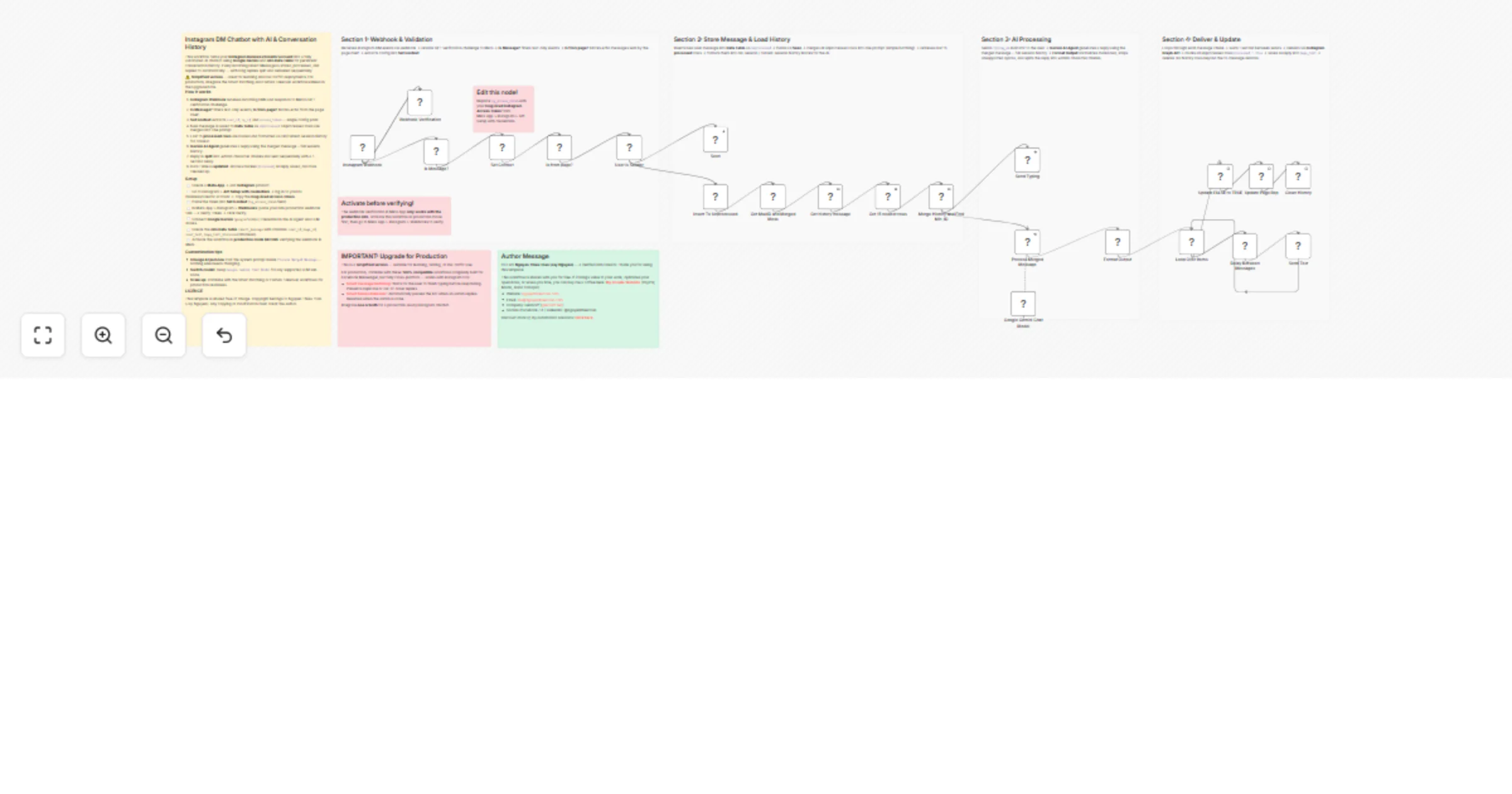
Auto-reply to Instagram DMs with an AI chatbot and Google Gemini history preview
Open on n8n.io

1. Workflow Overview

Auto reply Instagram DM with AI Chatbot, Conversation History using Google Gemini and n8n Data Table This workflow turns your Instagram Business or Creator account into an AI powered customer suppo...

Best for

  • Support Chatbot automation workflows
  • AI Chatbot automation workflows
  • advanced n8n builders looking for reusable templates

Tools used

n8n-nodes-base.webhook, n8n-nodes-base.respondtowebhook, n8n-nodes-base.set, @n8n/n8n-nodes-langchain.lmchatgooglegemini, n8n-nodes-base.code, n8n-nodes-base.wait, n8n-nodes-base.splitinbatches, n8n-nodes-base.if

Source and attribution

This workflow is cataloged by N8N Workflows and links back to its original n8n.io source page by Nguyễn Thiệu Toàn (Jay Nguyen).

Original n8n.io source

1.1 Workflow description

Title
Auto-reply to Instagram DMs with an AI chatbot and Google Gemini history
Workflow name
Auto-reply to Instagram DMs with an AI chatbot and Google Gemini history

Auto-reply Instagram DM with AI Chatbot, Conversation History using Google Gemini and n8n Data Table

This workflow turns your Instagram Business or Creator account into an AI-powered customer support chatbot using Google Gemini and n8n Data Table for persistent conversation history. Every incoming Direct Message is automatically received, processed, and replied to — with long AI responses intelligently split and delivered in sequence.

If you need to automate Instagram DM responses without managing complex infrastructure, this workflow is the right starting point.

How it works

  • Instagram Webhook receives the DM: Meta sends the event to n8n. The workflow automatically handles both webhook verification and incoming message events. Text-only messages are filtered; bot reply-backs from the page itself are blocked.
  • Set Context extracts all runtime config: The sender ID, page ID, access token, and raw message text are extracted from a single node — no hardcoded values elsewhere.
  • Message is stored and history is loaded: The new message is saved to the n8n Data Table as unprocessed. All pending rows for the user are merged into one prompt (basic batching). The last 15 processed rows are loaded and formatted into session history blocks for context.
  • Gemini AI Agent generates the reply: The merged prompt and full conversation history are passed to Google Gemini. The AI responds in context, following the persona and instructions defined in the system prompt.
  • Reply is formatted and delivered: The response is normalized (markdown stripped, unsupported syntax removed) and split into chunks of up to 2000 characters. Each chunk is sent sequentially via the Instagram Graph API with a 1-second delay between messages.
  • Data Table is updated and cleaned: All pending rows are marked as processed. The AI reply is saved as the page response. Old rows beyond the 15-message window are automatically deleted to keep the table lean.

How to use

  1. Create a Meta App and add the Instagram product.
  2. Go to Instagram > API Setup with credentials → log in to your IG Business/Creator account → copy the long-lived Access Token → paste it into the Set Context node (ig_access_token field).
  3. Activate the workflow in production mode first, then go to Meta App > Instagram > Webhooks: paste the n8n production webhook URL + a Verify Token → click Verify.
  4. Connect Google Gemini (googlePalmApi) credential in the AI Agent and LLM nodes.
  5. Create the n8n Data Table
  6. Edit the system prompt inside Process Merged Message to set your AI persona, brand tone, and knowledge base.
  7. Activate and start receiving automated replies on Instagram DM.

Requirements

  • n8n Version: Built and tested on n8n 2.9.4+. (It is highly recommended to update to the latest n8n version to avoid compatibility issues.)
  • Instagram Business or Creator account connected to a Meta App with Messaging permissions.
  • Google Gemini API key (googlePalmApi credential).
  • n8n Data Table named insert_message with the column schema described above.
  • A publicly accessible n8n instance (self-hosted or cloud) for Meta to reach the webhook.

Customizing this workflow

  • Change the AI persona: Edit only the system prompt inside Process Merged Message — no other node needs changing.
  • Switch the AI model: Swap the Google Gemini Chat Model sub-node for any other supported LLM (OpenAI, Anthropic, etc.).
  • Add smart message batching: Integrate Smart message batching workflow to wait for the user to finish typing before responding — prevents duplicate or out-of-order replies.
  • Add human takeover: Integrate Smart human takeover workflow to automatically pause the bot when an admin replies manually, then resume when done.
  • Use on Facebook Messenger too: The Smart Batching and Human Takeover workflows above are 100% compatible with both Facebook and Instagram — built to be cross-platform from the ground up.

About the Author

Created by: Nguyễn Thiệu Toàn (Jay Nguyen) Email: [email protected] Website: nguyenthieutoan.com Company: GenStaff (genstaff.net) Socials (Facebook / X / LinkedIn): @nguyenthieutoan More templates: n8n.io/creators/nguyenthieutoan

1.2 Logical Blocks

This catalog entry is organized from the workflow JSON. The node-level section below shows the executable blocks available for review before importing the template.

2. Block-by-Block Analysis

Block 1 - Instagram Webhook

Type / Role
n8n-nodes-base.webhook - webhook
Config choices
Version 2.1

Block 2 - Webhook Verification

Type / Role
n8n-nodes-base.respondToWebhook - respondToWebhook
Config choices
Version 1.5

Block 3 - Set Context

Type / Role
n8n-nodes-base.set - set
Config choices
Version 3.4

Block 4 - Google Gemini Chat Model

Type / Role
@n8n/n8n-nodes-langchain.lmChatGoogleGemini - lmChatGoogleGemini
Config choices
Version 1

Block 5 - Get 15 newest rows

Type / Role
n8n-nodes-base.code - code
Config choices
Version 2

Block 6 - Delay Between Messages

Type / Role
n8n-nodes-base.wait - wait
Config choices
Version 1.1

Block 7 - Loop Over Items

Type / Role
n8n-nodes-base.splitInBatches - splitInBatches
Config choices
Version 3

Block 8 - Merge History and Find Min_ID

Type / Role
n8n-nodes-base.code - code
Config choices
Version 2

Block 9 - User is Sender

Type / Role
n8n-nodes-base.set - set
Config choices
Version 3.4

Block 10 - Is from page?

Type / Role
n8n-nodes-base.if - if
Config choices
Version 2.3

Block 11 - Seen

Type / Role
n8n-nodes-base.httpRequest - httpRequest
Config choices
Version 4.3

Block 12 - Insert To Unprocessed

Type / Role
n8n-nodes-base.dataTable - dataTable
Config choices
Version 1.1

Block 13 - Get history message

Type / Role
n8n-nodes-base.dataTable - dataTable
Config choices
Version 1.1

Block 14 - Send Typing

Type / Role
n8n-nodes-base.httpRequest - httpRequest
Config choices
Version 4.3

Block 15 - Process Merged Message

Type / Role
@n8n/n8n-nodes-langchain.agent - agent
Config choices
Version 3.1

Block 16 - Send Text

Type / Role
n8n-nodes-base.httpRequest - httpRequest
Config choices
Version 4.3

Block 17 - Update Page Rep

Type / Role
n8n-nodes-base.dataTable - dataTable
Config choices
Version 1.1

Block 18 - Update FALSE to TRUE

Type / Role
n8n-nodes-base.dataTable - dataTable
Config choices
Version 1.1

Block 19 - Clean History

Type / Role
n8n-nodes-base.dataTable - dataTable
Config choices
Version 1.1

Block 20 - Get MaxID and Merged Mess

Type / Role
n8n-nodes-base.code - code
Config choices
Version 2

Block 21 - Is Message?

Type / Role
n8n-nodes-base.if - if
Config choices
Version 2.3

Block 22 - Main Overview

Type / Role
n8n-nodes-base.stickyNote - stickyNote
Config choices
Version 1

Block 23 - Author Message

Type / Role
n8n-nodes-base.stickyNote - stickyNote
Config choices
Version 1

Block 24 - Upgrade Note

Type / Role
n8n-nodes-base.stickyNote - stickyNote
Config choices
Version 1

Showing the first 24 of 31 workflow blocks. Download the JSON for the full node graph.

3. Summary Table

Workflow Auto-reply to Instagram DMs with an AI chatbot and Google Gemini history
Complexity advanced
Nodes 31
Categories Support Chatbot, AI Chatbot
Author Nguyễn Thiệu Toàn (Jay Nguyen)
Published 13 Mar 2026

4. Reproducing the Workflow from Scratch

  1. 1. Download the workflow JSON

    Use the JSON export at /data/workflows/14026/14026.json as the source template for this automation.

  2. 2. Import the template into n8n

    Open n8n, import the downloaded JSON, and review each node before activating the workflow.

  3. 3. Configure credentials and variables

    Replace placeholder credentials, API keys, webhook URLs, account IDs, and environment-specific values with your own settings.

  4. 4. Test with sample data

    Run the workflow manually or in a staging workspace, inspect node output, and confirm downstream systems receive the expected data.

  5. 5. Activate and monitor

    Enable the workflow only after testing, then monitor executions, errors, and rate limits during the first production runs.

5. General Notes & Resources

Review imported nodes carefully before activation. This catalog entry is intended to help you inspect the workflow structure, understand required services, and find related templates faster.

Node names, credentials, schedules, webhook paths, and external service limits may need adjustment for your workspace.

Frequently asked questions

What does Auto-reply to Instagram DMs with an AI chatbot and Google Gemini history do?

Auto reply Instagram DM with AI Chatbot, Conversation History using Google Gemini and n8n Data Table This workflow turns your Instagram Business or Creator account into an AI powered customer suppo...

What do I need before importing this workflow?

Review the workflow JSON, configure any required credentials in n8n, and test the automation in a safe workspace before using it in production.

Can I customize this workflow?

Yes. Use the block-by-block analysis and the downloadable JSON to inspect each node, then adjust credentials, prompts, schedules, filters, or destinations for your Support Chatbot, AI Chatbot use case.