YouTube to MP3 converter with RapidAPI - upload to drive & email link

Workflow preview

Workflow preview
100%
YouTube to MP3 converter with RapidAPI - upload to drive & email link preview
Open on n8n.io

Important notice

This workflow is provided as-is. Please review and test before using in production.

1. Workflow Overview

YouTube to MP3 Converter Workflow – Auto Upload to Google Drive & Email Link with RapidAPI This n8n workflow allows users to convert any YouTube video to MP3 using the [YouTube To MP3 Fast API o...

Best for

  • File Management automation workflows
  • advanced n8n builders looking for reusable templates

Tools used

n8n-nodes-base.formtrigger, n8n-nodes-base.httprequest, n8n-nodes-base.wait, n8n-nodes-base.googledrive, n8n-nodes-base.emailsend, n8n-nodes-base.stickynote

Source and attribution

This workflow is cataloged by N8N Workflows and links back to its original n8n.io source page by Sk developer .

Original n8n.io source

1.1 Workflow description

Title
YouTube to MP3 converter with RapidAPI - upload to drive & email link
Workflow name
YouTube to MP3 converter with RapidAPI - upload to drive & email link

📥 YouTube to MP3 Converter Workflow – Auto Upload to Google Drive & Email Link with RapidAPI

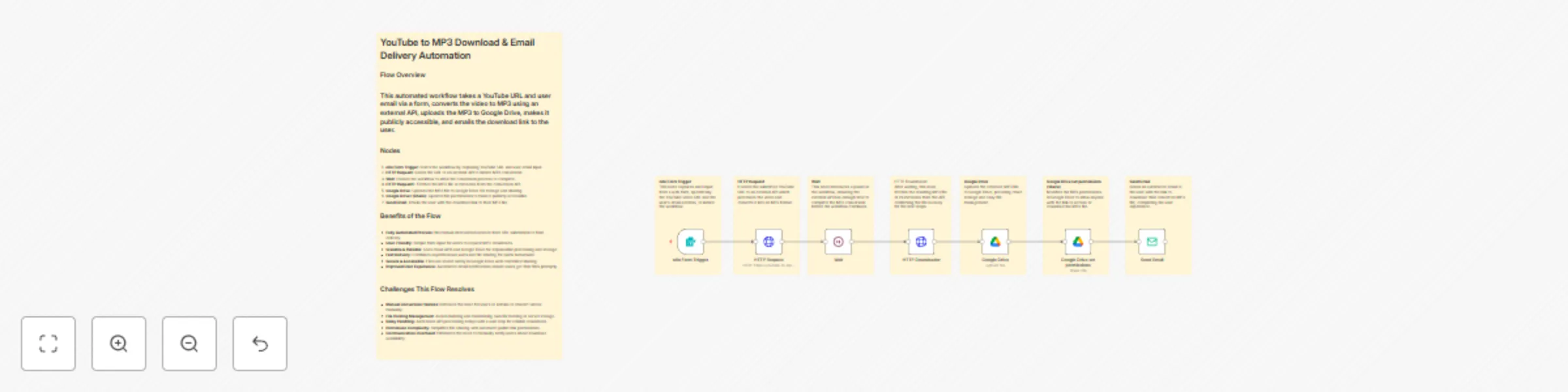
This n8n workflow allows users to convert any YouTube video to MP3 using the YouTube To MP3 Fast API on RapidAPI. It handles the entire process end-to-end — from form input to automatic delivery via email with cloud storage.


🔁 How It Works

  1. 📝 User Form Input
    Users submit a YouTube URL and their email through a simple form.

  2. 🎬 MP3 Conversion
    The video URL is sent to the YouTube To MP3 Fast API on RapidAPI to process and convert into MP3 format.

  3. ⏳ Wait for Processing
    Introduces a short delay to ensure the file is ready for download.

  4. 📥 File Download
    The converted MP3 file is downloaded securely.

  5. ☁️ Google Drive Upload
    The MP3 is uploaded to Google Drive for cloud-based access and storage.

  6. 🔗 Share Permissions
    Permissions are updated to allow anyone with the link to access the MP3.

  7. 📧 Email Notification
    The final download link is emailed to the user.


✅ Benefits

  • Completely Automated – From input to email, everything runs without manual effort.
  • Cloud Storage Integration – Files are saved to your Google Drive for easy management.
  • User-Friendly – Simple interface for users to get their MP3 in just a few clicks.
  • Fast & Reliable Conversion – Leveraging the YouTube To MP3 Fast API on RapidAPI ensures quick and accurate results.
  • Time-Saving – No need for manual downloads, converters, or email composition.

❌ Problems This Workflow Solves

  • Manual Download Hassles – No need to use third-party websites or shady downloaders.
  • Slow or Unreliable Conversions – The workflow uses the robust YouTube To MP3 Fast API on RapidAPI for reliable performance.
  • Missing Files or Lost Links – Files are securely stored on Google Drive with shareable links.
  • User Follow-up – Automatically sends download links via email, saving you support effort.

🔧 Tech Stack

  • 🧠 n8n – No-code automation engine
  • 🌐 YouTube To MP3 Fast API on RapidAPI – Fast MP3 conversion service
  • ☁️ Google Drive – Cloud storage and file sharing
  • 📤 SMTP – Email delivery system

> 🔗 Built for creators, educators, and automation fans who need fast YouTube-to-MP3 conversion with effortless delivery.

1.2 Logical Blocks

This catalog entry is organized from the workflow JSON. The node-level section below shows the executable blocks available for review before importing the template.

2. Block-by-Block Analysis

Block 1 - n8n Form Trigger

Type / Role
n8n-nodes-base.formTrigger - formTrigger
Config choices
Version 2.2

Block 2 - HTTP Request

Type / Role
n8n-nodes-base.httpRequest - httpRequest
Config choices
Version 4.2

Block 3 - Wait

Type / Role
n8n-nodes-base.wait - wait
Config choices
Version 1.1

Block 4 - Google Drive

Type / Role
n8n-nodes-base.googleDrive - googleDrive
Config choices
Version 3

Block 5 - Send Email

Type / Role
n8n-nodes-base.emailSend - emailSend
Config choices
Version 1

Block 6 - Sticky Note

Type / Role
n8n-nodes-base.stickyNote - stickyNote
Config choices
Version 1

Block 7 - Sticky Note1

Type / Role
n8n-nodes-base.stickyNote - stickyNote
Config choices
Version 1

Block 8 - Sticky Note2

Type / Role
n8n-nodes-base.stickyNote - stickyNote
Config choices
Version 1

Block 9 - Sticky Note3

Type / Role
n8n-nodes-base.stickyNote - stickyNote
Config choices
Version 1

Block 10 - Sticky Note4

Type / Role
n8n-nodes-base.stickyNote - stickyNote
Config choices
Version 1

Block 11 - HTTP Downloader

Type / Role
n8n-nodes-base.httpRequest - httpRequest
Config choices
Version 4.2

Block 12 - Sticky Note5

Type / Role
n8n-nodes-base.stickyNote - stickyNote
Config choices
Version 1

Block 13 - Sticky Note6

Type / Role
n8n-nodes-base.stickyNote - stickyNote
Config choices
Version 1

Block 14 - Google Drive set permissions

Type / Role
n8n-nodes-base.googleDrive - googleDrive
Config choices
Version 3

Block 15 - Sticky Note7

Type / Role
n8n-nodes-base.stickyNote - stickyNote
Config choices
Version 1

3. Summary Table

Workflow YouTube to MP3 converter with RapidAPI - upload to drive & email link
Complexity advanced
Nodes 15
Categories File Management
Author Sk developer
Published 23 Jul 2025

4. Reproducing the Workflow from Scratch

  1. 1. Download the workflow JSON

    Use the JSON export at /data/workflows/6318/6318.json as the source template for this automation.

  2. 2. Import the template into n8n

    Open n8n, import the downloaded JSON, and review each node before activating the workflow.

  3. 3. Configure credentials and variables

    Replace placeholder credentials, API keys, webhook URLs, account IDs, and environment-specific values with your own settings.

  4. 4. Test with sample data

    Run the workflow manually or in a staging workspace, inspect node output, and confirm downstream systems receive the expected data.

  5. 5. Activate and monitor

    Enable the workflow only after testing, then monitor executions, errors, and rate limits during the first production runs.

5. General Notes & Resources

Review imported nodes carefully before activation. This catalog entry is intended to help you inspect the workflow structure, understand required services, and find related templates faster.

Node names, credentials, schedules, webhook paths, and external service limits may need adjustment for your workspace.

Frequently asked questions

What does YouTube to MP3 converter with RapidAPI - upload to drive & email link do?

YouTube to MP3 Converter Workflow – Auto Upload to Google Drive & Email Link with RapidAPI This n8n workflow allows users to convert any YouTube video to MP3 using the [YouTube To MP3 Fast API o...

What do I need before importing this workflow?

Review the workflow JSON, configure any required credentials in n8n, and test the automation in a safe workspace before using it in production.

Can I customize this workflow?

Yes. Use the block-by-block analysis and the downloadable JSON to inspect each node, then adjust credentials, prompts, schedules, filters, or destinations for your File Management use case.