Sk developer
Workflows by Sk developer
text-to-video generation using Google Veo3 API and Google Drive
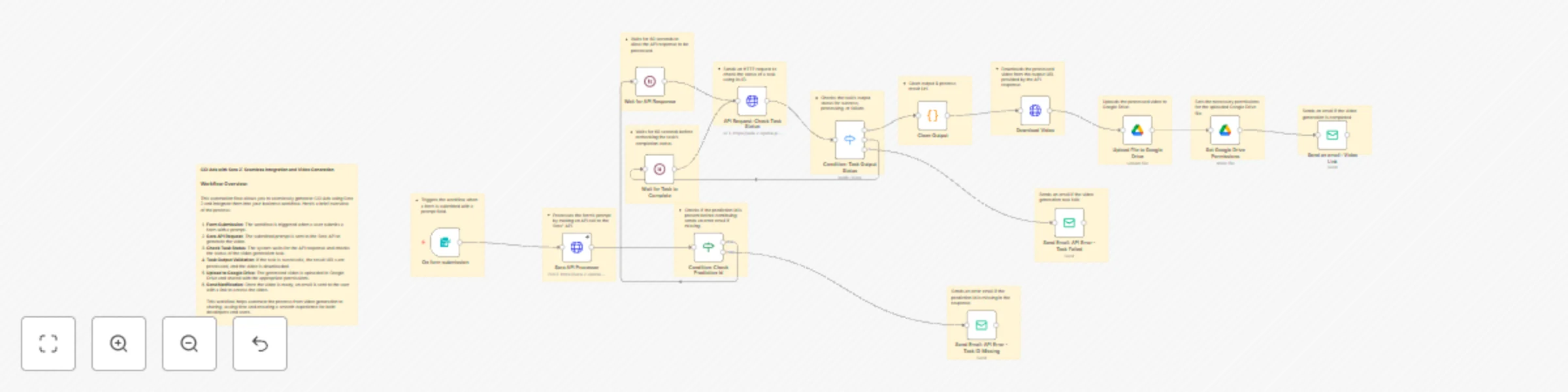
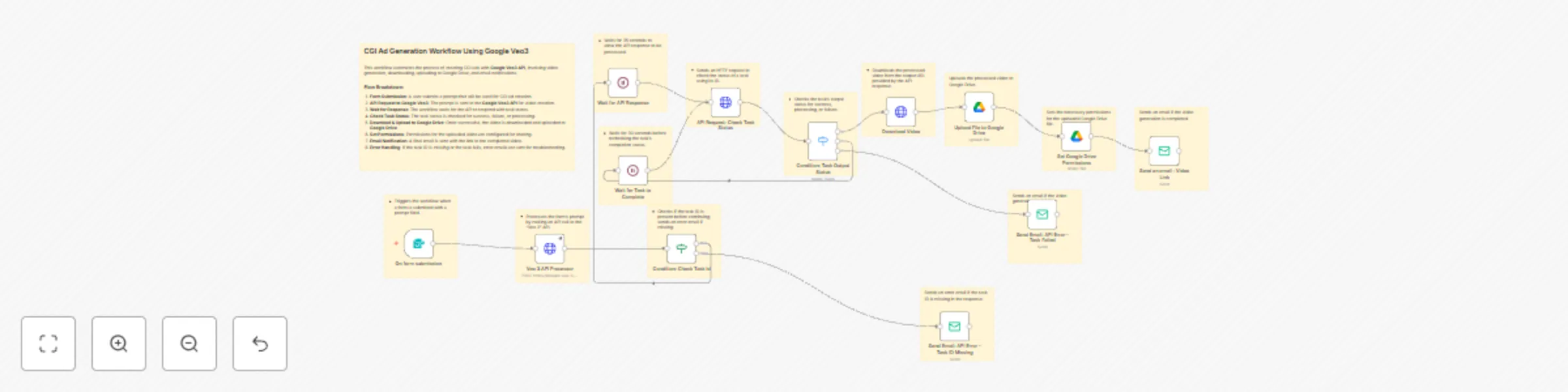
## Automate Text To Video Generation with Google Veo3 API and Google Drive Integration Create CGI ads effortlessly by integrating the [Google Veo3 API](https://rapidapi.com/skdeveloper/api/google-veo-3) for video generation and uploading to Google Drive with seamless email notifications. --- ## Node-by-Node Explanation: 1. **On form submission**: Triggers the workflow when a form is submitted with a prompt for the video. 2. **Wait for API Response**: Waits for 35 seconds for the API to respond. 3. **API Request: Check Task Status**: Sends an HTTP request to check the task status for success or failure. 4. **Condition: Task Output Status**: Checks the task's output status and triggers the appropriate action (success, processing, or failure). 5. **Wait for Task to Complete**: Waits for another 30 seconds to recheck the task's completion status. 6. **Send Email: API Error - Task ID Missing**: Sends an email if the task ID is missing from the API response. 7. **Upload File to Google Drive**: Uploads the generated video to Google Drive. 8. **Set Google Drive Permissions**: Configures the permissions for the uploaded video on Google Drive. 9. **Send an email: Video Link**: Sends a final email with the link to the completed video on Google Drive. 10. **Download Video**: Downloads the video from the generated URL. --- ## How to Obtain RapidAPI Key: 1. Visit [Google Veo3 API](https://rapidapi.com/skdeveloper/api/google-veo-3) on RapidAPI. 2. Sign up or log in to your account. 3. Subscribe to the Google Veo3 API plan. 4. Copy the API key provided in your RapidAPI dashboard. --- ## How to Configure Google Drive: 1. Go to [Google Cloud Console](https://console.developers.google.com/). 2. Enable the **Google Drive API**. 3. Create credentials for OAuth 2.0 and download the credentials file. 4. In your workflow, authenticate using these credentials to upload and manage files on Google Drive. --- ## Use Case: This workflow is ideal for businesses looking to automate CGI video creation for advertisements using the Google Veo3 API, with seamless file management and sharing via Google Drive. --- ## Benefits: * **Automation**: Completely automates the CGI video creation and sharing process. * **Error Handling**: Sends error notifications for task failures or missing task IDs. * **File Management**: Automatically uploads and manages videos on Google Drive. * **Easy Sharing**: Generates shareable links to videos via email. --- ## Who Is This For? * Digital marketers looking to create ads at scale. * Creative agencies producing CGI content. * Developers integrating API workflows for video generation. --- ## Link to Google Veo3 API: [Google Veo3 API on RapidAPI](https://rapidapi.com/skdeveloper/api/google-veo-3)
Create stunning CGI videos with Sora 2 API and Google Drive integration
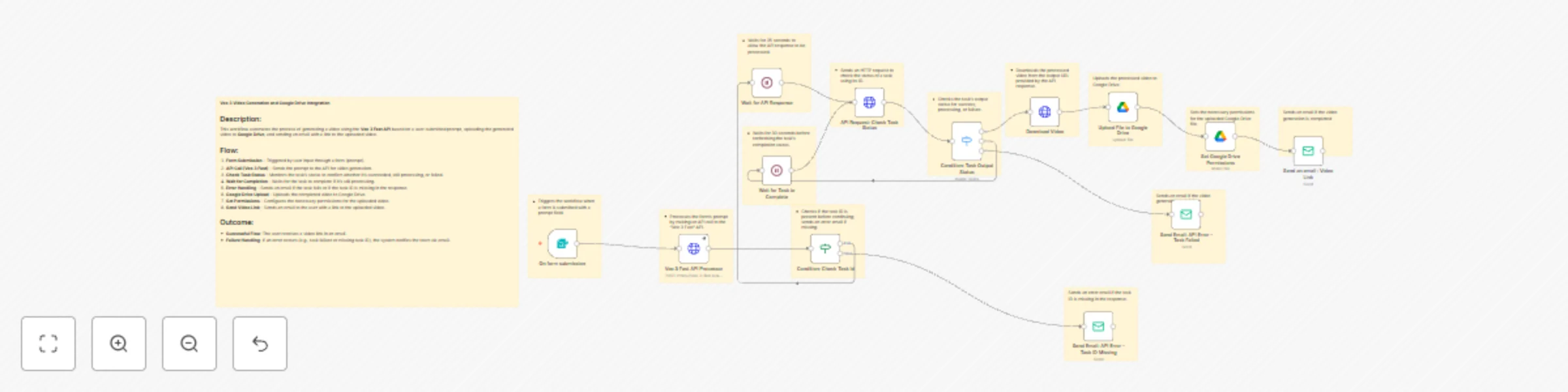
### **Create Stunning CGI Videos with Sora 2 API and Google Drive Integration** The [**Sora 2 API**](https://rapidapi.com/skdeveloper/api/sora-2-openai) allows seamless generation of CGI ads, turning text prompts into stunning videos. This workflow automates the entire process from video generation to upload, notification, and file sharing via Google Drive. --- ### **Node-by-Node Explanation** 1. **On form submission**: Triggers the workflow when a form with a prompt is submitted. 2. **Sora API Processor:** The prompt is sent to the Sora 2 API's txttovideo.php endpoint to initiate video generation. (This step calls the API where the magic of turning text into video happens.) 2. **Wait for API Response**: Pauses for 60 seconds before checking the API response. 3. **API Request: Check Task Status**: Sends an HTTP request to check the status of the CGI ad generation task. 4. **Condition: Task Output Status**: Validates the task status (success, processing, failed). 5. **Wait for Task to Complete**: Waits for another 60 seconds to recheck the task completion status. 6. **Send Email: API Error - Task ID Missing**: Sends an email if the prediction ID is missing in the response. 7. **Upload File to Google Drive**: Uploads the CGI ad video to Google Drive. 8. **Set Google Drive Permissions**: Configures file permissions for sharing. 9. **Send an email: Video Link**: Notifies the user with a link to the uploaded video. 10. **Sticky Notes**: Annotates and documents each step in the process for clarity. --- ### **How to Obtain API Key** 1. Go to [Sora 2 API on RapidAPI](https://rapidapi.com/skdeveloper/api/sora-2-openai). 2. Sign up or log in to RapidAPI. 3. Subscribe to the API plan that suits your needs. 4. Copy the API key from the dashboard under "Endpoints" or "Security" sections. --- ### **How to Configure Google Drive** 1. Go to the [Google Developer Console](https://console.developers.google.com/). 2. Create a new project or select an existing one. 3. Enable the **Google Drive API** for the project. 4. Set up OAuth 2.0 credentials. 5. Authorize the app in n8n by connecting your Google account with the credentials. --- ### **Use Case** This workflow is perfect for businesses looking to automate CGI ad generation, reducing the time and effort required to create videos from textual prompts. It is ideal for digital marketers, content creators, or any business that needs video content quickly and efficiently. --- ### **Benefits** * **Automates video generation**: Streamlines the creation of CGI ads. * **Efficient content sharing**: Automatically uploads to Google Drive and configures permissions. * **Error handling**: Sends notifications if anything goes wrong. * **Time-saving**: Reduces manual effort with automated API interactions. * **Easy to use**: Simple form submission to generate high-quality videos. --- ### **Who is this for?** * **Digital Marketers**: Automates video content creation for ads and campaigns. * **Content Creators**: Quickly generates high-quality CGI ads for social media or websites. * **Businesses**: Small to medium businesses looking for cost-effective video creation solutions. * **Developers**: Looking for an automated workflow to integrate CGI video generation into their applications or services.
Generate videos automatically with Veo3 Fast API, Google Drive & email notifications
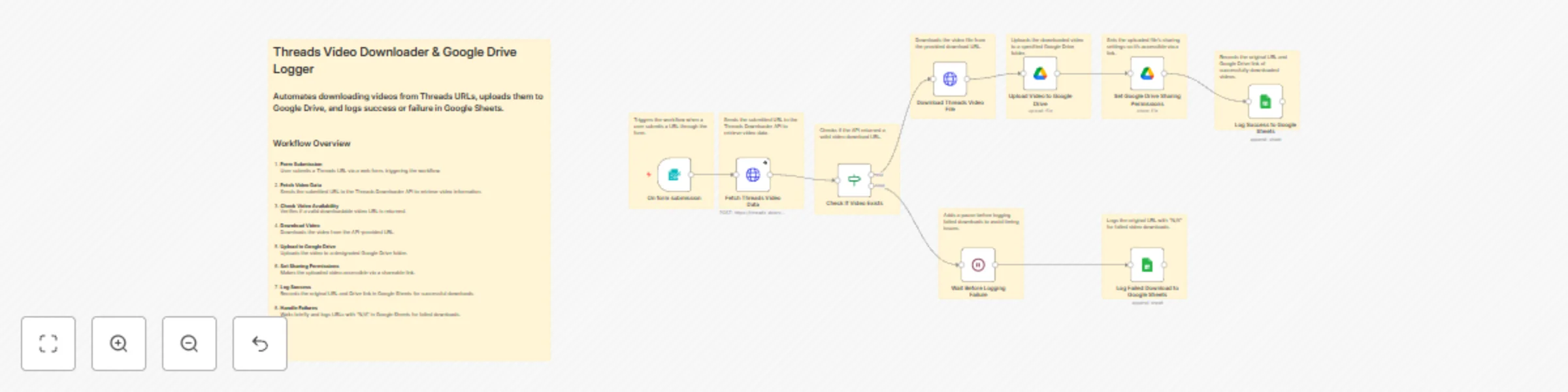
## Automated Video Generation, Google Drive Upload, and Email Notification with Veo 3 Fast API This workflow automates the process of generating videos using the [Veo 3 Fast API](https://rapidapi.com/skdeveloper/api/veo-3-fast), uploading the video to Google Drive, and notifying the user via email. All tasks are executed seamlessly, ensuring a smooth user experience with automatic error handling. ## Node-by-Node Explanation 1. **On Form Submission**: Triggers the workflow when a user submits a form with a prompt. 2. **Veo 3 Fast API Processor**: Sends the user's prompt to the [Veo 3 Fast API](https://rapidapi.com/skdeveloper/api/veo-3-fast) to generate a video. 3. **Wait for API Response**: Pauses the workflow for 35 seconds to allow the API response. 4. **API Request: Check Task Status**: Sends a request to check the status of the video generation task. 5. **Condition: Task Output Status**: Evaluates whether the task was successful, still processing, or failed. 6. **Wait for Task to Complete**: Pauses the workflow for 30 seconds to recheck the task status if processing is ongoing. 7. **Send Email: API Error - Task Failed**: Sends an email if the task fails to generate the video. 8. **Send Email: API Error - Task ID Missing**: Sends an email if the task ID is missing in the response. 9. **Download Video**: Downloads the processed video from the provided output URL. 10. **Upload File to Google Drive**: Uploads the processed video to the user's Google Drive. 11. **Set Google Drive Permissions**: Sets the necessary sharing permissions for the uploaded video. 12. **Send an Email: Video Link**: Sends an email with the link to the uploaded video. ## How to Obtain a RapidAPI Key 1. Go to [Veo 3 Fast on RapidAPI](https://rapidapi.com/skdeveloper/api/veo-3-fast). 2. Create an account or log in. 3. Subscribe to the API plan that suits your needs. 4. After subscription, find your **API Key** in the "Keys & Access" section. ## How to Configure Google Drive API 1. Go to [Google Cloud Console](https://console.developers.google.com/). 2. Create a new project or select an existing one. 3. Enable the **Google Drive API** for the project. 4. Go to **Credentials** and create OAuth 2.0 credentials. 5. Add the credentials to your n8n Google Drive node for seamless access to your Google Drive. ## Use Case - **Use Case**: A content creation team can automate the video production process, upload videos to Google Drive, and share them with stakeholders instantly after the task is complete. ## Benefits - **Efficiency**: Reduces manual tasks, saving time and effort by automating video creation and file management. - **Error Handling**: Sends notifications for task failures or missing data, ensuring quick resolutions. - **Seamless Integration**: Automatically uploads files to Google Drive and shares the link with users, streamlining the workflow. ## Who Is This For - **Content Creators**: Automates video creation and file management. - **Marketing Teams**: Quick and easy video generation for campaigns. - **Developers**: Can integrate with APIs and automate tasks. - **Business Teams**: Save time by automating repetitive tasks like file uploads and email notifications.
Bilibili video downloader with Google Drive upload & email notification
## Bilibili Video Downloader with Google Drive Upload & Email Notification Automate downloading of **Bilibili videos** via the [Bilibili Video Downloader API (RapidAPI)](https://rapidapi.com/skdeveloper/api/bilibili-video-downloader), upload them to **Google Drive**, and notify users by email — all using **n8n workflow automation**. --- ## 🧠 **Workflow Overview** This **n8n automation** allows users to: 1. Submit a Bilibili video URL. 2. Fetch download info from the [Bilibili Video Downloader API (RapidAPI)](https://rapidapi.com/skdeveloper/api/bilibili-video-downloader). 3. Automatically download and upload the video to **Google Drive**. 4. Share the file and send an **email notification** to the user. --- ## ⚙️ **Node-by-Node Explanation** | Node | Function | | ---------------------------------------------- | ---------------------------------------------------------------------------------------------------------------------------------------------------------------- | | **On form submission** | Triggers when a user submits the Bilibili video URL through the form. | | **Fetch Bilibili Video Info from API** | Sends the video URL to the [Bilibili Video Downloader API (RapidAPI)](https://rapidapi.com/skdeveloper/api/bilibili-video-downloader) to retrieve download info. | | **Check API Response Status** | Validates that the API returned a 200 success status before proceeding. | | **Download Video File** | Downloads the actual video from the provided resource URL. | | **Upload Video to Google Drive** | Uploads the downloaded video file to the user’s connected Google Drive. | | **Google Drive Set Permission** | Sets sharing permissions to make the uploaded video publicly accessible. | | **Success Notification Email with Drive Link** | Sends the Google Drive link to the user via email upon successful upload. | | **Processing Delay** | Adds a delay before executing error handling if something fails. | | **Failure Notification Email** | Sends an error notification to the user if download/upload fails. | --- ## 🧩 **How to Configure Google Drive in n8n** 1. In n8n, open **Credentials → New → Google Drive**. 2. Choose **OAuth2** authentication. 3. Follow the on-screen instructions to connect your Google account. 4. Use the newly created credential in both **Upload Video** and **Set Permission** nodes. 5. Test the connection to ensure access to your Drive. --- ## 🔑 **How to Obtain Your RapidAPI Key** To use the [Bilibili Video Downloader API (RapidAPI)](https://rapidapi.com/skdeveloper/api/bilibili-video-downloader): 1. Visit [bilibili videodownloade](https://rapidapi.com/skdeveloper/api/bilibili-video-downloader). 2. Click **Subscribe to Test** (you can choose free or paid plans). 3. Copy your **x-rapidapi-key** from the “Endpoints” section. 4. Paste the key into your n8n **Fetch Bilibili Video Info from API** node header. Example header: ```json { "x-rapidapi-host": "bilibili-video-downloader.p.rapidapi.com", "x-rapidapi-key": "your-rapidapi-key-here" } ``` --- ## 💡 **Use Case** This automation is ideal for: * Content creators archiving Bilibili videos. * Researchers collecting media resources. * Teams that need centralized video storage in **Google Drive**. * Automated content management workflows. --- ## 🚀 **Benefits** ✅ **No manual downloads** – fully automated. ✅ **Secure cloud storage** via Google Drive. ✅ **Instant user notification** on success or failure. ✅ **Scalable** for multiple users or URLs. ✅ **Powered by the reliable [Bilibili Video Downloader API (RapidAPI)](https://rapidapi.com/skdeveloper/api/bilibili-video-downloader).** --- ## 👥 **Who Is This For** * **n8n developers** wanting to explore advanced workflow automations. * **Content managers** handling large volumes of Bilibili content. * **Digital archivists** storing video data in Google Drive. * **Educators** sharing Bilibili educational videos securely. --- ## 🏁 **Summary** With this **n8n workflow**, you can seamlessly integrate the [Bilibili Video Downloader API (RapidAPI)](https://rapidapi.com/skdeveloper/api/bilibili-video-downloader) into your automation stack — enabling effortless video downloading, Google Drive uploading, and user notifications in one unified system.
Download Threads videos & log results in Google Sheets
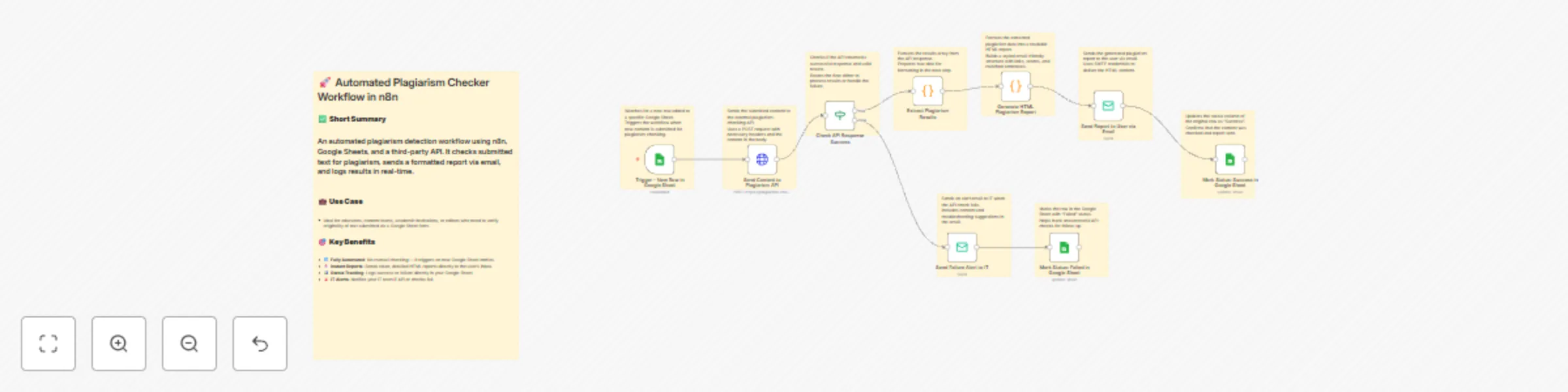
## Threads Video Downloader & Google Drive Logger Automate downloading **Threads videos** from URLs, upload them to **Google Drive**, and log results in **Google Sheets** using n8n. **API Source:** [Threads Downloader on RapidAPI](https://rapidapi.com/skdeveloper/api/threads-downloader1) --- ## Workflow Explanation | Node | Explanation | | ---------------------------------------- | -------------------------------------------------------------------------------------------------------------------------------- | | **On form submission** | Trigger workflow when a user submits a Threads URL via a form. | | **Fetch Threads Video Data** | Sends the submitted URL to [Threads Downloader API](https://rapidapi.com/skdeveloper/api/threads-downloader1) to get video info. | | **Check If Video Exists** | Checks if the API returned a valid downloadable video URL. | | **Download Threads Video File** | Downloads the video from the API-provided URL. | | **Upload Video to Google Drive** | Uploads the downloaded video to a designated Google Drive folder. | | **Set Google Drive Sharing Permissions** | Sets sharing permissions so the uploaded video is accessible via a link. | | **Log Success to Google Sheets** | Records the original URL and Google Drive link in Google Sheets for successful downloads. | | **Wait Before Logging Failure** | Adds a pause before logging failed downloads to avoid timing issues. | | **Log Failed Download to Google Sheets** | Logs URLs with “N/A” for videos that failed to download. | --- ## How to Obtain a RapidAPI Key 1. Go to [Threads Downloader API on RapidAPI](https://rapidapi.com/skdeveloper/api/threads-downloader1). 2. Sign up or log in to RapidAPI. 3. Subscribe to the API (free or paid plan). 4. Copy the **X-RapidAPI-Key** from your dashboard and paste it into the n8n HTTP Request node. ✅ Note: Keep your API key private. --- ## How to Configure Google Drive & Google Sheets ### Google Drive 1. Go to Google Drive and create a folder for videos. 2. In n8n, create Google Drive OAuth2 credentials and connect your account. 3. Configure the **Upload Video** node to target your folder. ### Google Sheets 1. Create a spreadsheet with columns: `URL` | `Drive_URL`. 2. Create Google API credentials in n8n (service account or OAuth2). 3. Map the nodes to log successful or failed downloads. --- ## Google Sheet Column Table Example | URL | Drive_URL | | -------------------------------------------------------------------- | ------------------------------------------------------------------------------------ | | [https://www.threads.net/p/abc123](https://www.threads.net/p/abc123) | [https://drive.google.com/file/d/xyz/view](https://drive.google.com/file/d/xyz/view) | | [https://www.threads.net/p/def456](https://www.threads.net/p/def456) | N/A | --- ## Use Case & Benefits * **Use Case:** Automate downloading Threads videos for marketing, content archiving, or research. * **Benefits:** * Saves time with automated downloads. * Centralized storage in Google Drive. * Keeps a clear log in Google Sheets. * Works with multiple Threads URLs without manual effort.
Automated plagiarism detection with email reports using RapidAPI & Google Sheets
## 🚀 **Automated Plagiarism Checker Using Rapid API & Google Sheet logging** ## 📄 **Description** This powerful no-code workflow automates plagiarism detection using [Plagiarism Checker AI Powered](https://rapidapi.com/skdeveloper/api/plagiarism-checker-ai-powered). Users submit text through Google Sheets. The system checks for duplication using the API, sends a detailed HTML report via email, and logs the results — all without human intervention. --- ## 🔧 **How the Workflow Works** | **Node Name** | **Purpose** | | -------------------------------------- | --------------------------------------------------------------------------------------------------------------------------------------------------------- | | `Trigger - New Row in Google Sheet` | Watches for new rows added to a connected Google Sheet. | | `Send Content to Plagiarism API` | Sends the user-submitted content to the [Plagiarism Checker AI Powered API](https://rapidapi.com/skdeveloper/api/plagiarism-checker-ai-powered) via POST. | | `Check API Response Success` | Verifies if the API responded successfully and returned results. | | `Extract Plagiarism Results` | Extracts matched results (if any) from the API response. | | `Generate HTML Plagiarism Report` | Creates a styled HTML report with similarity scores, links, and matched content. | | `Send Report to User via Email` | Sends the plagiarism report to the user using SMTP. | | `Mark Status: Success in Google Sheet` | Updates the Google Sheet with a "Success" status once the email is sent. | | `Send Failure Alert to IT` | If the API check fails, sends an alert email to IT for investigation. | | `Mark Status: Failed in Google Sheet` | Updates the Google Sheet with a "Failed" status if the process doesn’t complete successfully. | --- ## 🧾 **Google Sheet Configuration** ### ✅ Required Columns: | Column Name | Description | | ----------- | -------------------------------------- | | `Content` | The text to be checked for plagiarism | | `Status` | Workflow result (`Success` / `Failed`) | Make sure these column headers exist in **Row 1** of your Google Sheet. --- ## 📊 **How to Connect Google Sheets to n8n** 1. Create a new Google Sheet. 2. In n8n, use the **Google Sheets Trigger** node: * Set your document ID (from the sheet’s URL). * Specify the sheet name (e.g., `Sheet1` or use `gid=0`). 3. Use **Google Sheets (service account)** credential type for writing updates. --- ## 🔑 **How to Get a RapidAPI Key for [Plagiarism Checker AI Powered](https://rapidapi.com/skdeveloper/api/plagiarism-checker-ai-powered)** 1. Go to [Plagiarism Checker AI Powered API](https://rapidapi.com/skdeveloper/api/plagiarism-checker-ai-powered). 2. Sign up or log in to RapidAPI. 3. Subscribe to the free or paid plan. 4. Copy your `x-rapidapi-key` and paste it into the `Send Content to Plagiarism API` node's header. --- ## 🧠 **Use Cases** * Educators verifying student submissions * Content marketers validating blog originality * Academic institutions enforcing anti-plagiarism policies * Editors reviewing freelance work --- ## ✅ **Benefits** * ⚙️ **100% Automated**: Set once, run forever * 📨 **Instant Reports**: Plagiarism reports delivered via email * 📋 **Easy Tracking**: Status updates in Google Sheet * 🛡️ **Alerts Built-in**: Automatic error notification to IT * 🔗 Uses [Plagiarism Checker AI Powered API](https://rapidapi.com/skdeveloper/api/plagiarism-checker-ai-powered) to ensure accuracy and scalability --- ## 📘 **Bonus Tips** * Ensure you handle Google API scopes properly (Editor or Owner access). * Always test with small content first before scaling up. * [Plagiarism Checker AI Powered API](https://rapidapi.com/skdeveloper/api/plagiarism-checker-ai-powered) supports **sentence-level matching** and **source URLs**.
Automated IMDB video downloader with Google Drive upload & email alerts
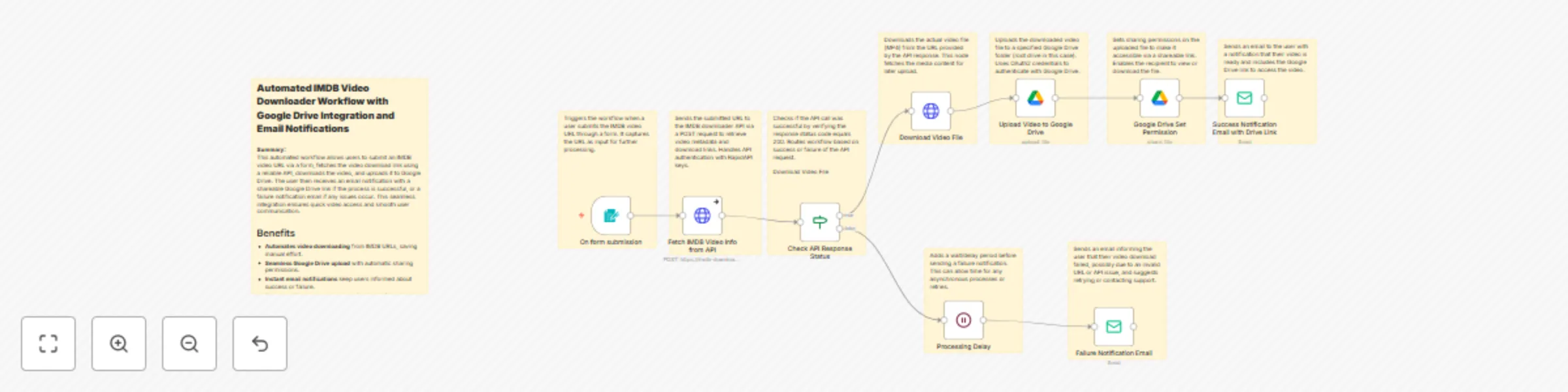
**Automated IMDB Video Downloader: Download, Upload to Google Drive & Notify via Email** Easily download IMDB videos via a user-friendly form. Automatically fetch video links using the [**IMDB Downloader API**](https://rapidapi.com/skdeveloper/api/imdb-downloader), save videos to Google Drive, and notify users via email with shareable links or failure alerts. Perfect for content creators and marketers. --- ## Node-by-Node Explanation * **On form submission**: Triggers the workflow when a user submits an IMDB video URL via a form. * **Fetch IMDB Video Info from API**: Sends the URL to the [**IMDB Downloader API**](https://rapidapi.com/skdeveloper/api/imdb-downloader) to get video metadata and download links. * **Check API Response Status**: Verifies if the API responded successfully (status code 200). * **Download Video File**: Downloads the video from the provided media URL. * **Upload Video to Google Drive**: Uploads the downloaded video file to a specified Google Drive folder. * **Google Drive Set Permission**: Sets sharing permissions on the uploaded video for easy access. * **Success Notification Email with Drive Link**: Emails the user the Google Drive link to access the video. * **Processing Delay**: Adds a wait time before sending failure notifications. * **Failure Notification Email**: Emails the user if the video download or processing fails. --- ## How to Obtain Your RapidAPI Key 1. Go to [**RapidAPI's IMDB Downloader API page**](https://rapidapi.com/skdeveloper/api/imdb-downloader). 2. Sign up or log in to your RapidAPI account. 3. Subscribe to the IMDB Downloader API. 4. Find your unique `x-rapidapi-key` in the dashboard under the API keys section. 5. Replace `"your key"` in your workflow headers with this key to authenticate requests. --- ## Use Cases & Benefits ### Use Cases * Content creators downloading trailers or clips quickly. * Marketing teams preparing video content for campaigns. * Educators sharing film excerpts. * Social media managers sourcing videos efficiently. ### Benefits * Fully automates video download and upload workflow. * Seamless Google Drive integration with sharing. * Instant user notifications on success or failure. * User-friendly with simple URL form submission. --- ## Who Is This For? * **Content creators** looking for fast video downloads. * **Marketers** needing instant access to IMDB clips. * **Educators** requiring film excerpts for lessons. * **Social media managers** preparing engaging content. * Any user wanting hassle-free IMDB video downloads with cloud storage.
Track website traffic & backlinks with Ahref API and Google Sheets
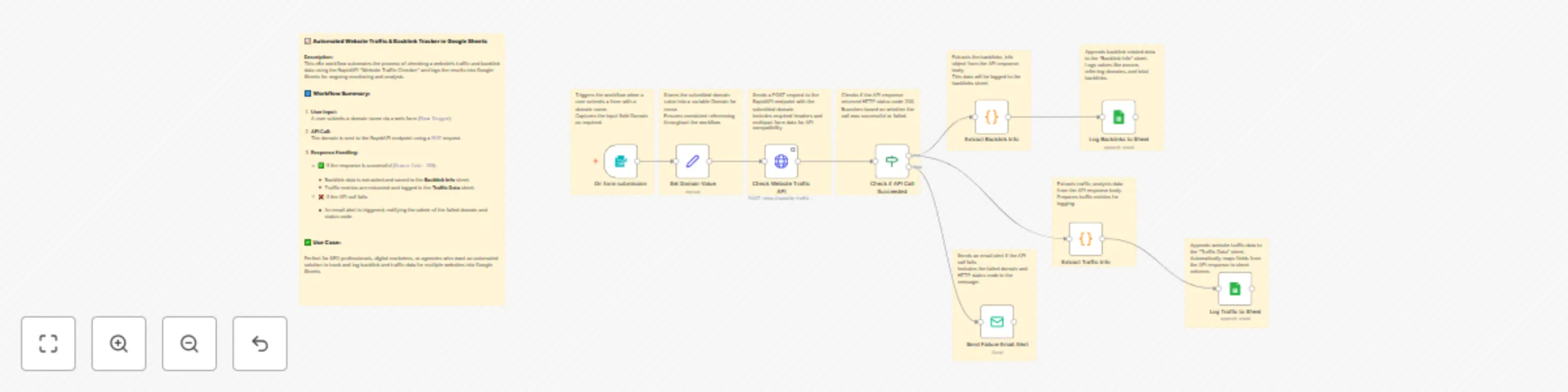
## 📊 Automated Website Traffic Tracker with Google Sheets Logging Track website traffic and backlinks effortlessly using the **[Website Traffic Checker - Ahref API](https://rapidapi.com/skdeveloper/api/website-traffic-checker-ahref)**. This n8n workflow automates data retrieval and logging into Google Sheets, making it perfect for SEO professionals and digital marketers. --- ## 🧩 What This Workflow Does (Summary) 1. Accepts a domain via a simple web form. 2. Sends the domain to **[Website Traffic Checker - Ahref API](https://rapidapi.com/skdeveloper/api/website-traffic-checker-ahref)**. 3. If successful: * Extracts **backlink** and **traffic** data. * Appends the results to **two separate Google Sheets**. 4. If failed: * Sends an email alert with domain and status code. --- ## 🔧 Node-by-Node Explanation | Node | Purpose | | ---------------------------------- | ---------------------------------------------------------------------------------------------------------------- | | 🟢 **Form Trigger** | Starts the workflow when a domain is submitted via form. | | 🟩 **Set Domain Value** | Stores the submitted domain into a variable. | | 🌐 **HTTP Request** | Calls [Website Traffic Checker - Ahref API](https://rapidapi.com/skdeveloper/api/website-traffic-checker-ahref). | | ✅ **IF Node** | Checks if the API responded with `statusCode = 200`. | | ❌ **Email Node (Fail)** | Sends an alert email if API fails. | | 📦 **Code (Backlink Info)** | Extracts backlink data from API response. | | 📄 **Google Sheet: Backlink Info** | Appends backlink data to a sheet. | | 📦 **Code (Traffic Info)** | Extracts traffic data from API response. | | 📄 **Google Sheet: Traffic Data** | Appends traffic metrics to another sheet. | --- ## 📁 Google Sheet Columns ### **Backlink Info Sheet** | Column | Description | | ------------------ | --------------------------- | | `website` | Domain submitted | | `ascore` | Authority score | | `referring domain` | Number of referring domains | | `total backlinks` | Total backlinks | --- ### **Traffic Data Sheet** | Column | Description | |----------------------|---------------------------------------------| | accuracy | Accuracy level of the traffic data | | bounce_rate | Bounce rate percentage | | desktop_share | Percentage of traffic from desktop devices | | direct | Direct traffic sources | | display_ad | Display ad traffic sources | | display_date | Date when traffic data was captured | | mail | Traffic from email campaigns | | mobile_share | Percentage of traffic from mobile devices | | pages_per_visit | Average number of pages per visit | | paid | Paid traffic sources | | prev_bounce_rate | Bounce rate in the previous period | | prev_direct | Previous period's direct traffic | | prev_display_ad | Previous period's display ad traffic | | prev_mail | Previous period's email traffic | | prev_pages_per_visit | Previous period's pages per visit | | prev_referral | Previous period's referral traffic | | prev_search_organic | Previous organic search traffic | | prev_search_paid | Previous paid search traffic | | prev_social_organic | Previous organic social traffic | | prev_social_paid | Previous paid social traffic | | prev_time_on_site | Previous time spent on site | | prev_users | Number of users in the previous period | | prev_visits | Visits in the previous period | | rank | Global rank of the website | | referral | Referral traffic | | search | Total search traffic | | search_organic | Organic search traffic | | search_paid | Paid search traffic | | social | Total social traffic | | social_organic | Organic social traffic | | social_paid | Paid social traffic | | target | Targeted country or demographic | | time_on_site | Average time spent on site | | unknown_channel | Traffic from unknown sources | | users | Number of unique users | | visits | Total number of visits | --- ## 🔐 How to Configure ### 🔑 Get API Key 1. Go to [**Website Traffic Checker - Ahref API on RapidAPI**](https://rapidapi.com/skdeveloper/api/website-traffic-checker-ahref). 2. Sign in or create a free RapidAPI account. 3. Subscribe to the API plan. 4. Copy your `x-rapidapi-key` from the **Endpoints** tab. ### 📝 Add Key in n8n 1. Go to your **HTTP Request** node. 2. Under **Headers**, set: * `x-rapidapi-host` = `website-traffic-checker-ahref.p.rapidapi.com` * `x-rapidapi-key` = *your API key* --- ## 📄 How to Setup Google Sheets in n8n 1. Connect a **Google account** via `Google Sheets` credentials in n8n. 2. Use the full Google Sheet URL in the `documentId` field. 3. Set correct **Sheet name or GID** (e.g., "Traffic Data"). 4. Use **Auto Map** or **Custom Map** to define columns. > Make sure your Google Sheet has **edit access** and headers already created. --- ## 🧠 Use Case & Benefits ### 👤 Ideal For: * SEO analysts * Digital marketers * Agencies managing multiple clients * Web analytics consultants ### ✅ Benefits: * Fully **automated data collection**. * **No manual copy-paste** from tools. * Real-time insights delivered to Google Sheets. * Easy monitoring of **backlinks** and **traffic trends**.
Scrape jobs from Indeed, LinkedIn & more with RapidAPI to Google Sheets
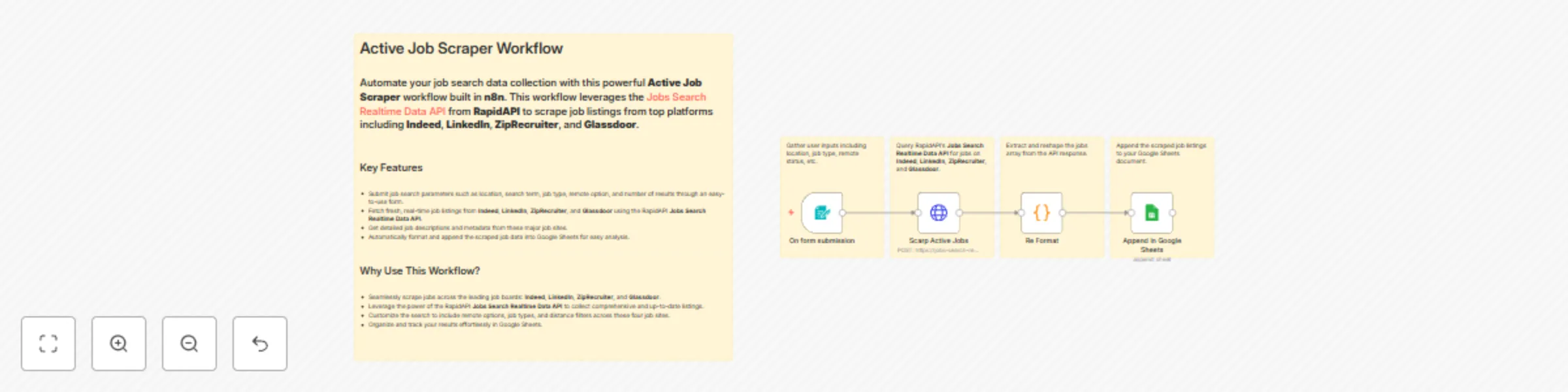
## Active Job Scraper Workflow Using RapidAPI Jobs Search Realtime Data API This powerful **Active Job Scraper** workflow uses the [**RapidAPI Jobs Search Realtime Data API**](https://rapidapi.com/skdeveloper/api/jobs-search-realtime-data) to fetch real-time job listings from leading job boards like **Indeed**, **LinkedIn**, **ZipRecruiter**, and **Glassdoor**. --- ## Overview Leverage the [**Jobs Search Realtime Data API on RapidAPI**](https://rapidapi.com/skdeveloper/api/jobs-search-realtime-data) to gather fresh job data from **Indeed**, **LinkedIn**, **ZipRecruiter**, and **Glassdoor**. This n8n workflow lets you: - Search jobs by location, keywords, job type, and remote options across these major platforms. - Collect detailed job information including descriptions and metadata. - Automatically save the scraped results into Google Sheets for easy tracking and analysis. --- ## Why Choose This Workflow? By integrating the [**RapidAPI Jobs Search Realtime Data API**](https://rapidapi.com/skdeveloper/api/jobs-search-realtime-data), you can scrape job listings from the most popular job sites—**Indeed**, **LinkedIn**, **ZipRecruiter**, and **Glassdoor**—all in one place. Customize your search parameters and get results tailored to your needs. --- ## Workflow Components | Node | Description | |------------------|-----------------------------------------------------------------| | Form Trigger | Collects input such as location, search term, job type, and remote status. | | HTTP Request | Calls the RapidAPI Jobs Search Realtime Data API to fetch jobs from **Indeed**, **LinkedIn**, **ZipRecruiter**, and **Glassdoor**. | | Code Node | Processes and formats the API response data. | | Google Sheets | Appends the extracted job listings to your spreadsheet. | --- ### 🔑 How to Get API Key from RapidAPI [Jobs Search Realtime Data API](https://rapidapi.com/skdeveloper/api/jobs-search-realtime-datao) Follow these steps to get your API key and start using it in your workflow: 1. **Visit the API Page** [👉 Click here to open Jobs Search Realtime Data API on RapidAPI](https://rapidapi.com/skdeveloper/api/jobs-search-realtime-data) 2. **Log in or Sign Up** - Use your **Google**, **GitHub**, or email account to sign in. - If you're new, complete a quick sign-up. 3. **Subscribe to a Pricing Plan** - Go to the **Pricing** tab on the API page. - Select a plan (free or paid, depending on your needs). - Click **Subscribe**. 4. **Access Your API Key** - Navigate to the **Endpoints** tab. - Look for the `X-RapidAPI-Key` under **Request Headers**. - Copy the value shown — this is your API key. 5. **Use the Key in Your Workflow** - In your n8n workflow (HTTP Request node), replace: ```text "x-rapidapi-key": "your key" ``` with: ```text "x-rapidapi-key": "YOUR_ACTUAL_API_KEY" ``` ---
Check domain authority metrics in bulk and log to Google Sheets with RapidAPI
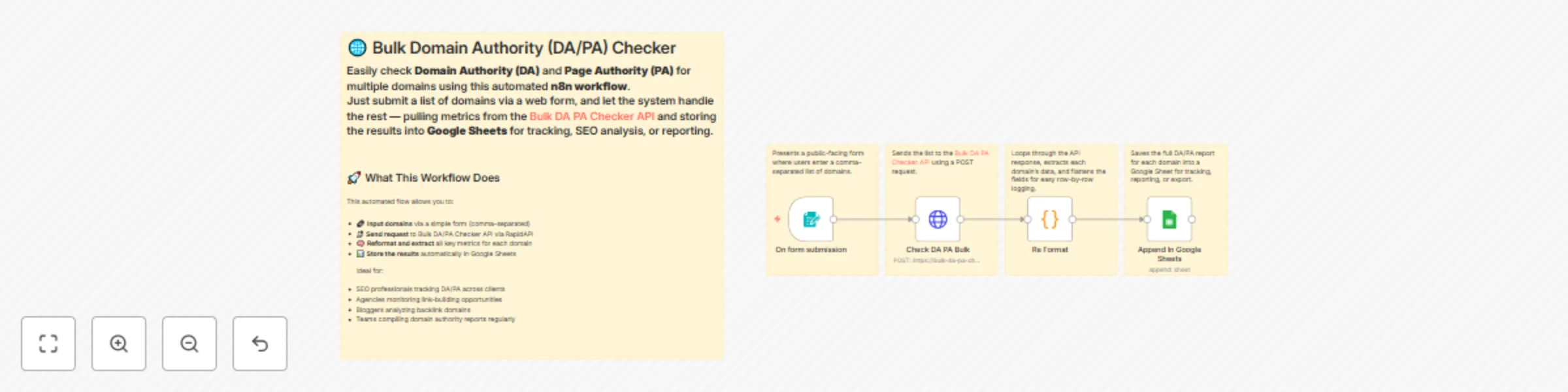
## 🌐 Bulk Domain Authority (DA/PA) Checker And Google Sheet Logging Easily check **Domain Authority (DA)** and **Page Authority (PA)** for multiple domains using this automated **n8n workflow** powered by the [**Bulk DA PA Checker API**](https://rapidapi.com/skdeveloper/api/bulk-da-pa-checker2) on **RapidAPI**. Simply submit your domains via a web form, and the workflow fetches detailed SEO metrics and logs the data into Google Sheets. --- ## 🚀 What This Workflow Does This automation leverages the [**Bulk DA PA Checker API**](https://rapidapi.com/skdeveloper/api/bulk-da-pa-checker2) from RapidAPI to: - Accept multiple domains via a user-friendly form - Send bulk requests to the Bulk DA PA Checker API for fast SEO metric retrieval - Process and reformat the API response for easy consumption - Append the domain authority data directly into Google Sheets for tracking and analysis Perfect for SEO pros, marketers, and agencies looking to streamline their domain analysis with the power of RapidAPI. --- ## ⚙️ Workflow Highlights | 🧩 Node | 🔍 Description | |--------|----------------| | **📝 Form Trigger** | User submits comma-separated domains through a simple form. | | **🌐 Check DA PA Bulk (RapidAPI)** | Sends a POST request to the Bulk DA PA Checker API to fetch DA/PA and related SEO metrics. | | **🛠️ Re Format** | Parses and extracts each domain’s data from the API response. | | **📊 Append in Google Sheets** | Logs all metrics in a structured Google Sheet for easy review and reporting. | --- ## 🧠 Key SEO Metrics Retrieved - Domain Authority - Page Authority - Spam Score - HTTP Status Code - Last Crawled Date - External URLs and Redirects - And many more from the Bulk DA PA Checker API response --- ## ✅ Why Use This Workflow with the Bulk DA PA Checker API? - Bulk checking saves time compared to manual domain lookups - Reliable data powered by a trusted RapidAPI service - Seamless integration with Google Sheets for reporting - Easily repeatable and scalable for large domain lists --- ### 🔑 How to Get API Key from RapidAPI [Bulk DA PA Checker API](https://rapidapi.com/skdeveloper/api/bulk-da-pa-checker2) Follow these steps to get your API key and start using it in your workflow: 1. **Visit the API Page** [👉 Click here to open Bulk DA PA Checker API on RapidAPI](https://rapidapi.com/skdeveloper/api/bulk-da-pa-checker2) 2. **Log in or Sign Up** - Use your **Google**, **GitHub**, or email account to sign in. - If you're new, complete a quick sign-up. 3. **Subscribe to a Pricing Plan** - Go to the **Pricing** tab on the API page. - Select a plan (free or paid, depending on your needs). - Click **Subscribe**. 4. **Access Your API Key** - Navigate to the **Endpoints** tab. - Look for the `X-RapidAPI-Key` under **Request Headers**. - Copy the value shown — this is your API key. 5. **Use the Key in Your Workflow** - In your n8n workflow (HTTP Request node), replace: ```text "x-rapidapi-key": "your key" ``` with: ```text "x-rapidapi-key": "YOUR_ACTUAL_API_KEY" ``` ---
Track free Udemy courses automatically with RapidAPI and Google Sheets
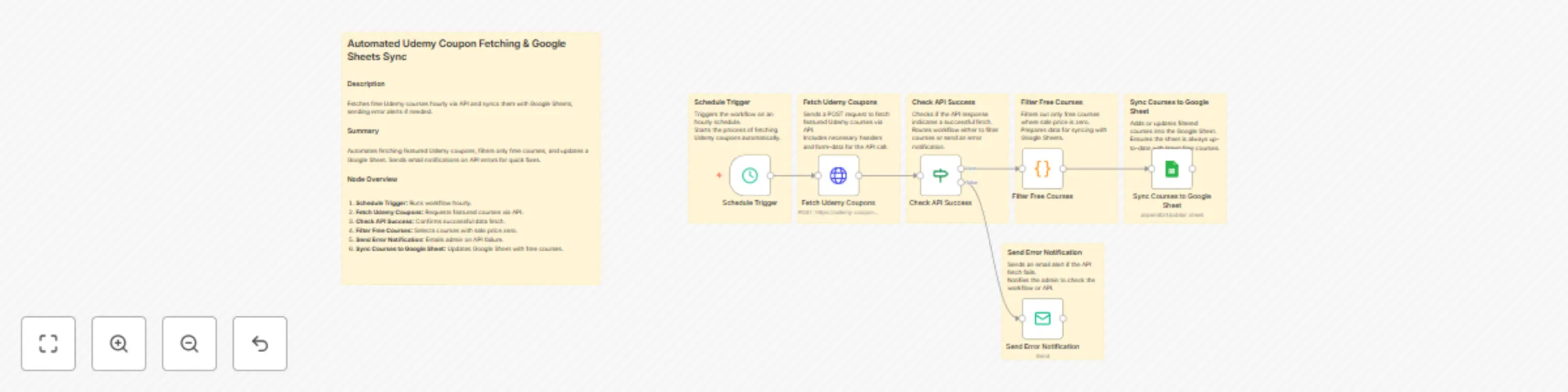
This workflow fetches free Udemy courses hourly via the [Udemy Coupons and Courses API on RapidAPI](https://rapidapi.com/skdeveloper/api/udemy-coupons-and-courses), filters them, and updates a Google Sheet. It sends alerts on errors for smooth monitoring. --- ## Node-by-Node Explanation 1. **Schedule Trigger:** Runs the workflow every hour automatically. 2. **Fetch Udemy Coupons:** Sends POST request to the [Udemy Coupons and Courses API on RapidAPI](https://rapidapi.com/skdeveloper/api/udemy-coupons-and-courses) to get featured courses. 3. **Check API Success:** Verifies if the API response is successful; routes accordingly. 4. **Filter Free Courses:** Selects only courses with `sale_price` of zero (free courses). 5. **Send Error Notification:** Emails admin if API fetch fails for quick action. 6. **Sync Courses to Google Sheet:** Appends or updates the filtered free courses into Google Sheets. --- ## Google Sheets Columns * `id` * `name` * `price` * `sale_price` * `image` * `lectures` * `views` * `rating` * `language` * `category` * `subcategory` * `slug` * `store` * `sale_start` --- ## Google Sheets Setup & Configuration Steps 1. **Create Google Sheet:** Create or open a Google Sheet where you want to sync courses. 2. **Set Headers:** Add columns headers matching the fields synced (`id`, `name`, `price`, etc.). 3. **Enable Google Sheets API:** Go to Google Cloud Console, enable Google Sheets API for your project. 4. **Create Service Account:** In Google Cloud Console, create a Service Account with editor access. 5. **Download Credentials:** Download the JSON credentials file from the service account. 6. **Share Sheet:** Share your Google Sheet with the Service Account email (found in JSON file). 7. **Configure n8n Google Sheets Node:** Use the service account credentials, set operation to “Append or Update”, provide Sheet URL and sheet name or `gid`. 8. **Match Columns:** Map the course fields to your sheet columns and set `id` as the unique key for updates. --- ## How to Obtain RapidAPI Key & Setup API Request 1. **Sign up/Login:** Visit [RapidAPI Udemy Coupons and Courses API](https://rapidapi.com/skdeveloper/api/udemy-coupons-and-courses) and create an account or log in. 2. **Subscribe to API:** Subscribe to the Udemy Coupons and Courses API plan (free or paid). 3. **Get API Key:** Navigate to your dashboard and copy your `x-rapidapi-key`. 4. **Configure HTTP Request:** In your workflow’s HTTP Request node: * Set method to `POST`. * URL: `https://udemy-coupons-and-courses.p.rapidapi.com/featured.php` * Add headers: * `x-rapidapi-host`: `udemy-coupons-and-courses.p.rapidapi.com` * `x-rapidapi-key`: your copied API key * Set content type to `multipart/form-data`. * Add body parameter: `page=1` (or as needed). 5. **Test API:** Run the node to ensure the API responds with data successfully before continuing workflow setup. --- ## Use Cases & Benefits * Automates daily updates of free Udemy courses in your sheet using the [Udemy Coupons and Courses API on RapidAPI](https://rapidapi.com/skdeveloper/api/udemy-coupons-and-courses). * Saves manual effort in tracking coupons and deals. * Enables quick error alerts to maintain data accuracy. * Ideal for course aggregators, affiliate marketers, or learning platforms needing fresh course data. --- ## Who This Workflow Is For * Content curators and edtech platforms tracking free courses. * Affiliate marketers promoting Udemy deals. * Anyone needing real-time access to updated free Udemy coupons.
Scrape Shopify store data with RapidAPI and save to Google Sheets
An automated workflow that scrapes Shopify store information and product data using the [**Shopify Scraper API**](https://rapidapi.com/skdeveloper/api/shopify-scraper4) from RapidAPI, triggered by a user submitting a website URL, then logs data into Google Sheets for easy access and analysis. --- ### Node-by-Node Explanation - **On form submission** Triggers when a user submits a Shopify store website URL. - **Store Info Scrap Request** Sends a POST request to [`shopify-scraper4.p.rapidapi.com/shopinfo.php`](https://rapidapi.com/skdeveloper/api/shopify-scraper4) to fetch store metadata (name, location, domain, etc.). - **Products Scarp Request** Sends a POST request to [`shopify-scraper4.p.rapidapi.com/products.php`](https://rapidapi.com/skdeveloper/api/shopify-scraper4) to retrieve detailed product data (titles, prices, tags, etc.). - **Append Store Info Google Sheets** Appends store metadata into the "Shop Info" sheet in Google Sheets. - **Append Products Data In Google Sheets** Appends product data into the "Products" sheet in Google Sheets. --- ## Use Case Ideal for businesses or analysts who want to quickly gather Shopify store insights and product catalogs without manual data collection, enabling data-driven decision-making or competitive analysis. --- ## Benefits - Automates Shopify data extraction with the powerful [**Shopify Scraper API on RapidAPI**](https://rapidapi.com/skdeveloper/api/shopify-scraper4). - Saves time by collecting and organizing data automatically into Google Sheets. - Easily scalable and adaptable for multiple Shopify stores. --- ### 🔑 How to Get API Key from RapidAPI [Shopify Scraper](https://rapidapi.com/skdeveloper/api/shopify-scraper4) Follow these steps to get your API key and start using it in your workflow: 1. **Visit the API Page** [👉 Click here to open Shopify Scraper API on RapidAPI](https://rapidapi.com/skdeveloper/api/shopify-scraper4) 2. **Log in or Sign Up** - Use your **Google**, **GitHub**, or email account to sign in. - If you're new, complete a quick sign-up. 3. **Subscribe to a Pricing Plan** - Go to the **Pricing** tab on the API page. - Select a plan (free or paid, depending on your needs). - Click **Subscribe**. 4. **Access Your API Key** - Navigate to the **Endpoints** tab. - Look for the `X-RapidAPI-Key` under **Request Headers**. - Copy the value shown — this is your API key. 5. **Use the Key in Your Workflow** - In your n8n workflow (HTTP Request node), replace: ```text "x-rapidapi-key": "your key" ``` with: ```text "x-rapidapi-key": "YOUR_ACTUAL_API_KEY" ```
Download Slideshare presentations to Google Drive with RapidAPI integration
## 📥 Download Slideshare and Store in Drive ### ⚙️ Automate the download of Slideshare presentations and save them to Google Drive using the [Slideshare Downloader Pro API](https://rapidapi.com/skdeveloper/api/slideshare-downloader-pro). --- ## 🔄 Workflow Overview: Node by Node 1. **📝 On Form Submission** → Displays a form for users to input the Slideshare URL. 2. **🌐 Slideshare Downloader** → Sends the submitted URL to the [Slideshare Downloader Pro API](https://rapidapi.com/skdeveloper/api/slideshare-downloader-pro) to fetch a downloadable PDF link. 3. **✅ If (API Success?)** → Checks if the API response returns a `200` status (success). 4. **⬇️ Download PDF** → Downloads the actual PDF file from the media URL received in the API response. 5. **☁️ Upload to Google Drive** → Uploads the downloaded PDF into a specific Google Drive folder. 6. **🔓 Google Drive Set Permission** → Sets the file’s permission to "Anyone with the link can view". 7. **⏱️ Wait (Error Handling)** → Adds a small delay before logging errors to prevent rapid multiple logs. 8. **📄 Google Sheets Append Row** → Logs failed attempts with the original Slideshare URL and "N/A" for tracking. --- ## 💡 Use Case A content curator or student often downloads Slideshare presentations for archiving, referencing, or sharing. Instead of repeatedly copy-pasting URLs, downloading files, and uploading them manually, this automated workflow streamlines the process from input to storage. It leverages the [Slideshare Downloader Pro API](https://rapidapi.com/skdeveloper/api/slideshare-downloader-pro) to handle the heavy lifting — ensuring reliable PDF extraction. --- ## ✅ Benefits - **🕒 Save Time:** Automates multi-step tasks in one seamless flow. - **📂 Organized Storage:** PDFs are directly saved in Google Drive with public access enabled. - **📉 Track Failures:** Failed downloads are logged for review via Google Sheets. - **🔗 Easy Sharing:** Uploaded files are made instantly accessible via shareable links. - **🧩 API Integration:** Integrates smoothly with the [Slideshare Downloader Pro API](https://rapidapi.com/skdeveloper/api/slideshare-downloader-pro), ensuring robust and scalable automation. --- --- ### 🔑 How to Get API Key from RapidAPI [Slideshare Downloader Pro](https://rapidapi.com/skdeveloper/api/slideshare-downloader-pro) Follow these steps to get your API key and start using it in your workflow: 1. **Visit the API Page** [👉 Click here to open Slideshare Downloader Pro API on RapidAPI](https://rapidapi.com/skdeveloper/api/slideshare-downloader-pro) 2. **Log in or Sign Up** - Use your **Google**, **GitHub**, or email account to sign in. - If you're new, complete a quick sign-up. 3. **Subscribe to a Pricing Plan** - Go to the **Pricing** tab on the API page. - Select a plan (free or paid, depending on your needs). - Click **Subscribe**. 4. **Access Your API Key** - Navigate to the **Endpoints** tab. - Look for the `X-RapidAPI-Key` under **Request Headers**. - Copy the value shown — this is your API key. 5. **Use the Key in Your Workflow** - In your n8n workflow (HTTP Request node), replace: ```text "x-rapidapi-key": "your key" ``` with: ```text "x-rapidapi-key": "YOUR_ACTUAL_API_KEY" ``` ---
Automate sales tax calculation with Sales Tax Calculator API & Google Sheets
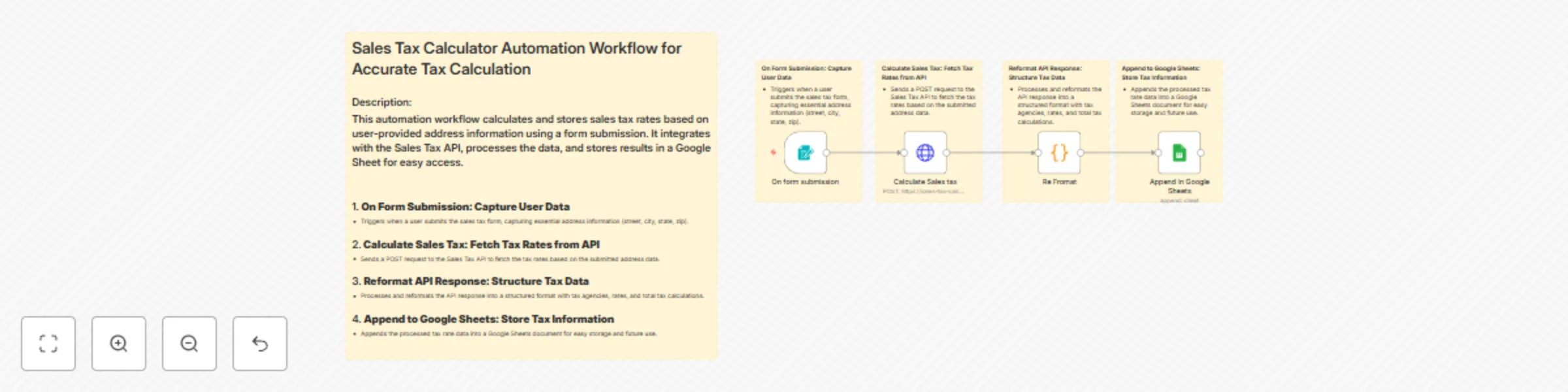
**Sales Tax Calculator API Integration: Automate Tax Calculation with Google Sheets & RapidAPI** **Effortlessly calculate and store sales tax rates based on user address data using the [Sales Tax Calculator API on RapidAPI](https://rapidapi.com/skdeveloper/api/sales-tax-calculator5)**. Automate the process, format the data, and store results in Google Sheets for easy access.** --- ## Workflow Overview: This automation workflow integrates the [**Sales Tax Calculator API**](https://rapidapi.com/skdeveloper/api/sales-tax-calculator5) from **RapidAPI** to calculate and store sales tax rates based on user-provided address information. The workflow is designed to automate tax calculation, streamline data processing, and save results in a **Google Sheets** document for future reference. --- ## Node-by-Node Explanation: ### 1. **On Form Submission**: - **Trigger**: This node listens for form submissions, capturing the user’s address data (street, city, state, zip). ### 2. **Calculate Sales Tax**: - **Action**: Sends a **POST** request to the [**Sales Tax Calculator API**](https://rapidapi.com/skdeveloper/api/sales-tax-calculator5) (via RapidAPI) to fetch tax rates based on the submitted address data. ### 3. **Reformat API Response**: - **Processing**: Processes and reformats the data received from the API, structuring the tax agencies, rates, and total tax calculations into rows. ### 4. **Append to Google Sheets**: - **Store**: Appends the reformatted tax information into a **Google Sheets** document for easy storage and future analysis. --- ## Use Case: This workflow is ideal for businesses or individuals who need to automatically calculate sales tax based on customer-provided address information. It can be used in any e-commerce platform, accounting system, or sales management tool. --- ## Benefits: 1. **Automation**: Streamline the tax calculation process by automatically calculating and storing tax rates based on user inputs. 2. **Real-Time Data**: Ensure up-to-date tax rates are used for every transaction or form submission. 3. **Easy Data Access**: Tax rates and details are stored in **Google Sheets**, providing easy access and better organization for future reference. 4. **Efficient Workflow**: Saves time and reduces the possibility of human error by automating the entire process from data collection to storage. --- ## Integration with RapidAPI: This workflow is powered by the **[Sales Tax Calculator API](https://rapidapi.com/skdeveloper/api/sales-tax-calculator5)** from **RapidAPI**, which ensures accurate and real-time tax calculations based on user addresses. ### Key Features of the Sales Tax Calculator API: - Fetch tax rates based on various address details (street, city, state, zip). - Reliable and fast service via **RapidAPI**, ensuring smooth API integrations. - Provides tax rate data for multiple jurisdictions (states, cities, etc.). **Start using the [Sales Tax Calculator API on RapidAPI](https://rapidapi.com/skdeveloper/api/sales-tax-calculator5)** today and streamline your sales tax process. --- ### 🔑 How to Get API Key from RapidAPI [Sales Tax Calculator](https://rapidapi.com/skdeveloper/api/sales-tax-calculator5) Follow these steps to get your API key and start using it in your workflow: 1. **Visit the API Page** [👉 Click here to open Sales Tax Calculator on RapidAPI](https://rapidapi.com/skdeveloper/api/sales-tax-calculator5) 2. **Log in or Sign Up** - Use your **Google**, **GitHub**, or email account to sign in. - If you're new, complete a quick sign-up. 3. **Subscribe to a Pricing Plan** - Go to the **Pricing** tab on the API page. - Select a plan (free or paid, depending on your needs). - Click **Subscribe**. 4. **Access Your API Key** - Navigate to the **Endpoints** tab. - Look for the `X-RapidAPI-Key` under **Request Headers**. - Copy the value shown — this is your API key. 5. **Use the Key in Your Workflow** - In your n8n workflow (HTTP Request node), replace: ```text "x-rapidapi-key": "your key" ``` with: ```text "x-rapidapi-key": "YOUR_ACTUAL_API_KEY" ``` --- **Keywords**: Sales Tax Calculator, Sales Tax API, RapidAPI, Tax Calculation, Google Sheets Integration, Automation, API Integration
Download videos from any platform to Google Drive with RapidAPI integration
## 🚀 All-In-One Video Downloader to Google Drive (via RapidAPI best All-In-One Video Downloader) **Description:** This n8n workflow automates the process of downloading videos from any supported platform (like LinkedIn, Facebook, or Instagram) using the [**RapidAPI best All-In-One Video Downloader**](https://rapidapi.com/skdeveloper/api/best-all-in-one-video-downloader). It then uploads the video to your Google Drive and shares it publicly, while logging any failures in Google Sheets for tracking. --- ## 📦 Node-by-Node Breakdown | 🧩 Node Name | 📝 One‑Line Explanation | |-------------------------------|-------------------------------------------------------------------------------| | **On form submission** | Triggers the workflow when a user submits a video URL through a web form. | | **All in one video downloader** | Sends a POST request to [**RapidAPI best All-In-One Video Downloader**](https://rapidapi.com/skdeveloper/api/best-all-in-one-video-downloader) to fetch downloadable video links. | | **If** | Checks whether the API response includes an error and routes accordingly. | | **Download mp4** | Downloads the video using the direct media URL received from the API. | | **Upload To Google Drive** | Uploads the MP4 file to a designated folder in your Google Drive. | | **Google Drive Set Permission** | Makes the uploaded file publicly shareable with a viewable link. | | **Wait** | Adds a short delay before logging errors to prevent duplicate entries. | | **Google Sheets Append Row** | Logs failed download attempts with the original URL and status as `N/A`. | --- ## ✅ Benefits of This Flow - 🔁 **End-to-End Automation**: From user input to shareable video link—no manual steps required. - 🌐 **Supports Multiple Platforms**: The [**RapidAPI best All-In-One Video Downloader**](https://rapidapi.com/skdeveloper/api/best-all-in-one-video-downloader) supports sites like Instagram, Facebook, Twitter, LinkedIn, and more. - ⚠️ **Smart Error Handling**: Automatically logs failed download attempts into Google Sheets for retry or audit. - ☁️ **Cloud Ready**: Videos are stored in Google Drive with instant public access. - 📊 **Trackability**: Logs failures, timestamps, and source URLs for easy debugging or analytics. - 🧩 **Modular Setup**: Easily expand this in n8n to include Slack notifications, email alerts, or tagging. --- ## 🔁 Use Cases - 🎬 **Social Media Video Archiving**: Download and store content (Reels, posts, stories) into Drive for future use. - 🧑🏫 **Educational Sharing**: Teachers can collect useful videos and share links with students. - 📚 **Content Curation**: Bloggers or content managers can create a media archive from multiple platforms. - 🤝 **Team Automation**: Teams submit links, and the workflow handles download + Drive share link generation. - 📉 **Error Tracking for Ops**: Failed URLs are tracked in Google Sheets for retry, monitoring, or debugging. --- ## 🧠 Final Thoughts This workflow leverages the power of n8n and [**RapidAPI best All-In-One Video Downloader**](https://rapidapi.com/skdeveloper/api/best-all-in-one-video-downloader) to create a **fully automated pipeline** for capturing video content from across the web. It’s ideal for educators, marketers, content curators, or developers who want to streamline video storage and access using Google Drive. --- ## 🔑 How to Get API Key from RapidAPI [Best All-In-One Video Downloader](https://rapidapi.com/skdeveloper/api/best-all-in-one-video-downloader) Follow these steps to get your API key and start using it in your workflow: 1. **Visit the API Page** [👉 Click here to open Best All-In-One Video Downloader on RapidAPI](https://rapidapi.com/skdeveloper/api/best-all-in-one-video-downloader) 2. **Log in or Sign Up** - Use your **Google**, **GitHub**, or email account to sign in. - If you're new, complete a quick sign-up. 3. **Subscribe to a Pricing Plan** - Go to the **Pricing** tab on the API page. - Select a plan (free or paid, depending on your needs). - Click **Subscribe**. 4. **Access Your API Key** - Navigate to the **Endpoints** tab. - Look for the `X-RapidAPI-Key` under **Request Headers**. - Copy the value shown — this is your API key. 5. **Use the Key in Your Workflow** - In your n8n workflow (HTTP Request node), replace: ```text "x-rapidapi-key": "your key" ``` with: ```text "x-rapidapi-key": "YOUR_ACTUAL_API_KEY" ``` --- ✅ You’re now ready to use the [Best All-In-One Video Downloader](https://rapidapi.com/skdeveloper/api/best-all-in-one-video-downloader) with your automated workflows!
Automate SEO keyword analysis with RapidAPI and log to Google Sheets
## **Automated Keyword Analysis and Google Sheets Logging** Automate keyword research with n8n and log essential SEO data like search volume, trends, competition, and keyword difficulty directly into Google Sheets. Simplify your SEO efforts with real-time insights. ## Node-by-Node Explanation ### 1. **On form submission (Trigger)** - **Purpose:** Triggers the workflow when a user submits the form with "country" and "keyword" as inputs. - **Explanation:** This node initiates the process by accepting user input from the form and passing it to the next node for analysis. ### 2. **Keyword Analysis (HTTP Request)** - **Purpose:** Sends a request to an external SEO API to analyze the provided keyword, fetching data like search volume, trends, and competition. - **Explanation:** This node calls the [**Keyword Research Tool API**](https://rapidapi.com/skdeveloper/api/keyword-research-tool3) with the country and keyword inputs from the form, retrieving essential keyword data for further processing. ### 3. **Re-format output (Code)** - **Purpose:** Processes and reformats the API response into a structured format suitable for logging into Google Sheets. - **Explanation:** Extracts and organizes the keyword data (e.g., competition, CPC, search volume) into a format that can be easily mapped to Google Sheets columns. ### 4. **Google Sheets (Append)** - **Purpose:** Appends the reformatted keyword data into the specified Google Sheets document. - **Explanation:** Logs the fetched keyword insights into a Google Sheets document, allowing for continuous tracking and analysis. --- ## **Benefits of This Workflow** - **Automated Keyword Research:** Eliminates manual keyword research by automating the entire process using the [**Keyword Research Tool API**](https://rapidapi.com/skdeveloper/api/keyword-research-tool3). - **Real-time Data Tracking:** Fetches up-to-date SEO metrics from the [**Keyword Research Tool API**](https://rapidapi.com/skdeveloper/api/keyword-research-tool3) and logs them directly into Google Sheets for easy access and analysis. - **Efficient Workflow:** Saves time by integrating multiple tools (form, SEO API, Google Sheets) into one seamless process. - **SEO Insights:** Provides detailed insights like search volume, trends, competition, and keyword difficulty, aiding in strategic decision-making with the help of the [**Keyword Research Tool API**](https://rapidapi.com/skdeveloper/api/keyword-research-tool3). --- ## **Use Case** This workflow is ideal for digital marketers, SEO professionals, and content creators who need to analyze keyword performance and track essential SEO metrics efficiently. It automates the process of keyword research by calling the [**Keyword Research Tool API**](https://rapidapi.com/skdeveloper/api/keyword-research-tool3), fetching relevant data, and logging it into Google Sheets. This makes it easier to monitor and optimize SEO strategies in real-time.
Seo competitor analysis & data logging with Semrush API and Google Sheets
### Competitor Analysis & SEO Data Logging Workflow Using [Competitor Analysis Semrush API](https://rapidapi.com/skdeveloper/api/competitor-analysis-semrush) ## Description This workflow automates SEO competitor analysis using the **[Competitor Analysis Semrush API](https://rapidapi.com/skdeveloper/api/competitor-analysis-semrush)** and logs the data into **Google Sheets** for structured reporting. It captures domain overview, organic competitors, organic pages, and keyword-level insights from the **[Competitor Analysis Semrush API](https://rapidapi.com/skdeveloper/api/competitor-analysis-semrush)**, then appends them to different sheets for easy tracking. --- ## Node-by-Node Explanation 1. **On form submission** – Captures the website URL entered by the user. 2. **Competitor Analysis** – Sends the website to the **[Competitor Analysis Semrush API](https://rapidapi.com/skdeveloper/api/competitor-analysis-semrush)** via HTTP POST request. 3. **Re format output** – Extracts and formats the domain overview data. 4. **Domain overview** – Saves organic keywords and traffic into Google Sheets. 5. **Reformat** – Extracts the organic competitors list. 6. **Organic Competitor** – Logs competitor domains, relevance, and traffic into Google Sheets. 7. **Reformat 2** – Extracts organic pages data. 8. **Organic Pages** – Stores page-level data such as traffic and keyword counts. 9. **Reformat2** – Extracts organic keywords details. 10. **organic keywords** – Logs keyword data like CPC, volume, and difficulty into Google Sheets. --- ## Benefits - ✅ **Automated competitor tracking** – No manual API calls, all logged in Google Sheets. - ✅ **Centralized SEO reporting** – Data stored in structured sheets for quick access. - ✅ **Time-saving** – Streamlines research by combining multiple reports in one workflow. - ✅ **Accurate insights** – Direct data from the **[Competitor Analysis Semrush API](https://rapidapi.com/skdeveloper/api/competitor-analysis-semrush)** ensures reliability. --- ## Use Cases - 📊 **SEO Research** – Track domain performance and competitor strategies. - 🔍 **Competitor Monitoring** – Identify competitor domains, keywords, and traffic. - 📝 **Content Strategy** – Find top-performing organic pages and replicate content ideas. - 💰 **Keyword Planning** – Use CPC and difficulty data to prioritize profitable keywords. - 📈 **Client Reporting** – Generate ready-to-use SEO competitor analysis reports in Google Sheets.
Analyze website backlinks with Top Backlink Checker API and Google Sheets logging
## **Backlink Checker with Google Sheets Logging (Seo)** ## Description: This workflow helps you analyze top backlinks using [**Semrush API**](https://rapidapi.com/skdeveloper/api/top-backlink-checker) and logs the results directly into **Google Sheets** for easy SEO tracking and reporting. It integrates the [**Top Backlink Checker API**](https://rapidapi.com/skdeveloper/api/top-backlink-checker) from RapidAPI, providing in-depth backlink analysis, and combines that with Google Sheets for efficient data storage and tracking. ## Node-by-Node Explanation: ### 1. **On form submission** Captures the website URL submitted by the user through a form. This node triggers the workflow when the form is filled with a website URL. The [**Top Backlink Checker API**](https://rapidapi.com/skdeveloper/api/top-backlink-checker) (via RapidAPI) is used to check backlinks after this step. ### 2. **Check webTraffic** Sends a request to the [**Top Backlink Checker API**](https://rapidapi.com/skdeveloper/api/top-backlink-checker) to gather traffic data for the submitted website. This includes important metrics like visits, bounce rate, and more, which will later be stored in Google Sheets for analysis. ### 3. **Reformat output** Extracts and re-formats the traffic data received from the [**Top Backlink Checker API**](https://rapidapi.com/skdeveloper/api/top-backlink-checker). This node cleans and structures the raw data for easier processing, ensuring it is usable for later stages in the workflow. ### 4. **Reformat** Processes the backlink data received from the [**Top Backlink Checker API**](https://rapidapi.com/skdeveloper/api/top-backlink-checker) (RapidAPI). The data is reformatted and structured to be added to Google Sheets for storage, making it easier to analyze. ### 5. **Backlink overview** Appends the re-formatted backlink overview data into a **Google Sheets** document. This stores important backlink information like source URLs, anchor texts, and more, making it available for later analysis and reporting. ### 6. **Backlinks** Appends detailed backlink data, including target URLs, anchors, and internal/external links, into **Google Sheets**. This helps track individual backlinks, their attributes, and page scores, allowing for deeper SEO analysis and reporting. ## Benefits and Use Cases: ### Benefits: - **Backlink Tracking**: The integration of the [**Top Backlink Checker API**](https://rapidapi.com/skdeveloper/api/top-backlink-checker) helps you track all the backlinks associated with a website. You can get insights on the source URL, anchor text, first and last seen, and more. - **Traffic Insights**: By integrating [**Top Backlink Checker API**](https://rapidapi.com/skdeveloper/api/top-backlink-checker), this workflow allows you to monitor important website traffic data such as visits, bounce rates, and organic reach, helping with SEO strategies. - **Automated Google Sheets Logging**: All traffic and backlink data is logged automatically into Google Sheets for easy access and future analysis. This avoids manual data entry and ensures consistency. - **Efficient Workflow**: The automation provided by **n8n** streamlines your SEO analysis workflow, ensuring that data is formatted, structured, and updated without any manual intervention. ### Use Cases: - **SEO Reports**: Generate regular SEO reports by tracking backlinks and traffic data automatically from Semrush and Top Backlink Checker, saving time and ensuring accurate reporting. - **Competitor Analysis**: Analyze your competitors’ backlinks and traffic to stay ahead in SEO rankings by leveraging data from the [**Top Backlink Checker API**](https://rapidapi.com/skdeveloper/api/top-backlink-checker). - **Backlink Management**: Use the data from [**Top Backlink Checker API**](https://rapidapi.com/skdeveloper/api/top-backlink-checker) to assess the health of backlinks, ensuring that high-value backlinks are tracked, and toxic backlinks are identified for removal or disavow. - **SEO Campaign Tracking**: Monitor how backlinks and website traffic evolve over time to evaluate the effectiveness of your SEO campaigns, keeping all your data in Google Sheets for easy tracking.
Track website traffic with Semrush API and log results to Google Sheets
## **Automated Seo Website Traffic Checker with Google Sheets Logging (Seo)** ## Description: This workflow uses the [**Website Traffic Checker Semrush**](https://rapidapi.com/skdeveloper/api/website-traffic-checker-semrush) API to analyze website traffic and performance. It collects data through a user-submitted website URL and stores the results in Google Sheets for easy access and reporting. Ideal for SEO analysis and data tracking. --- ## Node-by-Node Explanation: ### 1. **On form submission** Captures the website URL submitted by the user through a form. Triggers the workflow when a website URL is submitted via the form interface. ### 2. **Check webTraffic** Sends a request to the [**Website Traffic Checker Semrush**](https://rapidapi.com/skdeveloper/api/website-traffic-checker-semrush) API to gather traffic data for the submitted website. Uses the provided URL to fetch real-time traffic statistics using the **Semrush API**. ### 3. **Re format output** Extracts and reformats the raw traffic data from the API response. Cleans and structures the traffic data for easy readability and reporting. ### 4. **Google Sheets** Appends the formatted traffic data into a Google Sheet for storage and further analysis. Stores the data in a Google Sheets document for long-term tracking and analysis. --- ## Benefits of This Flow: - **Real-Time Data Collection:** Collects real-time website traffic data directly from the [**Website Traffic Checker Semrush**](https://rapidapi.com/skdeveloper/api/website-traffic-checker-semrush) API, ensuring up-to-date information is always available. - **Automation:** Automatically processes and formats the website traffic data into an easily accessible Google Sheet, saving time and effort. - **Customizable:** The workflow can be customized to track multiple websites, and the data can be filtered and expanded as per user needs. - **SEO Insights:** Get in-depth insights like bounce rate, pages per visit, and visits per user, essential for SEO optimization. --- ## Use Case: - **SEO Monitoring:** Track and analyze the traffic of competitor websites or your own website for SEO improvements. This is ideal for digital marketers, SEO professionals, and website owners. - **Automated Reporting:** Automatically generate traffic reports for various websites and save them in a Google Sheet for easy reference. No need to manually update data or perform complex calculations. - **Data-Driven Decisions:** By utilizing data from the [**Website Traffic Checker Semrush**](https://rapidapi.com/skdeveloper/api/website-traffic-checker-semrush) API, users can make informed decisions to improve website performance and user experience. ---
Track website SEO metrics with Moz API and Google Sheets integration
### Automated DA PA Checker Workflow for SEO Analysis ### Description This n8n workflow collects a website URL via form submission, retrieves SEO metrics like Domain Authority (DA) and Page Authority (PA) using the [**Moz DA PA Checker API**](https://rapidapi.com/skdeveloper/api/moz-da-pa-checker), and stores the results in Google Sheets for easy tracking and analysis. --- ### Node-by-Node Explanation 1. **On form submission** – Captures the website input from the user to pass to the [**Moz DA PA Checker API**](https://rapidapi.com/skdeveloper/api/moz-da-pa-checker). 2. **DA PA API Request** – Sends the website to the [**Moz DA PA Checker API**](https://rapidapi.com/skdeveloper/api/moz-da-pa-checker) via RapidAPI to fetch DA, PA, spam score, DR, and organic traffic. 3. **If** – Checks if the API request to the [**Moz DA PA Checker API**](https://rapidapi.com/skdeveloper/api/moz-da-pa-checker) returned a successful response. 4. **Clean Output** – Extracts only the useful data from the [**Moz DA PA Checker API**](https://rapidapi.com/skdeveloper/api/moz-da-pa-checker) response for saving. 5. **Google Sheets** – Appends the cleaned SEO metrics to a Google Sheet for record-keeping. --- ## Use Cases - **SEO Analysis** – Quickly evaluate a website’s DA/PA metrics for optimization strategies. - **Competitor Research** – Compare domain authority and organic traffic with competitors. - **Link Building** – Identify high-authority domains for guest posting and backlinks. - **Domain Purchase Decisions** – Check metrics before buying expired or auctioned domains. --- ## Benefits - **Automated Workflow** – From input to Google Sheets without manual intervention. - **Accurate Metrics** – Uses the trusted [**Moz DA PA Checker API**](https://rapidapi.com/skdeveloper/api/moz-da-pa-checker) for DA, PA, spam score, DR, and traffic. - **Instant Insights** – Get SEO scores in seconds for faster decision-making. - **Easy Integration** – Seamless connection between RapidAPI and Google Sheets for data storage.
Convert YouTube videos to MP4 & MP3 with RapidAPI and Google Sheets logging
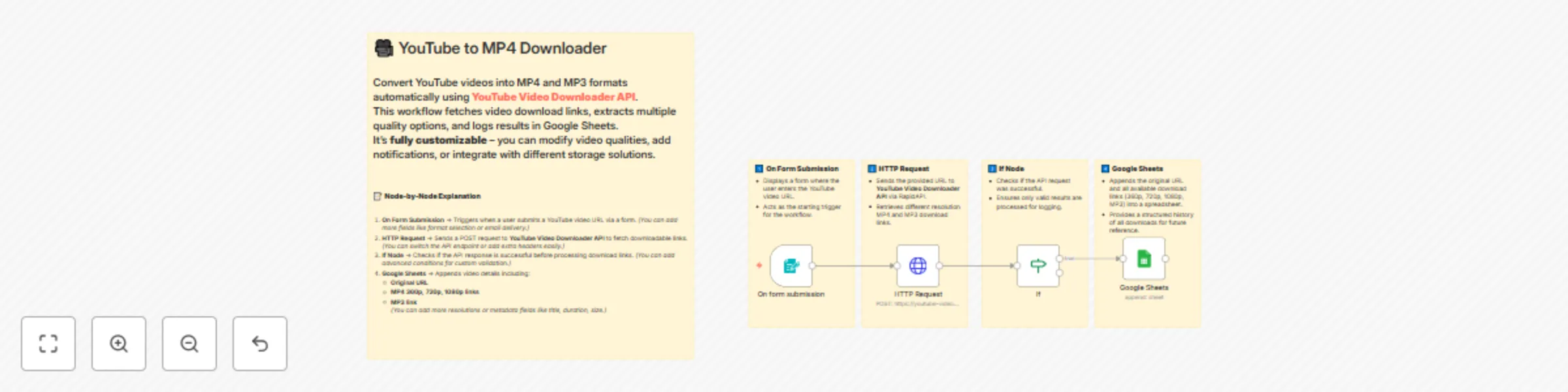
### 🎬 YouTube to MP4 Downloader This n8n workflow allows users to submit a YouTube video URL, automatically fetches multiple MP4 and MP3 download links using **[YouTube Video Downloader Fast API](https://rapidapi.com/skdeveloper/api/youtube-video-downloader-fast)**. It logs all links into Google Sheets for easy access and tracking. With **YouTube Video Downloader Fast API**, users can securely download videos in different resolutions without manual tools. --- ## 🛠️ Node-by-Node Explanation ### 1️⃣ **On Form Submission** - Displays a form to collect the YouTube video URL. - Triggers the workflow when a URL is submitted for processing. ### 2️⃣ **HTTP Request** - Sends the provided URL to [**YouTube Video Downloader Fast API**](https://rapidapi.com/skdeveloper/api/youtube-video-downloader-fast) via RapidAPI. - Retrieves downloadable links for multiple resolutions (360p, 720p, 1080p) and MP3 format. - Ensures the download process is fast and secure with [**YouTube Video Downloader Fast API**](https://rapidapi.com/skdeveloper/api/youtube-video-downloader-fast). ### 3️⃣ **If Node** - Checks if the API response from [**YouTube Video Downloader Fast API**](https://rapidapi.com/skdeveloper/api/youtube-video-downloader-fast) is successful. - Proceeds only if valid downloadable links are available. ### 4️⃣ **Google Sheets** - Saves the original YouTube URL and all MP4/MP3 download links in Google Sheets. - Provides a permanent log for future access and tracking. --- ## 💡 Use Cases - Content managers can bulk-download YouTube videos in different formats. - Educators/trainers can easily organize video links for offline teaching. - Marketing agencies can prepare high-quality video assets for campaigns. - Developers can customize the workflow to integrate with other storage solutions. --- ## 🚀 Benefits - Fully automated video downloading process with [**YouTube Video Downloader Fast API**](https://rapidapi.com/skdeveloper/api/youtube-video-downloader-fast). - Multiple resolutions and MP3 download options. - Centralized, structured download logs in Google Sheets. - Saves time, secure, and customizable for different needs. --- ## ✅ Problem Solved - Eliminates the need for unsafe third-party downloaders. - Provides fast and secure YouTube downloads using [**YouTube Video Downloader Fast API**](https://rapidapi.com/skdeveloper/api/youtube-video-downloader-fast). - Offers multiple video/audio formats without manual extraction. - Ensures easy tracking and future accessibility of downloaded content.
Download Facebook videos to Google Drive with automated logging in sheets
### 🚀 [Facebook to MP4 Video Downloader](https://rapidapi.com/skdeveloper/api/facebook-video-downloader11) – Fully Customizable Automated Workflow Easily convert Facebook videos into downloadable MP4 files using **[Facebook Video Downloader API](https://rapidapi.com/skdeveloper/api/facebook-video-downloader11)**. This n8n workflow automates fetching videos, downloading them, uploading them to Google Drive, and logging results in Google Sheets. Users can **modify and extend** this flow according to their own needs (e.g., add email notifications, change storage location, or use another API). --- ### 📝 **Node-by-Node Explanation** 1. **On form submission** → Triggers when a user submits a Facebook video URL via the form. *(You can customize this form to include email or multiple URLs.)* 2. **Facebook RapidAPI Request** → Sends a POST request to [**Facebook Video Downloader API**](https://rapidapi.com/skdeveloper/api/facebook-video-downloader11) to fetch downloadable MP4 links. *(Easily replace or update API parameters as needed.)* 3. **If Node** → Checks API response for errors before proceeding. *(You can add more conditions to handle custom error scenarios.)* 4. **MP4 Downloader** → Downloads the Facebook video file from the received media URL. *(You can change download settings, add quality filters, or store multiple resolutions.)* 5. **Upload to Google Drive** → Uploads the downloaded MP4 file to a Google Drive folder. *(Easily switch to Dropbox, S3, or any other storage service.)* 6. **Google Drive Set Permission** → Sets the uploaded file to be publicly shareable. *(You can make it private or share only with specific users.)* 7. **Google Sheets** → Logs successful conversions with the original URL and shareable MP4 link. *(Customizable for additional fields like video title, size, or download time.)* 8. **Wait Node** → Delays before logging failed conversions to avoid rapid writes. *(You can adjust the wait duration or add retry attempts.)* 9. **Google Sheets Append Row** → Records failed conversion attempts with `N/A` as the Drive URL. *(You can add notification alerts for failed downloads.)* --- ### ✅ **Use Cases** - Automate Facebook video downloads for social media teams - Instantly generate shareable MP4 links for clients or marketing campaigns - Maintain a centralized log of downloaded videos for reporting - Customizable flow for different video quality, formats, or storage needs ### 🚀 **Benefits** - Fast and reliable Facebook video downloading with [**Facebook Video Downloader API**](https://rapidapi.com/skdeveloper/api/facebook-video-downloader11) - Flexible and fully customizable – adapt nodes, storage, and notifications as required - Automatic error handling and logging in Google Sheets - Cloud-based storage with secure and shareable Google Drive links - Seamless integration with n8n and [**Facebook Video Downloader API**](https://rapidapi.com/skdeveloper/api/facebook-video-downloader11) for scalable automation --- 🔑 **Resolved:** Manual Facebook video downloads are now fully automated, customizable, and scalable using [**Facebook Video Downloader API**](https://rapidapi.com/skdeveloper/api/facebook-video-downloader11), Google Drive uploads, and detailed logging via Google Sheets.
Download Instagram videos to Google Drive with auto-email delivery
# 🚀 **Download Instagram Videos to Google Drive with Auto-Email Delivery** Effortlessly convert Instagram videos to MP4 and automatically store them on Google Drive with a shareable download link sent to the user via email. This **n8n** workflow uses the **[Instagram Video Downloader](https://rapidapi.com/skdeveloper/api/instagram-video-downloader13)** API to automate the process of downloading Instagram videos, uploading them to Google Drive, and sending the download link directly to users. With this workflow, you can automate Instagram video downloads without manual effort. --- ## 📝 **Node-by-Node Explanation** 1. **n8n Form Trigger** Captures the Instagram video URL and the user's email address from a web form. This initiates the workflow process. 2. **API Request (Instagram Video Downloader)** Sends the Instagram video URL to the **[Instagram Video Downloader API](https://rapidapi.com/skdeveloper/api/instagram-video-downloader13)** for processing and fetching the MP4 video data. 3. **Check API Response (If Node)** Validates the API response to ensure no errors were returned. If the response is valid, the workflow continues; otherwise, it halts the process. 4. **Download Instagram Video (HTTP Request)** Downloads the MP4 video from the API response to proceed with the next steps. 5. **Upload to Google Drive** Saves the downloaded MP4 video file to **Google Drive** for secure storage. 6. **Set Permissions (Google Drive)** Adjusts the file’s permissions to make it publicly accessible, allowing anyone with the link to view or download the MP4. 7. **Send Email with Download Link** Sends an automated email to the user with a link to download their converted MP4 file, completing the process. --- ## ✅ **Use Cases** - **Marketing Campaigns:** Save Instagram videos for use in marketing and promotional campaigns. - **Social Media Teams:** Automate the process of downloading Instagram content for team collaboration. - **Client Deliverables:** Automatically deliver Instagram MP4 links to clients without manual work. --- ## 🚀 **Benefits** - **Fast & Reliable:** Integration with the [**Instagram Video Downloader API**](https://rapidapi.com/skdeveloper/api/instagram-video-downloader13) guarantees quick video downloads. - **Fully Automated:** The entire process is automated from start to finish, eliminating manual steps. - **Cloud Storage:** Securely store MP4 files on Google Drive with easy sharing options. - **Instant Delivery:** Users receive their MP4 download link immediately via email. - **No Manual Effort:** Automates the download and sharing process without any need for manual interaction. --- 🔑 **Resolved:** The process of downloading Instagram videos and sharing them is now fully automated using the [**Instagram Video Downloader API**](https://rapidapi.com/skdeveloper/api/instagram-video-downloader13), Google Drive storage, and instant email delivery.
Convert Pinterest videos to MP4 with Google Drive storage and email delivery
### 📥 Pinterest Video to MP4 Downloader with Email Delivery | [RapidAPI Integration](https://rapidapi.com/skdeveloper/api/pinterest-video-downloader6) This **n8n workflow** automates downloading Pinterest videos as MP4 files using the [**Pinterest Video Downloader API**](https://rapidapi.com/skdeveloper/api/pinterest-video-downloader6), uploads them to Google Drive, sets public access permissions, and emails the sharable download link to the user. --- ## 📝 **Node-by-Node Explanation** 1️⃣ **n8n Form Trigger** → Captures the Pinterest video URL and user email from a web form to start the workflow. 2️⃣ **HTTP Request** → Sends the submitted URL to **[Pinterest Video Downloader API](https://rapidapi.com/skdeveloper/api/pinterest-video-downloader6)** to process and fetch downloadable MP4 links. 3️⃣ **Wait** → Pauses the workflow, allowing the API enough time to complete the MP4 conversion. 4️⃣ **HTTP Downloader** → Downloads the generated MP4 video from the API response. 5️⃣ **Upload To Google Drive** → Uploads the downloaded MP4 file to Google Drive for cloud storage. 6️⃣ **Set Permissions Google Drive** → Sets file permissions to allow public access via sharable link. 7️⃣ **Send Email** → Sends an automated email with the Google Drive download link to the user’s provided email address. --- ## 💡 **Use Case** - Ideal for **social media managers, digital marketers, educators, and content creators** who frequently need to repurpose Pinterest videos for campaigns, training materials, or social posts. - Saves time by automating the entire process—from URL submission to receiving a **ready-to-share MP4 link via email**, without any manual downloading, renaming, or cloud uploading. - Perfect for agencies handling multiple clients who want to [**streamline bulk Pinterest video downloads**](https://rapidapi.com/skdeveloper/api/pinterest-video-downloader6) and securely distribute them via email in seconds. --- ## ✅ **Benefits** - **Time Efficiency:** Automates video conversion and delivery, eliminating manual steps. - **Cloud Storage:** Automatically uploads videos to Google Drive, ensuring secure backup and easy organization. - **Public Access Links:** Instantly creates shareable links without extra permission settings. - **Seamless Email Delivery:** Sends ready-to-use download links directly to the user’s inbox. - **Scalable for Teams:** Supports multiple submissions, making it suitable for agencies managing high download volumes. - **Powered by RapidAPI:** Utilizes **[Pinterest Video Downloader](https://rapidapi.com/skdeveloper/api/pinterest-video-downloader6)** for reliable, fast, and secure video extraction.