Workflow results to markdown notes in your Obsidian vault, via Google Drive
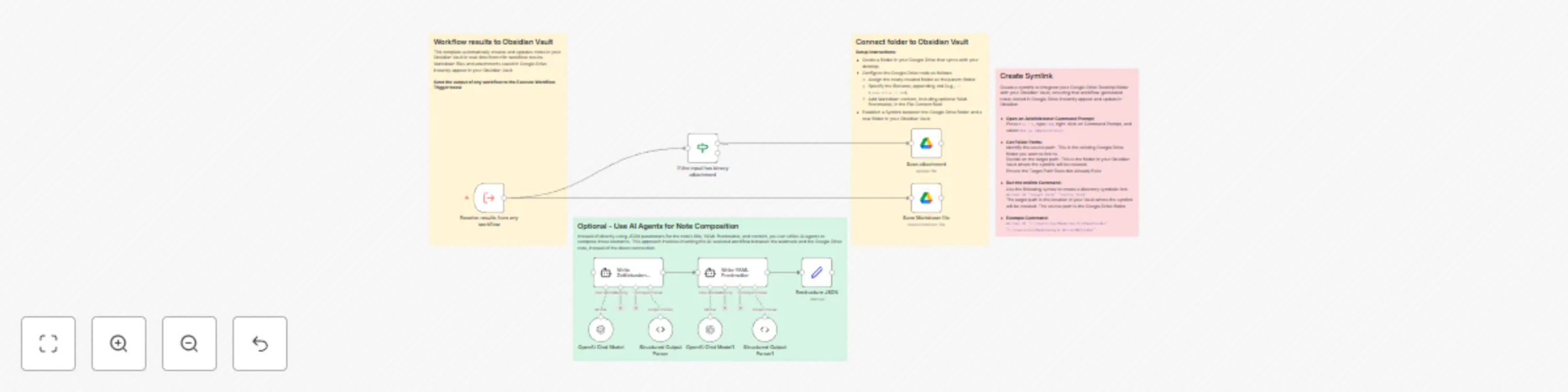
Workflow preview

$20/month : Unlimited workflows
2500 executions/month

THE #1 IN WEB SCRAPING
Scrape any website without limits
HOSTINGER  Early Deal
DISCOUNT 20% Try free
Early DealDISCOUNT 20%
Self-hosted n8n
Unlimited workflows - from $4.99/mo

#1 hub for scraping, AI & automation
6000+ actors - $5 credits/mo
Important notice
This workflow is provided as-is. Please review and test before using in production.
Overview
This workflow converts any n8n workflow outputs into Markdown notes that are accessible in your Obsidian Vault through Google Drive synchronization.
Setup Requirements 1. Create a designated folder in Google Drive (Desktop). 2. Create a symbolic link between this folder and a new target folder in your Obsidian Vault. 3. Configure Google Drive n8n node settings. 4. Send the output of any workflow to the trigger, and the notes will appear in your Vault folder. Optional Features You can use AI agents to:
- Write notes in your preferred format (e.g., Zettelkasten).
- Compose YAML front matter.
- Suggest tags.
Use Cases
- Convert RSS feed items to notes.
- Create notes from YouTube video transcripts.
- Transform tasks in Slack messages into Obsidian tasks. (Requires setting up a corresponding workflow, e.g., RSS trigger, YouTube transcriber, or Slack bot.)