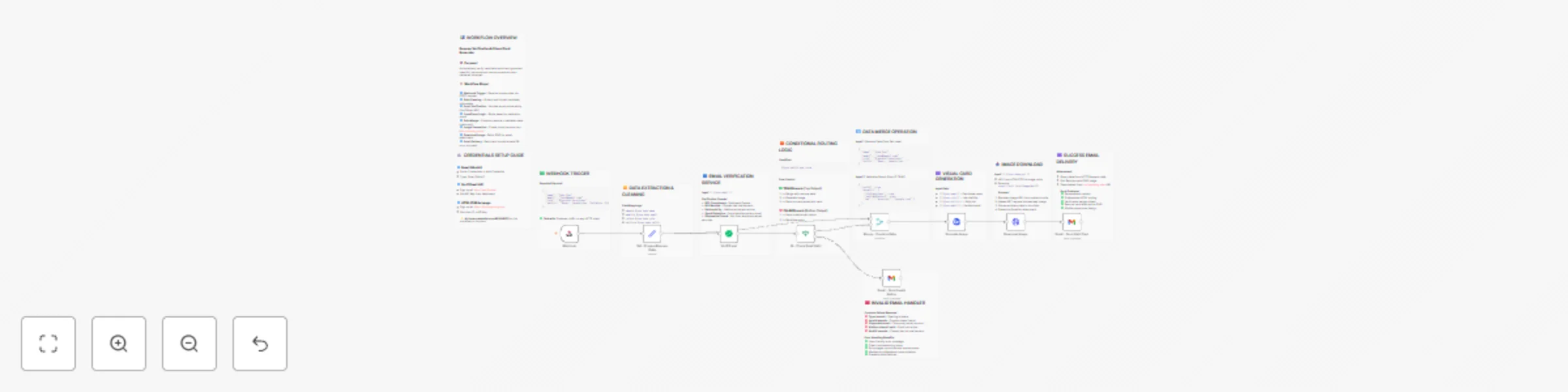
Verify emails & generate resume cards with VerifiEmail, HTML CSS to image & Gmail

Workflow preview

Workflow preview
100%
Verify emails & generate resume cards with VerifiEmail, HTML CSS to image & Gmail preview
Open on n8n.io

Important notice

This workflow is provided as-is. Please review and test before using in production.

1. Workflow Overview

Resume Email Verifier & Visual Card Generator Overview Verify candidate emails and auto generate beautiful resume cards. Validates deliverability, creates professional PNG cards, and emails them in...

Best for

  • HR automation workflows
  • advanced n8n builders looking for reusable templates

Tools used

n8n-nodes-base.webhook, n8n-nodes-base.stickynote, n8n-nodes-base.set, n8n-nodes-base.if, n8n-nodes-base.merge, n8n-nodes-base.gmail, n8n-nodes-verifiemail.verifiemail, n8n-nodes-base.httprequest

Source and attribution

This workflow is cataloged by N8N Workflows and links back to its original n8n.io source page by Jitesh Dugar.

Original n8n.io source

1.1 Workflow description

Title
Verify emails & generate resume cards with VerifiEmail, HTML CSS to image & Gmail
Workflow name
Verify emails & generate resume cards with VerifiEmail, HTML CSS to image & Gmail

Resume Email Verifier & Visual Card Generator

Overview

Verify candidate emails and auto-generate beautiful resume cards. Validates deliverability, creates professional PNG cards, and emails them instantly.

What This Workflow Does

Automatically validate candidate email addresses and generate stunning, personalized resume snapshot cards delivered instantly via email. Perfect for recruitment platforms, job boards, HR automation, and career services.

Key Features

Advanced Email Verification - Validates deliverability, checks MX records, detects disposable emails ✅ Beautiful Visual Cards - Generates professional 600x400px PNG resume cards with gradient backgrounds ✅ Smart Routing - Separate paths for valid/invalid emails with appropriate notifications ✅ Professional Emails - HTML-formatted emails with personalized content and attachments ✅ Ready to Use - Comprehensive documentation with sticky notes explaining each step

Perfect For

  • Recruitment platforms verifying applicant emails
  • Job boards creating visual resume confirmations
  • HR departments streamlining candidate verification
  • Career fairs generating instant digital resume cards
  • Portfolio sites validating users and creating shareable snapshots
  • Educational institutions providing students with verified digital resumes

What You'll Need

  1. VerifiEmail Account - Email verification (https://verifi.email)
  2. htmlcsstoimage.com Account - Image generation (https://htmlcsstoimg.com)
  3. Gmail Account - Email delivery (free with Gmail API)

Quick Start

  1. Import workflow into n8n
  2. Set up three credentials (Gmail OAuth2, VerifiEmail API, htmlcsstoimg API)
  3. Activate workflow and copy webhook URL
  4. Send POST requests with resume data
  5. Candidates receive beautiful resume cards via email!

Sample Input

{
  "name": "John Doe",
  "email": "[email protected]",
  "role": "Frontend Developer",
  "skills": "React, JavaScript, Tailwind CSS, Git"
}

Sample Output

  • Valid emails: Professional email with resume card PNG attachment
  • Invalid emails: Helpful error notification with troubleshooting tips
  • Average processing time: 3-5 seconds

Workflow Includes

  • 9 pre-configured nodes with detailed sticky notes
  • Complete documentation explaining each step
  • Error handling for both valid and invalid paths
  • Customizable HTML template for branding
  • Professional email templates ready to use

Easy Customization

  • Change card colors and branding in HTML template
  • Modify email templates for your company style
  • Adjust validation rules in Set node
  • Add additional data fields as needed

Perfect for startups, agencies, and enterprises looking to automate resume processing and email verification! ```

1.2 Logical Blocks

This catalog entry is organized from the workflow JSON. The node-level section below shows the executable blocks available for review before importing the template.

2. Block-by-Block Analysis

Block 1 - Webhook

Type / Role
n8n-nodes-base.webhook - webhook
Config choices
Version 1

Block 2 - Sticky Note - Webhook

Type / Role
n8n-nodes-base.stickyNote - stickyNote
Config choices
Version 1

Block 3 - Sticky Note - Credentials Setup

Type / Role
n8n-nodes-base.stickyNote - stickyNote
Config choices
Version 1

Block 4 - Set - Prepare Resume Data

Type / Role
n8n-nodes-base.set - set
Config choices
Version 3.2

Block 5 - Sticky Note - Set Node

Type / Role
n8n-nodes-base.stickyNote - stickyNote
Config choices
Version 1

Block 6 - Sticky Note - Email Verification

Type / Role
n8n-nodes-base.stickyNote - stickyNote
Config choices
Version 1

Block 7 - IF - Check Email Valid

Type / Role
n8n-nodes-base.if - if
Config choices
Version 1

Block 8 - Sticky Note - IF Logic

Type / Role
n8n-nodes-base.stickyNote - stickyNote
Config choices
Version 1

Block 9 - Merge - Combine Data

Type / Role
n8n-nodes-base.merge - merge
Config choices
Version 2.1

Block 10 - Sticky Note - Merge

Type / Role
n8n-nodes-base.stickyNote - stickyNote
Config choices
Version 1

Block 11 - Sticky Note - Image Generation

Type / Role
n8n-nodes-base.stickyNote - stickyNote
Config choices
Version 1

Block 12 - Gmail - Send Valid Card

Type / Role
n8n-nodes-base.gmail - gmail
Config choices
Version 2.1

Block 13 - Sticky Note - Gmail Valid

Type / Role
n8n-nodes-base.stickyNote - stickyNote
Config choices
Version 1

Block 14 - Gmail - Send Invalid Notice

Type / Role
n8n-nodes-base.gmail - gmail
Config choices
Version 2.1

Block 15 - Sticky Note - Gmail Invalid

Type / Role
n8n-nodes-base.stickyNote - stickyNote
Config choices
Version 1

Block 16 - Sticky Note - Workflow Overview

Type / Role
n8n-nodes-base.stickyNote - stickyNote
Config choices
Version 1

Block 17 - Verifi Email

Type / Role
n8n-nodes-verifiemail.verifiEmail - verifiEmail
Config choices
Version 1

Block 18 - Sticky Note - HTTP Request

Type / Role
n8n-nodes-base.stickyNote - stickyNote
Config choices
Version 1

Block 19 - Download Image

Type / Role
n8n-nodes-base.httpRequest - httpRequest
Config choices
Version 4.2

Block 20 - Generate Image

Type / Role
n8n-nodes-htmlcsstoimage.htmlCssToImage - htmlCssToImage
Config choices
Version 1

3. Summary Table

Workflow Verify emails & generate resume cards with VerifiEmail, HTML CSS to image & Gmail
Complexity advanced
Nodes 20
Categories HR
Author Jitesh Dugar
Published 24 Oct 2025

4. Reproducing the Workflow from Scratch

  1. 1. Download the workflow JSON

    Use the JSON export at /data/workflows/10133/10133.json as the source template for this automation.

  2. 2. Import the template into n8n

    Open n8n, import the downloaded JSON, and review each node before activating the workflow.

  3. 3. Configure credentials and variables

    Replace placeholder credentials, API keys, webhook URLs, account IDs, and environment-specific values with your own settings.

  4. 4. Test with sample data

    Run the workflow manually or in a staging workspace, inspect node output, and confirm downstream systems receive the expected data.

  5. 5. Activate and monitor

    Enable the workflow only after testing, then monitor executions, errors, and rate limits during the first production runs.

5. General Notes & Resources

Review imported nodes carefully before activation. This catalog entry is intended to help you inspect the workflow structure, understand required services, and find related templates faster.

Node names, credentials, schedules, webhook paths, and external service limits may need adjustment for your workspace.

Frequently asked questions

What does Verify emails & generate resume cards with VerifiEmail, HTML CSS to image & Gmail do?

Resume Email Verifier & Visual Card Generator Overview Verify candidate emails and auto generate beautiful resume cards. Validates deliverability, creates professional PNG cards, and emails them in...

What do I need before importing this workflow?

Review the workflow JSON, configure any required credentials in n8n, and test the automation in a safe workspace before using it in production.

Can I customize this workflow?

Yes. Use the block-by-block analysis and the downloadable JSON to inspect each node, then adjust credentials, prompts, schedules, filters, or destinations for your HR use case.