Verify AI draft answers with Pearl Hybrid Intelligence and OpenAI
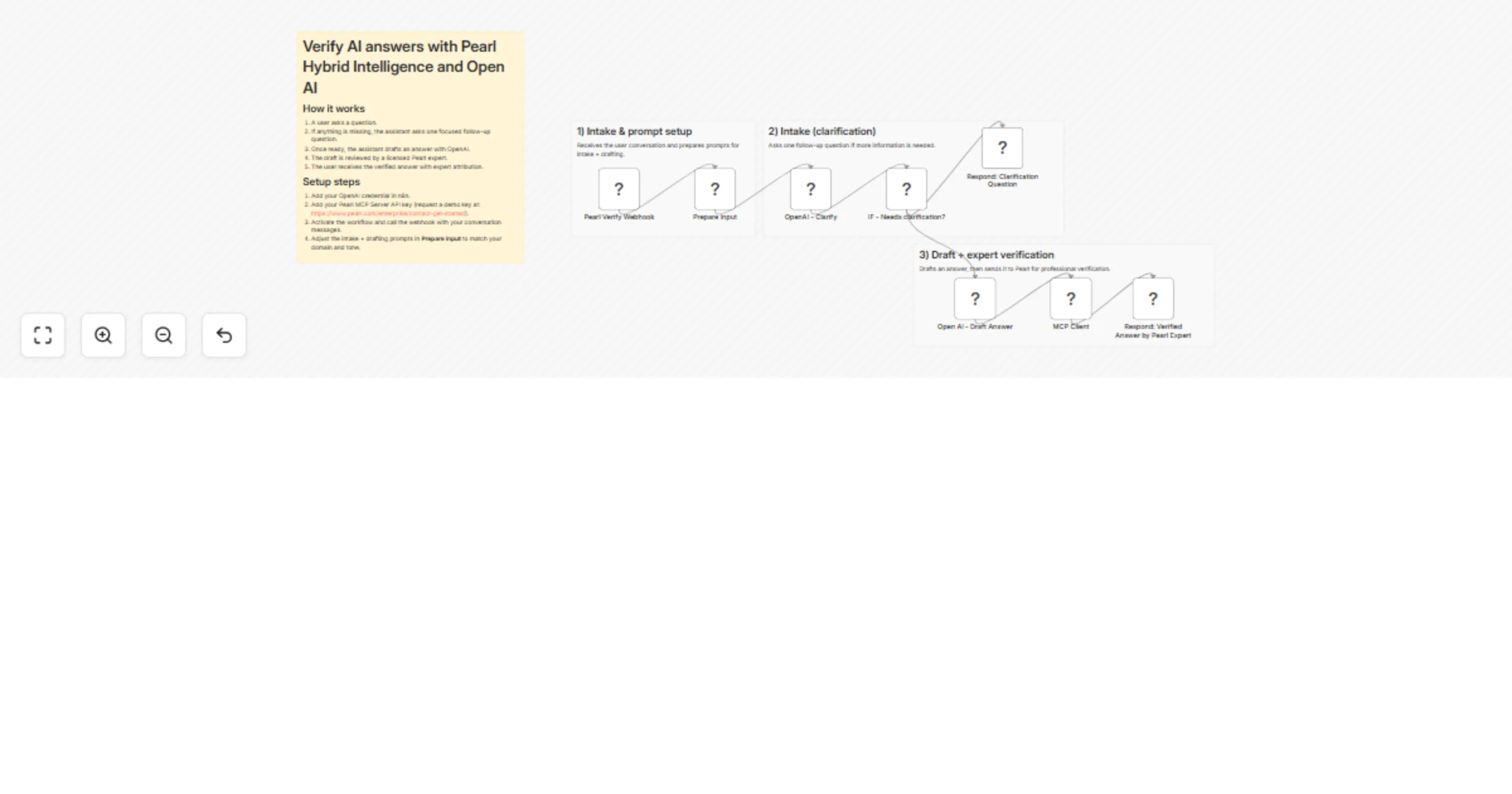
Workflow preview

$20/month : Unlimited workflows
2500 executions/month

THE #1 IN WEB SCRAPING
Scrape any website without limits
HOSTINGER  Early Deal
DISCOUNT 20% Try free
Early DealDISCOUNT 20%
Self-hosted n8n
Unlimited workflows - from $4.99/mo

#1 hub for scraping, AI & automation
6000+ actors - $5 credits/mo
Overview
Pearl Hybrid Intelligence: AI draft + expert verification (across 100+ expert domains)
Deliver higher-confidence answers by combining an AI assistant with professional human verification.
Pearl provides access to a network of 20,000 licensed experts (including JDs, MDs, PhDs, DVMs, CPAs, engineers) across 100+ domains - Legal and Health are just examples, and the prompts can be tuned for many other areas.
What this template does
- Lets users ask questions in a conversational format (your app sends the conversation history).
- Collects any missing intake details before answering.
- Generates a clear draft answer using AI.
- Sends the draft to a Pearl expert for professional verification.
- Returns the verified answer back to the user, including who verified it.
How it works (non-technical)
- A user asks a question.
- If the assistant needs more context, it asks one focused follow-up question.
- Once the assistant has enough information, it drafts a complete answer.
- That draft is automatically reviewed by a qualified Pearl expert.
- The user receives the verified answer, along with expert attribution.
Setup steps (10–15 minutes)
- Connect your OpenAI credential in n8n (used for intake + drafting).
- Add your Pearl MCP Server API key (used for expert verification). You can request a demo access key here:
https://www.pearl.com/enterprise/contact-get-started - Activate the workflow and send a test request using the example payload below.
Customization
- The intake and draft answer prompts can be adjusted to match end-user needs (domain, tone, risk policy, compliance requirements).
- You can also modify the response format (fields returned, disclaimers, attribution formatting) without changing the core flow.
Input payload format (conversation history)
Send a JSON body like:
{
 "model": "gpt-4o-mini",
 "messages": [
 { "role": "user", "content": "My question..." }
 ]
}