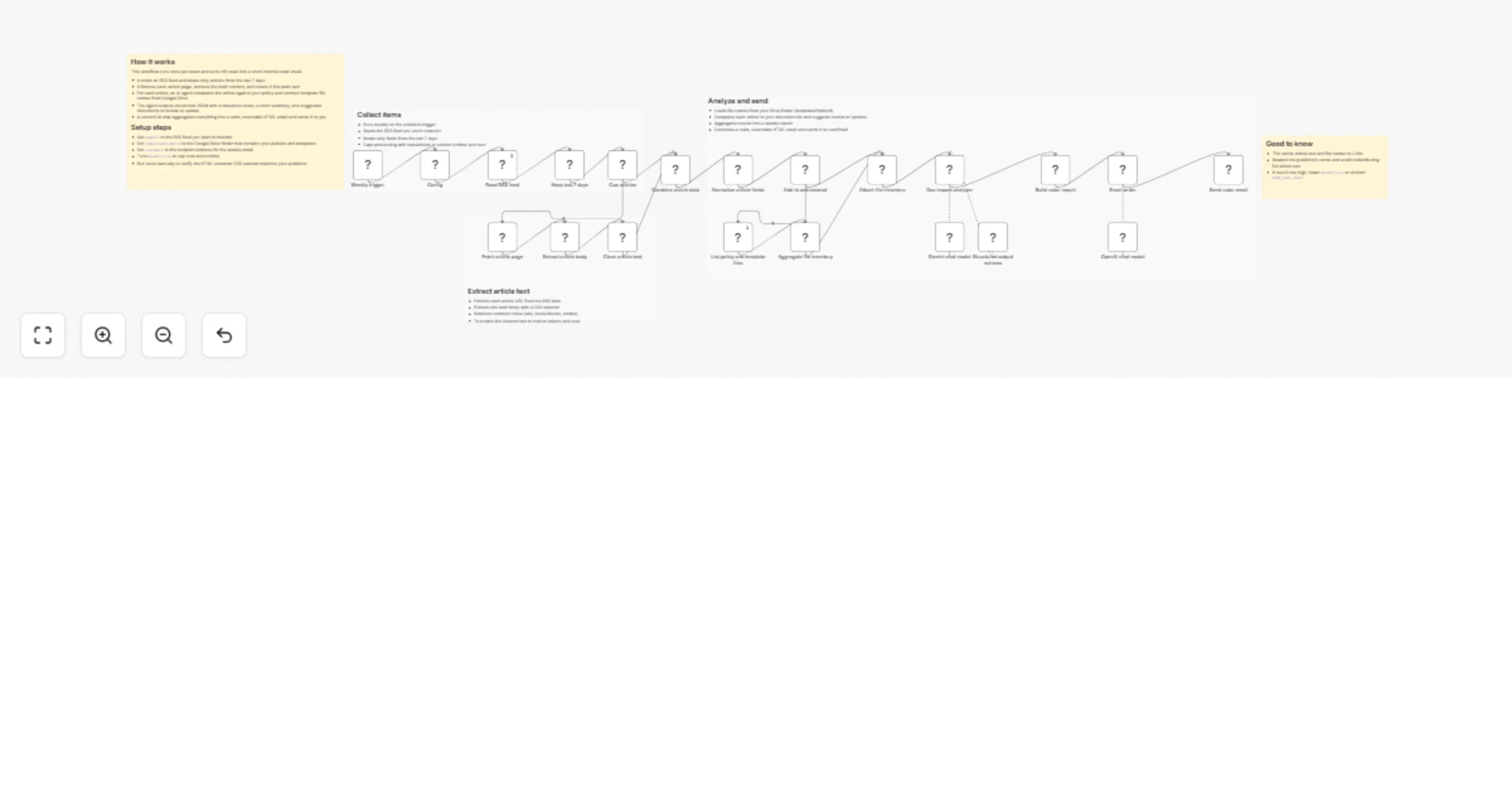
Turn HR news into policy update tasks and a weekly Gmail digest with RSS, Google Drive, Gemini, and GPT-5.2

Workflow preview

Workflow preview
100%
Turn HR news into policy update tasks and a weekly Gmail digest with RSS, Google Drive, Gemini, and GPT-5.2 preview
Open on n8n.io

1. Workflow Overview

HR Weekly Radar AI powered workflow that scans HR news via RSS, checks which of your policies or contract templates might need updates, and sends a weekly internal newsletter as HTML. What this tem...

Best for

  • HR automation workflows
  • AI RAG automation workflows
  • advanced n8n builders looking for reusable templates

Tools used

n8n-nodes-base.scheduletrigger, n8n-nodes-base.set, n8n-nodes-base.rssfeedread, n8n-nodes-base.filter, n8n-nodes-base.code, n8n-nodes-base.httprequest, n8n-nodes-base.html, n8n-nodes-base.merge

Source and attribution

This workflow is cataloged by N8N Workflows and links back to its original n8n.io source page by Paul Karrmann.

Original n8n.io source

1.1 Workflow description

Title
Turn HR news into policy update tasks and a weekly Gmail digest with RSS, Google Drive, Gemini, and GPT-5.2
Workflow name
Turn HR news into policy update tasks and a weekly Gmail digest with RSS, Google Drive, Gemini, and GPT-5.2

HR Weekly Radar

AI powered workflow that scans HR news via RSS, checks which of your policies or contract templates might need updates, and sends a weekly internal newsletter as HTML.

What this template is for

If you maintain an HR policy and template library, this helps you spot relevant changes faster and turn them into a small, actionable review list.

Good to know

  • This workflow fetches article pages and sends extracted text to LLMs
  • Respect the publisher’s terms and avoid redistributing full article text outside your organization
  • Cost and runtime depend on how many articles you process and how long the extracted text is

How it works

  • Weekly trigger starts the workflow
  • RSS feed read pulls new HR articles
  • Filter keeps only the last 7 days
  • Limit node caps processing to maxArticles
  • HTTP request fetches each article page
  • HTML extract + cleanup converts the article body to plain text
  • Google Drive node lists your policy and template file names
  • Merge combines each article with the document list
  • Reading agent evaluates relevance and suggests:
  • which documents to review or update
  • what change to consider
  • missing document ideas
  • Build report aggregates results across all articles
  • Summary agent writes a short, scannable HTML email
  • Gmail sends the newsletter to your chosen recipient

How to use

  • Add your RSS feed URL in the Workflow Configuration node (newsUrl)
  • Set your recipient email (userEmail)
  • Set your Google Drive folder id that contains policies and templates (templatesFolderId)
  • Connect credentials for:
  • Google Drive
  • LLM provider nodes
  • Gmail
  • Run once manually and verify the email formatting, then activate the workflow

Requirements

  • RSS feed URL with HR or compliance updates
  • Google Drive folder containing policy and template files
  • LLM credentials for:
  • per article analysis
  • newsletter drafting
  • Gmail account to send the email

Customising this workflow

  • Increase or decrease maxArticles to control cost and speed
  • Adjust the last 7 days filter if you want a different reporting window
  • Change the HTML extraction selector if your news source has a different page layout
  • Swap the final Gmail node for Slack, Teams, Notion, or Google Docs
  • Add a redaction step before the Reading Agent if you want to remove signatures or long quoted sections

1.2 Logical Blocks

This catalog entry is organized from the workflow JSON. The node-level section below shows the executable blocks available for review before importing the template.

2. Block-by-Block Analysis

Block 1 - Weekly trigger

Type / Role
n8n-nodes-base.scheduleTrigger - scheduleTrigger
Config choices
Version 1.3

Block 2 - Config

Type / Role
n8n-nodes-base.set - set
Config choices
Version 3.4

Block 3 - Read RSS feed

Type / Role
n8n-nodes-base.rssFeedRead - rssFeedRead
Config choices
Version 1.2

Block 4 - Keep last 7 days

Type / Role
n8n-nodes-base.filter - filter
Config choices
Version 2.3

Block 5 - Cap articles

Type / Role
n8n-nodes-base.code - code
Config choices
Version 2

Block 6 - Fetch article page

Type / Role
n8n-nodes-base.httpRequest - httpRequest
Config choices
Version 4.3

Block 7 - Extract article body

Type / Role
n8n-nodes-base.html - html
Config choices
Version 1.2

Block 8 - Clean article text

Type / Role
n8n-nodes-base.code - code
Config choices
Version 2

Block 9 - Combine article data

Type / Role
n8n-nodes-base.merge - merge
Config choices
Version 3.2

Block 10 - Normalize article fields

Type / Role
n8n-nodes-base.set - set
Config choices
Version 3.4

Block 11 - Add id and excerpt

Type / Role
n8n-nodes-base.code - code
Config choices
Version 2

Block 12 - List policy and template files

Type / Role
n8n-nodes-base.googleDrive - googleDrive
Config choices
Version 3

Block 13 - Aggregate file inventory

Type / Role
n8n-nodes-base.code - code
Config choices
Version 2

Block 14 - Attach file inventory

Type / Role
n8n-nodes-base.merge - merge
Config choices
Version 3.2

Block 15 - Structured output schema

Type / Role
@n8n/n8n-nodes-langchain.outputParserStructured - outputParserStructured
Config choices
Version 1.3

Block 16 - Gemini chat model

Type / Role
@n8n/n8n-nodes-langchain.lmChatGoogleGemini - lmChatGoogleGemini
Config choices
Version 1

Block 17 - Doc impact analyzer

Type / Role
@n8n/n8n-nodes-langchain.agent - agent
Config choices
Version 3.1

Block 18 - Build radar report

Type / Role
n8n-nodes-base.code - code
Config choices
Version 2

Block 19 - OpenAI chat model

Type / Role
@n8n/n8n-nodes-langchain.lmChatOpenAi - lmChatOpenAi
Config choices
Version 1.3

Block 20 - Email writer

Type / Role
@n8n/n8n-nodes-langchain.agent - agent
Config choices
Version 3.1

Block 21 - Send radar email

Type / Role
n8n-nodes-base.gmail - gmail
Config choices
Version 2.2

Block 22 - Sticky Note5

Type / Role
n8n-nodes-base.stickyNote - stickyNote
Config choices
Version 1

Block 23 - Sticky Note6

Type / Role
n8n-nodes-base.stickyNote - stickyNote
Config choices
Version 1

Block 24 - Sticky Note

Type / Role
n8n-nodes-base.stickyNote - stickyNote
Config choices
Version 1

Showing the first 24 of 26 workflow blocks. Download the JSON for the full node graph.

3. Summary Table

Workflow Turn HR news into policy update tasks and a weekly Gmail digest with RSS, Google Drive, Gemini, and GPT-5.2
Complexity advanced
Nodes 26
Categories HR, AI RAG
Author Paul Karrmann
Published 30 Jan 2026

4. Reproducing the Workflow from Scratch

  1. 1. Download the workflow JSON

    Use the JSON export at /data/workflows/13124/13124.json as the source template for this automation.

  2. 2. Import the template into n8n

    Open n8n, import the downloaded JSON, and review each node before activating the workflow.

  3. 3. Configure credentials and variables

    Replace placeholder credentials, API keys, webhook URLs, account IDs, and environment-specific values with your own settings.

  4. 4. Test with sample data

    Run the workflow manually or in a staging workspace, inspect node output, and confirm downstream systems receive the expected data.

  5. 5. Activate and monitor

    Enable the workflow only after testing, then monitor executions, errors, and rate limits during the first production runs.

5. General Notes & Resources

Review imported nodes carefully before activation. This catalog entry is intended to help you inspect the workflow structure, understand required services, and find related templates faster.

Node names, credentials, schedules, webhook paths, and external service limits may need adjustment for your workspace.

Frequently asked questions

What does Turn HR news into policy update tasks and a weekly Gmail digest with RSS, Google Drive, Gemini, and GPT-5.2 do?

HR Weekly Radar AI powered workflow that scans HR news via RSS, checks which of your policies or contract templates might need updates, and sends a weekly internal newsletter as HTML. What this tem...

What do I need before importing this workflow?

Review the workflow JSON, configure any required credentials in n8n, and test the automation in a safe workspace before using it in production.

Can I customize this workflow?

Yes. Use the block-by-block analysis and the downloadable JSON to inspect each node, then adjust credentials, prompts, schedules, filters, or destinations for your HR, AI RAG use case.