Track Facebook Page post Engagement (Comments, Like, Shares) in Google Sheets

Workflow preview

Workflow preview
100%
Track Facebook Page post Engagement (Comments, Like, Shares) in Google Sheets preview
Open on n8n.io

1. Workflow Overview

This workflow automatically retrieves engagement data (likes, comments, and shares) from a Facebook Page and stores the results in a Google Sheets document for reporting and analysis. This workflow...

Best for

  • Social Media automation workflows
  • advanced n8n builders looking for reusable templates

Tools used

n8n-nodes-base.manualtrigger, n8n-nodes-base.splitout, n8n-nodes-base.splitinbatches, n8n-nodes-base.wait, n8n-nodes-base.set, n8n-nodes-base.facebookgraphapi, n8n-nodes-base.googlesheets, n8n-nodes-base.stickynote

Source and attribution

This workflow is cataloged by N8N Workflows and links back to its original n8n.io source page by Davide Boizza.

Original n8n.io source

1.1 Workflow description

Title
Track Facebook Page post Engagement (Comments, Like, Shares) in Google Sheets
Workflow name
Track Facebook Page post Engagement (Comments, Like, Shares) in Google Sheets

This workflow automatically retrieves engagement data (likes, comments, and shares) from a Facebook Page and stores the results in a Google Sheets document for reporting and analysis.

This workflow is particularly useful for:

  • Social Media Managers
  • Marketing Agencies
  • Performance Analysts
  • Client reporting automation

It provides a lightweight but powerful engagement monitoring system without requiring expensive analytics tools.


Key Advantages

1. ✅ Automated Engagement Tracking

It eliminates manual data collection from Facebook Insights, saving time and reducing human error.

2. ✅ Centralized Reporting

All engagement metrics (likes, comments, shares) are consolidated into a single Google Sheet, making it easy to:

  • Build dashboards
  • Share reports with clients or teams
  • Track performance over time
3. ✅ Scalable & Configurable
  • The number of posts analyzed can be changed easily.
  • The workflow can be scheduled instead of manually triggered.
  • It can be extended to include additional metrics (e.g., reach, impressions).
4. ✅ Structured Data Management

Using:

  • POST ID as a unique key
  • Append or Update mode

ensures data consistency and prevents duplication.

5. ✅ API Rate-Limit Protection

The use of:

  • Split in Batches
  • Wait nodes

helps prevent hitting Facebook API rate limits.

6. ✅ Modular & Maintainable Design

Each engagement type (comments, likes, shares) is handled in a separate branch, making:

  • Debugging easier
  • Future modifications simpler
  • Extensions more structured

How it works

The workflow follows this process:

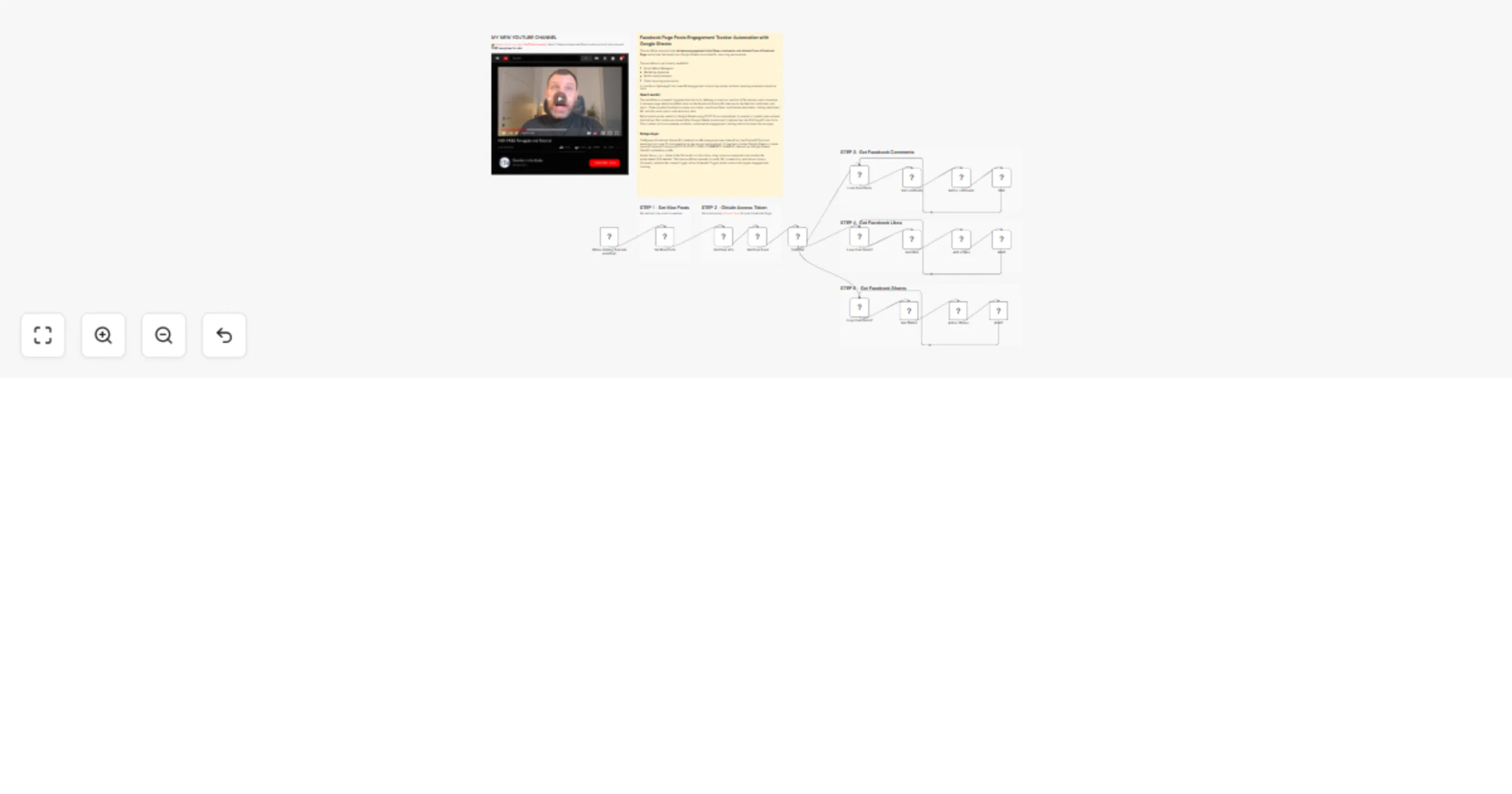
  1. Trigger & Configuration: The workflow is manually triggered and begins by setting a maximum number of posts to analyze (default: 3)

  2. Data Collection:

  • Fetches basic page information using Facebook Graph API
  • Retrieves the page feed with the specified post limit
  • Splits the feed data into individual post items for processing
  1. Parallel Processing: The workflow creates three parallel loops to handle different engagement metrics:
  • Loop 1: Processes comments for each post
  • Loop 2: Processes reactions/likes for each post
  • Loop 3: Processes shares for each post
  1. API Calls: Within each loop, the workflow makes specific Facebook Graph API calls to fetch:
  • Comments with summary statistics
  • Reactions with type breakdown
  • Share counts
  1. Data Storage: Each metric is written to Google Sheets using separate Google Sheets nodes, updating rows based on POST ID matching to maintain data consistency

  2. Rate Limiting: Wait nodes are placed after each Google Sheets operation to prevent hitting API rate limits


Set up steps

  1. Facebook Graph API Setup:
  • Obtain a temporary access token from Facebook Graph API Explorer and select the Facebook App and your Facebook Page
  • Configure the "Facebook Graph" credential in n8n with your access token
  • Ensure your Facebook page ID is accessible via the "me" node endpoint
  1. Google Sheets Configuration:
  • Clone this Google Sheet
  • Set up the sheet with columns: POST ID, POST, LIKES, COMMENTS, SHARES
  • Configure Google Sheets OAuth2 credentials in n8n
  1. Workflow Customization:
  • Adjust the max_post value in the "Set Max Posts" node to control how many posts to analyze
  • Modify the Wait node timings if needed (currently using default settings)
  • Update the Google Sheets document ID if using a different spreadsheet
  1. Testing:
  • Execute the workflow manually to verify connections
  • Check Google Sheets for properly populated engagement data
  • Monitor n8n execution logs for any API errors or rate limiting issues
  1. Scheduling (Optional):
  • Replace the manual trigger with a Schedule Trigger node to run automatically
  • Set desired frequency (daily, weekly, etc.) for regular engagement tracking

👉 Subscribe to my new YouTube channel. Here I’ll share videos and Shorts with practical tutorials and FREE templates for n8n.


Need help customizing?

Contact me for consulting and support or add me on Linkedin.

1.2 Logical Blocks

This catalog entry is organized from the workflow JSON. The node-level section below shows the executable blocks available for review before importing the template.

2. Block-by-Block Analysis

Block 1 - When clicking ‘Execute workflow’

Type / Role
n8n-nodes-base.manualTrigger - manualTrigger
Config choices
Version 1

Block 2 - Split Out

Type / Role
n8n-nodes-base.splitOut - splitOut
Config choices
Version 1

Block 3 - Loop Over Items

Type / Role
n8n-nodes-base.splitInBatches - splitInBatches
Config choices
Version 3

Block 4 - Loop Over Items1

Type / Role
n8n-nodes-base.splitInBatches - splitInBatches
Config choices
Version 3

Block 5 - Loop Over Items2

Type / Role
n8n-nodes-base.splitInBatches - splitInBatches
Config choices
Version 3

Block 6 - Wait

Type / Role
n8n-nodes-base.wait - wait
Config choices
Version 1.1

Block 7 - Wait1

Type / Role
n8n-nodes-base.wait - wait
Config choices
Version 1.1

Block 8 - Wait2

Type / Role
n8n-nodes-base.wait - wait
Config choices
Version 1.1

Block 9 - Set Max Posts

Type / Role
n8n-nodes-base.set - set
Config choices
Version 3.4

Block 10 - Get Page Info

Type / Role
n8n-nodes-base.facebookGraphApi - facebookGraphApi
Config choices
Version 1

Block 11 - Get Page Feed

Type / Role
n8n-nodes-base.facebookGraphApi - facebookGraphApi
Config choices
Version 1

Block 12 - Get comments

Type / Role
n8n-nodes-base.facebookGraphApi - facebookGraphApi
Config choices
Version 1

Block 13 - Get Likes

Type / Role
n8n-nodes-base.facebookGraphApi - facebookGraphApi
Config choices
Version 1

Block 14 - Get Shares

Type / Role
n8n-nodes-base.facebookGraphApi - facebookGraphApi
Config choices
Version 1

Block 15 - Add n. likes

Type / Role
n8n-nodes-base.googleSheets - googleSheets
Config choices
Version 4.7

Block 16 - Add n. comments

Type / Role
n8n-nodes-base.googleSheets - googleSheets
Config choices
Version 4.7

Block 17 - Add n. shares

Type / Role
n8n-nodes-base.googleSheets - googleSheets
Config choices
Version 4.7

Block 18 - Sticky Note1

Type / Role
n8n-nodes-base.stickyNote - stickyNote
Config choices
Version 1

Block 19 - Sticky Note2

Type / Role
n8n-nodes-base.stickyNote - stickyNote
Config choices
Version 1

Block 20 - Sticky Note3

Type / Role
n8n-nodes-base.stickyNote - stickyNote
Config choices
Version 1

Block 21 - Sticky Note

Type / Role
n8n-nodes-base.stickyNote - stickyNote
Config choices
Version 1

Block 22 - Sticky Note4

Type / Role
n8n-nodes-base.stickyNote - stickyNote
Config choices
Version 1

Block 23 - Sticky Note5

Type / Role
n8n-nodes-base.stickyNote - stickyNote
Config choices
Version 1

Block 24 - Sticky Note9

Type / Role
n8n-nodes-base.stickyNote - stickyNote
Config choices
Version 1

3. Summary Table

Workflow Track Facebook Page post Engagement (Comments, Like, Shares) in Google Sheets
Complexity advanced
Nodes 24
Categories Social Media
Author Davide Boizza
Published 17 Feb 2026

4. Reproducing the Workflow from Scratch

  1. 1. Download the workflow JSON

    Use the JSON export at /data/workflows/13462/13462.json as the source template for this automation.

  2. 2. Import the template into n8n

    Open n8n, import the downloaded JSON, and review each node before activating the workflow.

  3. 3. Configure credentials and variables

    Replace placeholder credentials, API keys, webhook URLs, account IDs, and environment-specific values with your own settings.

  4. 4. Test with sample data

    Run the workflow manually or in a staging workspace, inspect node output, and confirm downstream systems receive the expected data.

  5. 5. Activate and monitor

    Enable the workflow only after testing, then monitor executions, errors, and rate limits during the first production runs.

5. General Notes & Resources

Review imported nodes carefully before activation. This catalog entry is intended to help you inspect the workflow structure, understand required services, and find related templates faster.

Node names, credentials, schedules, webhook paths, and external service limits may need adjustment for your workspace.

Frequently asked questions

What does Track Facebook Page post Engagement (Comments, Like, Shares) in Google Sheets do?

This workflow automatically retrieves engagement data (likes, comments, and shares) from a Facebook Page and stores the results in a Google Sheets document for reporting and analysis. This workflow...

What do I need before importing this workflow?

Review the workflow JSON, configure any required credentials in n8n, and test the automation in a safe workspace before using it in production.

Can I customize this workflow?

Yes. Use the block-by-block analysis and the downloadable JSON to inspect each node, then adjust credentials, prompts, schedules, filters, or destinations for your Social Media use case.