Track expenses via chat with Claude Haiku and Google Sheets
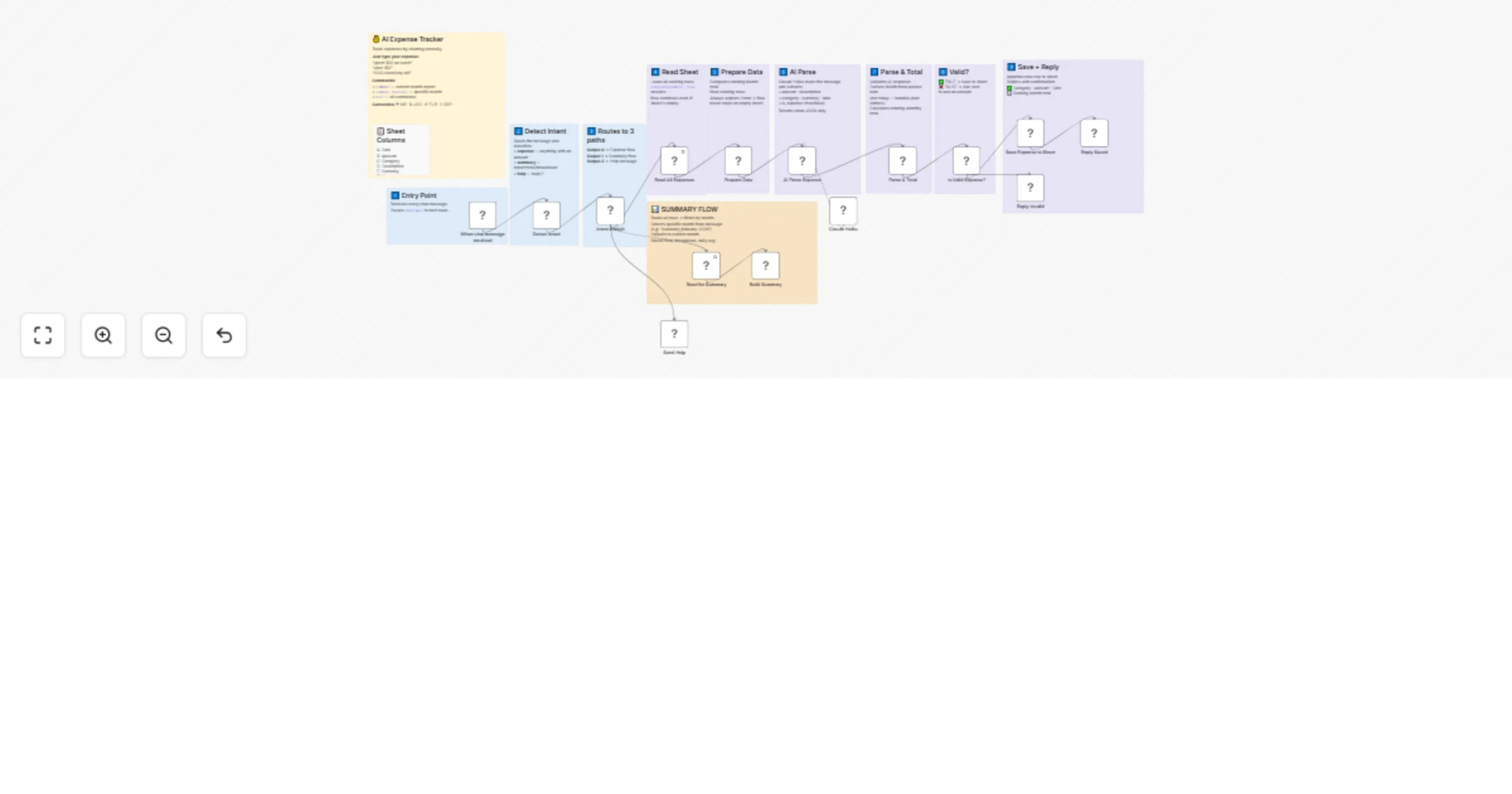
Workflow preview

$20/month : Unlimited workflows
2500 executions/month

THE #1 IN WEB SCRAPING
Scrape any website without limits
HOSTINGER  Early Deal
DISCOUNT 20% Try free
Early DealDISCOUNT 20%
Self-hosted n8n
Unlimited workflows - from $4.99/mo

#1 hub for scraping, AI & automation
6000+ actors - $5 credits/mo
Overview
💰 AI Expense Tracker — Chat to Track Spending Instantly
Track your expenses by chatting naturally. No forms, no apps — just type and it's saved.
📖 Description
This workflow turns a simple chat interface into a powerful personal expense tracker. Just describe your spending in plain language — the AI understands it, categorizes it, and saves it to Google Sheets automatically.
Example inputs the AI understands:
spent 500 on lunchuber 150paid 1200 electricity billlunch in feb 25 cost 500← handles past dates toonetflix 499$50 hotel booking← detects currency
No rigid formats. No dropdowns. Just type naturally.
✨ Key Features
- Natural language input — type expenses exactly how you'd say them
- AI-powered parsing — Claude Haiku extracts amount, category, date, currency automatically
- 9 auto-detected categories — Food, Transport, Shopping, Bills, Entertainment, Health, Business, Education, Other
- Multi-currency support — INR, USD, EUR, GBP
- Past date handling — "lunch in feb 25 cost 500" saves to February 2025, not today
- Running monthly total — each row stores the cumulative month total
- Monthly summary — type
SUMMARYorsummary februaryfor any month - Works on empty sheet — no errors on first use
- Invalid input handling — friendly error if no amount detected
💬 Commands
| What you type | What happens |
|---|---|
spent 500 on lunch |
✅ Saved: 🍕 Food & Dining — Lunch · ₹500 |
uber 150 |
✅ Saved: 🚗 Transport — Uber · ₹150 |
1200 electricity bill |
✅ Saved: 💡 Bills & Utilities · ₹1200 |
lunch in feb 25 cost 500 |
✅ Saved to February 2025 correctly |
SUMMARY |
📊 Current month report with breakdown |
summary february |
📊 February report (current year) |
summary february 2025 |
📊 February 2025 specific report |
HELP |
📖 Shows all commands and categories |
🛠 Setup Requirements
1. Google Sheet
Create a new Google Sheet with these exact headers in Row 1:
| Col | Header |
|---|---|
| A | Date |
| B | Amount |
| C | Category |
| D | Description |
| E | Currency |
| F | Month |
| G | Raw Message |
| H | Total |
2. Credentials needed
| Credential | Used for | Free? |
|---|---|---|
| Anthropic API | Claude Haiku AI parsing | Paid (very low cost) |
| Google Sheets OAuth2 | Read & write expenses | Free |
3. After importing
- Connect your Anthropic credential to the
Claude Haikunode - Connect your Google Sheets credential to all sheet nodes
- Update the Sheet ID in all Google Sheets nodes to point to your sheet
- Open the workflow chat and type your first expense
🏗 How It Works
You type: "spent 500 on car wash"
 ↓
Detect Intent → classified as: expense
 ↓
Read All Expenses → loads sheet (works even if empty)
 ↓
Prepare Data → calculates existing month total
 ↓
AI Parse Expense (Claude Haiku)
 → amount: 500
 → category: Transport
 → description: Car wash
 → date: today
 → currency: INR
 ↓
Parse & Total
 → derives Month from parsed date
 → computes new running total
 ↓
Is Valid? (amount > 0 and is_expense = true)
 ✅ YES → Save to Sheet → Reply with confirmation
 ❌ NO → Ask user to include an amount
Summary flow:
You type: "summary february"
 ↓
Detect Intent → classified as: summary
 ↓
Read for Summary → loads all rows
 ↓
Build Summary
 → detects "february" in message
 → filters rows by February (current year)
 → calculates total, breakdown by category, daily avg
 ↓
Returns formatted report
📊 Sample Summary Output
📊 March 2026 Report

💳 Total: ₹8,450
📝 Entries: 12
📈 Daily avg: ₹470
🔝 Top: 🍕 Food & Dining

Breakdown:
🍕 Food & Dining: ₹3,200 (38%)
🚗 Transport: ₹1,800 (21%)
💡 Bills & Utilities: ₹1,200 (14%)
🛍️ Shopping: ₹1,050 (12%)
🎬 Entertainment: ₹800 (9%)
🏥 Health: ₹400 (5%)
📂 Auto-Detected Categories
| Emoji | Category | Example keywords |
|---|---|---|
| 🍕 | Food & Dining | lunch, dinner, restaurant, zomato, swiggy, grocery |
| 🚗 | Transport | uber, ola, petrol, metro, flight, car wash, parking |
| 🛍️ | Shopping | amazon, flipkart, clothes, electronics, shoes |
| 💡 | Bills & Utilities | electricity, wifi, rent, recharge, emi, gas |
| 🎬 | Entertainment | netflix, movie, spotify, concert, gaming |
| 🏥 | Health | medicine, doctor, gym, pharmacy, hospital |
| 💼 | Business | office, software, domain, hosting, tools |
| 📚 | Education | course, books, tuition, udemy, fees |
| 💰 | Other | anything that doesn't match above |
⚙️ Workflow Nodes
| Node | Type | Purpose |
|---|---|---|
| When chat message received | Chat Trigger | Entry point |
| Detect Intent | Code | Classify: expense / summary / help |
| Intent Switch | Switch | Route to correct path |
| Read All Expenses | Google Sheets | Load rows (alwaysOutputData: true) |
| Prepare Data | Code | Compute month total, handle empty sheet |
| AI Parse Expense | LLM Chain | Extract fields using Claude Haiku |
| Claude Haiku | Anthropic Model | AI model for parsing |
| Parse & Total | Code | Validate, derive month, compute total |
| Is Valid Expense? | IF | Check amount > 0 |
| Save Expense to Sheet | Google Sheets | Append new row |
| Reply Saved | Code | Format confirmation message |
| Reply Invalid | Code | Request amount from user |
| Read for Summary | Google Sheets | Load all rows for report |
| Build Summary | Code | Filter by month, compute breakdown |
| Send Help | Code | Return command reference |
🔧 Customisation Ideas
- Add a budget alert — warn when monthly total exceeds a set limit
- Telegram integration — replace chat trigger with Telegram bot
- WhatsApp integration — use Twilio WhatsApp as the input channel
- Weekly digest — add a Schedule Trigger for automatic weekly reports
- Multi-user — store user ID with each row to support team expense tracking
- Export to PDF — generate monthly expense report as a PDF
⚠️ Important Notes
- The
Read All Expensesnode has Always Output Data enabled — this is required so the flow works on an empty sheet - Month is derived from the parsed date, not today's date — so past-dated entries file correctly
- The
Totalcolumn stores the running month total at the time of each entry — it does not update retroactively if you delete rows
📦 Requirements Summary
- n8n (cloud or self-hosted)
- Anthropic API key (Claude Haiku — very low token usage)
- Google account with Sheets access
Built with n8n · Claude Haiku · Google Sheets By Nirav Gajera