Block 1 - When chat message received
- Type / Role
- @n8n/n8n-nodes-langchain.chatTrigger - chatTrigger
- Config choices
- Version 1.1


 Early Deal
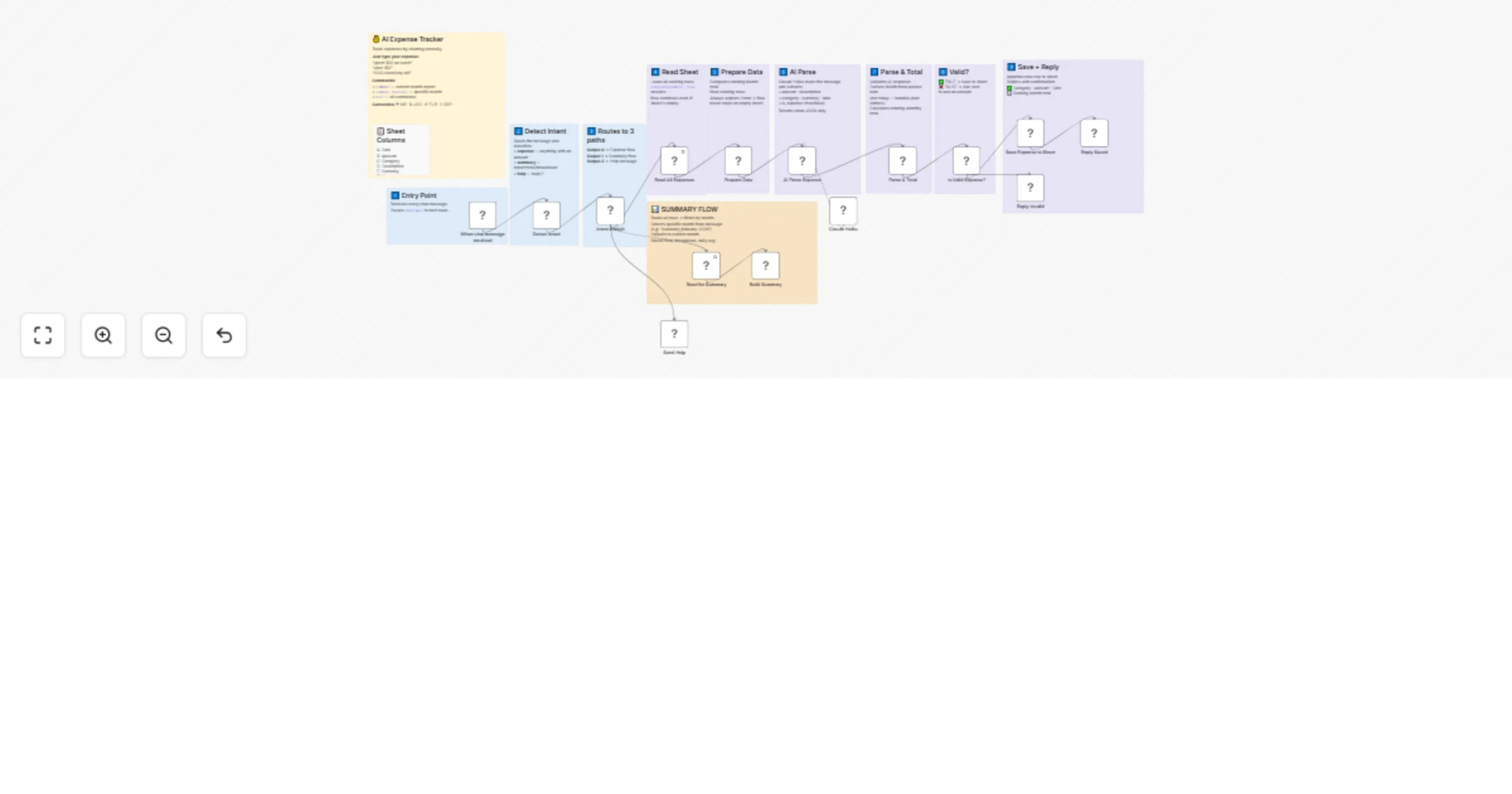
AI Expense Tracker — Chat to Track Spending Instantly Track your expenses by chatting naturally. No forms, no apps — just type and it's saved. Description This workflow turns a simple chat in...
@n8n/n8n-nodes-langchain.chattrigger, n8n-nodes-base.code, n8n-nodes-base.switch, n8n-nodes-base.googlesheets, @n8n/n8n-nodes-langchain.chainllm, @n8n/n8n-nodes-langchain.lmchatanthropic, n8n-nodes-base.if, n8n-nodes-base.stickynote
This workflow is cataloged by N8N Workflows and links back to its original n8n.io source page by Nirav Gajera.
Original n8n.io sourceThis workflow turns a simple chat interface into a powerful personal expense tracker. Just describe your spending in plain language — the AI understands it, categorizes it, and saves it to Google Sheets automatically.
Example inputs the AI understands:
spent 500 on lunchuber 150paid 1200 electricity billlunch in feb 25 cost 500 ← handles past dates toonetflix 499$50 hotel booking ← detects currencyNo rigid formats. No dropdowns. Just type naturally.
SUMMARY or summary february for any month| What you type | What happens |
|---|---|
spent 500 on lunch |
✅ Saved: 🍕 Food & Dining — Lunch · ₹500 |
uber 150 |
✅ Saved: 🚗 Transport — Uber · ₹150 |
1200 electricity bill |
✅ Saved: 💡 Bills & Utilities · ₹1200 |
lunch in feb 25 cost 500 |
✅ Saved to February 2025 correctly |
SUMMARY |
📊 Current month report with breakdown |
summary february |
📊 February report (current year) |
summary february 2025 |
📊 February 2025 specific report |
HELP |
📖 Shows all commands and categories |
Create a new Google Sheet with these exact headers in Row 1:
| Col | Header |
|---|---|
| A | Date |
| B | Amount |
| C | Category |
| D | Description |
| E | Currency |
| F | Month |
| G | Raw Message |
| H | Total |
| Credential | Used for | Free? |
|---|---|---|
| Anthropic API | Claude Haiku AI parsing | Paid (very low cost) |
| Google Sheets OAuth2 | Read & write expenses | Free |
Claude Haiku nodeYou type: "spent 500 on car wash"
↓
Detect Intent → classified as: expense
↓
Read All Expenses → loads sheet (works even if empty)
↓
Prepare Data → calculates existing month total
↓
AI Parse Expense (Claude Haiku)
→ amount: 500
→ category: Transport
→ description: Car wash
→ date: today
→ currency: INR
↓
Parse & Total
→ derives Month from parsed date
→ computes new running total
↓
Is Valid? (amount > 0 and is_expense = true)
✅ YES → Save to Sheet → Reply with confirmation
❌ NO → Ask user to include an amount
Summary flow:
You type: "summary february"
 ↓
Detect Intent → classified as: summary
 ↓
Read for Summary → loads all rows
 ↓
Build Summary
 → detects "february" in message
 → filters rows by February (current year)
 → calculates total, breakdown by category, daily avg
 ↓
Returns formatted report
📊 March 2026 Report

💳 Total: ₹8,450
📝 Entries: 12
📈 Daily avg: ₹470
🔝 Top: 🍕 Food & Dining

Breakdown:
🍕 Food & Dining: ₹3,200 (38%)
🚗 Transport: ₹1,800 (21%)
💡 Bills & Utilities: ₹1,200 (14%)
🛍️ Shopping: ₹1,050 (12%)
🎬 Entertainment: ₹800 (9%)
🏥 Health: ₹400 (5%)
| Emoji | Category | Example keywords |
|---|---|---|
| 🍕 | Food & Dining | lunch, dinner, restaurant, zomato, swiggy, grocery |
| 🚗 | Transport | uber, ola, petrol, metro, flight, car wash, parking |
| 🛍️ | Shopping | amazon, flipkart, clothes, electronics, shoes |
| 💡 | Bills & Utilities | electricity, wifi, rent, recharge, emi, gas |
| 🎬 | Entertainment | netflix, movie, spotify, concert, gaming |
| 🏥 | Health | medicine, doctor, gym, pharmacy, hospital |
| 💼 | Business | office, software, domain, hosting, tools |
| 📚 | Education | course, books, tuition, udemy, fees |
| 💰 | Other | anything that doesn't match above |
| Node | Type | Purpose |
|---|---|---|
| When chat message received | Chat Trigger | Entry point |
| Detect Intent | Code | Classify: expense / summary / help |
| Intent Switch | Switch | Route to correct path |
| Read All Expenses | Google Sheets | Load rows (alwaysOutputData: true) |
| Prepare Data | Code | Compute month total, handle empty sheet |
| AI Parse Expense | LLM Chain | Extract fields using Claude Haiku |
| Claude Haiku | Anthropic Model | AI model for parsing |
| Parse & Total | Code | Validate, derive month, compute total |
| Is Valid Expense? | IF | Check amount > 0 |
| Save Expense to Sheet | Google Sheets | Append new row |
| Reply Saved | Code | Format confirmation message |
| Reply Invalid | Code | Request amount from user |
| Read for Summary | Google Sheets | Load all rows for report |
| Build Summary | Code | Filter by month, compute breakdown |
| Send Help | Code | Return command reference |
Read All Expenses node has Always Output Data enabled — this is required so the flow works on an empty sheetTotal column stores the running month total at the time of each entry — it does not update retroactively if you delete rowsBuilt with n8n · Claude Haiku · Google Sheets By Nirav Gajera
This catalog entry is organized from the workflow JSON. The node-level section below shows the executable blocks available for review before importing the template.
Showing the first 24 of 27 workflow blocks. Download the JSON for the full node graph.
| Workflow | Track expenses via chat with Claude Haiku and Google Sheets |
|---|---|
| Complexity | advanced |
| Nodes | 27 |
| Categories | Personal Productivity, AI Chatbot |
| Author | Nirav Gajera |
| Published | 18 Mar 2026 |
Use the JSON export at /data/workflows/14135/14135.json as the source template for this automation.
Open n8n, import the downloaded JSON, and review each node before activating the workflow.
Replace placeholder credentials, API keys, webhook URLs, account IDs, and environment-specific values with your own settings.
Run the workflow manually or in a staging workspace, inspect node output, and confirm downstream systems receive the expected data.
Enable the workflow only after testing, then monitor executions, errors, and rate limits during the first production runs.
Review imported nodes carefully before activation. This catalog entry is intended to help you inspect the workflow structure, understand required services, and find related templates faster.
Node names, credentials, schedules, webhook paths, and external service limits may need adjustment for your workspace.
AI Expense Tracker — Chat to Track Spending Instantly Track your expenses by chatting naturally. No forms, no apps — just type and it's saved. Description This workflow turns a simple chat in...
Review the workflow JSON, configure any required credentials in n8n, and test the automation in a safe workspace before using it in production.
Yes. Use the block-by-block analysis and the downloadable JSON to inspect each node, then adjust credentials, prompts, schedules, filters, or destinations for your Personal Productivity, AI Chatbot use case.