Track broken backlinks with DataForSEO, log to Google Sheets, and create Asana tasks
Workflow preview


 Early Deal
DISCOUNT 20%

Overview
With this n8n automation, you no longer have to manually dig through backlink reports to find broken links. The workflow automatically retrieves them with the DataForSEO Backlinks API and generates a structured Google Sheets report. In addition to the backlink, each entry includes essential metrics such as the referring page URL, referring domain, target URL, anchor text, domain rank (DR), spam score, and dofollow/nofollow status. This gives you full context about the quality and impact of each broken link.
When new broken backlinks are detected, the workflow also creates an Asana task with all relevant details included, helping you quickly investigate the issue, restore the page, or implement redirects.
Who’s it for
This workflow is ideal for SEOs, link-building specialists, and website owners who want to maintain a healthy backlink profile and prevent ranking drops caused by broken pages or incorrect redirects.
What it does
The workflow automatically detects broken backlinks and generates a structured Google Sheets report to help you identify and fix link-related issues before they negatively impact your SEO performance.
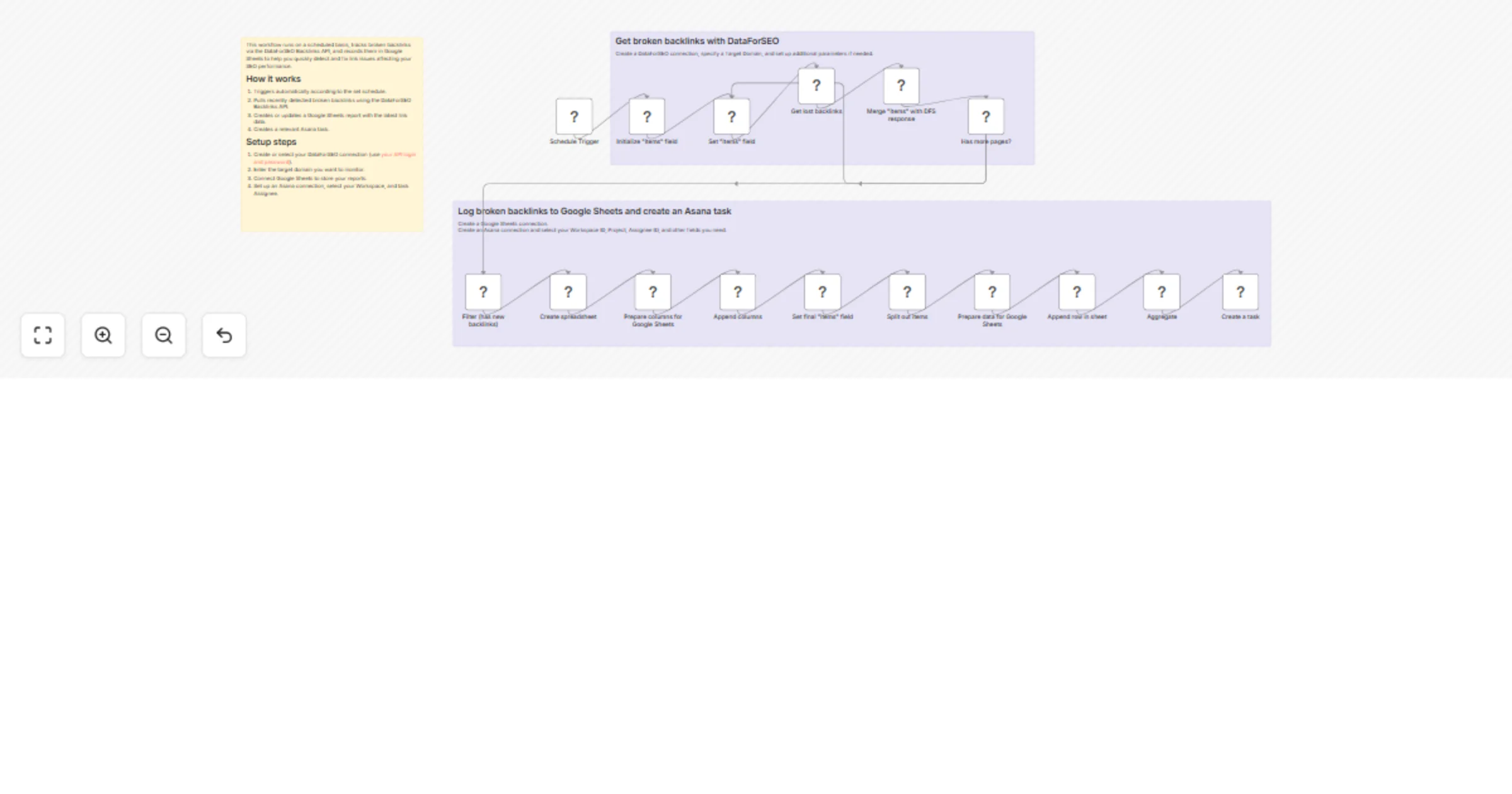
How it works
Triggers automatically according to the set schedule.
Pulls recently detected broken backlinks using the DataForSEO Backlinks API.
Creates or updates a Google Sheets report with the latest link data.
Creates a relevant Asana task.
Requirements
- DataForSEO account and API credentials
- Google Sheets connection in n8n
- Asana account and connection in n8n
Customization
You can easily customize this workflow by monitoring specific URLs instead of the entire domain, adjusting how many backlinks are analyzed per run, adding additional metrics to your report, storing reports in other tools, integrating with project management platforms, or changing the execution frequency.