Block 1 - Initialize "items" field
- Type / Role
- n8n-nodes-base.set - set
- Config choices
- Version 3.4


 Early Deal
With this n8n automation, you no longer have to manually dig through backlink reports to find broken li...
n8n-nodes-base.set, n8n-nodes-base.if, n8n-nodes-base.filter, n8n-nodes-base.googlesheets, n8n-nodes-base.splitout, n8n-nodes-base.stickynote, n8n-nodes-dataforseo.dataforseobacklinksapi, n8n-nodes-base.asana
This workflow is cataloged by N8N Workflows and links back to its original n8n.io source page by DataForSEO.
Original n8n.io sourceWith this n8n automation, you no longer have to manually dig through backlink reports to find broken links. The workflow automatically retrieves them with the DataForSEO Backlinks API and generates a structured Google Sheets report. In addition to the backlink, each entry includes essential metrics such as the referring page URL, referring domain, target URL, anchor text, domain rank (DR), spam score, and dofollow/nofollow status. This gives you full context about the quality and impact of each broken link.
When new broken backlinks are detected, the workflow also creates an Asana task with all relevant details included, helping you quickly investigate the issue, restore the page, or implement redirects.
This workflow is ideal for SEOs, link-building specialists, and website owners who want to maintain a healthy backlink profile and prevent ranking drops caused by broken pages or incorrect redirects.
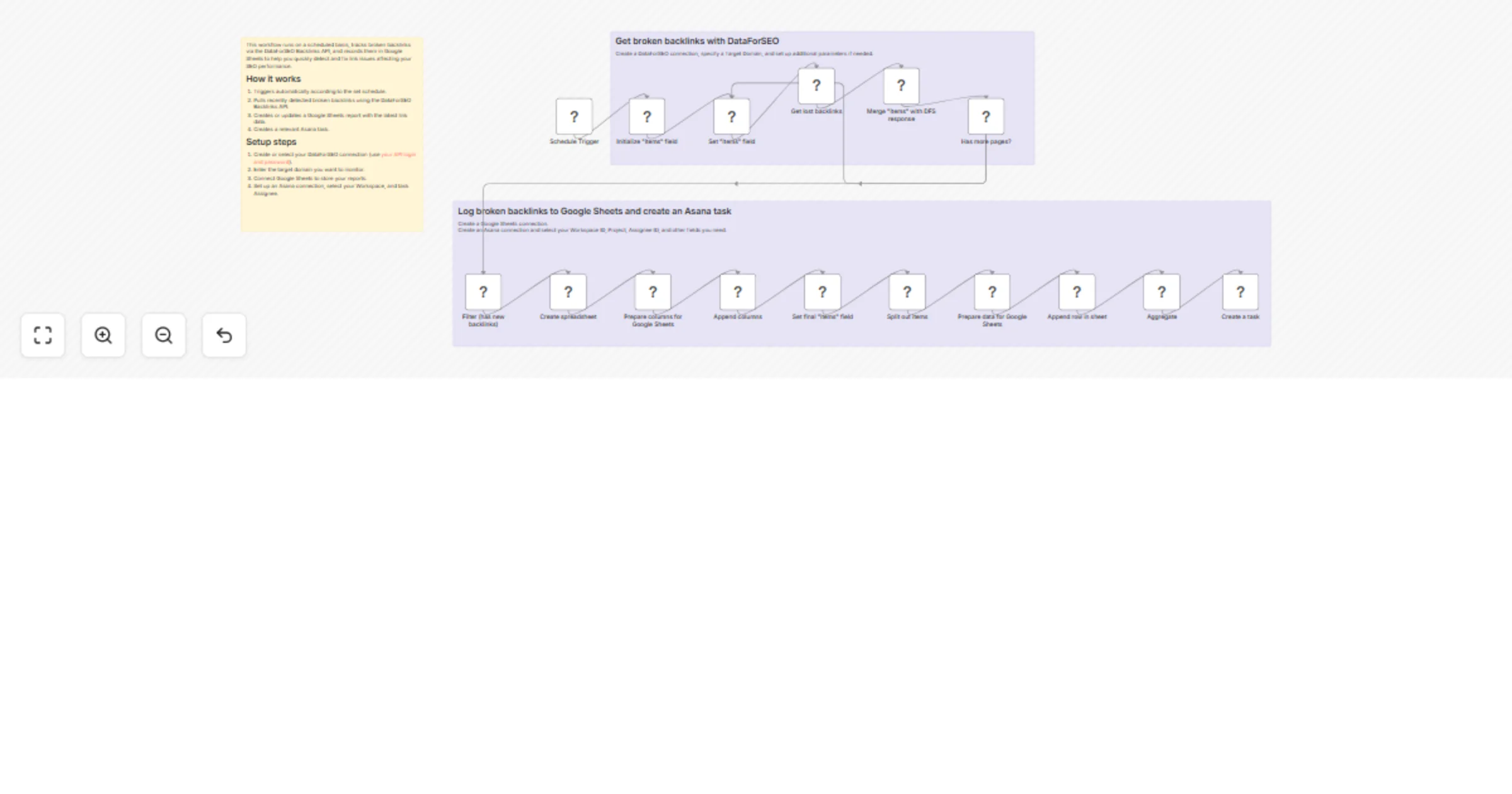
The workflow automatically detects broken backlinks and generates a structured Google Sheets report to help you identify and fix link-related issues before they negatively impact your SEO performance.
Triggers automatically according to the set schedule.
Pulls recently detected broken backlinks using the DataForSEO Backlinks API.
Creates or updates a Google Sheets report with the latest link data.
Creates a relevant Asana task.
You can easily customize this workflow by monitoring specific URLs instead of the entire domain, adjusting how many backlinks are analyzed per run, adding additional metrics to your report, storing reports in other tools, integrating with project management platforms, or changing the execution frequency.
This catalog entry is organized from the workflow JSON. The node-level section below shows the executable blocks available for review before importing the template.
| Workflow | Track broken backlinks with DataForSEO, log to Google Sheets, and create Asana tasks |
|---|---|
| Complexity | advanced |
| Nodes | 19 |
| Categories | Market Research |
| Author | DataForSEO |
| Published | 25 Feb 2026 |
Use the JSON export at /data/workflows/13689/13689.json as the source template for this automation.
Open n8n, import the downloaded JSON, and review each node before activating the workflow.
Replace placeholder credentials, API keys, webhook URLs, account IDs, and environment-specific values with your own settings.
Run the workflow manually or in a staging workspace, inspect node output, and confirm downstream systems receive the expected data.
Enable the workflow only after testing, then monitor executions, errors, and rate limits during the first production runs.
Review imported nodes carefully before activation. This catalog entry is intended to help you inspect the workflow structure, understand required services, and find related templates faster.
Node names, credentials, schedules, webhook paths, and external service limits may need adjustment for your workspace.
With this n8n automation, you no longer have to manually dig through backlink reports to find broken li...
Review the workflow JSON, configure any required credentials in n8n, and test the automation in a safe workspace before using it in production.
Yes. Use the block-by-block analysis and the downloadable JSON to inspect each node, then adjust credentials, prompts, schedules, filters, or destinations for your Market Research use case.