Send Shopify order confirmations via WhatsApp using MoltFlow
Workflow preview

$20/month : Unlimited workflows
2500 executions/month

THE #1 IN WEB SCRAPING
Scrape any website without limits
HOSTINGER  Early Deal
DISCOUNT 20% Try free
Early DealDISCOUNT 20%
Self-hosted n8n
Unlimited workflows - from $4.99/mo

#1 hub for scraping, AI & automation
6000+ actors - $5 credits/mo
Overview
What this template does
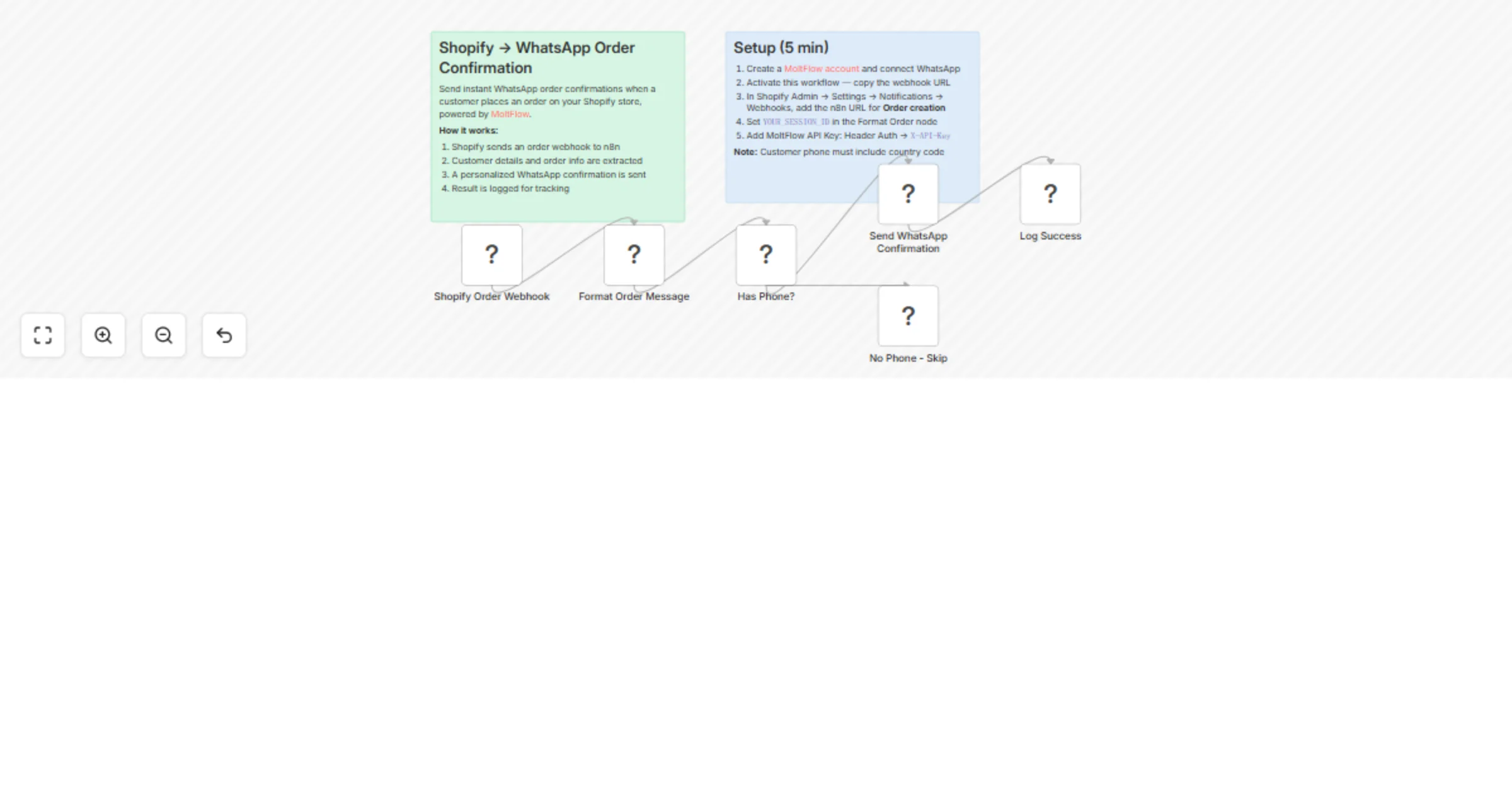
Sends instant WhatsApp order confirmation messages to customers when they place an order on your Shopify store, powered by MoltFlow (https://molt.waiflow.app).
How it works
- Shopify webhook fires on new order creation
- Parse order data — extracts customer name, phone, order number, items, and total
- Check phone — skips orders without a phone number
- Send WhatsApp confirmation — delivers a personalized message via MoltFlow API
- Log result — records success or skip for tracking
Set up steps
- Create a MoltFlow account (https://molt.waiflow.app) and connect your WhatsApp number
- Generate an API key in MoltFlow (Sessions page, API Keys tab)
- Activate this workflow in n8n and copy the webhook URL
- In Shopify Admin, go to Settings, Notifications, Webhooks and add the n8n URL for Order creation
- Set YOUR_SESSION_ID in the Format Order Message code node
- Add your MoltFlow API key as an HTTP Header Auth credential (Header Name: X-API-Key)
Prerequisites
- MoltFlow account with an active WhatsApp session
- Shopify store with webhook access
- Customer phone numbers must include country code