Block 1 - WooCommerce – New Product Created
- Type / Role
- n8n-nodes-base.wooCommerceTrigger - wooCommerceTrigger
- Config choices
- Version 1


 Early Deal
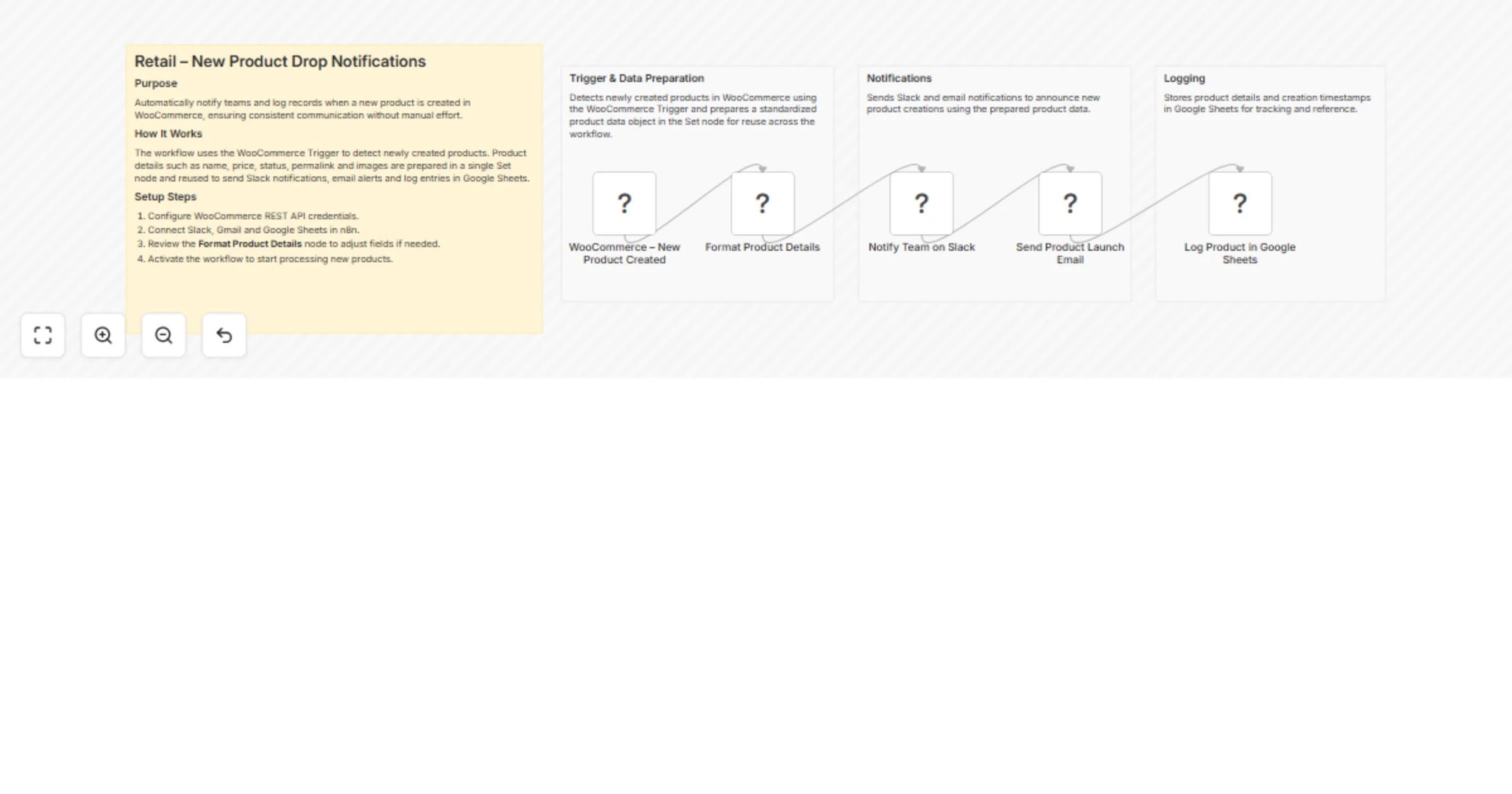
Retail – New Product Drop Notifications This workflow automatically detects when a new product is created in WooCommerce and instantly notifies internal teams through Slack and email. At the same t...
n8n-nodes-base.woocommercetrigger, n8n-nodes-base.set, n8n-nodes-base.slack, n8n-nodes-base.gmail, n8n-nodes-base.googlesheets, n8n-nodes-base.stickynote
This workflow is cataloged by N8N Workflows and links back to its original n8n.io source page by WeblineIndia.
Original n8n.io sourceThis workflow automatically detects when a new product is created in WooCommerce and instantly notifies internal teams through Slack and email. At the same time, it logs all product details into Google Sheets for tracking and reporting. A centralized data formatting step ensures consistent and reusable product data across all nodes.
This workflow listens for new product creation events from WooCommerce. When a product is created, the workflow extracts key product attributes such as name, price, status, permalink and images and prepares them in a single centralized configuration node.
Using this standardized data, the workflow sends a real-time Slack notification to inform internal teams, sends a formatted HTML email announcing the product launch and appends the same product information into a Google Sheet for historical reference and reporting.
By centralizing data preparation and reusing it across all downstream nodes, the workflow remains easy to maintain, highly readable and simple to extend for future requirements.
This workflow is ideal for:
To use this workflow, you need:
Once activated, the workflow runs automatically whenever a new product is created in WooCommerce.
This workflow can be extended to:
There can be many additional use cases depending on business needs.
| Issue | Possible Cause | Solution |
|---|---|---|
| Slack message not sent | Invalid Slack credentials | Reconnect Slack API credentials |
| Email not delivered | Gmail OAuth expired | Reauthorize Gmail account |
| Google Sheet not updated | Sheet permissions missing | Verify Google Sheets access |
| Images missing | Product has no images | Check WooCommerce product data |
| Workflow not executing | Workflow inactive | Activate the workflow |
If you need help setting up, customizing or extending this workflow or want to build similar automations tailored to your business, our n8n developers at WeblineIndia can assist with advanced workflow design and automation solutions.
This catalog entry is organized from the workflow JSON. The node-level section below shows the executable blocks available for review before importing the template.
| Workflow | Send new WooCommerce product notifications to Slack, Gmail and Google Sheets |
|---|---|
| Complexity | intermediate |
| Nodes | 9 |
| Categories | Social Media |
| Author | WeblineIndia |
| Published | 21 Jan 2026 |
Use the JSON export at /data/workflows/12872/12872.json as the source template for this automation.
Open n8n, import the downloaded JSON, and review each node before activating the workflow.
Replace placeholder credentials, API keys, webhook URLs, account IDs, and environment-specific values with your own settings.
Run the workflow manually or in a staging workspace, inspect node output, and confirm downstream systems receive the expected data.
Enable the workflow only after testing, then monitor executions, errors, and rate limits during the first production runs.
Review imported nodes carefully before activation. This catalog entry is intended to help you inspect the workflow structure, understand required services, and find related templates faster.
Node names, credentials, schedules, webhook paths, and external service limits may need adjustment for your workspace.
Retail – New Product Drop Notifications This workflow automatically detects when a new product is created in WooCommerce and instantly notifies internal teams through Slack and email. At the same t...
Review the workflow JSON, configure any required credentials in n8n, and test the automation in a safe workspace before using it in production.
Yes. Use the block-by-block analysis and the downloadable JSON to inspect each node, then adjust credentials, prompts, schedules, filters, or destinations for your Social Media use case.