Send LinkedIn outreach messages using Google Sheets and SourceGeek
Workflow preview

$20/month : Unlimited workflows
2500 executions/month

THE #1 IN WEB SCRAPING
Scrape any website without limits
HOSTINGER  Early Deal
DISCOUNT 20% Try free
Early DealDISCOUNT 20%
Self-hosted n8n
Unlimited workflows - from $4.99/mo

#1 hub for scraping, AI & automation
6000+ actors - $5 credits/mo
Overview
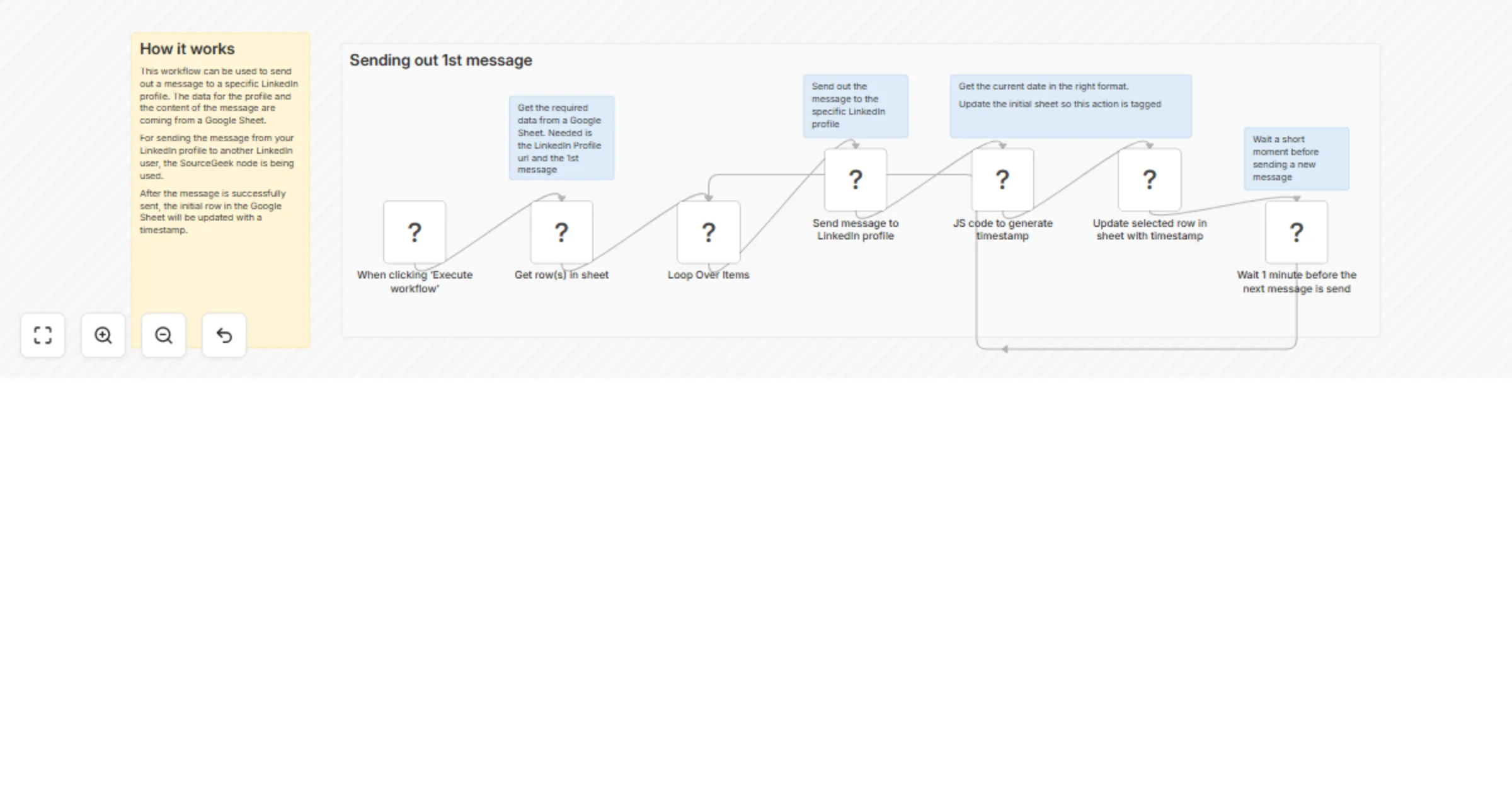
How it works
This workflow sends a message to a specific LinkedIn profile. The LinkedIn profile data and message content are sourced from a Google Sheet.
To send the message from your LinkedIn profile to another LinkedIn user, the SourceGeek node is used.
Once the message is successfully sent, the original row in the Google Sheet is updated with a timestamp.
How to use
- Prepare a Google Sheet containing a LinkedIn profile URL and a message
- Select the rows you want the workflow to process
- The workflow loops through the selected rows and uses the SourceGeek node to send a message to each LinkedIn profile
- After a message is sent, the corresponding row is updated to prevent it from being used again
Requirements
- A Google Sheet with LinkedIn profile URLs and message content
- A verified SourceGeek node