Send AI-powered post-purchase emails and WhatsApp messages from PostgreSQL to Google Sheets with Groq
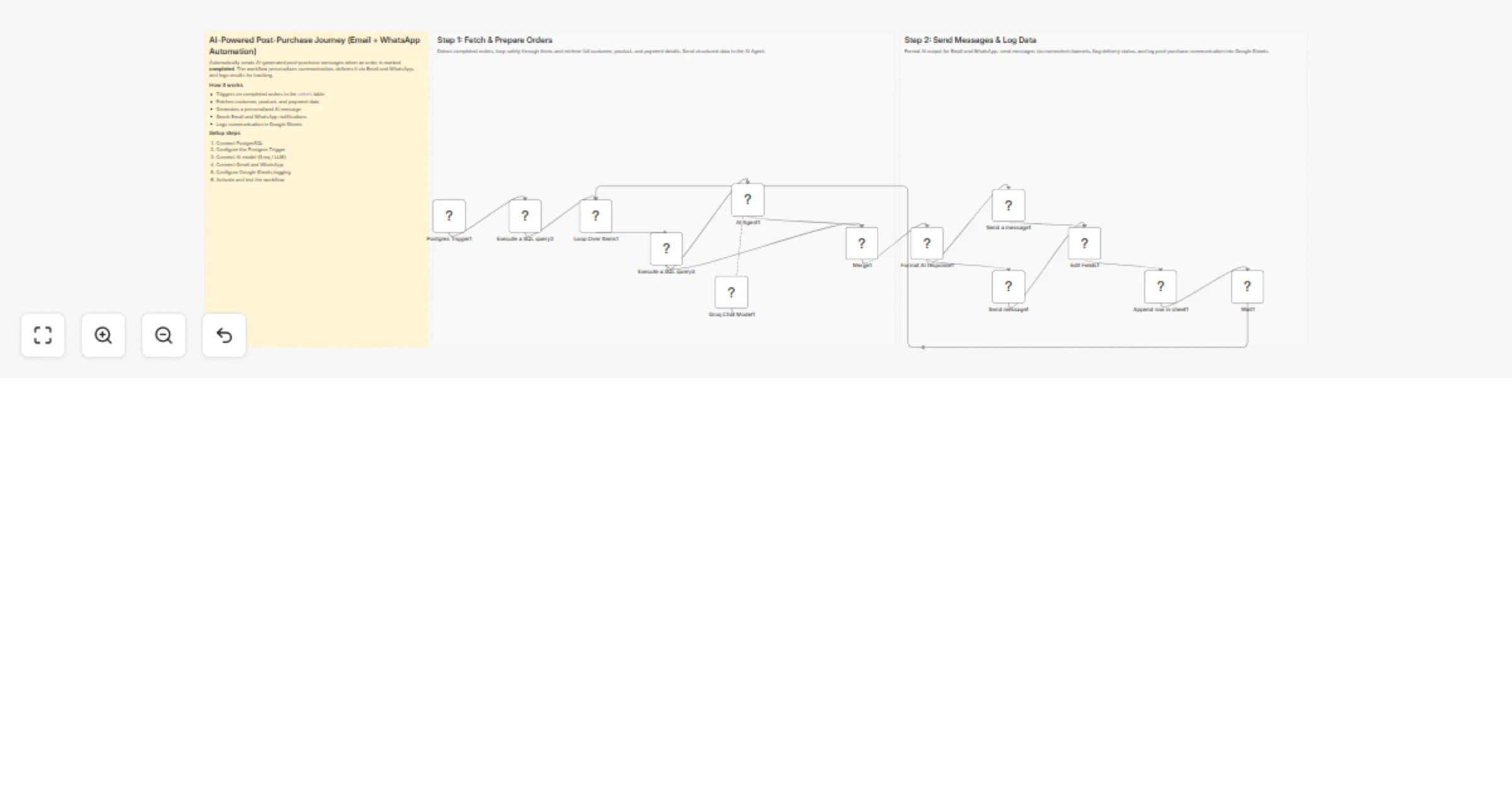
Workflow preview


 Early Deal
DISCOUNT 20%

Overview
How it works
This workflow automatically detects completed orders in PostgreSQL and prepares them for AI-based post-purchase communication. It enriches each order with customer, product, and payment data, then generates a personalized message using an AI agent. The message is delivered via email and WhatsApp and finally logged in Google Sheets for tracking and auditing.
Step-by-step
Step 1: Fetch and prepare completed orders for AI processing
Postgres Trigger – Watches the
orderstable for updates and initiates the workflow.Postgres (Execute query) – Fetches only orders marked as
completed.Split In Batches – Loops through completed orders safely and sequentially.
Postgres (Execute query) – Retrieves full customer, product, and payment details using joins.
AI Agent – Generates a personalized post-purchase message using order data.
Groq Chat Model – Supplies the language model used by the AI agent.
Merge – Combines AI-generated text with database results for downstream use.
Step 2: Deliver messages and log post-purchase communication
Code – Formats AI output into clean email and WhatsApp message templates.
Gmail – Sends the post-purchase email to the customer.
WhatsApp – Sends the same message via WhatsApp.
Set – Flags email and WhatsApp messages as successfully sent.
Google Sheets – Appends customer, order, and communication details.
Wait – Pauses before continuing to process the next completed order.
Why use this?
- Automates post-purchase communication with zero manual effort.
- Ensures consistent, personalized messaging across email and WhatsApp.
- Adapts message tone automatically based on payment status.
- Creates a centralized audit log in Google Sheets.
- Scales easily as order volume grows.