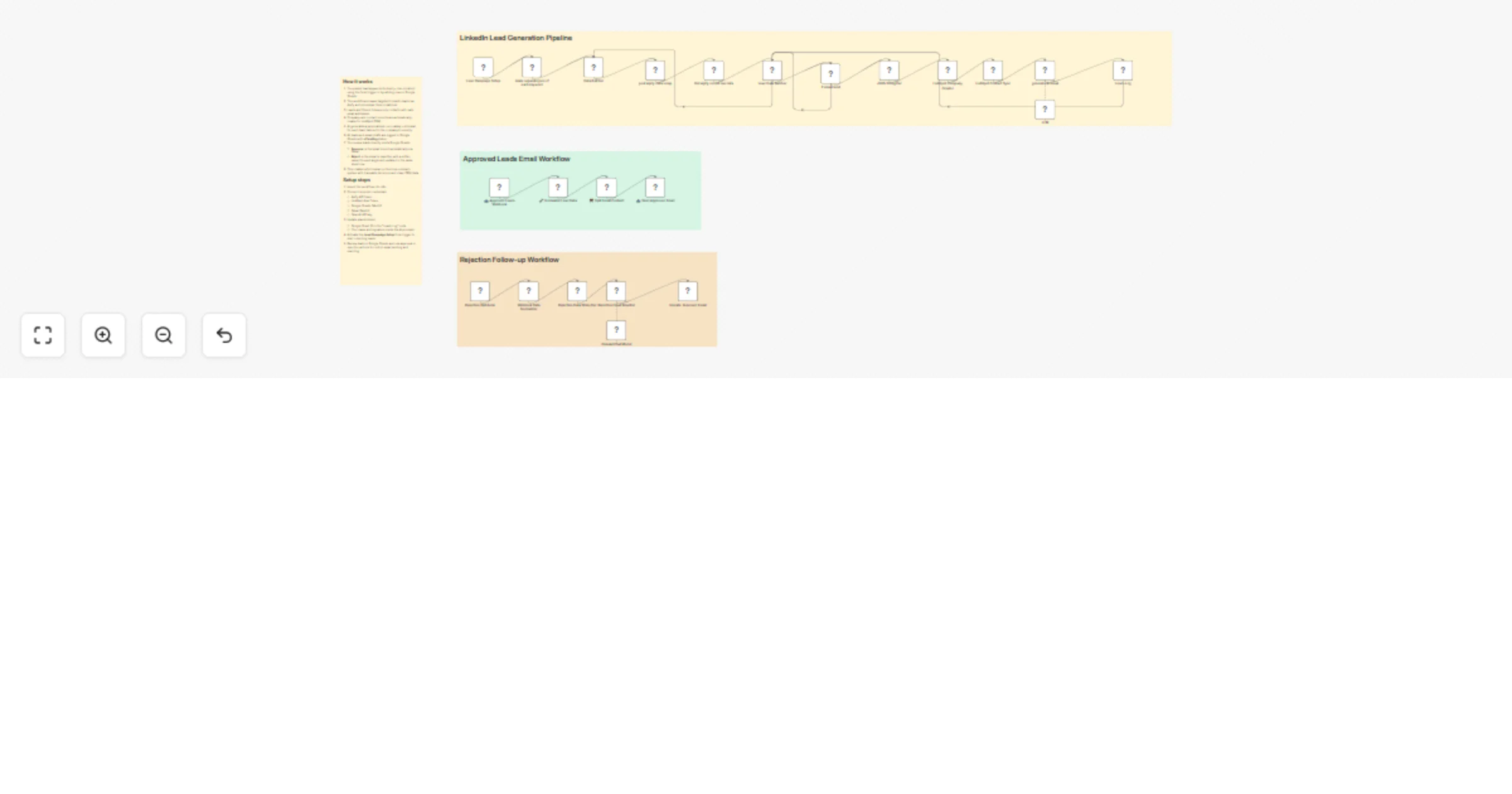
Scrape LinkedIn B2B leads with Apify and GPT-4 and approve emails in Sheets

Workflow preview

Workflow preview
100%
Scrape LinkedIn B2B leads with Apify and GPT-4 and approve emails in Sheets preview
Open on n8n.io

1. Workflow Overview

What this workflow does Fully production ready B2B lead outreach pipeline that: 1. Takes industry keywords from a form trigger (or you can manually add rows to Google Sheets) 2. Scrapes targeted Li...

Best for

  • Lead Generation automation workflows
  • Multimodal AI automation workflows
  • advanced n8n builders looking for reusable templates

Tools used

n8n-nodes-base.httprequest, @n8n/n8n-nodes-langchain.agent, n8n-nodes-base.code, n8n-nodes-base.if, n8n-nodes-base.stickynote, n8n-nodes-base.webhook, n8n-nodes-base.gmail, n8n-nodes-base.splitinbatches

Source and attribution

This workflow is cataloged by N8N Workflows and links back to its original n8n.io source page by moosa.

Original n8n.io source

1.1 Workflow description

Title
Scrape LinkedIn B2B leads with Apify and GPT-4 and approve emails in Sheets
Workflow name
Scrape LinkedIn B2B leads with Apify and GPT-4 and approve emails in Sheets

What this workflow does

Fully production-ready B2B lead outreach pipeline that:

  1. Takes industry keywords from a form trigger (or you can manually add rows to Google Sheets)
  2. Scrapes targeted LinkedIn leads using Apify (peakydev~leads-scraper-ppe actor)
  3. Filters for valid emails
  4. Automatically creates company + contact records in HubSpot CRM
  5. Generates highly personalized, non-salesy cold emails using GPT (tailored to the company’s industry)
  6. Logs every lead to Google Sheets with "Pending" status
  7. Waits for human approval or rejection — triggered directly from Google Sheets via two webhooks:
  • Approve (via button/script in sheet) → sends the email via Gmail
  • Reject (via button/script in sheet) → automatically rewrites a softer, more value-focused version with a different angle → updates the same row in the sheet

Why this is useful

Most outreach automations send emails blindly. This one gives you full control with a human-in-the-loop layer inside Google Sheets + automatic intelligent rewrite on rejection — which greatly improves reply rates, reduces spam complaints, and protects your sender reputation.

Ideal if you:

  • Run outbound campaigns at reasonable scale
  • Already live in Google Sheets for lead review
  • Want clean HubSpot CRM records before sending anything
  • Need traceable approval (who approved what, when)
  • Often hear “too salesy” and want the AI to adapt automatically

How to use

  1. Import the workflow into n8n
  2. Connect the required credentials:
  • Apify API token
  • HubSpot App Token (Private App)
  • Gmail OAuth2
  • Google Sheets OAuth2
  • OpenAI API key
  1. Replace placeholders:
  • Your Google Sheet ID in the “Leads Log” node
  • Your name & signature in the AI prompts
  • Any test email addresses if needed
  1. Activate the main Form Trigger (Lead Campaign Setup) to start campaigns
  2. Review & act from Google Sheets:
  • Leads appear in your sheet with "Pending" status
  • Use simple buttons or a dropdown + Apps Script (code examples provided in workflow sticky notes) to trigger:
  • Approve → POST to /webhook/approved
  • Reject → POST to /webhook/rejected

Required credentials

  • Apify
  • HubSpot (App Token)
  • Gmail OAuth2
  • Google Sheets OAuth2
  • OpenAI

Once set up, you get a beautiful hybrid system: generate leads automatically → review & decide in familiar Google Sheets → one-click action → n8n handles sending or smart rewriting.

Enjoy — and feel free to share your reply rates or any tweaks you make after running a few campaigns! 🪄

1.2 Logical Blocks

This catalog entry is organized from the workflow JSON. The node-level section below shows the executable blocks available for review before importing the template.

2. Block-by-Block Analysis

Block 1 - post Apify data scrap

Type / Role
n8n-nodes-base.httpRequest - httpRequest
Config choices
Version 4.3

Block 2 - Get Apify recent run data

Type / Role
n8n-nodes-base.httpRequest - httpRequest
Config choices
Version 4.3

Block 3 - generate Ai email

Type / Role
@n8n/n8n-nodes-langchain.agent - agent
Config choices
Version 3

Block 4 - make separate json of each keyword

Type / Role
n8n-nodes-base.code - code
Config choices
Version 2

Block 5 - If email exist

Type / Role
n8n-nodes-base.if - if
Config choices
Version 2.2

Block 6 - Sticky Note5

Type / Role
n8n-nodes-base.stickyNote - stickyNote
Config choices
Version 1

Block 7 - 📥 Approved Leads Webhook

Type / Role
n8n-nodes-base.webhook - webhook
Config choices
Version 2.1

Block 8 - 🔧 Normalize Lead Data

Type / Role
n8n-nodes-base.code - code
Config choices
Version 2

Block 9 - ✂️ Split Email Content

Type / Role
n8n-nodes-base.code - code
Config choices
Version 2

Block 10 - 📤 Send Approved Email

Type / Role
n8n-nodes-base.gmail - gmail
Config choices
Version 2.2

Block 11 - Data Batcher

Type / Role
n8n-nodes-base.splitInBatches - splitInBatches
Config choices
Version 3

Block 12 - Lead Data Batcher

Type / Role
n8n-nodes-base.splitInBatches - splitInBatches
Config choices
Version 3

Block 13 - JSON Stringifier

Type / Role
n8n-nodes-base.code - code
Config choices
Version 2

Block 14 - HubSpot Company Creator

Type / Role
n8n-nodes-base.hubspot - hubspot
Config choices
Version 2.2

Block 15 - HubSpot Contact Sync

Type / Role
n8n-nodes-base.hubspot - hubspot
Config choices
Version 2.2

Block 16 - Leads Log

Type / Role
n8n-nodes-base.googleSheets - googleSheets
Config choices
Version 4.7

Block 17 - Lead Campaign Setup

Type / Role
n8n-nodes-base.formTrigger - formTrigger
Config choices
Version 2.3

Block 18 - Rejection Webhook

Type / Role
n8n-nodes-base.webhook - webhook
Config choices
Version 2.1

Block 19 - Sticky Note4

Type / Role
n8n-nodes-base.stickyNote - stickyNote
Config choices
Version 1

Block 20 - Webhook Data Normalizer

Type / Role
n8n-nodes-base.code - code
Config choices
Version 2

Block 21 - Rejection Data Stringifier

Type / Role
n8n-nodes-base.code - code
Config choices
Version 2

Block 22 - Rejection Email Rewriter

Type / Role
@n8n/n8n-nodes-langchain.agent - agent
Config choices
Version 3

Block 23 - Update: Improved Email

Type / Role
n8n-nodes-base.googleSheets - googleSheets
Config choices
Version 4.7

Block 24 - Sticky Note

Type / Role
n8n-nodes-base.stickyNote - stickyNote
Config choices
Version 1

Showing the first 24 of 27 workflow blocks. Download the JSON for the full node graph.

3. Summary Table

Workflow Scrape LinkedIn B2B leads with Apify and GPT-4 and approve emails in Sheets
Complexity advanced
Nodes 27
Categories Lead Generation, Multimodal AI
Author moosa
Published 26 Jan 2026

4. Reproducing the Workflow from Scratch

  1. 1. Download the workflow JSON

    Use the JSON export at /data/workflows/13007/13007.json as the source template for this automation.

  2. 2. Import the template into n8n

    Open n8n, import the downloaded JSON, and review each node before activating the workflow.

  3. 3. Configure credentials and variables

    Replace placeholder credentials, API keys, webhook URLs, account IDs, and environment-specific values with your own settings.

  4. 4. Test with sample data

    Run the workflow manually or in a staging workspace, inspect node output, and confirm downstream systems receive the expected data.

  5. 5. Activate and monitor

    Enable the workflow only after testing, then monitor executions, errors, and rate limits during the first production runs.

5. General Notes & Resources

Review imported nodes carefully before activation. This catalog entry is intended to help you inspect the workflow structure, understand required services, and find related templates faster.

Node names, credentials, schedules, webhook paths, and external service limits may need adjustment for your workspace.

Frequently asked questions

What does Scrape LinkedIn B2B leads with Apify and GPT-4 and approve emails in Sheets do?

What this workflow does Fully production ready B2B lead outreach pipeline that: 1. Takes industry keywords from a form trigger (or you can manually add rows to Google Sheets) 2. Scrapes targeted Li...

What do I need before importing this workflow?

Review the workflow JSON, configure any required credentials in n8n, and test the automation in a safe workspace before using it in production.

Can I customize this workflow?

Yes. Use the block-by-block analysis and the downloadable JSON to inspect each node, then adjust credentials, prompts, schedules, filters, or destinations for your Lead Generation, Multimodal AI use case.