Block 1 - Workflow Configuration
- Type / Role
- n8n-nodes-base.set - set
- Config choices
- Version 3.4


 Early Deal
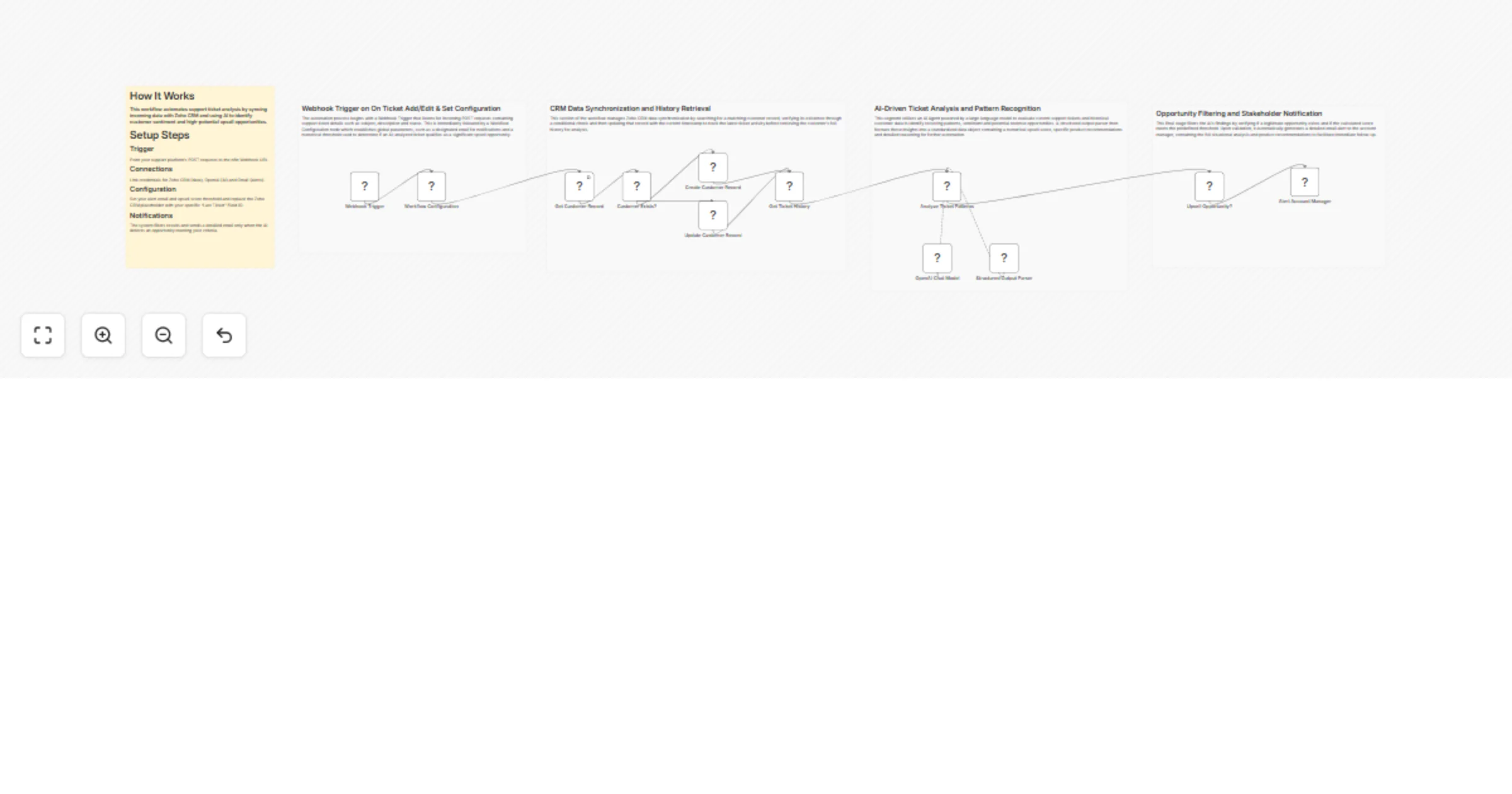
Zoho CRM Automation Help Desk to CRM Intelligence Bridge This workflow functions as a sales intelligence bridge between support systems and Zoho CRM. It automatically captures support ticket data v...
n8n-nodes-base.set, n8n-nodes-base.zohocrm, @n8n/n8n-nodes-langchain.agent, @n8n/n8n-nodes-langchain.outputparserstructured, n8n-nodes-base.webhook, n8n-nodes-base.if, n8n-nodes-base.gmail, @n8n/n8n-nodes-langchain.lmchatopenai
This workflow is cataloged by N8N Workflows and links back to its original n8n.io source page by WeblineIndia.
Original n8n.io sourceThis workflow functions as a sales intelligence bridge between support systems and Zoho CRM. It automatically captures support ticket data via a Webhook, synchronizes that data with Zoho CRM contact records and leverages OpenAI to analyze customer history for sentiment and revenue potential. If an "upsell score" meets your defined threshold, a detailed summary and recommendation are sent to the Account Manager via Gmail.
accountManagerEmail and upsellThreshold in the Workflow Configuration node.This workflow bridges the gap between customer support and sales teams by performing automated lead intelligence. It captures raw ticket data, checks if the customer exists in Zoho CRM and either creates a new record or updates the "Last Ticket Date" for existing ones.
The core intelligence is powered by AI, which analyzes the current ticket alongside customer history to:
Finally, the workflow filters results—only notifying the team when a genuine opportunity is detected—ensuring Account Managers focus only on high-value interactions.
/webhook/support-ticket) in your help desk settings to trigger the flow on new ticket creation.accountManagerEmail: The recipient of opportunity alerts.upsellThreshold: The minimum AI score (e.g., 3) required to trigger an alert.<__PLACEHOLDER_VALUE...> with your specific Zoho CRM Field ID for tracking ticket dates.gpt-4o-mini model for cost-effective, high-speed analysis.Modify the "System Message" in the Analyze Ticket Patterns node to change how the AI evaluates opportunities or to focus on different product lines.
Edit the Upsell Opportunity? (If Node) to add more complex filtering, such as only alerting for "High" priority tickets or specific customer tiers.
Swap the Gmail node for Slack or Microsoft Teams if your team prefers internal chat notifications over email.
| Issue | Possible Cause | Solution |
|---|---|---|
| Workflow not triggered | Support platform sending data to the wrong URL. | Verify the Webhook URL in your help desk matches the n8n production URL. |
| CRM Update failing | Invalid Field ID in the Update node. | Ensure the Zoho CRM Field ID placeholder is replaced with a valid internal API name. |
| No alerts being sent | AI score is below the threshold. | Check the execution history to see the score; lower the upsellThreshold in Workflow Configuration for testing. |
| AI analysis is vague | Insufficient ticket history. | Ensure the "Get Ticket History" node is successfully retrieving past interactions for the AI to analyze. |
If you need assistance customizing the AI prompt, mapping your Zoho CRM custom fields or scaling this to other CRM platforms (like Salesforce or HubSpot), feel free to reach out to our n8n workflow developers at WeblineIndia. We are here to help you turn support tickets into revenue growth.
This catalog entry is organized from the workflow JSON. The node-level section below shows the executable blocks available for review before importing the template.
| Workflow | Score Zoho support tickets with OpenAI and sync upsell alerts to Zoho CRM |
|---|---|
| Complexity | advanced |
| Nodes | 17 |
| Categories | Lead Nurturing, AI Summarization |
| Author | WeblineIndia |
| Published | 21 Jan 2026 |
Use the JSON export at /data/workflows/12876/12876.json as the source template for this automation.
Open n8n, import the downloaded JSON, and review each node before activating the workflow.
Replace placeholder credentials, API keys, webhook URLs, account IDs, and environment-specific values with your own settings.
Run the workflow manually or in a staging workspace, inspect node output, and confirm downstream systems receive the expected data.
Enable the workflow only after testing, then monitor executions, errors, and rate limits during the first production runs.
Review imported nodes carefully before activation. This catalog entry is intended to help you inspect the workflow structure, understand required services, and find related templates faster.
Node names, credentials, schedules, webhook paths, and external service limits may need adjustment for your workspace.
Zoho CRM Automation Help Desk to CRM Intelligence Bridge This workflow functions as a sales intelligence bridge between support systems and Zoho CRM. It automatically captures support ticket data v...
Review the workflow JSON, configure any required credentials in n8n, and test the automation in a safe workspace before using it in production.
Yes. Use the block-by-block analysis and the downloadable JSON to inspect each node, then adjust credentials, prompts, schedules, filters, or destinations for your Lead Nurturing, AI Summarization use case.