Score multi-signal buying intent and prioritize leads with PredictLeads, Google Sheets, and Slack

Workflow preview

Workflow preview
100%
Score multi-signal buying intent and prioritize leads with PredictLeads, Google Sheets, and Slack preview
Open on n8n.io

1. Workflow Overview

Overview This workflow reads a list of prospect company domains from Google Sheets, enriches each company with multiple PredictLeads data sources, calculates a weighted intent score based on job op...

Best for

  • Lead Generation automation workflows
  • AI Summarization automation workflows
  • advanced n8n builders looking for reusable templates

Tools used

@predictleads/n8n-nodes-predictleads.predictleads, n8n-nodes-base.slack, n8n-nodes-base.googlesheets, n8n-nodes-base.code, n8n-nodes-base.scheduletrigger, n8n-nodes-base.if, n8n-nodes-base.sort, n8n-nodes-base.stickynote

Source and attribution

This workflow is cataloged by N8N Workflows and links back to its original n8n.io source page by Yaron Been.

Original n8n.io source

1.1 Workflow description

Title
Score multi-signal buying intent and prioritize leads with PredictLeads, Google Sheets, and Slack
Workflow name
Score multi-signal buying intent and prioritize leads with PredictLeads, Google Sheets, and Slack

Overview

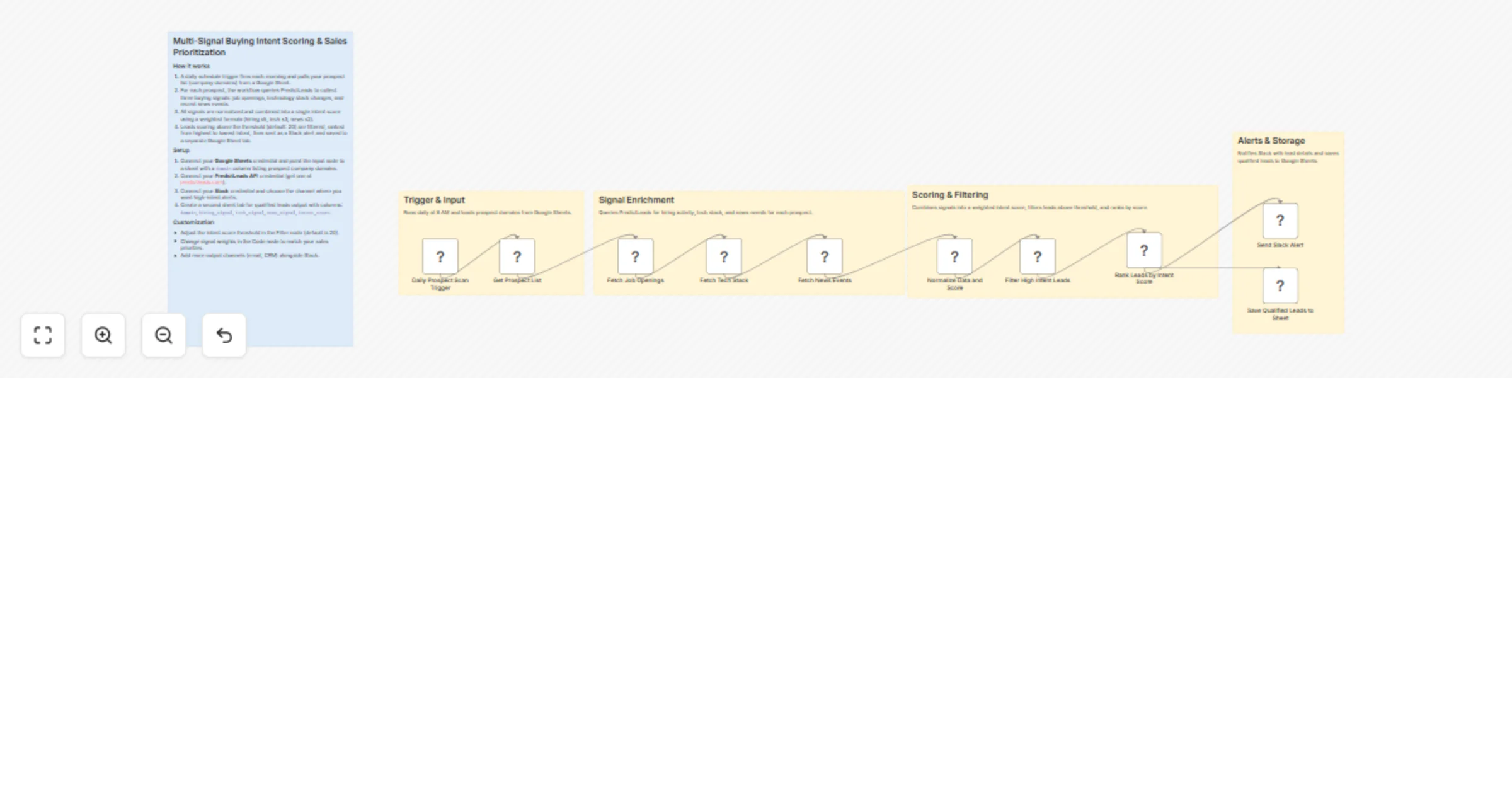
This workflow reads a list of prospect company domains from Google Sheets, enriches each company with multiple PredictLeads data sources, calculates a weighted intent score based on job openings, technology detections, and news events, filters for high-intent accounts, ranks them by score, sends Slack notifications for immediate action, and logs the qualified leads back to Google Sheets.

How it works

  1. A schedule trigger runs the workflow daily at 8:00 AM.
  2. The workflow reads prospect company domains from Google Sheets.
  3. It fetches job openings for each company using the PredictLeads Job Openings endpoint.
  4. It fetches technology detections for each company using the PredictLeads Technology Detections endpoint.
  5. It fetches recent news events for each company using the PredictLeads News Events endpoint.
  6. It normalizes all three signals into a single intent score using this weighting:
  • Hiring activity × 5
  • Technology detections × 3
  • News mentions × 2
  1. It filters companies with an intent score greater than 20.
  2. It ranks qualified leads in descending order by intent score.
  3. It sends a Slack alert with the company domain, score, and signal breakdown.
  4. It appends qualified leads and signal values to Google Sheets for tracking and follow-up.

Setup

  • Create a Google Sheet with a domain column for the prospect list.
  • Connect your Google Sheets account for both reading source prospects and saving qualified leads.
  • Connect your Slack account for alert delivery.
  • Add your PredictLeads account credentials using the official PredictLeads n8n node.

Requirements

  • Google Sheets OAuth2 credentials
  • Slack OAuth2 credentials
  • PredictLeads API account using the official PredictLeads n8n integration
  • A Google Sheet for source prospects and a destination sheet for qualified leads

Notes

  • The workflow does not send emails or generate AI outreach copy. It is focused on lead scoring, prioritization, alerting, and storage.

  • The scoring formula is currently:

intent_score = (job openings * 5) + (technology detections * 3) + (news events * 2)
  • The qualification threshold is currently set to:
intent_score > 20
  • Qualified leads are both alerted in Slack and written to Google Sheets for persistence.

  • PredictLeads docs: https://docs.predictleads.com

1.2 Logical Blocks

This catalog entry is organized from the workflow JSON. The node-level section below shows the executable blocks available for review before importing the template.

2. Block-by-Block Analysis

Block 1 - Fetch Tech Stack

Type / Role
@predictleads/n8n-nodes-predictleads.predictLeads - predictLeads
Config choices
Version 1

Block 2 - Send Slack Alert

Type / Role
n8n-nodes-base.slack - slack
Config choices
Version 2.4

Block 3 - Get Prospect List

Type / Role
n8n-nodes-base.googleSheets - googleSheets
Config choices
Version 4.7

Block 4 - Normalize Data and Score

Type / Role
n8n-nodes-base.code - code
Config choices
Version 2

Block 5 - Fetch Job Openings

Type / Role
@predictleads/n8n-nodes-predictleads.predictLeads - predictLeads
Config choices
Version 1

Block 6 - Fetch News Events

Type / Role
@predictleads/n8n-nodes-predictleads.predictLeads - predictLeads
Config choices
Version 1

Block 7 - Daily Prospect Scan Trigger

Type / Role
n8n-nodes-base.scheduleTrigger - scheduleTrigger
Config choices
Version 1.3

Block 8 - Filter High Intent Leads

Type / Role
n8n-nodes-base.if - if
Config choices
Version 2.3

Block 9 - Rank Leads by Intent Score

Type / Role
n8n-nodes-base.sort - sort
Config choices
Version 1

Block 10 - Save Qualified Leads to Sheet

Type / Role
n8n-nodes-base.googleSheets - googleSheets
Config choices
Version 4.7

Block 11 - Sticky Note

Type / Role
n8n-nodes-base.stickyNote - stickyNote
Config choices
Version 1

Block 12 - Sticky Note1

Type / Role
n8n-nodes-base.stickyNote - stickyNote
Config choices
Version 1

Block 13 - Sticky Note2

Type / Role
n8n-nodes-base.stickyNote - stickyNote
Config choices
Version 1

Block 14 - Sticky Note3

Type / Role
n8n-nodes-base.stickyNote - stickyNote
Config choices
Version 1

Block 15 - Sticky Note4

Type / Role
n8n-nodes-base.stickyNote - stickyNote
Config choices
Version 1

3. Summary Table

Workflow Score multi-signal buying intent and prioritize leads with PredictLeads, Google Sheets, and Slack
Complexity advanced
Nodes 15
Categories Lead Generation, AI Summarization
Author Yaron Been
Published 26 Mar 2026

4. Reproducing the Workflow from Scratch

  1. 1. Download the workflow JSON

    Use the JSON export at /data/workflows/14348/14348.json as the source template for this automation.

  2. 2. Import the template into n8n

    Open n8n, import the downloaded JSON, and review each node before activating the workflow.

  3. 3. Configure credentials and variables

    Replace placeholder credentials, API keys, webhook URLs, account IDs, and environment-specific values with your own settings.

  4. 4. Test with sample data

    Run the workflow manually or in a staging workspace, inspect node output, and confirm downstream systems receive the expected data.

  5. 5. Activate and monitor

    Enable the workflow only after testing, then monitor executions, errors, and rate limits during the first production runs.

5. General Notes & Resources

Review imported nodes carefully before activation. This catalog entry is intended to help you inspect the workflow structure, understand required services, and find related templates faster.

Node names, credentials, schedules, webhook paths, and external service limits may need adjustment for your workspace.

Frequently asked questions

What does Score multi-signal buying intent and prioritize leads with PredictLeads, Google Sheets, and Slack do?

Overview This workflow reads a list of prospect company domains from Google Sheets, enriches each company with multiple PredictLeads data sources, calculates a weighted intent score based on job op...

What do I need before importing this workflow?

Review the workflow JSON, configure any required credentials in n8n, and test the automation in a safe workspace before using it in production.

Can I customize this workflow?

Yes. Use the block-by-block analysis and the downloadable JSON to inspect each node, then adjust credentials, prompts, schedules, filters, or destinations for your Lead Generation, AI Summarization use case.