Block 1 - Sticky Note8
- Type / Role
- n8n-nodes-base.stickyNote - stickyNote
- Config choices
- Version 1


 Early Deal
This workflow is provided as-is. Please review and test before using in production.
AI Lead Scoring Agent: Smart Contact Form Triager Automatically score every contact form lead as Hot/Warm/Cold and alert your sales team instantly. This intelligent workflow captures contact for...
n8n-nodes-base.stickynote, n8n-nodes-base.webhook, n8n-nodes-base.set, @n8n/n8n-nodes-langchain.openai, n8n-nodes-base.slack
This workflow is cataloged by N8N Workflows and links back to its original n8n.io source page by Yaron Been.
Original n8n.io sourceAutomatically score every contact form lead as Hot/Warm/Cold and alert your sales team instantly.
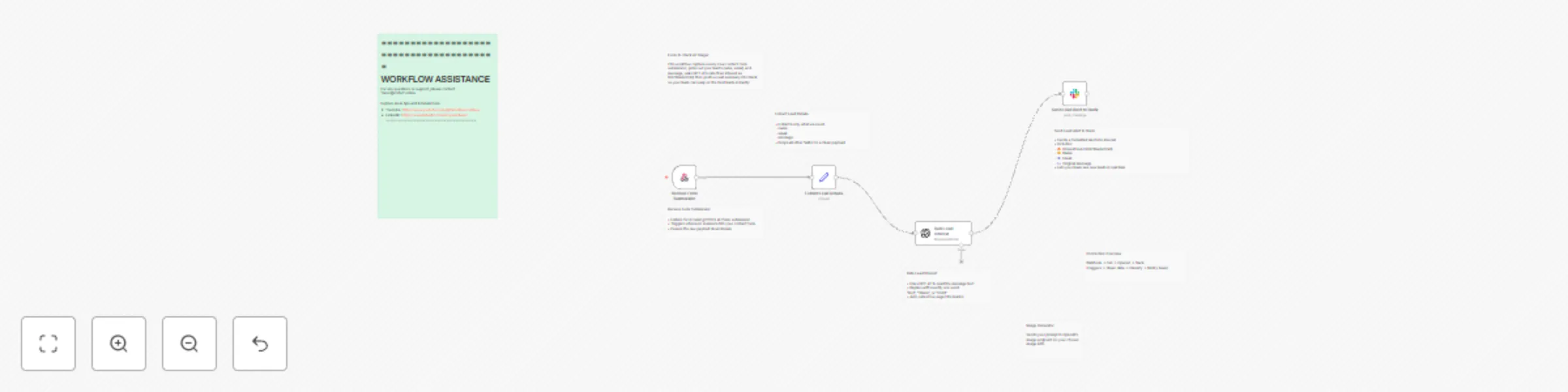
This intelligent workflow captures contact form submissions, uses GPT-4 to analyze message content and score lead quality, then sends formatted alerts to Slack - ensuring your sales team always focuses on the hottest prospects first.
Instant Lead Capture: Automatically receives contact form submissions via webhook endpoint
AI-Powered Scoring: GPT-4 analyzes message content and classifies leads as Hot 🔥, Warm 🌤, or Cold ❄️
Smart Data Extraction: Cleanly extracts name, email, and message from form submissions
Real-Time Slack Alerts: Sends formatted notifications to your sales team with lead details and AI scoring
✅ Never Miss Hot Prospects: AI identifies urgent leads automatically
✅ Save Sales Time: Focus effort on highest-probability leads first
✅ Instant Team Alerts: Real-time notifications in Slack channels
✅ Smart Prioritization: AI scoring eliminates guesswork in lead quality
✅ Zero Manual Work: Complete automation from form to sales alert
✅ Universal Integration: Works with any contact form or landing page
Complete Workflow: Ready-to-deploy lead scoring automation Webhook Endpoint: Receives submissions from any contact form AI Classification: GPT-4 powered lead interest analysis Slack Integration: Professional team notifications with emojis and formatting Data Processing: Clean extraction and formatting of lead information
🔥 New Lead: Sarah Johnson ([email protected])

Message: "We're looking for a project management solution for our 50-person team. Need to implement ASAP as we're scaling fast. Can we schedule a demo this week?"

Triage: 🔥 Hot
❄️ New Lead: John Smith ([email protected])

Message: "Just browsing your website. Might be interested in learning more someday."

Triage: ❄️ Cold
Scoring Criteria: Adjust AI prompts for industry-specific lead qualification
Team Channels: Route different lead types to specific Slack channels
Additional Fields: Capture company size, budget, timeline data
CRM Integration: Connect to Salesforce, HubSpot, or Pipedrive
Follow-up Automation: Trigger email sequences based on lead temperature
Analytics Tracking: Monitor lead quality trends and conversion rates
#lead-scoring #sales-automation #contact-form-processing #ai-qualification #slack-integration #prospect-management #inbound-marketing #sales-productivity #lead-generation #openai-integration #webhook-automation #crm-automation #sales-alerts #lead-triage #ai-agent
SaaS Company: Score demo requests based on company size and urgency mentions
Consulting Firm: Identify clients ready to start projects vs those still researching
E-commerce Store: Spot bulk buyers and wholesale inquiries vs casual browsers
Marketing Agency: Prioritize clients with specific budgets and timelines mentioned
5-Minute Setup: Simple webhook configuration with any contact form Universal Integration: Works with WordPress, Webflow, custom forms, landing pages Team Training: Clear Slack notification format anyone can understand Scalable: Handles unlimited form submissions automatically
YouTube: https://www.youtube.com/@YaronBeen/videos
💼 Sales Automation Support
LinkedIn: https://www.linkedin.com/in/yaronbeen/
📧 Direct Help
Email: [email protected] - Response within 24 hours
Ready to never miss another hot lead?
Get this AI Lead Scoring Agent and transform your contact forms into intelligent lead qualification systems. Your sales team will always know which prospects to call first, and you'll never waste time on cold leads again.
Stop treating all leads equally. Start prioritizing the ones ready to buy.
This catalog entry is organized from the workflow JSON. The node-level section below shows the executable blocks available for review before importing the template.
| Workflow | Score contact form leads with GPT-4 and send Slack notifications |
|---|---|
| Complexity | intermediate |
| Nodes | 12 |
| Categories | Lead Generation, AI Summarization |
| Author | Yaron Been |
| Published | 28 May 2025 |
Use the JSON export at /data/workflows/4458/4458.json as the source template for this automation.
Open n8n, import the downloaded JSON, and review each node before activating the workflow.
Replace placeholder credentials, API keys, webhook URLs, account IDs, and environment-specific values with your own settings.
Run the workflow manually or in a staging workspace, inspect node output, and confirm downstream systems receive the expected data.
Enable the workflow only after testing, then monitor executions, errors, and rate limits during the first production runs.
Review imported nodes carefully before activation. This catalog entry is intended to help you inspect the workflow structure, understand required services, and find related templates faster.
Node names, credentials, schedules, webhook paths, and external service limits may need adjustment for your workspace.
AI Lead Scoring Agent: Smart Contact Form Triager Automatically score every contact form lead as Hot/Warm/Cold and alert your sales team instantly. This intelligent workflow captures contact for...
Review the workflow JSON, configure any required credentials in n8n, and test the automation in a safe workspace before using it in production.
Yes. Use the block-by-block analysis and the downloadable JSON to inspect each node, then adjust credentials, prompts, schedules, filters, or destinations for your Lead Generation, AI Summarization use case.