Block 1 - 📌 Lead Scoring Pipeline – Overview
- Type / Role
- n8n-nodes-base.stickyNote - stickyNote
- Config choices
- Version 1


 Early Deal
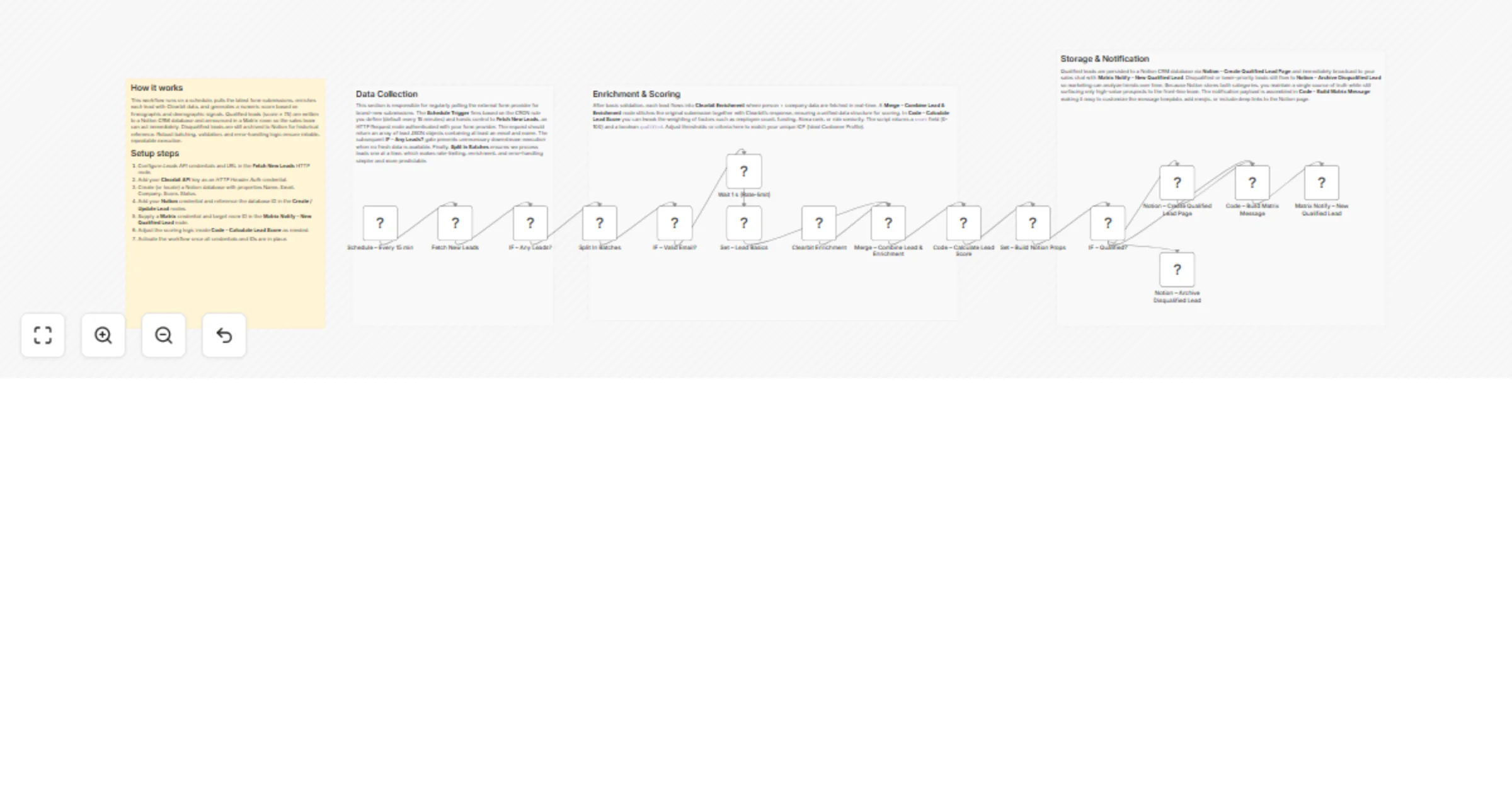
Lead Scoring Pipeline – Matrix + Notion This workflow automatically enriches incoming form leads, applies a customizable scoring model, then routes high value prospects to a Notion CRM database and...
n8n-nodes-base.stickynote, n8n-nodes-base.scheduletrigger, n8n-nodes-base.httprequest, n8n-nodes-base.if, n8n-nodes-base.splitinbatches, n8n-nodes-base.wait, n8n-nodes-base.set, n8n-nodes-base.merge
This workflow is cataloged by N8N Workflows and links back to its original n8n.io source page by vinci-king-01.
Original n8n.io sourceThis workflow automatically enriches incoming form leads, applies a customizable scoring model, then routes high-value prospects to a Notion CRM database and a Matrix channel for instant sales notification. It streamlines lead qualification by combining third-party enrichment APIs, conditional logic, and asynchronous batching—eliminating manual research and ensuring your sales team focuses on the best opportunities.
Name, Email, Company, Score, Status, Enrichment| Setting | Example / Notes |
|---|---|
| Notion Database ID | 8f3d49e8c8f74e6f9d32e8e2bf7c1c46 |
| Matrix Room ID | !aBcDeFgHiJ:matrix.org |
| Scoring Threshold (env var) | LEAD_SCORE_MIN=70 |
| Batch Size | SPLIT_IN_BATCHES=10 (controls parallel requests) |
| Webhook URL for form submission | https://your-n8n-instance/webhook/leads |
This workflow automatically enriches incoming form leads, applies a customizable scoring model, then routes high-value prospects to a Notion CRM database and a Matrix channel for instant sales notification. It streamlines lead qualification by combining third-party enrichment APIs, conditional logic, and asynchronous batching—eliminating manual research and ensuring your sales team focuses on the best opportunities.
Setup Time: 15-25 minutes
LEAD_SCORE_MIN, SPLIT_IN_BATCHES, API keys) in n8n Settings → Variables.Name, Email, etc.).weights object) to match your ICP (Ideal Customer Profile).// Code node snippet
const weights = {
employeeCount: 0.4, // increase influence of company size
emailDeliverability: 0.2,
industryMatch: 0.25,
techStack: 0.15,
};
// If node expression
{{ $json.country === 'US' ? '!usSales:matrix.org' : '!intlSales:matrix.org' }}
The workflow outputs structured JSON data:
{
 "name": "Jane Doe",
 "email": "[email protected]",
 "company": "Acme Co.",
 "enrichment": {
 "employeeCount": 120,
 "industry": "SaaS",
 "techStack": ["AWS", "React"]
 },
 "score": 83,
 "qualified": true,
 "notionPageId": "9b2a4c09-0bf4-4b58-988a-1f361b0a2c20",
 "matrixEventId": "$15163622445EBvZJ:matrix.org"
}
SPLIT_IN_BATCHES size if you’re hitting API rate limits.Pro Tips:
This is a community template provided “as is.” Always test thoroughly in a non-production environment before activating in production.
This catalog entry is organized from the workflow JSON. The node-level section below shows the executable blocks available for review before importing the template.
| Workflow | Score and route qualified leads to Notion and Matrix |
|---|---|
| Complexity | advanced |
| Nodes | 20 |
| Categories | Lead Generation, AI Summarization |
| Author | vinci-king-01 |
| Published | 30 Jan 2026 |
Use the JSON export at /data/workflows/13116/13116.json as the source template for this automation.
Open n8n, import the downloaded JSON, and review each node before activating the workflow.
Replace placeholder credentials, API keys, webhook URLs, account IDs, and environment-specific values with your own settings.
Run the workflow manually or in a staging workspace, inspect node output, and confirm downstream systems receive the expected data.
Enable the workflow only after testing, then monitor executions, errors, and rate limits during the first production runs.
Review imported nodes carefully before activation. This catalog entry is intended to help you inspect the workflow structure, understand required services, and find related templates faster.
Node names, credentials, schedules, webhook paths, and external service limits may need adjustment for your workspace.
Lead Scoring Pipeline – Matrix + Notion This workflow automatically enriches incoming form leads, applies a customizable scoring model, then routes high value prospects to a Notion CRM database and...
Review the workflow JSON, configure any required credentials in n8n, and test the automation in a safe workspace before using it in production.
Yes. Use the block-by-block analysis and the downloadable JSON to inspect each node, then adjust credentials, prompts, schedules, filters, or destinations for your Lead Generation, AI Summarization use case.