Query Databricks data and SQL insights via Slack with Gemini AI agent
Workflow preview

$20/month : Unlimited workflows
2500 executions/month

THE #1 IN WEB SCRAPING
Scrape any website without limits
HOSTINGER  Early Deal
DISCOUNT 20% Try free
Early DealDISCOUNT 20%
Self-hosted n8n
Unlimited workflows - from $4.99/mo

#1 hub for scraping, AI & automation
6000+ actors - $5 credits/mo
Overview
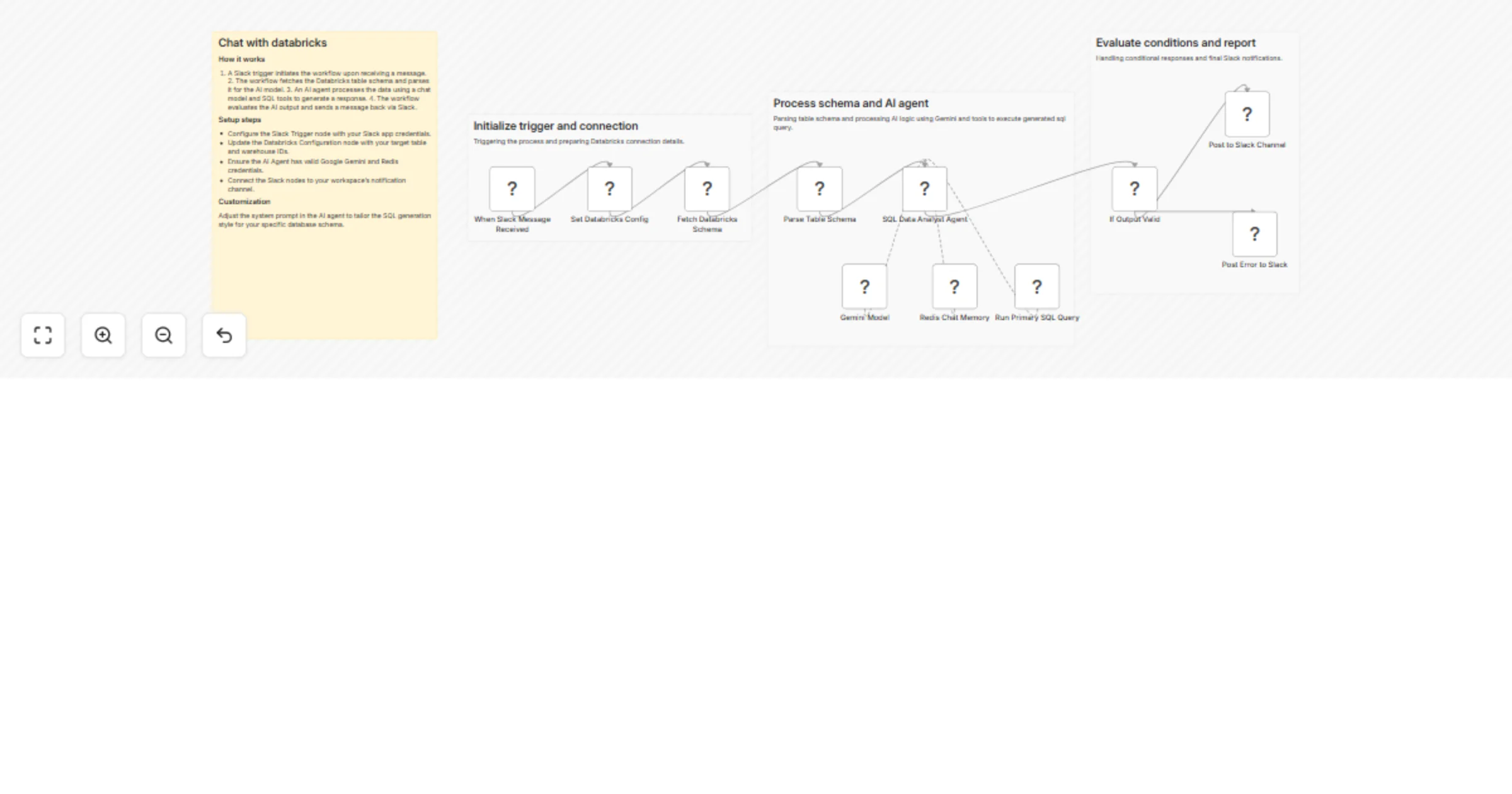
Automated Databricks Data Querying & SQL Insights via Slack with AI Agent & Gemini
Node-by-Node Explanation
This workflow is divided into three functional phases: Initialization, AI Processing, and Response Delivery.
| Node Name | Category | What it does |
|---|---|---|
| When Slack Message Received | Trigger | Monitors a Slack channel for @mentions. It captures the user's question and the thread ID to keep the conversation organized. |
| Set Databricks Config | Configuration | A "helper" node where you hardcode your Databricks warehouse_id and target_table. This makes it easy to update settings in one place. |
| Fetch Databricks Schema | Data Retrieval | Sends a DESCRIBE command to the Databricks API. It learns what columns exist (e.g., "price", "date", "store_id") so the AI knows what it can query. |
| Parse Table Schema | Data Transformation | Uses JavaScript to clean up the raw Databricks response. it converts complex technical data into a simple list that the AI can easily read. |
| SQL Data Analyst Agent | AI Brain | The "manager" of the workflow. It takes the user's question and the table schema, decides which SQL query to write, and interprets the results. |
| Gemini Model | LLM Engine | Provides the actual intelligence (using Google Gemini 3.1 Flash). This is what "thinks" and generates the SQL and conversational text. |
| Redis Chat Memory | Memory | Stores previous messages in the thread. This allows you to ask follow-up questions (e.g., "Now show me only the top 5") without repeating the whole context. |
| Run Primary SQL Query | AI Tool | An HTTP tool given to the Agent. The Agent "calls" this node to actually run the generated SQL on Databricks and get the real data back. |
| If Output Valid | Logic Gate | A safety check. It verifies if the Agent successfully produced a message for Slack or if something went wrong during the process. |
| Post to Slack Channel | Output (Success) | Sends the final answer (e.g., "The total revenue for Q3 was $4.2M") back to the user in Slack. |
| Post Error to Slack | Output (Failure) | If the SQL fails or the AI hits a wall, this node sends an error message to the user so they aren't left waiting. |
How the "Agent" Loop Works
Unlike a standard linear workflow, the SQL Data Analyst Agent doesn't just move to the next step. It performs a "Reasoning" loop:
- Observe: "The user wants to know sales for March."
- Think: "I have a table called 'franchises' with a 'sale_date' column. I should run a SUM query."
- Act: It triggers the Run Primary SQL Query node.
- Observe Results: "The query returned 150,000."
- Final Response: "The total sales for March were 150,000."