Block 1 - Trigger: Schedule Lead Check
- Type / Role
- n8n-nodes-base.scheduleTrigger - scheduleTrigger
- Config choices
- Version 1.2


 Early Deal
This workflow is provided as-is. Please review and test before using in production.
What Problem Does It Solve? Meta’s ad forms often generate unqualified leads from casual scrollers. This workflow uses WhatsApp and AI to automatically verify, qualify, and prioritize real leads...
n8n-nodes-base.scheduletrigger, n8n-nodes-base.httprequest, n8n-nodes-base.set, n8n-nodes-base.webhook, @n8n/n8n-nodes-langchain.agent, @n8n/n8n-nodes-langchain.lmchatgooglegemini, n8n-nodes-base.code, n8n-nodes-base.switch
This workflow is cataloged by N8N Workflows and links back to its original n8n.io source page by Abdullah Alshiekh.
Original n8n.io sourceMeta’s ad forms often generate unqualified leads from casual scrollers. This workflow uses WhatsApp and AI to automatically verify, qualify, and prioritize real leads — saving time and boosting sales efficiency.
This workflow automates lead qualification for businesses using Meta Ads (Facebook/Instagram Lead Ads) to filter out irrelevant leads. It ensures only confirmed prospects enter your CRM by:
Collecting new Facebook leads
Verifying via WhatsApp confirmation
Classifying responses with AI
Updating CRM status based on intent
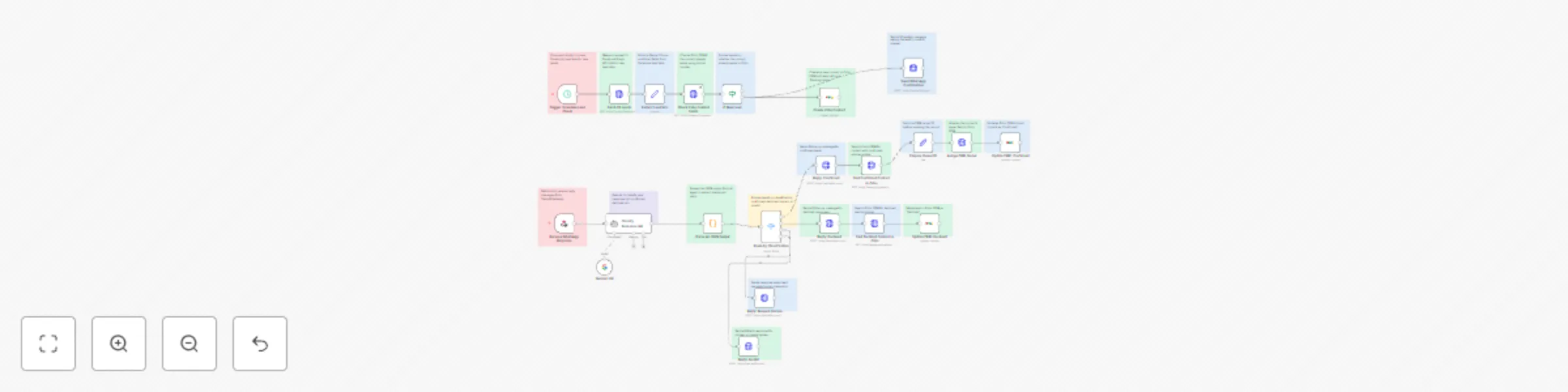
When a new Facebook lead arrives:
Lead details are extracted (name/phone/email)
Zoho CRM is checked for existing contacts
WhatsApp confirmation request is sent
AI classifies the response (confirmed/declined/human/invalid)
CRM status is updated automatically
Sales team receives only verified leads
✅ Blocks 60%+ irrelevant leads based on WhatsApp non-response ✅ Reduces fake submissions by requiring active confirmation ✅ Prevents CRM bloat through duplicate checking ✅ Identifies hot leads via instant "human_requested" escalation ✅ Saves sales team hours by auto-declining "no" responses
Facebook Lead Ads integration via Graph API
WhatsApp messaging via Twilio
AI response classification (Gemini)
Zoho CRM synchronization
Duplicate lead prevention
Customizable confirmation flow
Error-resistant JSON parsing
CRM owner assignment
Status-based routing
Facebook Access Token with ads_management & leads_retrieval permissions
Twilio Account with WhatsApp-enabled number
Zoho CRM with custom "Status" field
Gemini API Key (or alternative LLM)
n8n credentials configured for:
Twilio (API SID/token)
Zoho CRM (OAuth2)
Google Gemini (or alternative LLM)
1-Adjust Classification Criteria Modify the AI prompt in Classify Response (AI) node 2-Customize CRM Status Values Update field IDs in Zoho nodes 3-Modify Messaging Edit WhatsApp templates in Send WhatsApp Confirmation 4-Set Owner Assignment Replace owner ID in Prepare Owner ID node
Real Estate Agencies: Filter speculative inquiries from serious buyers
Medical Clinics: Verify appointment requests before scheduling
SAAS Companies: Qualify free trial sign-ups
Education Providers: Confirm course interest before counselor assignment
Auto Dealerships: Screen test drive requests from tire-kickers
If you need help get in touch on Linkedin
This catalog entry is organized from the workflow JSON. The node-level section below shows the executable blocks available for review before importing the template.
Showing the first 24 of 43 workflow blocks. Download the JSON for the full node graph.
| Workflow | Qualify Meta ads leads with WhatsApp verification, Gemini AI & Zoho CRM |
|---|---|
| Complexity | advanced |
| Nodes | 43 |
| Categories | Lead Generation, AI Summarization |
| Author | Abdullah Alshiekh |
| Published | 27 Jul 2025 |
Use the JSON export at /data/workflows/6529/6529.json as the source template for this automation.
Open n8n, import the downloaded JSON, and review each node before activating the workflow.
Replace placeholder credentials, API keys, webhook URLs, account IDs, and environment-specific values with your own settings.
Run the workflow manually or in a staging workspace, inspect node output, and confirm downstream systems receive the expected data.
Enable the workflow only after testing, then monitor executions, errors, and rate limits during the first production runs.
Review imported nodes carefully before activation. This catalog entry is intended to help you inspect the workflow structure, understand required services, and find related templates faster.
Node names, credentials, schedules, webhook paths, and external service limits may need adjustment for your workspace.
What Problem Does It Solve? Meta’s ad forms often generate unqualified leads from casual scrollers. This workflow uses WhatsApp and AI to automatically verify, qualify, and prioritize real leads...
Review the workflow JSON, configure any required credentials in n8n, and test the automation in a safe workspace before using it in production.
Yes. Use the block-by-block analysis and the downloadable JSON to inspect each node, then adjust credentials, prompts, schedules, filters, or destinations for your Lead Generation, AI Summarization use case.