Abdullah Alshiekh
Workflows by Abdullah Alshiekh
Create Bosta shipping orders from Odoo invoices using OpenAI GPT models
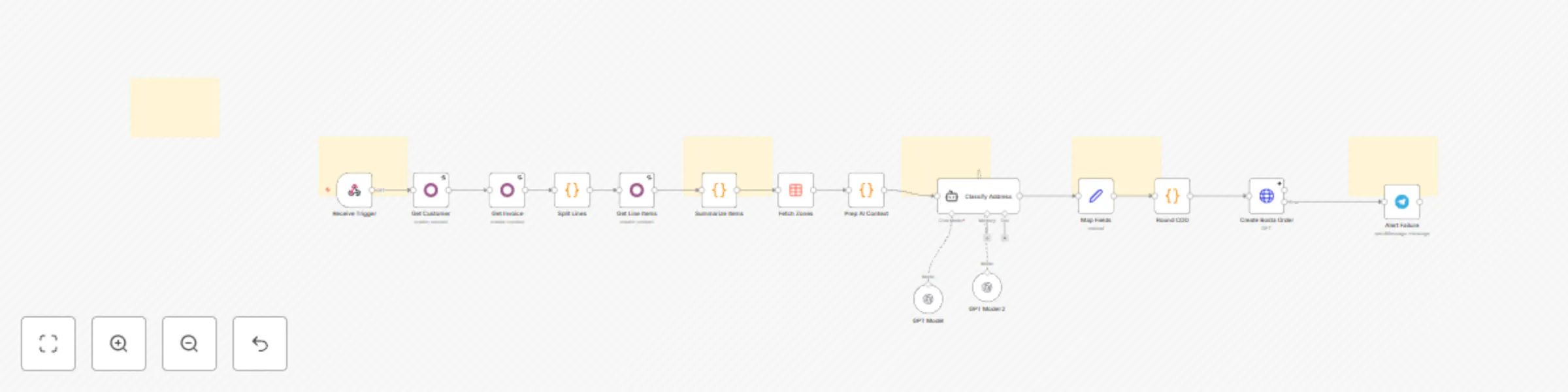
## What Problem Does It Solve? - **Manual Data Entry Bottlenecks:** Moving shipping data from Odoo to Bosta manually is slow and prone to errors, especially during high-volume periods. - **Address Mismatches:** Odoo stores addresses as unstructured text, while Bosta requires strict Zone/District IDs. Mismatches lead to failed deliveries and returns. - **Messy Labels:** Long ERP product names look unprofessional on shipping labels. - **This workflow solves these by:** - Instantly creating the shipping order in Bosta when an Odoo invoice is confirmed. - Using an **AI Agent** to intelligently parse raw addresses and map them to the exact Bosta ID. - Ensuring the high operational standards required by automating data cleaning and COD rounding. ## How to Configure It ### 1. Odoo Setup - Create an Automation Rule in Odoo that sends a POST request to this workflow's Webhook URL when an invoice state changes to "Confirmed". ### 2. Credentials - Connect your **Odoo**, **OpenAI**, and **Telegram** accounts in the respective n8n nodes. - Add your **Bosta API Key** in the Header parameters of the `Create Bosta Order` node. ### 3. Product Mapping - Open the `Summarize Items` code node and update the `NAME_MAP` object to link your Odoo product names to short shipping labels. ### 4. Data Table - Ensure the `Fetch Zones` node is connected to your Bosta Zones/Districts data table in n8n. ## How It Works - **Trigger:** The workflow starts automatically when an invoice is confirmed in Odoo. - **Fetch & Process:** It pulls customer details and invoice items, then aggregates quantities (e.g., turning 3 lines of "Shampoo" into "Shampoo (3)"). - **AI Analysis:** The AI Agent cross-references the raw address with the official Bosta zones list to strictly select the correct IDs. - **Execution:** The order is created in Bosta. If successful, the process is complete. - **Error Handling:** If any step fails, a Telegram message is sent immediately with the invoice number to alert the **operations team**. ## Customization Ideas - **Write Back:** Add a node to update the Odoo invoice with the generated Bosta tracking number. - **Multi-Courier:** Add a switch node to route orders to different couriers (e.g., Aramex, Mylerz) based on the city. - **Campaign Logging:** Log successful shipments to a spreadsheet to track fulfillment metrics. - **Notification Channels:** Change the error alert from Telegram to Slack or Email. If you need any help [Get in Touch](https://www.linkedin.com/in/abdallaelshikh0/)
Compare product prices on Amazon and Jumia with Decodo, OpenAI and Telegram
## What Problem Does It Solve? - We’ve all been there: you want to check if a product is cheaper on Amazon or Jumia, but opening a dozen tabs is a pain. - Building a bot to do this usually fails because big e-commerce sites love to block scrapers with CAPTCHAs. - This workflow fixes that headache by: - Taking a product name from a chat message. - Using **Decodo** to handle the hard part—searching Google and scraping the product pages without getting blocked. - Using AI to read the messy HTML and pull out just the price and product name. - Sending a clean "Best Price" summary back to the user instantly. ## How to Configure It ### Telegram Setup - Create a bot with BotFather and paste your token into the Telegram node. - Make sure your webhook is set up so the bot actually "hears" the messages. ### Decodo - This is the engine that makes the workflow reliable. - You'll need to add your **Decodo API key** in the credentials. - We used Decodo here specifically because it handles the proxies and browser fingerprinting for you—so your Amazon requests actually go through instead of failing. ### AI Setup - Plug in your OpenAI API key (or swap the node for Claude/Gemini if you prefer). - The system prompt is already set up to ignore ads and find the real price, but feel free to tweak the tone. ## How It Works 1. **Trigger:** You text the bot a product name (e.g., "Sony XM5"). 2. **Search:** The workflow asks **Decodo** to Google that specific term on sites like Amazon.eg. 3. **Scrape:** It grabs the URLs and passes them back to Decodo to fetch the page content safely. 4. **Extract:** The AI reads through the text, finds the lowest price, and ignores the clutter. 5. **Reply:** The bot texts you back with the best deal found. ## Customization Ideas - **Go wider:** Edit the search query to check other stores like Noon or Carrefour. - **Track trends:** Connect a Google Sheet to log what people are searching for—great for market research. If you need any help [Get In Touch](https://www.linkedin.com/in/abdallaelshikh0/)
Aggregate web product reviews and sentiment with Decodo and Google Gemini
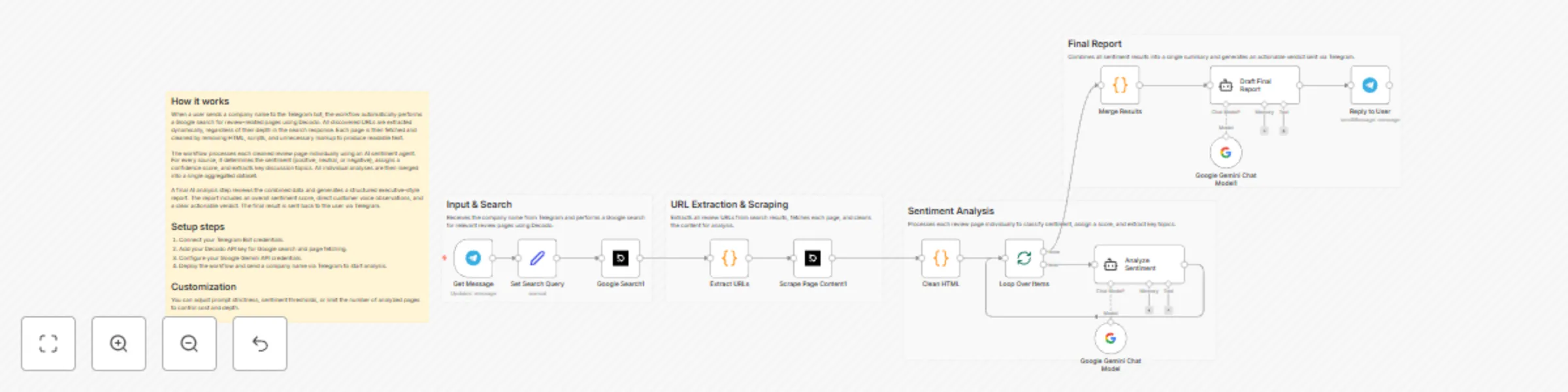
## What Problem Does It Solve? - Brands and marketers spend hours manually searching Google for product reviews. - Reading through multiple websites to gauge general sentiment is tedious and inefficient. - It is difficult to spot recurring customer complaints or praises without aggregating data. - This workflow solves these by: - Instantly searching and scraping review content from the web. - Using AI to read and score the sentiment of every review found. - Generating a consolidated "Executive Summary" with key quotes and actionable advice. ## How to Configure It **Telegram Setup** - Connect your Telegram Bot credentials in n8n. - Set the **Get Message** node to watch for text messages. **Search & Scraping (Decodo)** - Connect your **Decodo** credentials (requires a Web Scraping API plan). - This handles both the Google Search and the content extraction. **AI Setup** - Add your **Google Gemini** API key. - The prompts are pre-configured to act as a "Strict Data Analyst," but you can edit the system prompt in the AI Agent node to match your preferred tone. ## How It Works - **Trigger:** You send a company or product name (e.g., "XQ Pharma") to your Telegram bot. - **Search:** The workflow uses Decodo to Google search for "[Name] reviews" and extracts the top URL results. - **Scrape:** It visits the review pages and strips away the HTML code to get clean text. - **Analyze (Loop):** The first AI Agent reads the text and determines the sentiment (Positive/Neutral/Negative) and key topics. - **Report:** A second AI Agent collects all the analysis pieces and writes a final summary containing a **Sentiment Score**, **Customer Voice** (direct quotes), and an **Actionable Verdict**. - **Delivery:** The final report is sent back to you as a Telegram message. ## Customization Ideas - **Change the Source:** Modify the search query to target specific platforms (e.g., "site:reddit.com [Product] reviews"). - **Change the Output:** Send the final report to a **Slack channel** or **Email** for your team to see. - **Database Logging:** Save the "Actionable Verdict" and sentiment scores into **Notion** or **Airtable** to track brand reputation over time. - **Competitor Analysis:** Use it to research competitor products instead of your own to find their weaknesses. If you need any help [Get in Touch](https://www.linkedin.com/in/abdallaelshikh0/)
Automated SEO SERP analysis with Decodo & Google Gemini
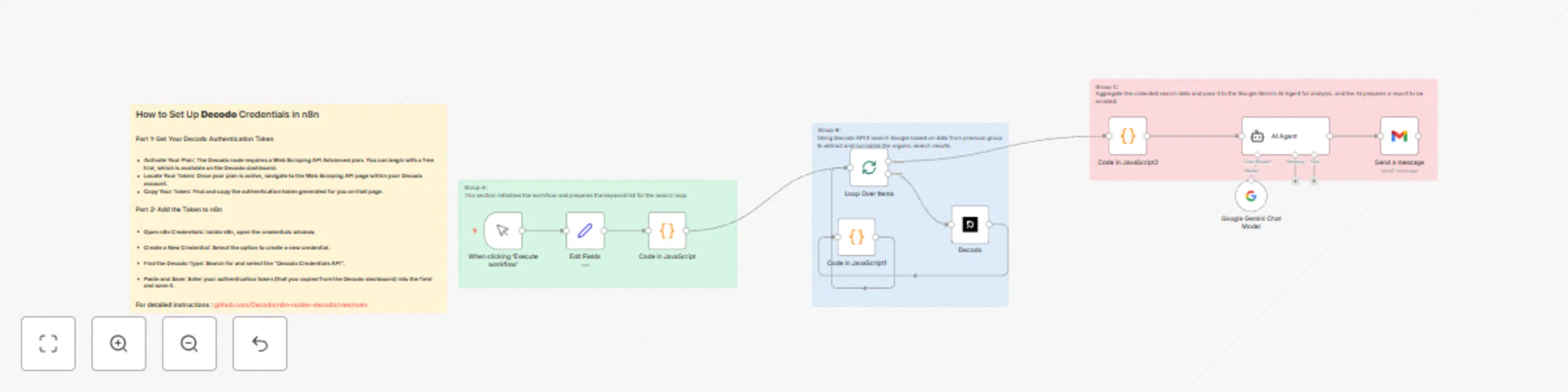
## What Problem Does It Solve? - SEO professionals and marketers spend hours manually searching keywords to analyze competitor content. - Copying and pasting SERP results into spreadsheets is tedious and prone to formatting errors. - Analyzing "why" a page ranks requires significant mental effort and time for every single keyword. - This workflow solves these by: - Automatically fetching live Google search results for a list of keywords. - Using AI to instantly analyze the top ranking pages for Intent, Strengths, and Weaknesses. - Delivering a consolidated, strategic SEO report directly to your email inbox. ## How to Configure It - API Setup: - Connect your Decodo credentials (for scraping Google results).- - Connect your Google Gemini credentials (for the AI analysis). - Connect your Gmail account (to send the final report). - Keyword Input: - Open the "Edit Fields" node and replace the placeholder items (keyword_1, etc.) with the actual search terms you want to track. - Email Recipient: - Update the "Send a message" node with your email address. ## How It Works - The workflow triggers manually (or can be scheduled). - It loops through your defined list of keywords one by one. - Decodo performs a real-time Google search for each term and extracts organic results. - A JavaScript node cleans the data, removing ads and irrelevant snippets. - The AI Agent acts as an expert SEO analyst, processing the top results to generate a concise audit. - Finally, the workflow compiles all insights into a single email report and sends it to you. ## Customization Ideas - Change the output: Save the analysis to a Google Sheet or Notion database instead of Email. - Adjust the AI Persona: Modify the system prompt to focus on specific metrics (e.g., content gaps or backlink opportunities). - Automate the Input: Connect a Google Sheet to dynamically pull new keywords every week. - Schedule It: Replace the Manual Trigger with a Cron node to run this report automatically every Monday morning. If you need any help [Get in Touch](https://www.linkedin.com/in/abdallaelshikh0/)
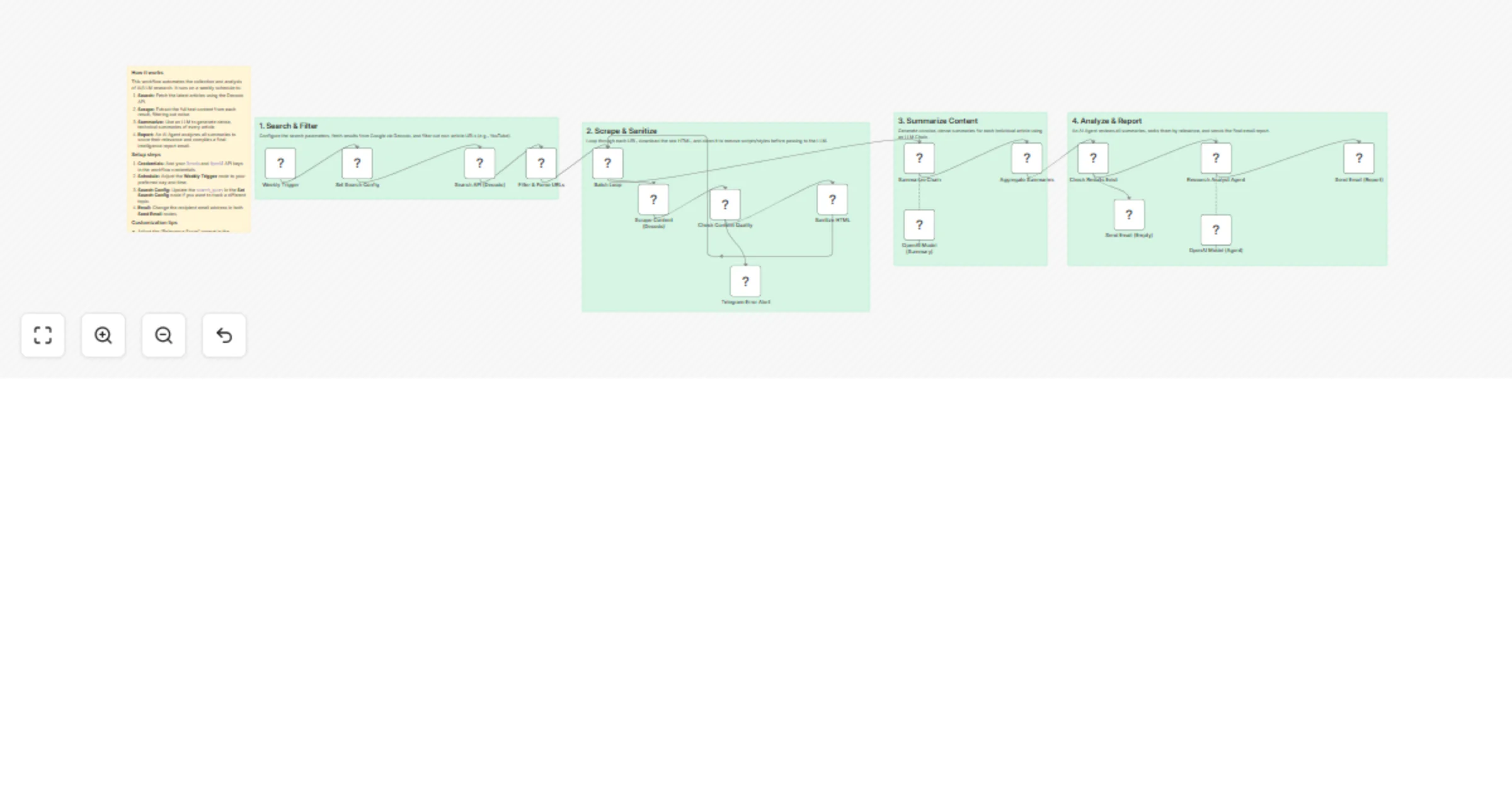
Weekly job discovery and CV matching with Gemini 1.5 Pro and Decodo Scraper
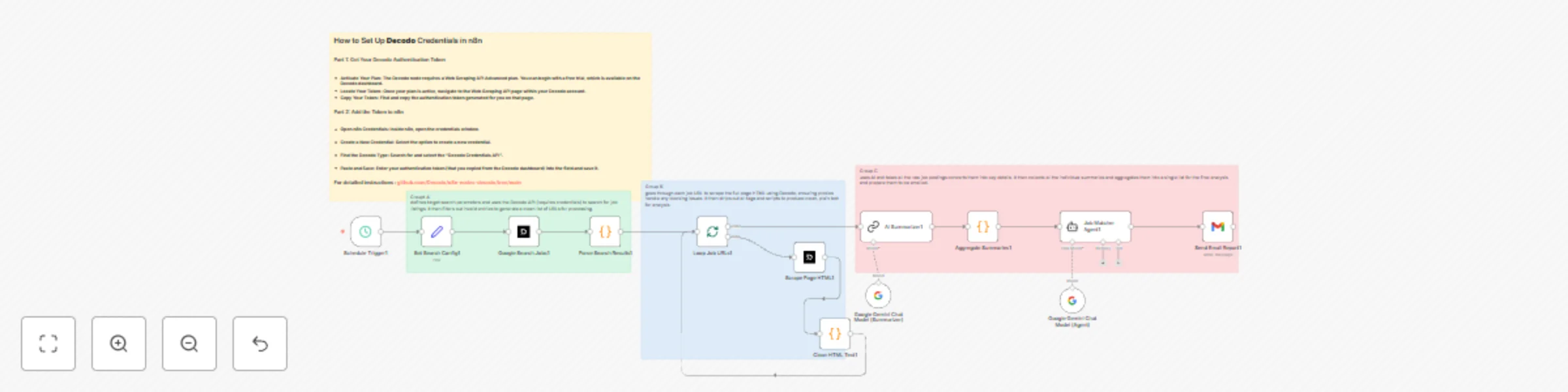
# Header 1Smart Weekly Job Discovery Powered by Decodo This workflow automates the entire search process: every week, it uses **Decodo’s reliable scraping engine** to scan the web for fresh opportunities in your region and industry — no manual searching, no endless scrolling. Decodo handles the heavy lifting behind the scenes: it gathers search results, opens each job link, and extracts clean, readable text from pages that are normally full of scripts and formatting noise. The workflow always receives structured, usable information ready for AI analysis. ## Intelligent Matching — Not Just Scraping Once the jobs are collected, the system analyzes the candidate’s CV and compares it to each posting. It evaluates: - Skill alignment - Experience relevance - Domain match - Seniority level Then it generates a Match Percentage for each role, filtering out weak options and keeping only meaningful opportunities. ## A Weekly Report That Feels Human Every week, the workflow sends a polished report straight to your inbox: - A quick overview of the candidate’s strengths - Best-fit roles sorted by match score - Clear reasons why each job fits - Posted dates and direct links - Insights on skills and market trends It reads like a personalized career briefing — generated automatically. ## How to Configure It ### Decodo Setup Add your Decodo API credentials to n8n. The Google Search + Scraper nodes rely on Decodo’s Web Scraping API. Make sure your plan supports scraping LinkedIn/Indeed pages. ### AI Setup Add your Google Gemini API key. The workflow uses two Gemini models: one for summarizing, one for job-matching. You can switch to OpenAI or Claude if you prefer. ### CV Input Add your CV text into the workflow (or connect Google Drive/Sheets for auto-loading). The Job Matcher Agent will use this text to compute match percentages. ### Email Setup Add your Gmail credentials and choose where the final report should be sent. ## Flexible and Easy to Customize - Change the search region. - Target different industries. - Store all job data in Notion or Google Sheets. With **Decodo’s** scraping pipeline at the core, the whole process stays consistent, fast, and dependable. If you need any help [Get in Touch](https://www.linkedin.com/in/abdallaelshikh0/)
Automated multi-platform market intelligence reporting with Gemini AI & Decodo
## 💡 What Problem Does It Solve? Businesses waste countless hours manually gathering online insights across platforms. Marketing and strategy teams need fast, structured visibility into what customers are saying and what competitors are promoting across regions and platforms. This workflow automates that process end-to-end by: - **Monitoring multiple platforms** (Facebook, Instagram, Google) across all selected regions. - **Extracting and cleaning live data** with precision and compliance through **Decodo’s advanced web intelligence engine**. - **Providing AI summaries:** It uses specialized AI agents to analyze the raw text and structure it into key insights. - **Delivering a clear, ready-to-read daily report** directly to your inbox — no dashboards, no manual effort. ## ⚙️ How to Configure It **1. Set Up the Decodo Connection** - In n8n, create a new **Decodo Web Intelligence credential**. - Paste your **Decodo** authentication token (available in your Decodo dashboard under “Web Scraping API”). [Setup Manual](https://github.com/Decodo/n8n-nodes-decodo/tree/main) **2. Choose Your Regions and Topics** - Edit the “Set – Regions” node to list your markets - Add your key search topics or terms **3. Review the AI-Generated Insights** - **Decodo** fetches and cleans the latest content from social and web sources. - Gemini-based AI agents summarize it into a structured report segmented by region and platform. - The workflow emails the insights automatically, providing a quick morning market snapshot. ### ✨ Why It Works So Well **Decodo** provides the backbone — real-time, clean, and region-specific data — while AI transforms that data into business intelligence you can act on. If you need any help [Get in Touch](https://www.linkedin.com/in/abdallaelshikh0/)
Jotform automated commerce sync: Telegram confirmation & Zoho invoice
This workflow is designed to automate your e-commerce order processing by instantly syncing new **Jotform** submissions with your internal systems and immediately notifying the customer on **Telegram**. ## 🧩 What Problem Does It Solve? Businesses manually processing orders face delays in: * **Sending order confirmations to customers.** * **Updating internal sales logs (CRM/Google Sheets).** * **Creating necessary financial documents (Invoices).** This workflow solves these by: * **Instant Confirmation:** Automatically sending a detailed order confirmation message to the customer via Telegram. * **Automatic Record Keeping:** Logging all order details in both a Google Sheet (CRM) and an n8n Data Table. * **Fast Invoicing:** Instantly generating Invoice for every completed order. ## 🛠️ How to Configure It **1.Jotform Setup:** * Connect your Jotform API credentials in n8n. * Specify the ID of the form you want to monitor in the Jotform Trigger node. **2.Telegram Setup:** * Connect your Telegram Bot API credentials in n8n. * The workflow relies on the customer messaging the bot first to capture their unique Chat ID. **3.CRM & Finance Setup:** * Connect your Google Sheets API credentials and specify the Document ID and Sheet GID. * Connect your Zoho CRM API credentials and map the product IDs and financial fields in the Create Zoho Invoice node. **4.n8n Data Table:** * Create a dedicated n8n Data Table to temporarily store and manage the Chat ID mapping for new orders. ## ⚙️ How It Works * **Order Received:** The **Jotform Trigger** instantly fires upon a new form submission. * **Data Processing:** The data is cleaned, structured, and a unique Order ID is generated. * **CRM Sync:** The order is logged into the Google Sheet CRM and an Invoice is created in **Zoho CRM**. * **Confirmation Sent:** The Send a text message node delivers the order confirmation summary directly to the customer's Telegram chat. ## 🎯 Perfect For * **E-commerce:** Instantly confirm sales and stop worrying about manually sending receipts or updating sales sheets. * **Service Bookings:** Automate client intake; when a form is submitted, the invoice is drafted, and the client is immediately notified. * **Local Businesses:** Turn a complex Jotform submission into an organized invoice and a clean CRM entry, instantly. * **Anyone Who Takes Orders Online:** If you manually copy order info from a form to an invoice or a spreadsheet, this is your instant automation solution. If you need any help [Get in Touch](https://www.linkedin.com/in/abdallaelshikh0/)
Automate real estate lead matching with Jotform, & Gemini AI to Zoho CRM
## 🧩 What Problem Does It Solve? In real estate, inquiries come from many sources and often require immediate, personalized attention. Brokers waste significant time manually: * **Qualifying leads:** Determining if a prospect's budget, neighborhood, and needs match available inventory. * **Searching listings:** Cross-referencing customer criteria against a large, static database. * **Data entry:** Moving contact details and search summaries into a CRM like Zoho. * **Initial follow-up:** Sending an email to confirm the submission and schedule the next step. ## 🛠️ How to Configure It ### Jotform & CRM Setup * **Jotform Trigger:** Replace the placeholder with your specific Jotform ID. * **Zoho CRM:** Replace the placeholder TEMPLATED_COMPANY_NAME with your actual company name. * **Gmail:** Replace the placeholder Calendly link YOUR_CALENDLY_LINK in the Send a message node with your real estate consultant's booking link. ### Database & AI Setup * **Google Sheets:** Replace YOUR_GOOGLE_SHEET_DOCUMENT_ID and YOUR_SHEET_GID_OR_NAME in both Google Sheets nodes. Your listings must be structured with columns matching the AI prompt (e.g., bedrooms, rent, neighborhoods). * **AI Models:** Ensure your Google Gemini API key is linked to the Google Gemini Chat Model node. * **AI Agent Prompt:** The included prompt contains the exact matching and scoring rules for the AI. You can edit this prompt to refine how the AI prioritizes factors like supplier_rating or neighborhood proximity. ## 🧠 Use Case Examples * **Small Startups:** Collect High-Quality Leads: New inquiries must be quickly logged for sales follow-up, but manual entry is slow. * **B2B Sales:** High-Value Lead Enrichment: Need to prioritize leads that match specific product requirements and budget tiers. * **Travel/Hospitality:** Personalized Itinerary Matching: Quickly match customer preferences (e.g., dates, group size, activity level) to available packages. * **E-commerce:** Manual Product Recommendation: Sales teams manually recommend expensive, configurable items (e.g., furniture, specialized equipment). If you need any help [Get in Touch](https://www.linkedin.com/in/abdallaelshikh0/)
Automate candidate analysis & ranking with Jotform and Gemini AI
This workflow is designed to automate the initial screening process for your User-Generated Content (UGC) campaigns. It instantly calculates a performance score for every candidate using AI, filters out low-scoring applicants, and immediately initiates outreach to the qualified talent. ## 🧩 What Problem Does It Solve? Hiring managers waste valuable time manually reviewing hundreds of applications against a complex, weighted rubric, which leads to delays in contacting the best candidates. This workflow solves these by: * **Instant, Unbiased Scoring:** It uses an AI Agent (Google Gemini) to instantly assign a score (0–10) based on specific criteria. * **Automatic Qualification:** It filters out unqualified candidates and automatically processes those who meet your minimum score requirement. * **Immediate Outreach:** It instantly sends acceptance emails to qualified candidates and notifies your internal HR team to follow up. * **Centralized Tracking:** It logs the candidate's data and their final AI score into a central Google Sheet for easy long-term tracking. ## 🛠️ How to Configure It **1.Jotform Setup:** * Connect your Jotform API credentials in n8n. * Specify the ID of your candidate application form in the Jotform Trigger node. **2.AI Setup:** * Connect your Google Gemini API key. * Review the scoring prompt in the AI Agent node and confirm that the point system matches your current campaign requirements. **3.Google Sheets Setup:** * Connect your Google Sheets API credentials. * Replace the placeholder TEMPLATE_GOOGLE_SHEETS_DOCUMENT_ID with the actual ID of your candidate tracking spreadsheet. **4.Email Setup:** * Connect your Gmail API credentials. * Replace the placeholder [email protected] in the "Send Internal Notification (HR)" node with your team's correct contact email. ## ⚙️ How It Works **1.Application Received:** The Jotform Trigger instantly fires when a candidate submits their form. **2.AI Scores Candidate:** The AI Agent uses the criteria prompt to calculate a definitive numerical score for the applicant. **3.Qualification Check:** The If node checks if the score is 6 or higher. **4.If True (qualified):** The candidate proceeds to the next steps. **5.If False (unqualified):** The workflow stops for this candidate (or can be configured to send a rejection). **6.Record & Notify:** The workflow saves the data to the Google Sheet and then simultaneously sends two emails: an acceptance email to the candidate and an internal notification to HR. ## 🎯 Perfect For * **UGC Campaigns:** Instantly qualify content creators for product reviews, endorsements, and social media ads based on objective, pre-defined rules. * **Influencer Marketing:** Automatically filter and prioritize micro- and nano-influencers who match all your specific demographic and product criteria. * **Mass Screening:** Use the AI to quickly narrow down a large pool of applicants, saving your recruiting team hours of manual data review and scoring. If you need any help [Get in Touch](https://www.linkedin.com/in/abdallaelshikh0/)
Automated receipt processing for cashback with Jotform, Gemini 2.5 & Notion
## 📈 Automated Customer Rewards Platform: Jotform Integration This blueprint details a highly efficient, AI-powered workflow designed to automate customer reward fulfillment. Leveraging the accessible interface of Jotform, this system delivers superior reliability and exceptional processing speed. ## 📊 Reliability, Productivity, and Performance This workflow is engineered to maximize operational efficiency and maintain data integrity: * Instant Fulfillment: Automation handles receipt scanning (OCR), AI calculation, logging, and notification in seconds, eliminating manual delays. * Seamless Data Capture: Leverages the **user-friendly Jotform** interface for fast, reliable customer submission and file uploads. ## 🛠️ Quick Configuration Guide * **Jotform Webhook:** In your **JotForm** settings, paste the n8n **Jotform Trigger URL** into the Webhook Integration. Done. * **API Access:** Generate a **"Full Access"** JotForm API key and insert it into the required n8n nodes (Jotform Trigger and Fetch All Receipts). * **Credential Setup:** Plug in your necessary API keys (Gemini, OCR.Space) and update the Notion Database ID and internal email recipient. ## 🚀 How It Works (Practical Flow) * **1. Submission:** Customer submits their request via **Jotform**. * **2. Processing:** System extracts text from the receipt (OCR), the AI calculates the reward, and the If node verifies the total. * **3. Fulfillment:** Transaction logged, confirmation emails sent to both the customer and the internal team. If you need any help [Get in Touch](https://www.linkedin.com/in/abdallaelshikh0/)
Scrape LinkedIn jobs with Gemini AI and store in Google Sheets using RSS
### What Problem Does it Solve This workflow automates the process of finding and collecting job postings from LinkedIn, eliminating the need for manual job searching. It’s designed to save time and ensure you don’t miss out on new opportunities by automatically populating a spreadsheet with key job details. ### Key Features - **Automated Data Collection:** The workflow pulls job posts from a LinkedIn search via an RSS feed. - **Intelligent Data Extraction:** It scrapes the full job description and uses AI to summarize the key benefits and job responsibilities into a concise format. - **Centralized Database:** All collected and processed information is automatically saved to a Google Sheet, providing a single source of truth for your job search. ### How It Works The workflow starts when manually triggered. It reads the job posts from a given RSS feed, processing each one individually. For each job, it fetches the full webpage content to extract structured data. This data is then cleaned and passed to an AI model, which generates a brief summary of the job and its benefits. Finally, a new row is either added or updated in a Google Sheet with all the collected details, including the job title, company name, and AI-generated summary. ### Configuration & Customization This workflow is highly customizable to fit your specific needs. - **RSS Feed:** To get started, you'll need to provide the RSS feed URL for your desired LinkedIn job search. We can help you set this up. - **AI Model:** The workflow uses Google Gemini by default, but it can be adjusted to work with other AI platforms. - **Data Destination:** The output is configured to a Google Sheet, but it can easily be changed to a different platform like Notion or a CRM. - **AI Prompting:** The AI's instructions are customizable, so you can tailor the output to extract different information or match a specific tone. If you need any help [Get In Touch](https://www.linkedin.com/in/abdallaelshikh0/)
Gemini-powered Facebook comment & DM assistant with Notion
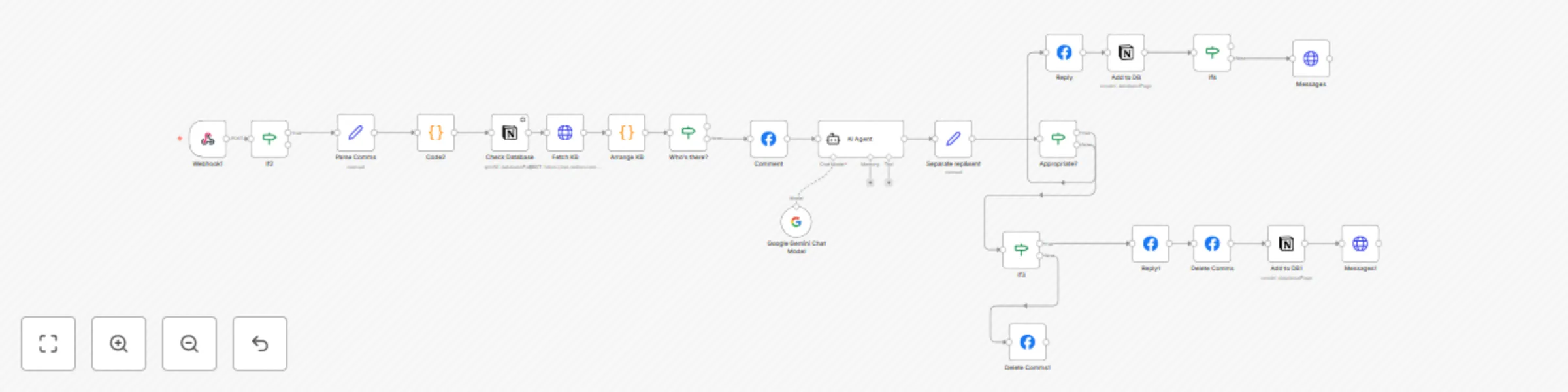
## What Problem Does It Solve? Customers often ask product questions or prices in comments. Businesses waste time replying manually, leading to delays. Some comments only need a short thank-you reply, while others need a detailed private response. This workflow solves these by: Replying with a friendly public comment. Sending a private message with details when needed. Handling compliments, complaints, and unclear comments in a consistent way. ## How to Configure It Facebook Setup Connect your Facebook Page credentials in n8n. Add the webhook URL from this workflow to your Facebook App/Webhook settings. AI Setup Add your Google Gemini API key (or swap for OpenAI/Claude). The included prompt is generic — you can edit it to match your brand tone. Optional Logging If you want to track processed messages, connect a Notion database or another CRM. ## How It Works Webhook catches new Facebook comments. AI Agent analyzes the comment and categorizes it (question, compliment, complaint, unclear, spam). Replying: For questions/requests → public reply + private message with full details. For compliments → short thank-you reply. For complaints → apology reply + private message for clarification. For unclear comments → ask politely if they need help. For spam/offensive → ignored (no reply). Replies and messages are sent instantly via the Facebook Graph API. ## Customization Ideas Change the AI prompt to match your brand voice. Add forwarding to Slack/Email if a human should review certain replies. Log conversations in Notion, Google Sheets, or a CRM for reporting. Expand to Instagram or WhatsApp with small adjustments. If you need any help [Get In Touch](https://www.linkedin.com/in/abdallaelshikh0/)
Facebook comment AI moderator with Notion & Gemini
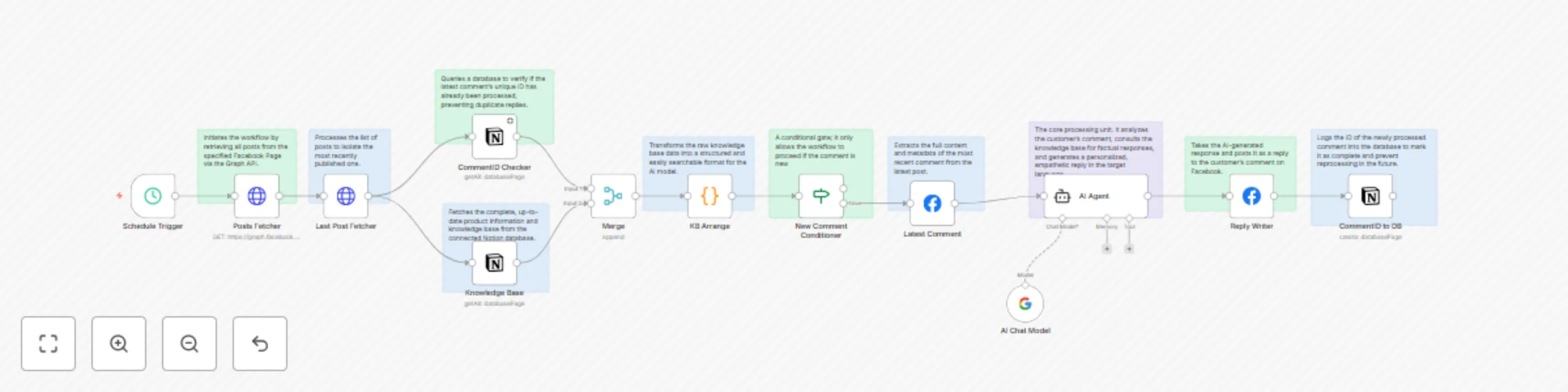
## 🧩 Problem Solved Eliminates the slow, inconsistent, and error-prone process of manually replying to Facebook comments by automating it with AI, ensuring fast, accurate, and on-brand customer engagement 24/7. ## 📝 Description This workflow automatically monitors your latest Facebook post for new comments. For each new comment, an AI agent instantly generates a friendly, personalized reply in Egyptian Arabic, using your Notion knowledge base to ensure all product info is accurate. It prevents spam by never replying to the same comment twice. Simple Flow: New Comment → Duplicate Check → AI Analysis → Post Reply → Log Action. ## 🎯 Key Benefits 24/7 Instant Replies: Engage customers immediately, anytime. Perfect Brand Voice: Consistent, empathetic, natural Egyptian Arabic tone in every reply. Always Accurate: Pulls facts directly from your knowledge base; never invents details. No Duplicate Replies: Robust checks ensure each comment gets only one response. Huge Time Saver: Frees your team from constantly monitoring comments. ## 🛠️ Core Features Facebook API Integration (Read & Reply) Notion Database Integration (Knowledge Base & Logging) AI Response Generation (Google Gemini) Duplicate Comment Prevention Automated Workflow Logic ## 🔧 Requirements Facebook Access Token with pages_read_engagement and pages_manage_posts permissions. Two Notion Databases: One for your product knowledge, one to log processed comments. Google Gemini API Key for AI. n8n Credentials for Facebook, Notion, and Gemini. ## ⚙️ Quick Customization Tone & Style: Edit the prompt in the Generate Customer Reply node. Product Info: Add fields to your Notion Knowledge Base database. Escalation: Add a step to flag angry comments for a human agent. ## 🧠 Perfect For E-commerce: Answering product questions on promo posts. Healthcare: Providing accurate drug info with compassion. Local Businesses: Replying to queries about hours/menu items. Any Business that wants fast, professional customer engagement on social media. Need help? Connect on [LinkedIn](https://www.linkedin.com/in/abdallaelshikh0/)
Automate CV screening & analysis with Telegram, Gemini AI & Google Workspace
## 🧩 What Problem Does It Solve? Manually reviewing CVs from Telegram job applicants is slow, error-prone, and often inconsistent. This workflow automates the collection, analysis, and storage of CVs — saving HR teams hours while ensuring structured, high-quality candidate data for fast decision-making. ## 📝 Description This workflow is built to help HR teams collect and qualify CVs sent over Telegram. It verifies that a candidate submits a valid PDF, stores the file securely, extracts key information using AI, and logs everything neatly in Google Sheets. ## 🎯 Key Advantages for HR Teams ✅ Automatically filters out non-PDF and invalid messages ✅ Uses AI to extract clean, structured candidate data ✅ Links CV files to Google Sheets for easy HR access ✅ Eliminates manual data entry from physical CVs ✅ Provides a scalable CV pipeline via Telegram ## 🛠️ Features Telegram bot for CV collection MIME-type PDF validation Google Drive integration for secure storage Text extraction from PDFs Gemini AI-powered CV parsing Google Sheets integration for candidate logging Merge logic to synchronize multiple streams JSON-safe parsing for AI output Automatic job title and experience categorization Duplicate prevention through name-based matching ## 🔧 Requirements A Telegram bot token Google Drive API credentials Google Sheets API credentials Gemini API key (or another LLM) n8n instance with relevant credentials configured Candidates sending CVs in PDF format ## 🧠 Use Case Examples Recruitment Agencies: Automate pre-screening and reduce manual effort Small Startups: Collect high-quality CVs without paying for an ATS Internship Programs: Quickly categorize applicants by experience Remote Hiring: Accept global CVs via Telegram from mobile users Freelancer Portals: Auto-log contractor profiles from incoming resumes ## ⚙️ Configuration Tips 1-Set up Telegram Bot API credentials 2-Configure Google Drive API access 3-Configure Google Sheets API access 4-Configure Google Gemini/PaLM API access 5-Replace all placeholder IDs with your actual values If you need any help [Get in Touch](https://www.linkedin.com/in/abdallaelshikh0/)
Generate Facebook marketing content from images with Telegram & Gemini
## 📝 Description Instantly turn images into marketing content with one Telegram message. It automatically: Accepts an image and caption via Telegram Sends the image to an AI model with your brand’s content rules Generates copy with headline, body, hashtags, and CTA Sends it back to you for approval On approval, posts directly to your Facebook Page If rejected or sent as plain text, request edits and it will regenerate your content ## 🎯 Key Advantages for Content Teams ✅ Creates professional post content from raw images in seconds ✅ Keeps the process inside Telegram—no app-switching ✅ Allows fast edits through natural text replies ✅ Reduces creative workload using your own AI style guide ✅ Posts directly to Facebook—no copy-pasting needed ## 🛠️ Features Telegram Bot Trigger (via Telegram API) Image file parsing + downloading AI Content Generation using OpenRouter + LangChain Custom Brand Prompt: Hook + Content + CTA in natural Arabic JSON Parsing with fallback handling Dual approval route (human- or bot-origin) Facebook publishing via Graph API Retry loop: users can request changes directly Sticky notes on all nodes for fast onboarding ## 🔧 Requirements Telegram Bot Token Facebook Page access with pages_manage_posts + pages_read_engagement OpenRouter API key (or another LLM provider) n8n credentials for: Telegram Bot Facebook (OAuth or Bearer token) OpenRouter (or alternative) ## 🧠 Use Case Examples 🧴 Beauty Brands: Auto-generate Arabic content from new skincare routine photos 🏥 Clinics: Transform testimonial photos into compliant social posts 🧢 Streetwear Shops: Quickly convert customer-submitted photos into engaging product drops 📚 Education Pages: Teachers send photos and instantly get shareable awareness content 🐾 Pet Pages: Easily publish heartfelt stories from community-submitted photos ## ⚙️ Customization Tips Edit the Brand Prompt Update the AI node with your own brand tone, examples, and structure. Switch LLMs Swap the OpenRouter model with Gemini, GPT-4, or others by changing the LLM node. Change Post Target Replace the Facebook post URL with Instagram or your CMS webhook. Customize Loop Logic Adjust the re-triggering workflow to better match your desired Telegram conversation UX. If you need any help [Get in touch](https://www.linkedin.com/in/abdallaelshikh0/)
Qualify Meta ads leads with WhatsApp verification, Gemini AI & Zoho CRM
## 🧩 What Problem Does It Solve? Meta’s ad forms often generate unqualified leads from casual scrollers. This workflow uses WhatsApp and AI to automatically verify, qualify, and prioritize real leads — saving time and boosting sales efficiency. # 📝 Description This workflow automates lead qualification for businesses using Meta Ads (Facebook/Instagram Lead Ads) to filter out irrelevant leads. It ensures only confirmed prospects enter your CRM by: Collecting new Facebook leads Verifying via WhatsApp confirmation Classifying responses with AI Updating CRM status based on intent When a new Facebook lead arrives: Lead details are extracted (name/phone/email) Zoho CRM is checked for existing contacts WhatsApp confirmation request is sent AI classifies the response (confirmed/declined/human/invalid) CRM status is updated automatically Sales team receives only verified leads ## 🎯 Key Advantages for Meta Ads ✅ Blocks 60%+ irrelevant leads based on WhatsApp non-response ✅ Reduces fake submissions by requiring active confirmation ✅ Prevents CRM bloat through duplicate checking ✅ Identifies hot leads via instant "human_requested" escalation ✅ Saves sales team hours by auto-declining "no" responses ## 🛠️ Features Facebook Lead Ads integration via Graph API WhatsApp messaging via Twilio AI response classification (Gemini) Zoho CRM synchronization Duplicate lead prevention Customizable confirmation flow Error-resistant JSON parsing CRM owner assignment Status-based routing ## 🔧 Requirements Facebook Access Token with ads_management & leads_retrieval permissions Twilio Account with WhatsApp-enabled number Zoho CRM with custom "Status" field Gemini API Key (or alternative LLM) n8n credentials configured for: Twilio (API SID/token) Zoho CRM (OAuth2) Google Gemini (or alternative LLM) ## ⚙️ Customization Tips 1-Adjust Classification Criteria Modify the AI prompt in Classify Response (AI) node 2-Customize CRM Status Values Update field IDs in Zoho nodes 3-Modify Messaging Edit WhatsApp templates in Send WhatsApp Confirmation 4-Set Owner Assignment Replace owner ID in Prepare Owner ID node ## 🧠 Use Case Examples Real Estate Agencies: Filter speculative inquiries from serious buyers Medical Clinics: Verify appointment requests before scheduling SAAS Companies: Qualify free trial sign-ups Education Providers: Confirm course interest before counselor assignment Auto Dealerships: Screen test drive requests from tire-kickers If you need help get in touch on [Linkedin](https://www.linkedin.com/in/abdallaelshikh0/)
Generate medical reports from emails with Gemini AI & Google Workspace
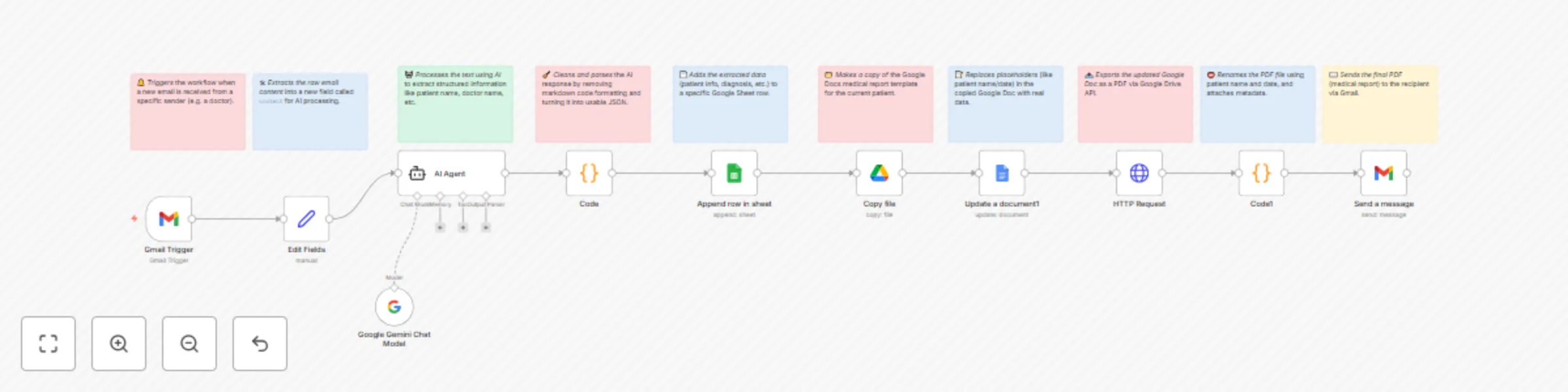
# **📝 Description:** This template is designed for healthcare providers, sales reps, and medical tourism companies who need to process diagnosis emails efficiently. It automates the full flow from email to report delivery. When a new diagnosis email arrives: The email content is captured and parsed by an AI agent (Gemini or any customizable LLM). Patient and medical data is extracted into structured fields (e.g., name, phone, diagnosis). Data is logged into a Google Sheet for records. A Google Docs medical report is generated using a predefined template. The report is exported as PDF and emailed to stakeholders (e.g., managers or sales team). This template supports custom AI models, customizable Google Docs templates, and flexible filtering based on sender email. ## 🛠️ Features Gmail email trigger (customizable sender filter) AI-powered diagnosis parsing using Gemini (easily switchable to OpenAI or others) Google Sheets log Google Docs templated report (auto-filled) PDF export and email sending Full flexibility & customization ## 🔧 Requirements Before using this template, you'll need: A connected Gmail account (to receive diagnosis emails) A valid Google Sheets integration (create your own sheet with the desired columns) A Google Docs template document that includes placeholder tags like {{patient_name}}, {{date}}, etc. A Gemini or OpenAI API connection for the AI agent (fully customizable) Note: You must replace all Google Drive, Docs, and Sheets references with your own documents. This template does not grant access to the original creator's files. ## ⚙️ Customization Tips In the Gmail Trigger node, change the sender filter to match the doctor’s email you want to process. Modify the AI prompt if your use case needs different extracted fields. Replace the Google Docs template link with your own file and customize its structure and variables. Change recipient email addresses in the final Gmail node to notify the correct team members. Optional: Add fallback flows or error branches for when AI fails or input is malformed. ## 🧠 Use Case Examples Medical tourism agencies auto-generating patient reports for incoming diagnosis summaries Clinics storing structured data from messy email inputs Sales teams instantly notified of new leads with completed medical summaries