Qualify leads from Gemini chat to Google Sheets and Slack with self-optimization

Workflow preview

Workflow preview
100%
Qualify leads from Gemini chat to Google Sheets and Slack with self-optimization preview
Open on n8n.io

1. Workflow Overview

Who is this for? This workflow is designed for growth agencies, SaaS founders, and sales teams who want to move beyond static lead forms. It is ideal for those who need a "living" system that not o...

Best for

  • Lead Generation automation workflows
  • AI Chatbot automation workflows
  • advanced n8n builders looking for reusable templates

Tools used

@n8n/n8n-nodes-langchain.lmchatgooglegemini, n8n-nodes-base.code, @n8n/n8n-nodes-langchain.chainllm, n8n-nodes-base.if, n8n-nodes-base.googlesheets, @n8n/n8n-nodes-langchain.memorybufferwindow, n8n-nodes-base.slack, n8n-nodes-base.stickynote

Source and attribution

This workflow is cataloged by N8N Workflows and links back to its original n8n.io source page by Pawan.

Original n8n.io source

1.1 Workflow description

Title
Qualify leads from Gemini chat to Google Sheets and Slack with self-optimization
Workflow name
Qualify leads from Gemini chat to Google Sheets and Slack with self-optimization

Who is this for?

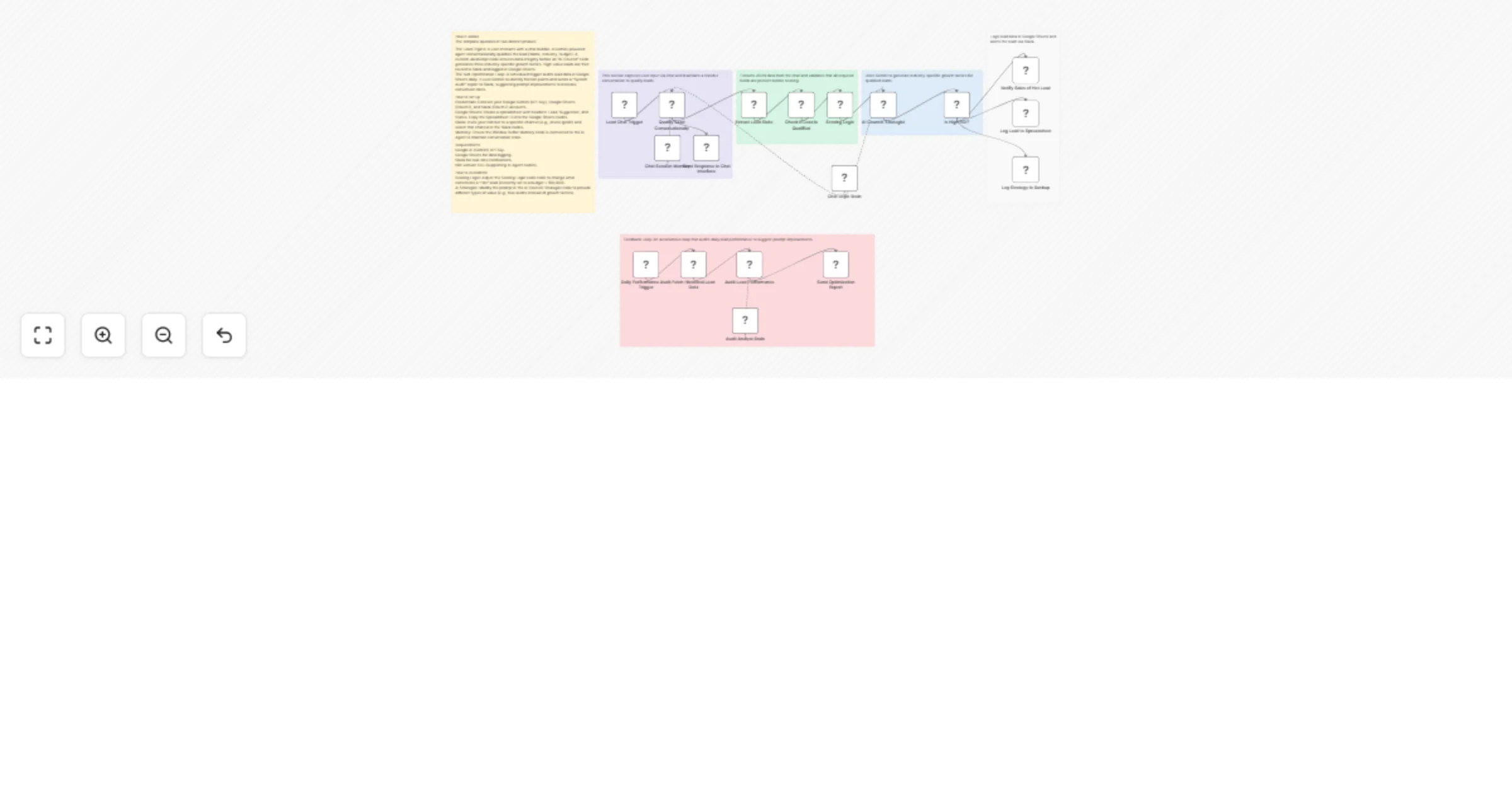
This workflow is designed for growth agencies, SaaS founders, and sales teams who want to move beyond static lead forms. It is ideal for those who need a "living" system that not only captures leads but also provides immediate value through AI-generated strategies and evolves based on performance data.

How it works

The template operates in two distinct phases:

  • The Lead Engine: A user interacts with a chat bubble. A Gemini-powered agent conversationally qualifies the lead (Name, Industry, Budget). A custom JavaScript node ensures data integrity before an "AI Council" node generates three industry-specific growth tactics. High-value leads are then routed to Slack and logged in Google Sheets.

  • The Self-Optimization Loop: A scheduled trigger audits lead data in Google Sheets daily. It uses Gemini to identify friction points and sends a "System Audit" report to Slack, suggesting prompt improvements to increase conversion rates.

How to set up

  • Credentials: Connect your Google Gemini (API Key), Google Sheets (OAuth2), and Slack (OAuth2) accounts.
  • Google Sheets: Create a spreadsheet with headers: Lead, Suggestion, and Status. Copy the Spreadsheet ID into the Google Sheets nodes.
  • Slack: Invite your n8n bot to a specific channel (e.g., /invite @n8n) and select that channel in the Slack nodes.
  • Memory: Ensure the Window Buffer Memory node is connected to the AI Agent to maintain conversation state.

Requirements

  1. Google AI (Gemini) API Key.
  2. Google Sheets for data logging.
  3. Slack for real-time notifications.
  4. n8n version 1.0+ (supporting AI Agent nodes).

How to customize

  1. Scoring Logic: Adjust the Scoring Logic code node to change what constitutes a "Hot" lead.
  2. AI Strategist: Modify the prompt in the AI Council: Strategist node to provide different types of value (e.g., free audits instead of growth tactics).

1.2 Logical Blocks

This catalog entry is organized from the workflow JSON. The node-level section below shows the executable blocks available for review before importing the template.

2. Block-by-Block Analysis

Block 1 - Chat Logic Brain

Type / Role
@n8n/n8n-nodes-langchain.lmChatGoogleGemini - lmChatGoogleGemini
Config choices
Version 1

Block 2 - Scoring Logic

Type / Role
n8n-nodes-base.code - code
Config choices
Version 2

Block 3 - AI Council: Strategist

Type / Role
@n8n/n8n-nodes-langchain.chainLlm - chainLlm
Config choices
Version 1.4

Block 4 - Is High ROI?

Type / Role
n8n-nodes-base.if - if
Config choices
Version 2

Block 5 - Log Lead to Spreadsheet

Type / Role
n8n-nodes-base.googleSheets - googleSheets
Config choices
Version 4.5

Block 6 - Chat Session Memory

Type / Role
@n8n/n8n-nodes-langchain.memoryBufferWindow - memoryBufferWindow
Config choices
Version 1.3

Block 7 - Log Strategy to Backup

Type / Role
n8n-nodes-base.googleSheets - googleSheets
Config choices
Version 4.5

Block 8 - Notify Sales of Hot Lead

Type / Role
n8n-nodes-base.slack - slack
Config choices
Version 2.4

Block 9 - Main Instructions

Type / Role
n8n-nodes-base.stickyNote - stickyNote
Config choices
Version 1

Block 10 - Lead Chat Trigger

Type / Role
@n8n/n8n-nodes-langchain.chatTrigger - chatTrigger
Config choices
Version 1.4

Block 11 - Qualify Lead Conversationally

Type / Role
@n8n/n8n-nodes-langchain.agent - agent
Config choices
Version 1.7

Block 12 - Extract Lead State

Type / Role
n8n-nodes-base.code - code
Config choices
Version 2

Block 13 - Lead Ingestion Group

Type / Role
n8n-nodes-base.stickyNote - stickyNote
Config choices
Version 1

Block 14 - Data Processing Group

Type / Role
n8n-nodes-base.stickyNote - stickyNote
Config choices
Version 1

Block 15 - Audit Analyst Brain

Type / Role
@n8n/n8n-nodes-langchain.lmChatGoogleGemini - lmChatGoogleGemini
Config choices
Version 1

Block 16 - Audit Lead Performance

Type / Role
@n8n/n8n-nodes-langchain.agent - agent
Config choices
Version 3.1

Block 17 - Send Optimization Report

Type / Role
n8n-nodes-base.slack - slack
Config choices
Version 2.4

Block 18 - Self-Optimization Group

Type / Role
n8n-nodes-base.stickyNote - stickyNote
Config choices
Version 1

Block 19 - Output Group

Type / Role
n8n-nodes-base.stickyNote - stickyNote
Config choices
Version 1

Block 20 - Check if Lead is Qualified

Type / Role
n8n-nodes-base.filter - filter
Config choices
Version 2.3

Block 21 - Daily Performance Audit Trigger

Type / Role
n8n-nodes-base.scheduleTrigger - scheduleTrigger
Config choices
Version 1.3

Block 22 - Send Response to Chat Interface

Type / Role
n8n-nodes-base.respondToWebhook - respondToWebhook
Config choices
Version 1.5

Block 23 - Fetch Historical Lead Data

Type / Role
n8n-nodes-base.googleSheets - googleSheets
Config choices
Version 4.7

Block 24 - AI Council Group

Type / Role
n8n-nodes-base.stickyNote - stickyNote
Config choices
Version 1

3. Summary Table

Workflow Qualify leads from Gemini chat to Google Sheets and Slack with self-optimization
Complexity advanced
Nodes 24
Categories Lead Generation, AI Chatbot
Author Pawan
Published 22 Jan 2026

4. Reproducing the Workflow from Scratch

  1. 1. Download the workflow JSON

    Use the JSON export at /data/workflows/12907/12907.json as the source template for this automation.

  2. 2. Import the template into n8n

    Open n8n, import the downloaded JSON, and review each node before activating the workflow.

  3. 3. Configure credentials and variables

    Replace placeholder credentials, API keys, webhook URLs, account IDs, and environment-specific values with your own settings.

  4. 4. Test with sample data

    Run the workflow manually or in a staging workspace, inspect node output, and confirm downstream systems receive the expected data.

  5. 5. Activate and monitor

    Enable the workflow only after testing, then monitor executions, errors, and rate limits during the first production runs.

5. General Notes & Resources

Review imported nodes carefully before activation. This catalog entry is intended to help you inspect the workflow structure, understand required services, and find related templates faster.

Node names, credentials, schedules, webhook paths, and external service limits may need adjustment for your workspace.

Frequently asked questions

What does Qualify leads from Gemini chat to Google Sheets and Slack with self-optimization do?

Who is this for? This workflow is designed for growth agencies, SaaS founders, and sales teams who want to move beyond static lead forms. It is ideal for those who need a "living" system that not o...

What do I need before importing this workflow?

Review the workflow JSON, configure any required credentials in n8n, and test the automation in a safe workspace before using it in production.

Can I customize this workflow?

Yes. Use the block-by-block analysis and the downloadable JSON to inspect each node, then adjust credentials, prompts, schedules, filters, or destinations for your Lead Generation, AI Chatbot use case.