Practice job interviews with voice-based Google Gemini AI interviewer
Workflow preview

$20/month : Unlimited workflows
2500 executions/month

THE #1 IN WEB SCRAPING
Scrape any website without limits
HOSTINGER  Early Deal
DISCOUNT 20% Try free
Early DealDISCOUNT 20%
Self-hosted n8n
Unlimited workflows - from $4.99/mo

#1 hub for scraping, AI & automation
6000+ actors - $5 credits/mo
Important notice
This workflow is provided as-is. Please review and test before using in production.
Overview
What does this workflow do?
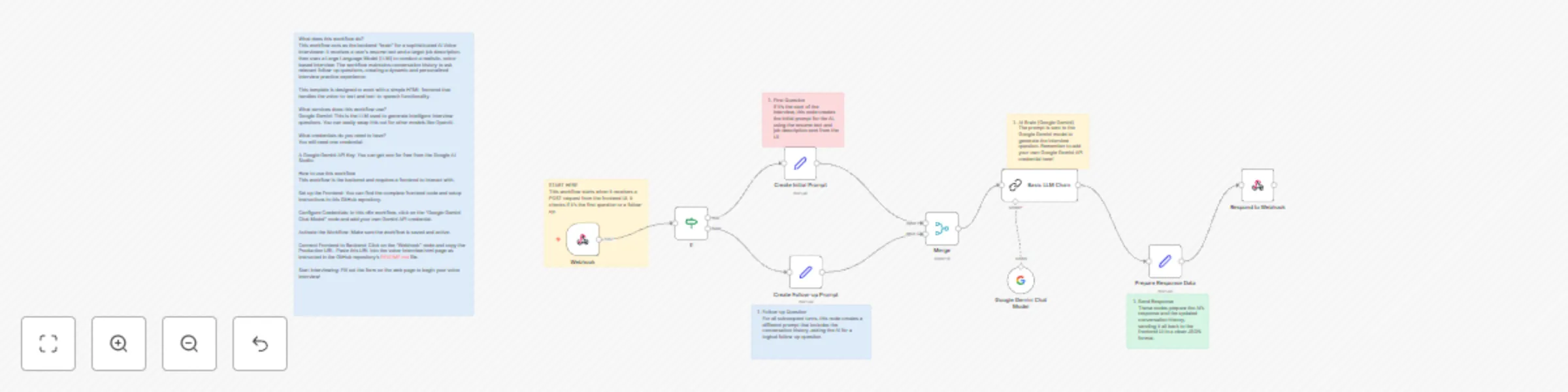
This workflow acts as the backend "brain" for a sophisticated AI Voice Interviewer. It receives a user's resume text and a target job description, then uses a Large Language Model (LLM) to conduct a realistic, voice-based interview. The workflow maintains conversation history to ask relevant follow-up questions, creating a dynamic and personalized interview practice experience.
This template is designed to work with a simple HTML frontend that handles the voice-to-text and text-to-speech functionality.
What services does this workflow use?
- Google Gemini: This is the LLM used to generate intelligent interview questions. You can easily swap this out for other models like OpenAI.
What credentials do you need to have?
You will need one credential:
- A Google Gemini API Key. You can get one for free from the Google AI Studio.
How to use this workflow
This workflow is the backend and requires a frontend to interact with.
- Set up the Frontend: You can find the complete frontend code and setup instructions in this GitHub repository.
- Configure Credentials: In this n8n workflow, click on the "Google Gemini Chat Model" node and add your own Gemini API credential.
- Activate the Workflow: Make sure the workflow is saved and active.
- Connect Frontend to Backend: Click on the "Webhook" node and copy the Production URL. Paste this URL into the
voice-interview.htmlpage as instructed in the GitHub repository'sREADME.mdfile. - Start Interviewing: Fill out the form on the web page to begin your voice interview!