Normalize and validate CSV data with Anthropic/OpenAI, Postgres, Slack and Sheets
Workflow preview


 Early Deal
DISCOUNT 20%

Overview
Overview
This workflow automates CSV data processing from upload to database insertion.
It accepts CSV files via webhook, uses AI to detect schema and standardize columns, cleans and validates the data, and stores it in Postgres. Errors are logged separately, and notifications are sent for visibility.
How It Works
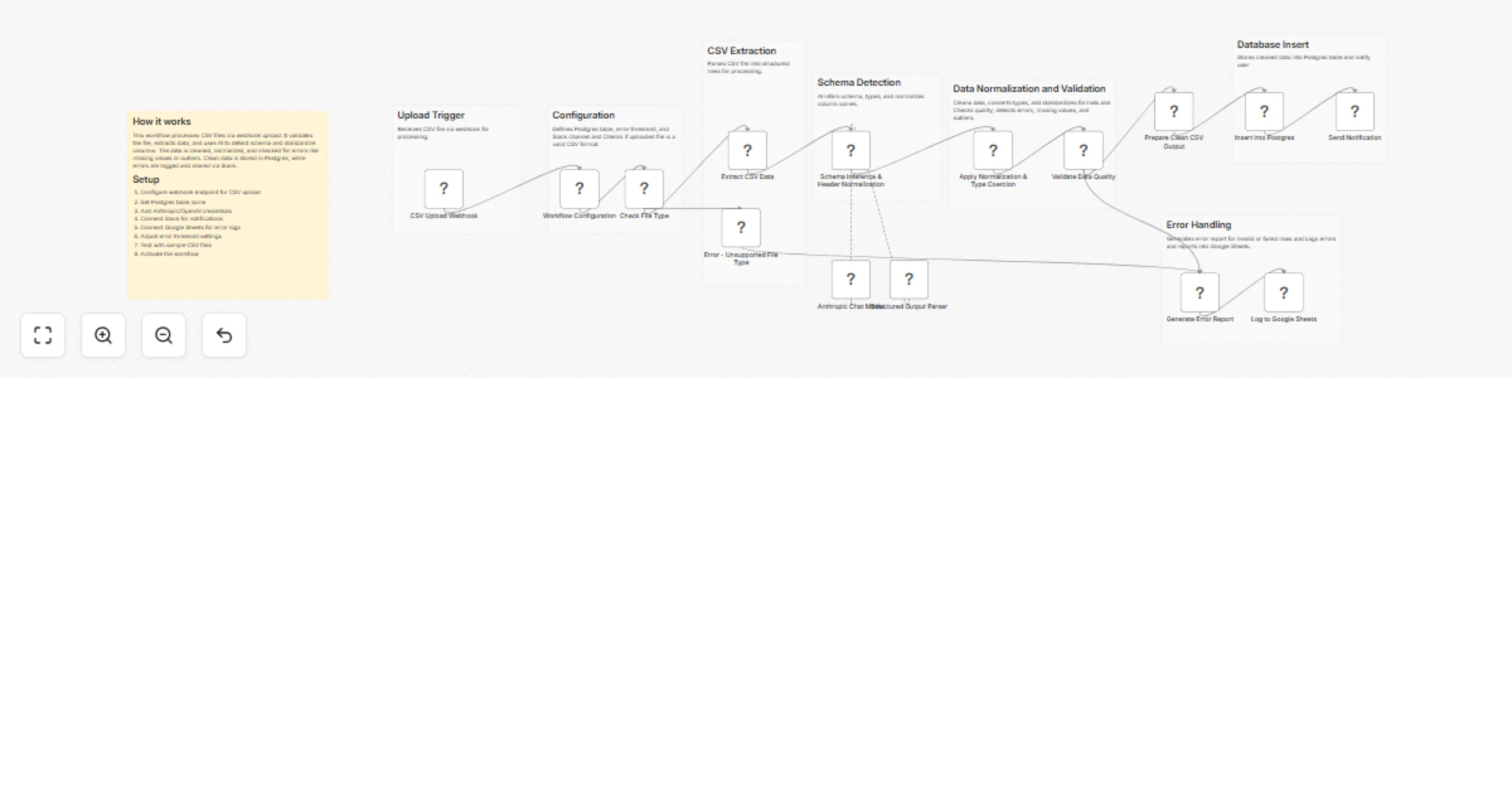
CSV Upload A webhook receives CSV files for processing.
Validation The workflow checks if the uploaded file is a valid CSV format. Invalid files are rejected with an error report.
Data Extraction The CSV is parsed into structured rows for further processing.
Schema Detection AI analyzes the data to:
- Infer column types
- Normalize column names
- Detect inconsistencies
Data Normalization Values are cleaned and converted into proper formats (numbers, dates, booleans), with optional unit standardization.
Data Quality Validation The workflow checks:
- Type mismatches
- Missing values
- Statistical outliers
- Conditional Processing
- Clean data → prepared and inserted into Postgres
- Errors → detailed report generated
Database Insert Valid data is stored in the configured Postgres table.
Error Logging Errors are logged into Google Sheets for tracking and debugging.
Notifications A Slack message is sent with processing results.
Setup Instructions
- Configure the webhook endpoint for CSV uploads
- Set your Postgres table name in the configuration node
- Add Anthropic/OpenAI credentials for schema detection
- Connect Slack for notifications
- Connect Google Sheets for error logging
- Configure error threshold settings
- Test with sample CSV files
- Activate the workflow
Use Cases
- Cleaning and standardizing messy CSV data
- Automating ETL pipelines
- Preparing data for analytics or dashboards
- Validating incoming data before database storage
- Monitoring data quality with error reporting
Requirements
- n8n instance with webhook access
- Postgres database
- OpenAI or Anthropic API access
- Slack workspace
- Google Sheets account
Notes
- You can customize schema rules and normalization logic in the Code node.
- Adjust error thresholds based on your data tolerance.
- Extend validation rules for domain-specific requirements.
- Replace Postgres or Sheets with other storage systems if needed.