Multi-platform AI sales agent with RAG, CRM logging & appointment booking

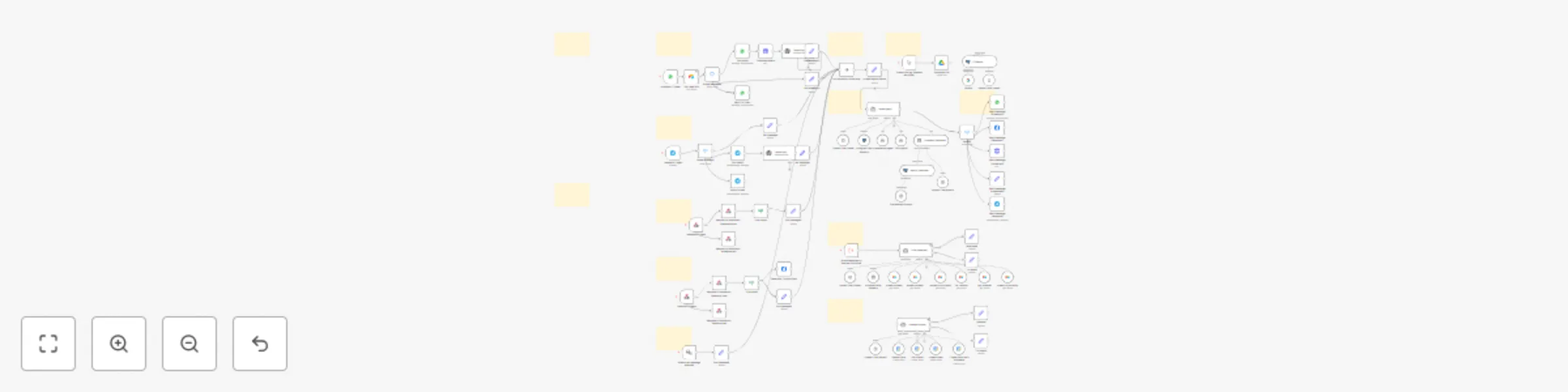
Workflow preview

Workflow preview
100%
Multi-platform AI sales agent with RAG, CRM logging & appointment booking preview
Open on n8n.io

Important notice

This workflow is provided as-is. Please review and test before using in production.

1. Workflow Overview

Multi Platform AI Sales Agent with RAG, CRM Logging & Appointment Booking This workflow acts as a 24/7 sales agent, engaging leads across WhatsApp, Instagram, Facebook, Telegram, and your website ....

Best for

  • Lead Nurturing automation workflows
  • AI Chatbot automation workflows
  • advanced n8n builders looking for reusable templates

Tools used

@n8n/n8n-nodes-langchain.chattrigger, n8n-nodes-base.noop, @n8n/n8n-nodes-langchain.memorypostgreschat, @n8n/n8n-nodes-langchain.toolworkflow, @n8n/n8n-nodes-langchain.vectorstorepgvector, @n8n/n8n-nodes-langchain.toolvectorstore, @n8n/n8n-nodes-langchain.agent, n8n-nodes-base.whatsapp

Source and attribution

This workflow is cataloged by N8N Workflows and links back to its original n8n.io source page by Vansh Arora.

Original n8n.io source

1.1 Workflow description

Title
Multi-platform AI sales agent with RAG, CRM logging & appointment booking
Workflow name
Multi-platform AI sales agent with RAG, CRM logging & appointment booking

Multi-Platform AI Sales Agent with RAG, CRM Logging & Appointment Booking

This workflow acts as a 24/7 sales agent, engaging leads across WhatsApp, Instagram, Facebook, Telegram, and your website. It intelligently transcribes audio messages, answers questions using a knowledge base, and uses modular sub-workflows to manage your CRM in Airtable and book appointments in Google Calendar.


Who Is It For?

This solution is designed for service-based businesses that require a sophisticated, multi-channel lead management and appointment booking system.

  • Agencies, consultants, and clinics looking to automate lead qualification and booking across text and voice messages.
  • Sales teams needing a robust system that separates CRM and calendar logic for easier management and scalability.
  • Advanced n8n users who want a powerful, agent-based framework that can be easily customized and extended.

Key Features & Workflow

This system is composed of a parent workflow that orchestrates the conversation and calls specialized sub-workflows (agents) to perform specific tasks.

  • Omni-Channel Engagement: Greets and converses with leads naturally on Website Chat, WhatsApp, Instagram, Facebook, and Telegram.
  • Voice Message Transcription: Automatically transcribes incoming audio/voice notes from WhatsApp and Telegram into text, allowing the AI to understand and respond without manual intervention.
  • RAG-Powered Intelligence: The AI agent draws answers from your dedicated PostgreSQL Knowledge Base (RAG), providing accurate information about your services, pricing, and process. A built-in tool allows you to load new knowledge documents from Google Drive.
  • Modular CRM Agent (Sub-Workflow): When the conversation requires CRM actions (like creating a contact or updating an opportunity), the main agent calls a dedicated Airtable CRM sub-workflow to handle the task.
  • Modular Calendar Agent (Sub-Workflow): To book appointments, the main agent calls a separate Google Calendar sub-workflow, which manages event creation, updates, and deletions.

What You'll Need

This workflow framework requires credentials for the following services:

  • An AI provider (OpenAI is used for the main agent, transcription, and embeddings).
  • PostgreSQL database with the pgvector extension (for RAG and chat memory).
  • Airtable account (for the CRM sub-workflow).
  • Google Calendar account (for the Calendar sub-workflow).
  • Telegram Bot credentials.
  • A Meta Developer Account (for WhatsApp, Instagram & Facebook).
  • (Optional) Google Drive for loading knowledge documents.
  • (Optional) Google Gemini for embeddings.

How to Set It Up

This is a modular system. You must set up the sub-workflows first.

  1. Deploy Sub-Workflows: Create two new, separate workflows using the provided templates for the CRM Agent and the Calendar Agent. Configure the credentials (Airtable, Google Calendar) within those workflows, then save and activate them.
  2. Link Sub-Workflows in Main Workflow: Return to this main workflow. In the "CRM Agent" and "Consultation Agent" tool nodes, select the new workflows you just created from the dropdown list.
  3. Configure Main Credentials: Securely add the remaining credentials (OpenAI, PostgreSQL, Telegram, and your Meta App) in this main workflow.
  4. Personalize the AI Agent: In the "Update Agent Details" node, fill in your business name, the agent's persona name, and your key services to customize the AI's personality.
  5. Load Your Knowledge (Optional): To populate the RAG database, use the manual trigger path starting with "When clicking ‘Execute workflow’" to download a document from Google Drive and insert it into your PostgreSQL vector store.
  6. Activate: Configure your channel-specific details (e.g., Phone Number ID in WhatsApp nodes), save the workflow, and activate it.

Demo CRM Table: View on Airtable

1.2 Logical Blocks

This catalog entry is organized from the workflow JSON. The node-level section below shows the executable blocks available for review before importing the template.

2. Block-by-Block Analysis

Block 1 - When chat message received

Type / Role
@n8n/n8n-nodes-langchain.chatTrigger - chatTrigger
Config choices
Version 1.1

Block 2 - No Operation, do nothing

Type / Role
n8n-nodes-base.noOp - noOp
Config choices
Version 1

Block 3 - Postgres Chat Memory

Type / Role
@n8n/n8n-nodes-langchain.memoryPostgresChat - memoryPostgresChat
Config choices
Version 1.3

Block 4 - Consultation Agent

Type / Role
@n8n/n8n-nodes-langchain.toolWorkflow - toolWorkflow
Config choices
Version 2

Block 5 - CRM Agent

Type / Role
@n8n/n8n-nodes-langchain.toolWorkflow - toolWorkflow
Config choices
Version 2

Block 6 - Vector Database

Type / Role
@n8n/n8n-nodes-langchain.vectorStorePGVector - vectorStorePGVector
Config choices
Version 1.1

Block 7 - Company Database

Type / Role
@n8n/n8n-nodes-langchain.toolVectorStore - toolVectorStore
Config choices
Version 1

Block 8 - Sales Agent

Type / Role
@n8n/n8n-nodes-langchain.agent - agent
Config choices
Version 1.7

Block 9 - Reply To User1

Type / Role
n8n-nodes-base.whatsApp - whatsApp
Config choices
Version 1

Block 10 - Telegram Trigger

Type / Role
n8n-nodes-base.telegramTrigger - telegramTrigger
Config choices
Version 1.1

Block 11 - Set Message

Type / Role
n8n-nodes-base.set - set
Config choices
Version 3.4

Block 12 - Set Message1

Type / Role
n8n-nodes-base.set - set
Config choices
Version 3.4

Block 13 - Facebook Trigger

Type / Role
n8n-nodes-base.webhook - webhook
Config choices
Version 2

Block 14 - Respond to Webhook - facebook post

Type / Role
n8n-nodes-base.respondToWebhook - respondToWebhook
Config choices
Version 1.1

Block 15 - Respond to Webhook - facebook get

Type / Role
n8n-nodes-base.respondToWebhook - respondToWebhook
Config choices
Version 1.1

Block 16 - Instagram Trigger

Type / Role
n8n-nodes-base.webhook - webhook
Config choices
Version 2

Block 17 - Respond to Webhook - instagram get

Type / Role
n8n-nodes-base.respondToWebhook - respondToWebhook
Config choices
Version 1.1

Block 18 - Respond to Webhook - instagram post

Type / Role
n8n-nodes-base.respondToWebhook - respondToWebhook
Config choices
Version 1.1

Block 19 - Switch1

Type / Role
n8n-nodes-base.switch - switch
Config choices
Version 3.2

Block 20 - Send message (instagram)

Type / Role
n8n-nodes-base.httpRequest - httpRequest
Config choices
Version 4.2

Block 21 - Send message (embedded)

Type / Role
n8n-nodes-base.set - set
Config choices
Version 3.4

Block 22 - Send message (telegram)

Type / Role
n8n-nodes-base.telegram - telegram
Config choices
Version 1.2

Block 23 - Send message (facebook)

Type / Role
n8n-nodes-base.facebookGraphApi - facebookGraphApi
Config choices
Version 1

Block 24 - Send message (Whatsapp)

Type / Role
n8n-nodes-base.whatsApp - whatsApp
Config choices
Version 1

Showing the first 24 of 84 workflow blocks. Download the JSON for the full node graph.

3. Summary Table

Workflow Multi-platform AI sales agent with RAG, CRM logging & appointment booking
Complexity advanced
Nodes 84
Categories Lead Nurturing, AI Chatbot
Author Vansh Arora
Published 30 May 2025

4. Reproducing the Workflow from Scratch

  1. 1. Download the workflow JSON

    Use the JSON export at /data/workflows/4508/4508.json as the source template for this automation.

  2. 2. Import the template into n8n

    Open n8n, import the downloaded JSON, and review each node before activating the workflow.

  3. 3. Configure credentials and variables

    Replace placeholder credentials, API keys, webhook URLs, account IDs, and environment-specific values with your own settings.

  4. 4. Test with sample data

    Run the workflow manually or in a staging workspace, inspect node output, and confirm downstream systems receive the expected data.

  5. 5. Activate and monitor

    Enable the workflow only after testing, then monitor executions, errors, and rate limits during the first production runs.

5. General Notes & Resources

Review imported nodes carefully before activation. This catalog entry is intended to help you inspect the workflow structure, understand required services, and find related templates faster.

Node names, credentials, schedules, webhook paths, and external service limits may need adjustment for your workspace.

Frequently asked questions

What does Multi-platform AI sales agent with RAG, CRM logging & appointment booking do?

Multi Platform AI Sales Agent with RAG, CRM Logging & Appointment Booking This workflow acts as a 24/7 sales agent, engaging leads across WhatsApp, Instagram, Facebook, Telegram, and your website ....

What do I need before importing this workflow?

Review the workflow JSON, configure any required credentials in n8n, and test the automation in a safe workspace before using it in production.

Can I customize this workflow?

Yes. Use the block-by-block analysis and the downloadable JSON to inspect each node, then adjust credentials, prompts, schedules, filters, or destinations for your Lead Nurturing, AI Chatbot use case.