Monitor low-rated WooCommerce reviews with Google Sheets, Slack and OpenAI

Workflow preview

Workflow preview
100%
Monitor low-rated WooCommerce reviews with Google Sheets, Slack and OpenAI preview
Open on n8n.io

1. Workflow Overview

(Retail) Social Review Monitoring This workflow automatically monitors WooCommerce product reviews, detects low rated and approved reviews, checks whether the review already exists in Google Sheets...

Best for

  • Ticket Management automation workflows
  • AI Summarization automation workflows
  • advanced n8n builders looking for reusable templates

Tools used

n8n-nodes-base.scheduletrigger, n8n-nodes-base.httprequest, n8n-nodes-base.set, n8n-nodes-base.splitinbatches, n8n-nodes-base.if, n8n-nodes-base.googlesheets, @n8n/n8n-nodes-langchain.openai, n8n-nodes-base.slack

Source and attribution

This workflow is cataloged by N8N Workflows and links back to its original n8n.io source page by WeblineIndia.

Original n8n.io source

1.1 Workflow description

Title
Monitor low-rated WooCommerce reviews with Google Sheets, Slack and OpenAI
Workflow name
Monitor low-rated WooCommerce reviews with Google Sheets, Slack and OpenAI

(Retail) Social Review Monitoring

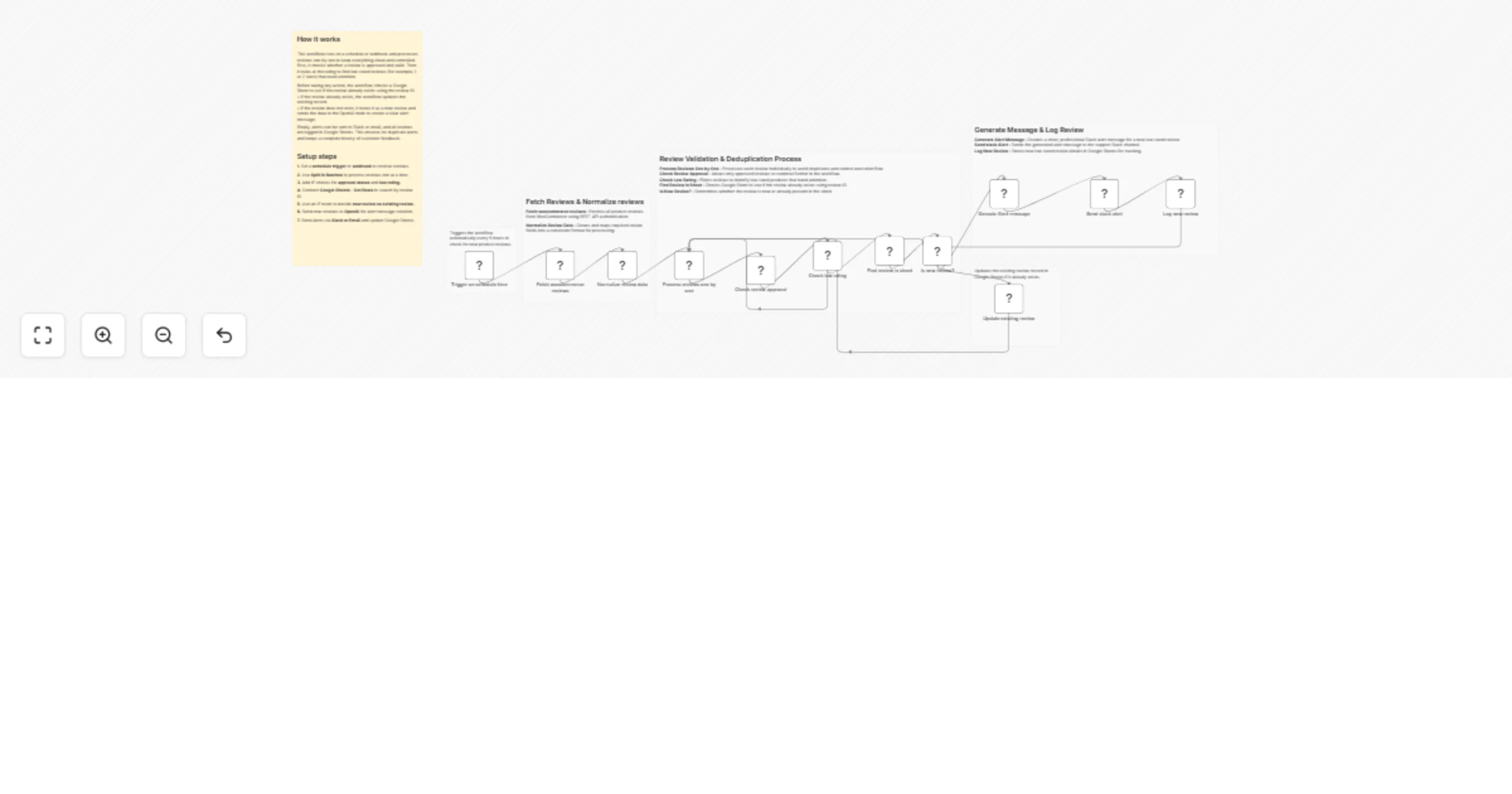
This workflow automatically monitors WooCommerce product reviews, detects low-rated and approved reviews, checks whether the review already exists in Google Sheets, updates or inserts records accordingly, and sends a clear Slack alert generated using OpenAI for new low-rated reviews.

This workflow runs on a schedule, fetches WooCommerce product reviews, filters only approved reviews with low ratings (≤ 2 stars), checks if the review already exists in Google Sheets, and then:

  • Updates the existing record if the review is already stored
  • Generates a Slack alert using OpenAI and adds a new row if the review is new

You receive:

  • Automated monitoring of customer reviews
  • Centralized Google Sheets tracking for low-rated reviews
  • Instant Slack alerts for new negative feedback

Ideal for support, product and operations teams who want fast visibility into unhappy customer feedback without manual checks.

What It Does

This workflow automates negative review detection and response:

  1. Runs automatically every 5 hours
  2. Fetches product reviews from WooCommerce
  3. Processes reviews one by one
  4. Filters only approved reviews
  5. Identifies low-rated reviews (≤ 2 stars)
  6. Checks if the review already exists in Google Sheets
  7. Updates existing records or inserts new ones
  8. Sends a professional Slack alert for new reviews

This ensures no duplicate alerts and keeps your review data up to date.

Who’s It For

This workflow is ideal for:

  • E-commerce teams
  • Customer support teams
  • Product managers
  • QA and operations teams
  • Store owners monitoring customer satisfaction

Requirements to Use This Workflow

To run this workflow, you need:

  • n8n instance (cloud or self-hosted)
  • WooCommerce REST API credentials
  • Google Sheets account with edit access
  • Slack workspace with API permissions
  • OpenAI API key

How It Works

  1. Scheduled Trigger – Workflow runs automatically every 5 hours
  2. Fetch Reviews – Pulls product reviews from WooCommerce
  3. Normalize Data – Extracts required fields
  4. Loop Reviews – Processes reviews one by one
  5. Approval Check – Allows only approved reviews
  6. Rating Check – Filters reviews rated 2 stars or lower
  7. Sheet Lookup – Checks if review ID already exists
  8. Decision Logic – Routes based on review existence
  9. AI Message Creation – Generates a Slack alert for new reviews
  10. Slack Notification – Sends alert to the configured channel
  11. Sheet Update – Updates or appends review data

Setup Steps

  1. Import the provided n8n workflow JSON file
  2. Configure WooCommerce HTTP Request node with your credentials
  3. Connect your Google Sheets account and select the correct sheet
  4. Connect your Slack account and choose a channel
  5. Add your OpenAI API key to the OpenAI node
  6. Verify column names match your Google Sheet
  7. Activate the workflow

How To Customize Nodes

Change Rating Threshold

Modify the Check Low Rating IF node:

  • Adjust rating value (e.g., ≤ 3 stars)
  • Add additional conditions if needed

Customize Slack Message

Edit the OpenAI prompt to:

  • Change tone
  • Add mentions
  • Include product links

Customize Google Sheet

You can add extra columns such as:

  • Response status
  • Assigned team member
  • Resolution notes

Add-Ons (Optional Enhancements)

You can extend this workflow to:

  • Auto-create support tickets
  • Send email alerts
  • Detect repeated negative reviewers
  • Add sentiment analysis
  • Generate daily or weekly summary reports

Use Case Examples

1. Customer Support Alerts

Notify support teams instantly about negative feedback.

2. Product Quality Tracking

Identify recurring product issues early.

3. Review Auditing

Maintain a clean, duplicate-free review log.

Troubleshooting Guide

Issue Possible Cause Solution
No Slack alert Slack credentials missing Reconnect Slack API
Duplicate rows Review ID mismatch Verify lookup column
Sheet update fails Column name mismatch Match sheet headers
Workflow not running Trigger disabled Enable Schedule Trigger

Need Help?

If you need help customizing or extending this workflow with advanced features like adding ticketing, dashboards or analytics, then our n8n workflow developers at WeblineIndia will be happy to assist.

1.2 Logical Blocks

This catalog entry is organized from the workflow JSON. The node-level section below shows the executable blocks available for review before importing the template.

2. Block-by-Block Analysis

Block 1 - Trigger on schedule time

Type / Role
n8n-nodes-base.scheduleTrigger - scheduleTrigger
Config choices
Version 1.2

Block 2 - Fetch woocommerce reviews

Type / Role
n8n-nodes-base.httpRequest - httpRequest
Config choices
Version 4.3

Block 3 - Normalize review data

Type / Role
n8n-nodes-base.set - set
Config choices
Version 3.4

Block 4 - Process reviews one by one

Type / Role
n8n-nodes-base.splitInBatches - splitInBatches
Config choices
Version 3

Block 5 - Check review approval

Type / Role
n8n-nodes-base.if - if
Config choices
Version 2.2

Block 6 - Check low rating

Type / Role
n8n-nodes-base.if - if
Config choices
Version 2.2

Block 7 - Find review in sheet

Type / Role
n8n-nodes-base.googleSheets - googleSheets
Config choices
Version 4.7

Block 8 - Is new review?

Type / Role
n8n-nodes-base.if - if
Config choices
Version 2.2

Block 9 - Genrate Alert message

Type / Role
@n8n/n8n-nodes-langchain.openAi - openAi
Config choices
Version 2

Block 10 - Send slack alert

Type / Role
n8n-nodes-base.slack - slack
Config choices
Version 2.3

Block 11 - Log new review

Type / Role
n8n-nodes-base.googleSheets - googleSheets
Config choices
Version 4.7

Block 12 - Update existing review

Type / Role
n8n-nodes-base.googleSheets - googleSheets
Config choices
Version 4.7

Block 13 - Sticky Note

Type / Role
n8n-nodes-base.stickyNote - stickyNote
Config choices
Version 1

Block 14 - Sticky Note1

Type / Role
n8n-nodes-base.stickyNote - stickyNote
Config choices
Version 1

Block 15 - Sticky Note2

Type / Role
n8n-nodes-base.stickyNote - stickyNote
Config choices
Version 1

Block 16 - Sticky Note3

Type / Role
n8n-nodes-base.stickyNote - stickyNote
Config choices
Version 1

Block 17 - Sticky Note4

Type / Role
n8n-nodes-base.stickyNote - stickyNote
Config choices
Version 1

Block 18 - Sticky Note5

Type / Role
n8n-nodes-base.stickyNote - stickyNote
Config choices
Version 1

3. Summary Table

Workflow Monitor low-rated WooCommerce reviews with Google Sheets, Slack and OpenAI
Complexity advanced
Nodes 18
Categories Ticket Management, AI Summarization
Author WeblineIndia
Published 31 Mar 2026

4. Reproducing the Workflow from Scratch

  1. 1. Download the workflow JSON

    Use the JSON export at /data/workflows/14528/14528.json as the source template for this automation.

  2. 2. Import the template into n8n

    Open n8n, import the downloaded JSON, and review each node before activating the workflow.

  3. 3. Configure credentials and variables

    Replace placeholder credentials, API keys, webhook URLs, account IDs, and environment-specific values with your own settings.

  4. 4. Test with sample data

    Run the workflow manually or in a staging workspace, inspect node output, and confirm downstream systems receive the expected data.

  5. 5. Activate and monitor

    Enable the workflow only after testing, then monitor executions, errors, and rate limits during the first production runs.

5. General Notes & Resources

Review imported nodes carefully before activation. This catalog entry is intended to help you inspect the workflow structure, understand required services, and find related templates faster.

Node names, credentials, schedules, webhook paths, and external service limits may need adjustment for your workspace.

Frequently asked questions

What does Monitor low-rated WooCommerce reviews with Google Sheets, Slack and OpenAI do?

(Retail) Social Review Monitoring This workflow automatically monitors WooCommerce product reviews, detects low rated and approved reviews, checks whether the review already exists in Google Sheets...

What do I need before importing this workflow?

Review the workflow JSON, configure any required credentials in n8n, and test the automation in a safe workspace before using it in production.

Can I customize this workflow?

Yes. Use the block-by-block analysis and the downloadable JSON to inspect each node, then adjust credentials, prompts, schedules, filters, or destinations for your Ticket Management, AI Summarization use case.