Monitor CRM hiring spikes and send Slack alerts with HubSpot and PredictLeads

Workflow preview

Workflow preview
100%
Monitor CRM hiring spikes and send Slack alerts with HubSpot and PredictLeads preview
Open on n8n.io

1. Workflow Overview

Monitor CRM accounts for hiring spikes by enriching HubSpot companies with PredictLeads job data and alerting your team via Slack. This workflow pulls all companies from your HubSpot CRM, checks ea...

Best for

  • Lead Generation automation workflows
  • AI Summarization automation workflows
  • advanced n8n builders looking for reusable templates

Tools used

n8n-nodes-base.stickynote, n8n-nodes-base.scheduletrigger, n8n-nodes-base.hubspot, n8n-nodes-base.splitinbatches, n8n-nodes-base.httprequest, n8n-nodes-base.code, n8n-nodes-base.googlesheets, n8n-nodes-base.if

Source and attribution

This workflow is cataloged by N8N Workflows and links back to its original n8n.io source page by Yaron Been.

Original n8n.io source

1.1 Workflow description

Title
Monitor CRM hiring spikes and send Slack alerts with HubSpot and PredictLeads
Workflow name
Monitor CRM hiring spikes and send Slack alerts with HubSpot and PredictLeads

Monitor CRM accounts for hiring spikes by enriching HubSpot companies with PredictLeads job data and alerting your team via Slack.

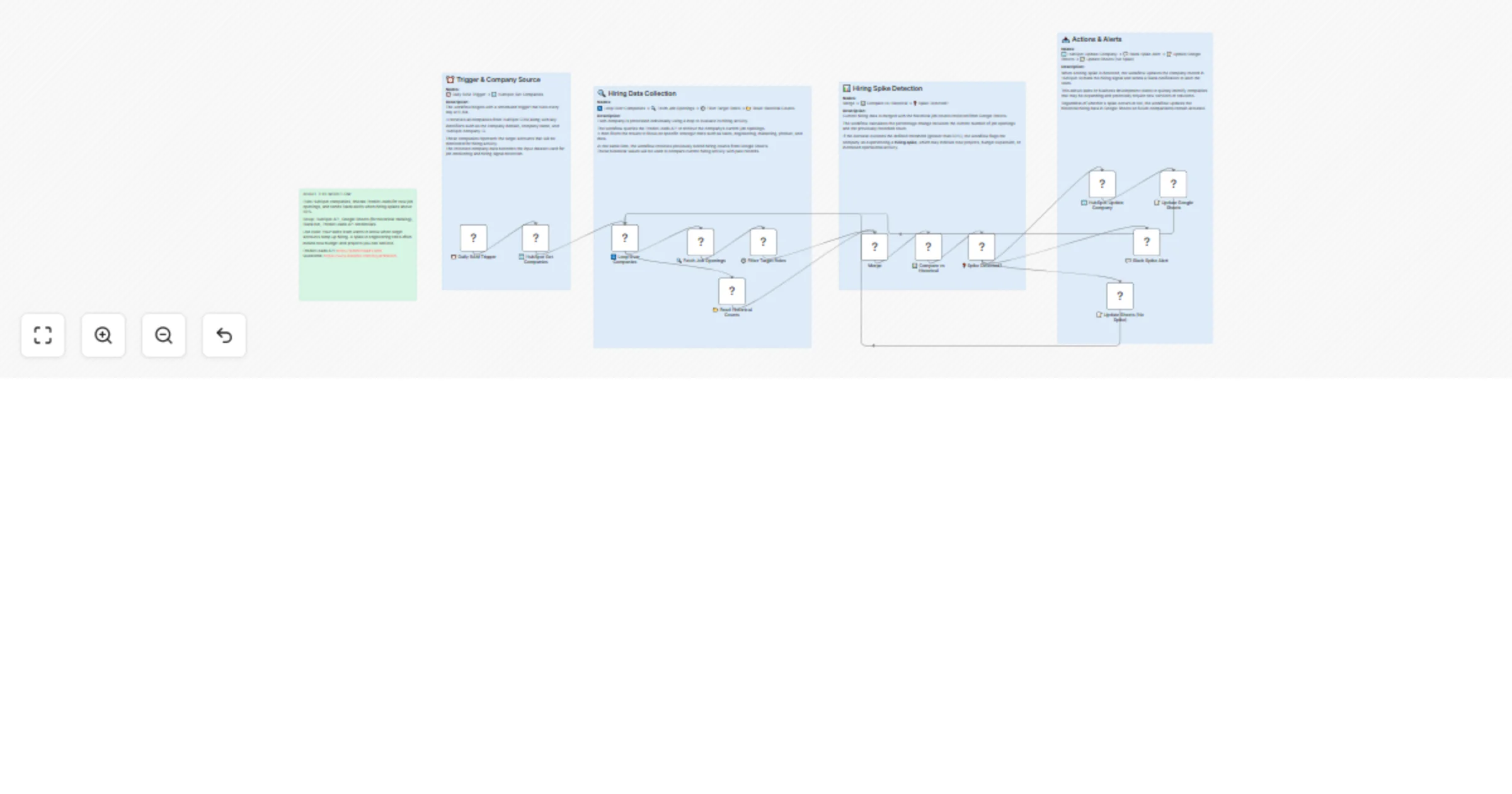
This workflow pulls all companies from your HubSpot CRM, checks each one against the PredictLeads Job Openings API for target roles (sales, engineering, marketing, product, data), compares the current count to historical data stored in Google Sheets, and flags any company where hiring jumped more than 50%. Flagged companies get updated in HubSpot with a hiring signal and trigger a Slack alert so your sales team can act fast.

How it works:

  1. Schedule trigger runs the workflow daily at 9 AM.
  2. Retrieves all companies from HubSpot CRM (domain, name, ID).
  3. Loops through each company and fetches job openings from PredictLeads.
  4. Filters jobs to target roles (sales, engineering, marketing, product, data).
  5. Reads the previous job count for that company from Google Sheets.
  6. Calculates percentage change between current and historical counts.
  7. If hiring increased more than 50%, flags it as a spike.
  8. Updates the HubSpot company record with a hiring signal property.
  9. Sends a Slack alert with the company name, role count, and percentage change.
  10. Updates Google Sheets with the latest count regardless of spike status.

Setup:

  • Connect your HubSpot CRM (OAuth2) with company read/write access.
  • Create a Google Sheet with a "HistoricalCounts" tab containing columns: domain, company_name, job_count, previous_count, percent_change, check_date.
  • Connect a Slack bot to the channel where you want hiring alerts.
  • Add your PredictLeads API credentials (X-Api-Key and X-Api-Token headers).

Requirements:

  • HubSpot CRM account with OAuth2 credentials.
  • Google Sheets OAuth2 credentials.
  • Slack OAuth2 credentials (bot with chat:write permission).
  • PredictLeads API account (https://docs.predictleads.com).

Notes:

  • The 50% spike threshold can be adjusted in the IF node.
  • Target roles are configured in the Filter Target Roles code node -- add or remove roles as needed.
  • The workflow updates historical data on every run, so spike detection improves over time.
  • PredictLeads Job Openings API docs: https://docs.predictleads.com

1.2 Logical Blocks

This catalog entry is organized from the workflow JSON. The node-level section below shows the executable blocks available for review before importing the template.

2. Block-by-Block Analysis

Block 1 - About This Workflow

Type / Role
n8n-nodes-base.stickyNote - stickyNote
Config choices
Version 1

Block 2 - đź“‹ Sticky: Trigger & Input

Type / Role
n8n-nodes-base.stickyNote - stickyNote
Config choices
Version 1

Block 3 - đź“‹ Sticky: Enrichment

Type / Role
n8n-nodes-base.stickyNote - stickyNote
Config choices
Version 1

Block 4 - đź“‹ Sticky: Processing

Type / Role
n8n-nodes-base.stickyNote - stickyNote
Config choices
Version 1

Block 5 - đź“‹ Sticky: Output

Type / Role
n8n-nodes-base.stickyNote - stickyNote
Config choices
Version 1

Block 6 - ⏰ Daily 9AM Trigger

Type / Role
n8n-nodes-base.scheduleTrigger - scheduleTrigger
Config choices
Version 1.2

Block 7 - 🏢 HubSpot Get Companies

Type / Role
n8n-nodes-base.hubspot - hubspot
Config choices
Version 2

Block 8 - 🔄 Loop Over Companies

Type / Role
n8n-nodes-base.splitInBatches - splitInBatches
Config choices
Version 3

Block 9 - 🔍 Fetch Job Openings

Type / Role
n8n-nodes-base.httpRequest - httpRequest
Config choices
Version 4.2

Block 10 - ⚙️ Filter Target Roles

Type / Role
n8n-nodes-base.code - code
Config choices
Version 2

Block 11 - 📊 Compare vs Historical

Type / Role
n8n-nodes-base.code - code
Config choices
Version 2

Block 12 - đź“‚ Read Historical Counts

Type / Role
n8n-nodes-base.googleSheets - googleSheets
Config choices
Version 4.5

Block 13 - âť“ Spike Detected?

Type / Role
n8n-nodes-base.if - if
Config choices
Version 2

Block 14 - 🏢 HubSpot Update Company

Type / Role
n8n-nodes-base.hubspot - hubspot
Config choices
Version 2

Block 15 - 📝 Update Google Sheets

Type / Role
n8n-nodes-base.googleSheets - googleSheets
Config choices
Version 4.5

Block 16 - đź’¬ Slack Spike Alert

Type / Role
n8n-nodes-base.slack - slack
Config choices
Version 2.2

Block 17 - 📝 Update Sheets (No Spike)

Type / Role
n8n-nodes-base.googleSheets - googleSheets
Config choices
Version 4.5

Block 18 - Merge

Type / Role
n8n-nodes-base.merge - merge
Config choices
Version 3.2

3. Summary Table

Workflow Monitor CRM hiring spikes and send Slack alerts with HubSpot and PredictLeads
Complexity advanced
Nodes 18
Categories Lead Generation, AI Summarization
Author Yaron Been
Published 17 Mar 2026

4. Reproducing the Workflow from Scratch

  1. 1. Download the workflow JSON

    Use the JSON export at /data/workflows/14100/14100.json as the source template for this automation.

  2. 2. Import the template into n8n

    Open n8n, import the downloaded JSON, and review each node before activating the workflow.

  3. 3. Configure credentials and variables

    Replace placeholder credentials, API keys, webhook URLs, account IDs, and environment-specific values with your own settings.

  4. 4. Test with sample data

    Run the workflow manually or in a staging workspace, inspect node output, and confirm downstream systems receive the expected data.

  5. 5. Activate and monitor

    Enable the workflow only after testing, then monitor executions, errors, and rate limits during the first production runs.

5. General Notes & Resources

Review imported nodes carefully before activation. This catalog entry is intended to help you inspect the workflow structure, understand required services, and find related templates faster.

Node names, credentials, schedules, webhook paths, and external service limits may need adjustment for your workspace.

Frequently asked questions

What does Monitor CRM hiring spikes and send Slack alerts with HubSpot and PredictLeads do?

Monitor CRM accounts for hiring spikes by enriching HubSpot companies with PredictLeads job data and alerting your team via Slack. This workflow pulls all companies from your HubSpot CRM, checks ea...

What do I need before importing this workflow?

Review the workflow JSON, configure any required credentials in n8n, and test the automation in a safe workspace before using it in production.

Can I customize this workflow?

Yes. Use the block-by-block analysis and the downloadable JSON to inspect each node, then adjust credentials, prompts, schedules, filters, or destinations for your Lead Generation, AI Summarization use case.