Block 1 - Workflow Configuration
- Type / Role
- n8n-nodes-base.set - set
- Config choices
- Version 3.4


 Early Deal
Zoho CRM Buyer Persona Matcher This workflow automates the process of identifying buyer personas and generating personalized sales outreach. It triggers via a Zoho CRM Webhook when a deal is update...
n8n-nodes-base.set, n8n-nodes-base.phantombuster, @n8n/n8n-nodes-langchain.agent, @n8n/n8n-nodes-langchain.outputparserstructured, n8n-nodes-base.zohocrm, n8n-nodes-base.webhook, @n8n/n8n-nodes-langchain.lmchatopenai, n8n-nodes-base.stickynote
This workflow is cataloged by N8N Workflows and links back to its original n8n.io source page by WeblineIndia.
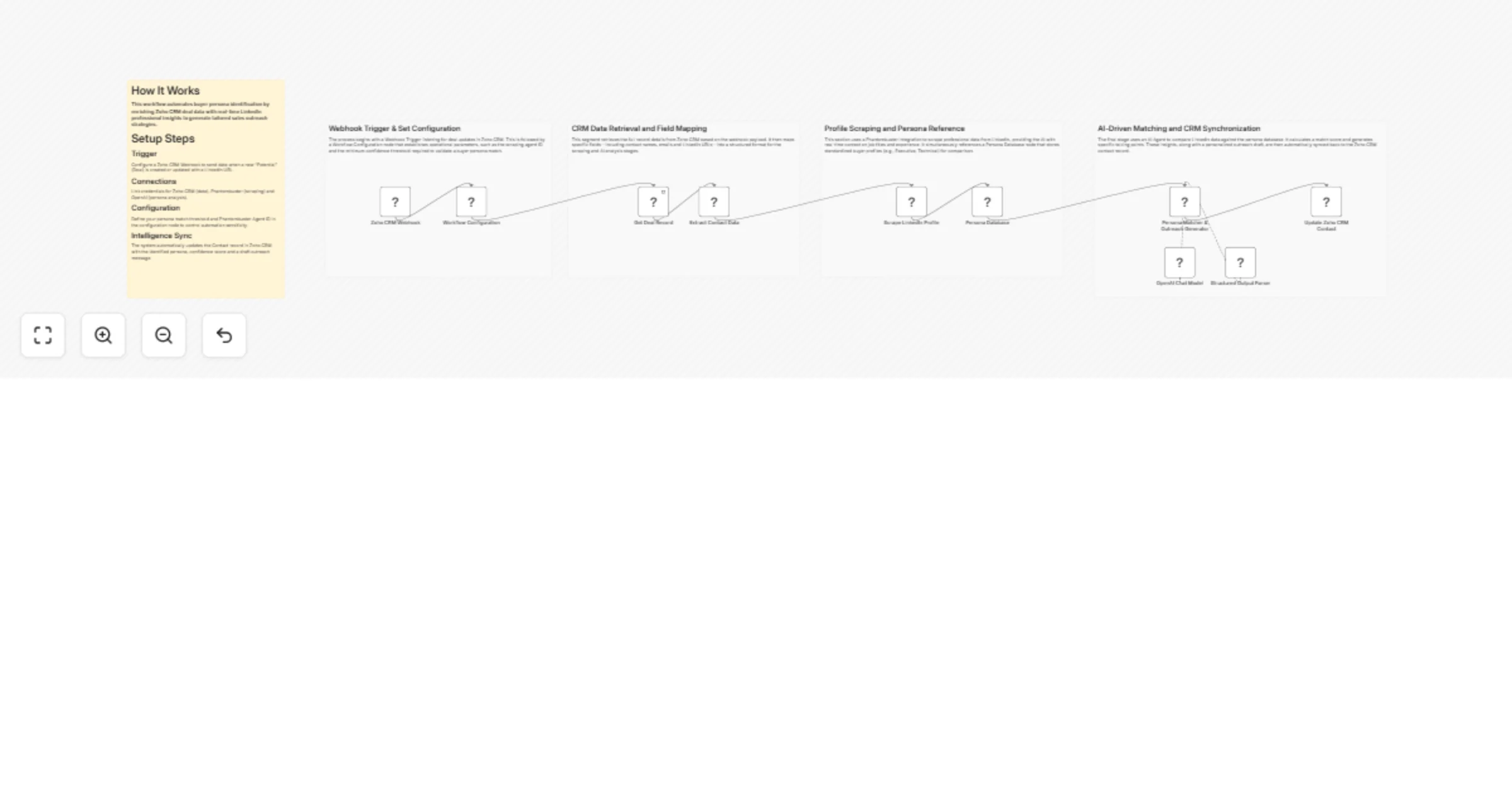
Original n8n.io sourceThis workflow automates the process of identifying buyer personas and generating personalized sales outreach. It triggers via a Zoho CRM Webhook when a deal is updated, enriches the contact data by scraping LinkedIn profiles using Phantombuster and uses OpenAI to match the contact against a defined Persona Database. The final analysis, including a tailored outreach message and confidence score, is synced back to the Zoho CRM contact record.
phantombusterAgentId and personaMatchThreshold in the Workflow Configuration node.This workflow transforms raw CRM data into actionable sales intelligence. When a deal is identified, it retrieves the contact's LinkedIn URL and uses an external scraper to gather real-time professional data (title, experience and skills).
The AI-driven core compares this live data against a structured database of target personas (e.g., Executive Decision Maker, Technical Evaluator) to:
The results are automatically written back to the Zoho CRM Contact description, providing sales reps with an immediate strategy for engagement.
phantombusterAgentId: Your specific Phantombuster scraper ID.personaMatchThreshold: The minimum score (e.g., 0.7) required to accept an AI persona match.gpt-4o-mini by default for analysis.contactId mapping matches your Zoho environment.Update the Persona Database node to include more niche roles or industry-specific traits to improve the AI's matching accuracy.
Modify the "System Message" in the Persona Matcher & Outreach Generator to change the tone of the generated messages (e.g., making them more formal or more casual).
Change the Update Zoho CRM Contact node to map the persona data into custom CRM fields instead of the default "Description" field for better reporting.
| Issue | Possible Cause | Solution |
|---|---|---|
| No LinkedIn Data | LinkedIn URL missing or invalid format. | Ensure the Zoho field used for the URL contains a full https://linkedin.com/in/... link. |
| Phantombuster Error | Agent ID is incorrect or API credits exhausted. | Verify the phantombusterAgentId in Workflow Configuration and check your Phantombuster dashboard. |
| Low Confidence Scores | LinkedIn profile is too sparse or private. | The AI may need more data; ensure the scraper is successfully pulling the "About" and "Experience" sections. |
| CRM Update Failing | OAuth2 connection expired. | Re-authenticate your Zoho CRM OAuth2 credentials in n8n. |
If you need help tailoring the AI persona matching logic, integrating additional data scrapers or mapping these insights into specific CRM dashboards, please reach out to our n8n workflow developers at WeblineIndia. We can help you scale your personalized outreach and increase your conversion rates.
This catalog entry is organized from the workflow JSON. The node-level section below shows the executable blocks available for review before importing the template.
| Workflow | Match Zoho CRM contacts to buyer personas using LinkedIn, Phantombuster and OpenAI |
|---|---|
| Complexity | advanced |
| Nodes | 15 |
| Categories | Lead Generation, AI Summarization |
| Author | WeblineIndia |
| Published | 03 Mar 2026 |
Use the JSON export at /data/workflows/13831/13831.json as the source template for this automation.
Open n8n, import the downloaded JSON, and review each node before activating the workflow.
Replace placeholder credentials, API keys, webhook URLs, account IDs, and environment-specific values with your own settings.
Run the workflow manually or in a staging workspace, inspect node output, and confirm downstream systems receive the expected data.
Enable the workflow only after testing, then monitor executions, errors, and rate limits during the first production runs.
Review imported nodes carefully before activation. This catalog entry is intended to help you inspect the workflow structure, understand required services, and find related templates faster.
Node names, credentials, schedules, webhook paths, and external service limits may need adjustment for your workspace.
Zoho CRM Buyer Persona Matcher This workflow automates the process of identifying buyer personas and generating personalized sales outreach. It triggers via a Zoho CRM Webhook when a deal is update...
Review the workflow JSON, configure any required credentials in n8n, and test the automation in a safe workspace before using it in production.
Yes. Use the block-by-block analysis and the downloadable JSON to inspect each node, then adjust credentials, prompts, schedules, filters, or destinations for your Lead Generation, AI Summarization use case.