Manage User Authentication with Telegram, Redis Cache and Google Sheets
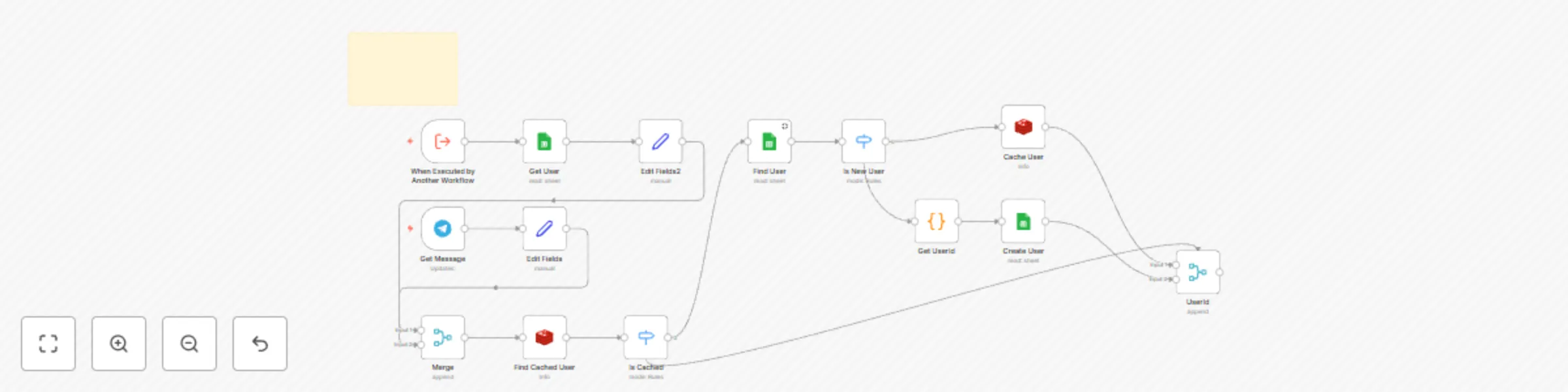
Workflow preview

$20/month : Unlimited workflows
2500 executions/month

THE #1 IN WEB SCRAPING
Scrape any website without limits
HOSTINGER  Early Deal
DISCOUNT 20% Try free
Early DealDISCOUNT 20%
Self-hosted n8n
Unlimited workflows - from $4.99/mo

#1 hub for scraping, AI & automation
6000+ actors - $5 credits/mo
Important notice
This workflow is provided as-is. Please review and test before using in production.
Overview
How It Works
- Telegram bot listens for messages and uses chat ID as the unique user identifier.
- Checks Google Sheets for existing users; registers new users if not found.
- Caches active sessions in Redis for fast lookup and login-state handling.
- Stores and retrieves user data (UserID, Name, Telegram Chat ID) in Google Sheets.
- Can be triggered by other n8n workflows to fetch or update user/session data.
Setup Steps
- Obtain Telegram Bot token, Google Sheets “Users” sheet with API credentials, and a Redis instance.
- Import the n8n workflow and configure Redis, Telegram Bot, and Google Sheets credentials.
- Expect 30–45 minutes to complete workflow import, Redis setup, and API wiring.
- Refer to sticky notes inside the workflow for exact field mappings and node configurations.