A

Archit Jain

7
Workflows

Workflows by Archit Jain

Workflow preview: Categorize and track company emails with OpenRouter AI and Google Sheets
Free intermediate

Categorize and track company emails with OpenRouter AI and Google Sheets

**How it works** * Watches inbox for new emails via IMAP. * Fetches existing categories and requests from Google Sheets. * Uses AI to analyze subject and body, then assigns a category and request type. * Checks if the same category/request already exists in the sheet. * If found, increments the request count for that row. * If new, adds a fresh row with category, request, and count set to 1. **Set up steps** * Connect IMAP email account for inbox access. * Connect Google Sheets account and link to the target sheet. * Connect AI service account (OpenRouter). * Import workflow into automation platform and map credentials. * Test once with a sample email to verify classification and sheet update. * Estimated setup time: \~15–20 minutes with accounts ready.

A
Archit Jain
AI Summarization
16 Aug 2025
37
0
Workflow preview: Generate deep research markdown reports with GPT, Tavily Search, and Google Sheets
Free advanced

Generate deep research markdown reports with GPT, Tavily Search, and Google Sheets

**This workflow generates deep researched report in markdown format and saves it in Google Sheet, that I then use for generating blogs for my website - [Architjn Blogs](https://architjn.com/blog)** ## How it works 1. User submits a search topic through a form. 2. AI generates five deep-dive subtopics for that main topic. 3. AI creates a research report intro, title, and table of contents based on those topics. 4. Each subtopic is sent to a search API (Tavily) to collect top 5 sources. 5. AI writes detailed Markdown content for each subtopic using retrieved sources. 6. Final content, ToC, intro, and clickable sources are saved to a Google Sheet. ## Set up steps - Requires connections to OpenRouter (AI), Tavily (search API), and Google Sheets. - Import into n8n and connect credentials for the above services. - Configure Google Sheet with proper column headers and grant edit access. - Estimated setup time: 20–30 minutes with working API keys. - Includes embedded instructions and markdown-style annotations for guidance.

A
Archit Jain
Content Creation
19 Jun 2025
551
0
Workflow preview: Stock market information assistant with Telegram, Yahoo Finance, and GPT-4 Nano
Free advanced

Stock market information assistant with Telegram, Yahoo Finance, and GPT-4 Nano

**How it works** 1. Listens to Telegram messages to detect stock-related queries. 2. Extracts company name and identifies its exact stock ticker symbol. 3. Searches Yahoo Finance for stock info using the ticker. 4. Fetches and formats the latest stock data like price and key stats. 5. Sends a clean, simplified reply back to the user on Telegram. **Set up steps** - Requires Telegram Bot Token and Apify API credentials. - Import workflow to n8n and link both Apify actors (Google Search + Yahoo Finance). - Link OpenRouter for AI and enable Telegram trigger. - Takes ~10–15 min to connect services and test. - Includes sticky notes with setup links and tutorial videos.

A
Archit Jain
Crypto Trading
19 Jun 2025
1213
0
Workflow preview: Facebook ads competitive analysis using Gemini and Open AI
Free advanced

Facebook ads competitive analysis using Gemini and Open AI

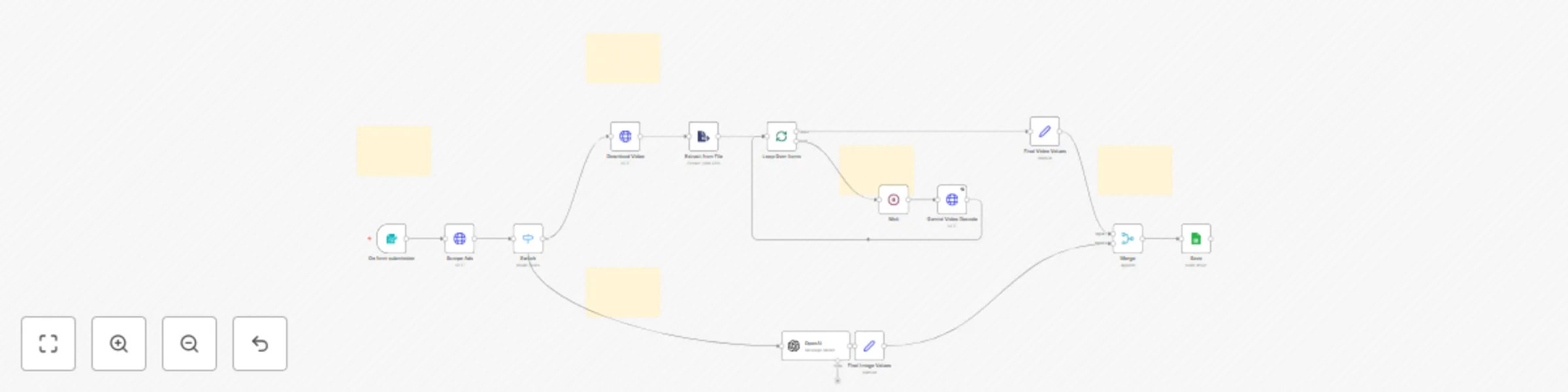
**How it works** - User submits a keyword through a form to trigger the workflow. - Ads matching the keyword are scraped from Facebook Ads Library. - Ads are filtered by media type (image or video). - Images are analyzed using an AI model to describe visuals and text. - Videos are downloaded, processed, and sent to Gemini for visual and spoken content analysis. - Text, URLs, and media descriptions are compiled. - All ad insights are saved into a Google Sheet for easy viewing. **Set up steps** - **Requires** Apify and Gemini API credentials, Google Sheets access, and OpenAI key. - **Import** the workflow into n8n and connect accounts to form, HTTP, and Sheets nodes. - Provide form trigger URL for user input; **no advanced config needed**. - **Estimated setup time:** ~15–20 minutes for a user familiar with n8n. - **Sticky notes** inside the workflow provide helpful guidance per section.

A
Archit Jain
Market Research
6 Jun 2025
640
0
Workflow preview: Daily validated business ideas using n8n and Upwork
Free advanced

Daily validated business ideas using n8n and Upwork

**How it works** - Runs at set times to fetch new Upwork job listings. - Checks each job’s total or hourly budget and keeps only higher-budget ones. - Extracts the job description for those selected jobs. - Uses AI to identify the core business idea from each description. - Records the idea and job details into a Google Sheet. - Can also be triggered manually to process a single job description. **Set up steps** - **Required:** Upwork API key, AI service key, and a Google Sheet. - **Import:** Bring the JSON into n8n. - **Configure:** Enter your API keys and connect to your Google Sheet. - **Time:** About 25–35 minutes to complete all steps. - **Notes:** Detailed setup instructions are added as sticky notes inside the workflow.

A
Archit Jain
Market Research
6 Jun 2025
755
0
Workflow preview: Manage User Authentication with Telegram, Redis Cache and Google Sheets
Free advanced

Manage User Authentication with Telegram, Redis Cache and Google Sheets

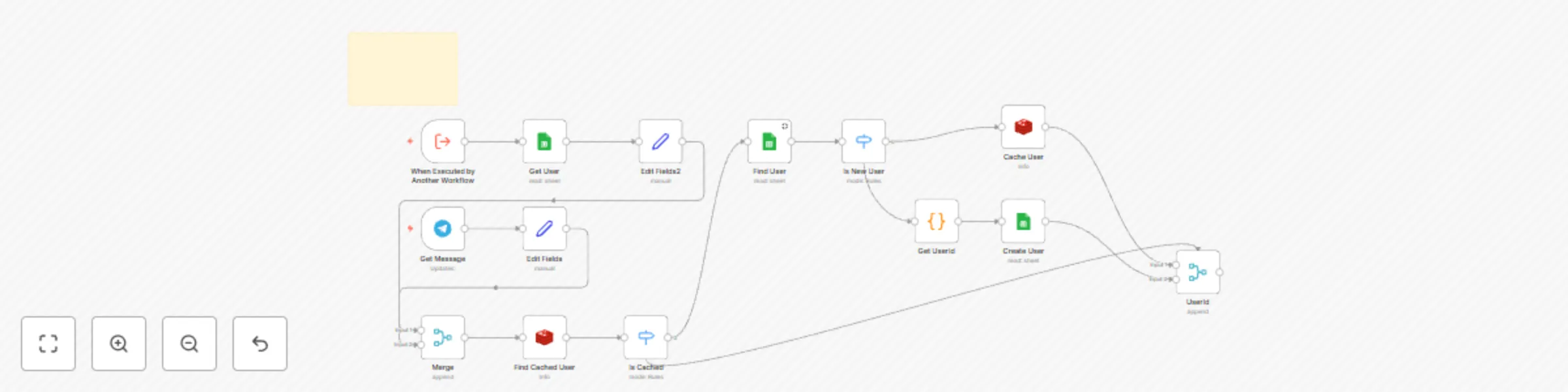
How It Works - Telegram bot listens for messages and uses chat ID as the unique user identifier. - Checks Google Sheets for existing users; registers new users if not found. - Caches active sessions in Redis for fast lookup and login-state handling. - Stores and retrieves user data (UserID, Name, Telegram Chat ID) in Google Sheets. - Can be triggered by other n8n workflows to fetch or update user/session data. Setup Steps - Obtain Telegram Bot token, Google Sheets “Users” sheet with API credentials, and a Redis instance. - Import the n8n workflow and configure Redis, Telegram Bot, and Google Sheets credentials. - Expect 30–45 minutes to complete workflow import, Redis setup, and API wiring. - Refer to sticky notes inside the workflow for exact field mappings and node configurations.

A
Archit Jain
Engineering
1 Jun 2025
334
0
Workflow preview: Automate LinkedIn content from Twitter AI posts with GPT-4 and Google Sheets
Free advanced

Automate LinkedIn content from Twitter AI posts with GPT-4 and Google Sheets

How it works - Automates daily LinkedIn post creation from trending AI tweets. - Fetches latest tweets, processes content, checks for duplicates, converts to LinkedIn-ready format, schedules, and posts automatically. Set up steps - Setup required: Google Sheets, LinkedIn, Telegram, RapidAPI, and OpenAI/OpenRouter API credentials. - Approximate setup time: 30-45 mins for all integrations and triggers. - Detailed credential/config instructions are in sticky notes inside the workflow.

A
Archit Jain
Social Media
29 May 2025
968
0