LinkedIn job monitor: smart filtering + Google Sheets + Telegram/WhatsApp alerts
Workflow preview


 Early Deal
DISCOUNT 20%

Important notice
This workflow is provided as-is. Please review and test before using in production.
Overview
Automated LinkedIn Job Monitoring with AI Filtering, Google Sheets & Telegram Alerts
📋 Description
Automates LinkedIn job searches across multiple countries and categories, filters results with AI, stores data in Google Sheets, and sends weekly Telegram notifications. Perfect for professionals seeking opportunities in software development, web development, and digital marketing.
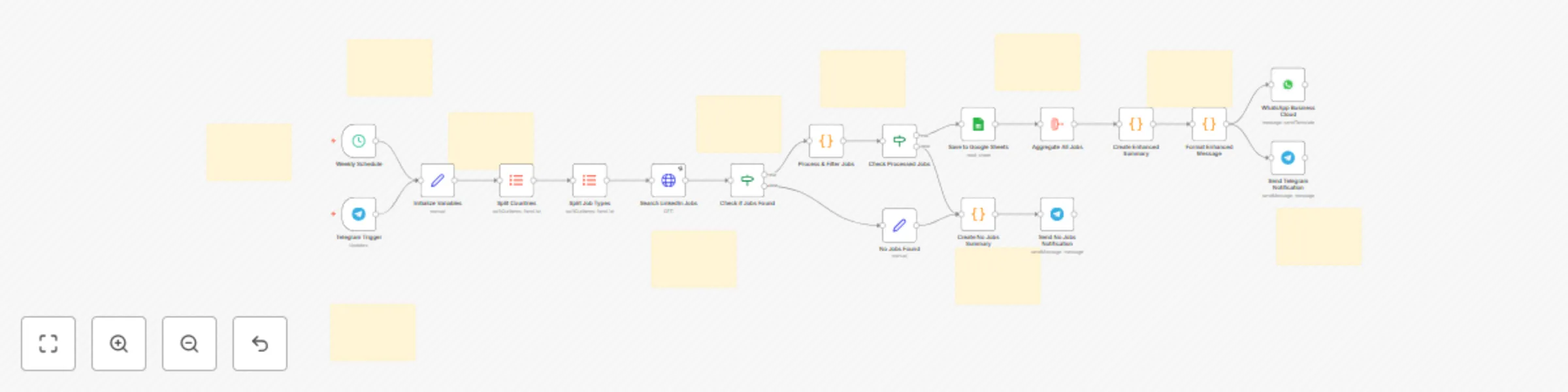
Workflow Process: Weekly scheduler triggers SerpAPI searches → AI processes and filters jobs → Saves to Google Sheets → Sends country-by-country analytics via Telegram/WhatsApp.
🛠️ Prerequisites
- SerpAPI Account (free 100 searches/month) - Get API key from serpapi.com
- Telegram Bot Token - Create via @BotFather
- Google Sheets - OAuth2 credentials + shareable spreadsheet
- WhatsApp Business Cloud (optional)
📋 Setup Instructions
1. Create Google Spreadsheet
Set column headers: job_title | company_name | location | salary_raw | salary_numeric | remote_status | description | application_url | date_posted | country | timestamp_added | job_id | source
2. Replace Placeholders
YOUR_SERPAPI_KEY_HERE→ Your SerpAPI keyYOUR_GOOGLE_SHEET_ID_HERE→ Spreadsheet ID from URLYOUR_TELEGRAM_CHAT_ID_HERE→ Your Telegram chat IDYOUR_PHONE_NUMBER_HERE→ WhatsApp number (optional)
3. Configure Search Parameters
Modify "Initialize Variables" node:
job_types: "software development,web development,digital marketing"countries: "qatar,uae,saudi arabia"
4. Set Credentials
- Add SerpAPI HTTP credentials
- Configure Telegram bot credentials
- Set up Google OAuth2 credentials
Column Requirements: Ensure Google Sheets has exact column names as specified above for proper data mapping.