Hr job posting and evaluation with AI

Workflow preview

Workflow preview
100%
Hr job posting and evaluation with AI preview
Open on n8n.io

Important notice

This workflow is provided as-is. Please review and test before using in production.

1. Workflow Overview

Workflow Documentation: HR Job Posting and Evaluation with AI Detailed Description The HR Job Posting and Evaluation with AI workflow is designed to streamline and enhance recruitment for technical...

Best for

  • HR automation workflows
  • AI Summarization automation workflows
  • advanced n8n builders looking for reusable templates

Tools used

n8n-nodes-base.formtrigger, n8n-nodes-base.airtable, n8n-nodes-base.googledrive, n8n-nodes-base.set, n8n-nodes-base.stickynote, n8n-nodes-base.extractfromfile, @n8n/n8n-nodes-langchain.agent, @n8n/n8n-nodes-langchain.lmchatopenai

Source and attribution

This workflow is cataloged by N8N Workflows and links back to its original n8n.io source page by Francis Njenga.

Original n8n.io source

1.1 Workflow description

Title
Hr job posting and evaluation with AI
Workflow name
Hr job posting and evaluation with AI

Workflow Documentation: HR Job Posting and Evaluation with AI

Detailed Description

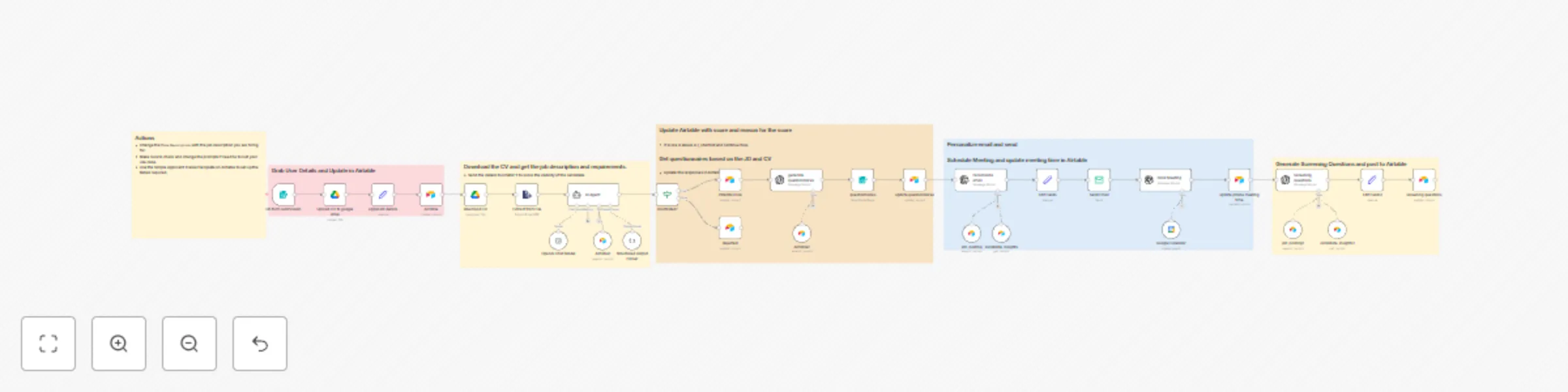
The HR Job Posting and Evaluation with AI workflow is designed to streamline and enhance recruitment for technical roles, such as Automation Specialists. By automating key stages in the hiring process, this workflow ensures a seamless experience for both candidates and HR teams. From collecting applications to evaluating candidates using AI and scheduling interviews, this workflow provides an end-to-end solution for recruitment challenges.


Who is this for?

This workflow is ideal for:

  • HR Professionals: Managing multiple job postings and candidates efficiently.
  • Recruitment Teams: Handling large volumes of applications for technical positions.
  • Hiring Managers: Ensuring structured and objective candidate evaluations.

What problem does this workflow solve?

  • Time-Consuming Processes: Automates repetitive tasks like data entry, CV management, and scheduling.
  • Fair Candidate Evaluation: Leverages AI to provide objective insights based on resumes and job descriptions.
  • Streamlined Communication: Ensures timely and personalized candidate interactions, improving their experience.

What this workflow does

This workflow automates the following steps:

  1. Form Submission: Collects candidate information via a structured application form.
  2. Data Storage: Stores applicant details in Airtable for centralized tracking.
  3. CV Management: Automatically uploads resumes to Google Drive for easy access and organization.
  4. AI-Powered Candidate Evaluation: Scores candidates based on their resumes and job descriptions using OpenAI, providing actionable insights.
  5. Interview Scheduling: Automates scheduling based on candidate and interviewer availability.
  6. Communication: Sends customized emails to candidates for interview invitations and feedback.

Setup

Prerequisites

To use this workflow, you’ll need:

  • n8n Account: To create and run the workflow.
  • Airtable Account: For managing applicant data.
  • Google Drive Account: For storing candidate CVs.
  • OpenAI API Key: For AI-powered candidate scoring.
  • SMTP Email Account: For sending candidate communications.

Setup Process

  1. Airtable Configuration:
    • Create a base in Airtable with tables for Applicants and Job Positions.
  2. Google Drive Setup:
    • Create a folder for CV storage and ensure you have write permissions.
  3. Integrate Airtable in n8n:
    • Use the Airtable API key to connect Airtable to n8n.
  4. Integrate Google Drive in n8n:
    • Authorize Google Drive to enable CV storage automation.
  5. OpenAI Integration:
    • Add your OpenAI API key to n8n for candidate scoring.
  6. Email Configuration:
    • Set up your SMTP email account in n8n for sending notifications and invitations.

How to customize this workflow

Tailor the workflow to fit your unique recruitment needs:

  1. Edit Job Descriptions:
    • Adjust the form parameters to match the specific role and qualifications.
  2. Refine AI Evaluation Criteria:
    • Modify OpenAI prompts to reflect the skills and competencies for the desired position.
  3. Personalize Email Templates:
    • Update email content to match your organization’s tone and branding.
  4. Add New Features:
    • Incorporate additional steps like feedback collection or integration with other HR tools.

Conclusion

The HR Job Posting and Evaluation with AI workflow simplifies and automates the recruitment process, enabling HR teams to focus on engaging with candidates rather than handling administrative tasks. With its powerful integrations and customization options, this workflow helps organizations hire efficiently while improving the candidate experience.

1.2 Logical Blocks

This catalog entry is organized from the workflow JSON. The node-level section below shows the executable blocks available for review before importing the template.

2. Block-by-Block Analysis

Block 1 - On form submission

Type / Role
n8n-nodes-base.formTrigger - formTrigger
Config choices
Version 2.2

Block 2 - Airtable

Type / Role
n8n-nodes-base.airtable - airtable
Config choices
Version 2.1

Block 3 - Upload CV to google drive

Type / Role
n8n-nodes-base.googleDrive - googleDrive
Config choices
Version 3

Block 4 - applicant details

Type / Role
n8n-nodes-base.set - set
Config choices
Version 3.4

Block 5 - Sticky Note

Type / Role
n8n-nodes-base.stickyNote - stickyNote
Config choices
Version 1

Block 6 - Sticky Note1

Type / Role
n8n-nodes-base.stickyNote - stickyNote
Config choices
Version 1

Block 7 - download CV

Type / Role
n8n-nodes-base.googleDrive - googleDrive
Config choices
Version 3

Block 8 - Extract from File

Type / Role
n8n-nodes-base.extractFromFile - extractFromFile
Config choices
Version 1

Block 9 - AI Agent

Type / Role
@n8n/n8n-nodes-langchain.agent - agent
Config choices
Version 1.7

Block 10 - OpenAI Chat Model

Type / Role
@n8n/n8n-nodes-langchain.lmChatOpenAi - lmChatOpenAi
Config choices
Version 1

Block 11 - Airtable1

Type / Role
n8n-nodes-base.airtableTool - airtableTool
Config choices
Version 2.1

Block 12 - Structured Output Parser

Type / Role
@n8n/n8n-nodes-langchain.outputParserStructured - outputParserStructured
Config choices
Version 1.2

Block 13 - Sticky Note2

Type / Role
n8n-nodes-base.stickyNote - stickyNote
Config choices
Version 1

Block 14 - shortlisted?

Type / Role
n8n-nodes-base.if - if
Config choices
Version 2.2

Block 15 - Rejected

Type / Role
n8n-nodes-base.airtable - airtable
Config choices
Version 2.1

Block 16 - Potential Hire

Type / Role
n8n-nodes-base.airtable - airtable
Config choices
Version 2.1

Block 17 - Airtable2

Type / Role
n8n-nodes-base.airtableTool - airtableTool
Config choices
Version 2.1

Block 18 - generate questionnaires

Type / Role
@n8n/n8n-nodes-langchain.openAi - openAi
Config choices
Version 1.7

Block 19 - questionnaires

Type / Role
n8n-nodes-base.form - form
Config choices
Version 1

Block 20 - update questionnaires

Type / Role
n8n-nodes-base.airtable - airtable
Config choices
Version 2.1

Block 21 - job_posting

Type / Role
n8n-nodes-base.airtableTool - airtableTool
Config choices
Version 2.1

Block 22 - candidate_insights

Type / Role
n8n-nodes-base.airtableTool - airtableTool
Config choices
Version 2.1

Block 23 - Personalize email

Type / Role
@n8n/n8n-nodes-langchain.openAi - openAi
Config choices
Version 1.7

Block 24 - Edit Fields

Type / Role
n8n-nodes-base.set - set
Config choices
Version 3.4

Showing the first 24 of 36 workflow blocks. Download the JSON for the full node graph.

3. Summary Table

Workflow Hr job posting and evaluation with AI
Complexity advanced
Nodes 36
Categories HR, AI Summarization
Author Francis Njenga
Published 22 Jan 2025

4. Reproducing the Workflow from Scratch

  1. 1. Download the workflow JSON

    Use the JSON export at /data/workflows/2773/2773.json as the source template for this automation.

  2. 2. Import the template into n8n

    Open n8n, import the downloaded JSON, and review each node before activating the workflow.

  3. 3. Configure credentials and variables

    Replace placeholder credentials, API keys, webhook URLs, account IDs, and environment-specific values with your own settings.

  4. 4. Test with sample data

    Run the workflow manually or in a staging workspace, inspect node output, and confirm downstream systems receive the expected data.

  5. 5. Activate and monitor

    Enable the workflow only after testing, then monitor executions, errors, and rate limits during the first production runs.

5. General Notes & Resources

Review imported nodes carefully before activation. This catalog entry is intended to help you inspect the workflow structure, understand required services, and find related templates faster.

Node names, credentials, schedules, webhook paths, and external service limits may need adjustment for your workspace.

Frequently asked questions

What does Hr job posting and evaluation with AI do?

Workflow Documentation: HR Job Posting and Evaluation with AI Detailed Description The HR Job Posting and Evaluation with AI workflow is designed to streamline and enhance recruitment for technical...

What do I need before importing this workflow?

Review the workflow JSON, configure any required credentials in n8n, and test the automation in a safe workspace before using it in production.

Can I customize this workflow?

Yes. Use the block-by-block analysis and the downloadable JSON to inspect each node, then adjust credentials, prompts, schedules, filters, or destinations for your HR, AI Summarization use case.