Block 1 - Manual Trigger
- Type / Role
- n8n-nodes-base.manualTrigger - manualTrigger
- Config choices
- Version 1


 Early Deal
This workflow is provided as-is. Please review and test before using in production.
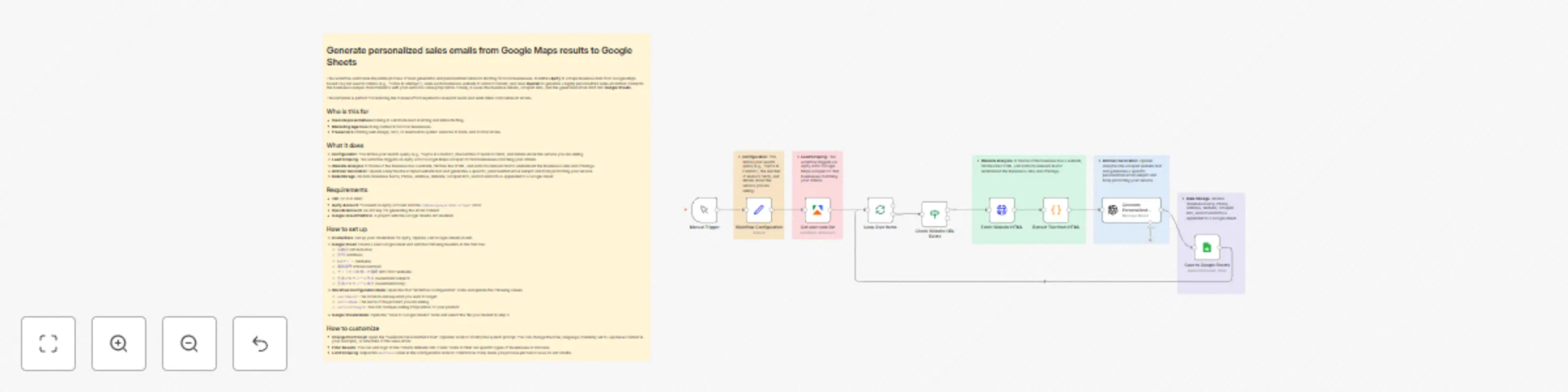
Generate personalized sales emails from Google Maps results to Google Sheets This workflow automates the entire process of lead generation and personalized outreach drafting for local businesses. I...
n8n-nodes-base.manualtrigger, n8n-nodes-base.set, n8n-nodes-base.splitinbatches, n8n-nodes-base.if, n8n-nodes-base.httprequest, n8n-nodes-base.code, @n8n/n8n-nodes-langchain.openai, n8n-nodes-base.googlesheets
This workflow is cataloged by N8N Workflows and links back to its original n8n.io source page by 小林幸一.
Original n8n.io sourceThis workflow automates the entire process of lead generation and personalized outreach drafting for local businesses. It utilizes Apify to scrape business data from Google Maps based on your search criteria (e.g., "Cafes in Shibuya"), visits each business's website to extract content, and uses OpenAI to generate a highly personalized sales email that connects the business's unique characteristics with your service's value proposition. Finally, it saves the business details, scraped data, and the generated email draft into Google Sheets.
This template is perfect for reducing the manual effort required to research leads and write initial cold outreach emails.
compass/google-maps-scraper actor.店舗名 (Store Name)住所 (Address)Webサイト (Website)電話番号 (Phone Number)サイトから取得した情報 (Info from Website)生成されたメール件名 (Generated Subject)生成されたメール本文 (Generated Body)searchQuery: The location and keyword you want to target.serviceName: The name of the product you are selling.serviceStrength: The USP (Unique Selling Proposition) of your product.maxPlaces value in the Configuration node to control how many leads you process per run to save on API credits.This catalog entry is organized from the workflow JSON. The node-level section below shows the executable blocks available for review before importing the template.
| Workflow | Generate personalized sales emails from Google Maps with OpenAI to Google Sheets |
|---|---|
| Complexity | advanced |
| Nodes | 15 |
| Categories | Lead Generation, Multimodal AI |
| Author | 小林幸一 |
| Published | 20 Nov 2025 |
Use the JSON export at /data/workflows/11028/11028.json as the source template for this automation.
Open n8n, import the downloaded JSON, and review each node before activating the workflow.
Replace placeholder credentials, API keys, webhook URLs, account IDs, and environment-specific values with your own settings.
Run the workflow manually or in a staging workspace, inspect node output, and confirm downstream systems receive the expected data.
Enable the workflow only after testing, then monitor executions, errors, and rate limits during the first production runs.
Review imported nodes carefully before activation. This catalog entry is intended to help you inspect the workflow structure, understand required services, and find related templates faster.
Node names, credentials, schedules, webhook paths, and external service limits may need adjustment for your workspace.
Generate personalized sales emails from Google Maps results to Google Sheets This workflow automates the entire process of lead generation and personalized outreach drafting for local businesses. I...
Review the workflow JSON, configure any required credentials in n8n, and test the automation in a safe workspace before using it in production.
Yes. Use the block-by-block analysis and the downloadable JSON to inspect each node, then adjust credentials, prompts, schedules, filters, or destinations for your Lead Generation, Multimodal AI use case.