Block 1 - Get row(s) in sheet
- Type / Role
- n8n-nodes-base.googleSheets - googleSheets
- Config choices
- Version 4.7


 Early Deal
This workflow is provided as-is. Please review and test before using in production.
Overview: This workflow automates the full pipeline of preparing scraped leads and loading them into an Instantly campaign for cold outreach.It begins by pulling rows from a Google Sheet that conta...
n8n-nodes-base.googlesheets, n8n-nodes-base.telegram, n8n-nodes-base.limit, n8n-nodes-base.splitinbatches, @n8n/n8n-nodes-langchain.openai, n8n-nodes-base.httprequest, n8n-nodes-base.stickynote, n8n-nodes-base.manualtrigger
This workflow is cataloged by N8N Workflows and links back to its original n8n.io source page by Jason Stelo.
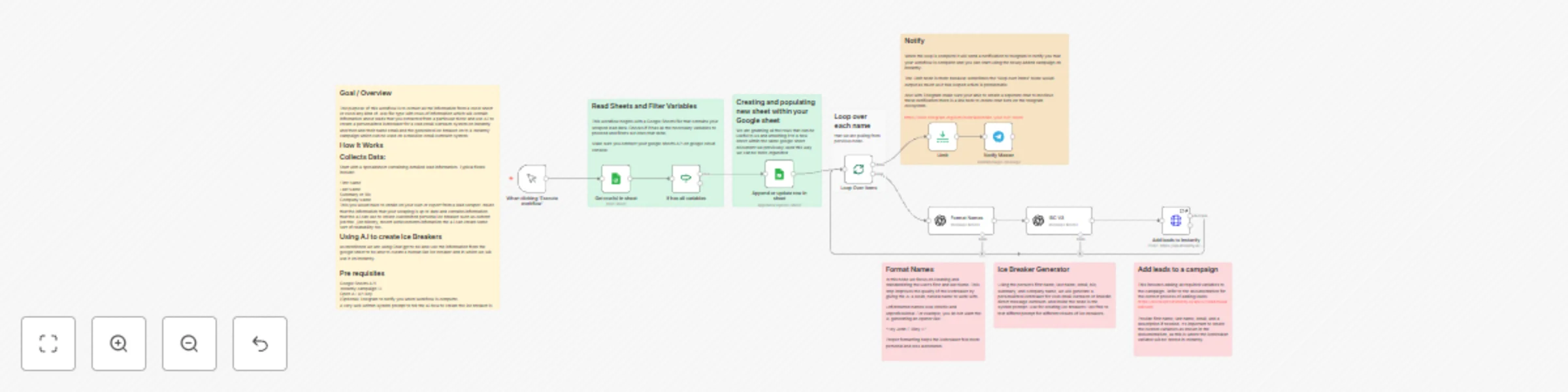
Original n8n.io sourceOverview: This workflow automates the full pipeline of preparing scraped leads and loading them into an Instantly campaign for cold outreach.It begins by pulling rows from a Google Sheet that contains lead data sourced from your scraper or enrichment tools. Each row is checked for required fields first name, last name, summary, and email.
The workflow also validates the email format to ensure only usable contacts continue through the system.
For every lead that passes the filter, the workflow uses OpenAI to clean and standardize the contact’s name and then generates a personalized icebreaker.
Use Cases: If your running an instantly campaign for cold email outreach this tool can gernerate personaizled ice breakers Prerequiste:To have instantly campaign along with instantly API google sheet API Also a Telegram api (optional)
Extra Info: The icebreaker is crafted using the lead’s summary, company information, job history, achievements, or any contextual details your sheet provides. This personalization step is heavily dependent on the quality and freshness of your scraped data.
The workflow appends the lead into a selected Instantly campaign, storing the icebreaker as a custom variable so it can be inserted directly into your outreach sequence. After all leads have been processed and uploaded, the workflow sends a Telegram notification confirming completion. This gives you fast visibility and ensures you always know when a new batch has successfully synced into Instantly.
This catalog entry is organized from the workflow JSON. The node-level section below shows the executable blocks available for review before importing the template.
| Workflow | Generate personalized cold email icebreakers with GPT-4 from Google Sheets to instantly |
|---|---|
| Complexity | advanced |
| Nodes | 18 |
| Categories | Lead Generation, Multimodal AI |
| Author | Jason Stelo |
| Published | 22 Nov 2025 |
Use the JSON export at /data/workflows/11144/11144.json as the source template for this automation.
Open n8n, import the downloaded JSON, and review each node before activating the workflow.
Replace placeholder credentials, API keys, webhook URLs, account IDs, and environment-specific values with your own settings.
Run the workflow manually or in a staging workspace, inspect node output, and confirm downstream systems receive the expected data.
Enable the workflow only after testing, then monitor executions, errors, and rate limits during the first production runs.
Review imported nodes carefully before activation. This catalog entry is intended to help you inspect the workflow structure, understand required services, and find related templates faster.
Node names, credentials, schedules, webhook paths, and external service limits may need adjustment for your workspace.
Overview: This workflow automates the full pipeline of preparing scraped leads and loading them into an Instantly campaign for cold outreach.It begins by pulling rows from a Google Sheet that conta...
Review the workflow JSON, configure any required credentials in n8n, and test the automation in a safe workspace before using it in production.
Yes. Use the block-by-block analysis and the downloadable JSON to inspect each node, then adjust credentials, prompts, schedules, filters, or destinations for your Lead Generation, Multimodal AI use case.