Block 1 - Manual Trigger
- Type / Role
- n8n-nodes-base.manualTrigger - manualTrigger
- Config choices
- Version 1


 Early Deal
This workflow is provided as-is. Please review and test before using in production.
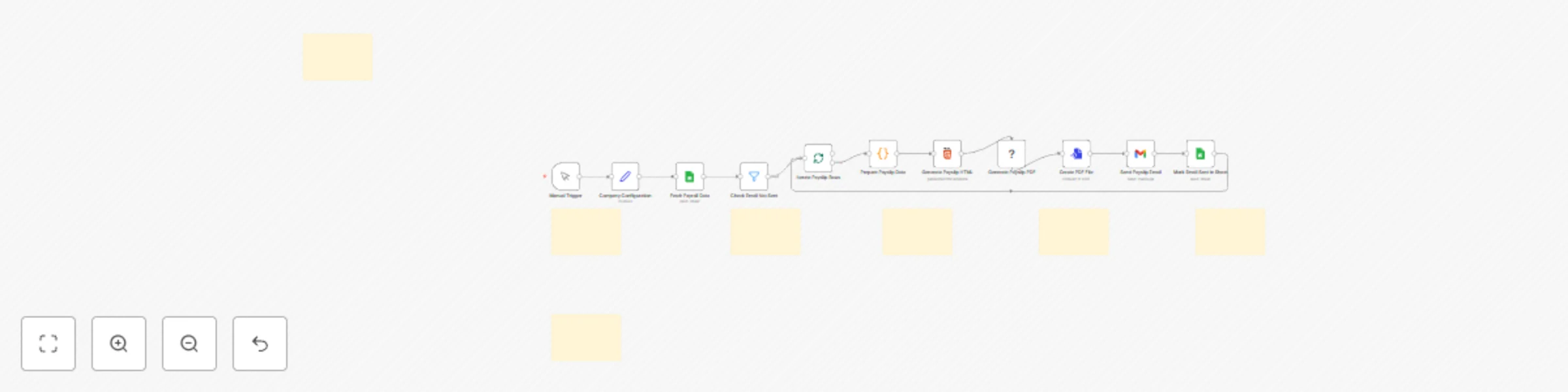
This workflow automates the entire payslip process by pulling payroll data directly from Google Sheets, generating a professional and secure PDF for each employee, and emailing it to them instantly...
n8n-nodes-base.manualtrigger, n8n-nodes-base.set, n8n-nodes-base.googlesheets, n8n-nodes-base.splitinbatches, n8n-nodes-base.code, n8n-nodes-base.filter, n8n-nodes-base.html, n8n-nodes-puppeteer.puppeteer
This workflow is cataloged by N8N Workflows and links back to its original n8n.io source page by Khairul Muhtadin.
Original n8n.io sourceThis workflow automates the entire payslip process by pulling payroll data directly from Google Sheets, generating a professional and secure PDF for each employee, and emailing it to them instantly. Save hours of manual HR administration, eliminate human error, and ensure timely, confidential delivery of payslips every month.
Time Savings: Reduces the entire payslip generation and distribution process from hours of manual work to under 5 minutes.
Cost Reduction: Avoids monthly subscription fees for dedicated payroll software, potentially saving $50-$200 per month.
Error Prevention: Ensures 100% data accuracy by pulling data directly from the source sheet, eliminating risky copy-paste mistakes.
Scalability: Effortlessly handles payroll for 10 or 1,000+ employees without any changes to the core process.
| Requirement | Type | Purpose |
|---|---|---|
| n8n instance | Essential | The platform to run the automation. |
| Google Sheets Account | Essential | To store and manage employee payroll data. |
| Gmail Account | Essential | To send the generated PDF payslips to employees. |
| Google Cloud Project | Essential | To create OAuth2 credentials for Sheets and Gmail. |
Is Email Sent column is set to "no".| Node | Purpose | Key Configuration |
|---|---|---|
| Google Sheets | Reads payroll data and updates the 'sent' status. | Spreadsheet ID, Sheet Name, and Bank Account as the key for matching rows to update. |
| Filter | Processes only employees who haven't received a payslip. | Condition: {{ $json["Is Email Sent"] }} equals no. |
| Code | Formats currency, creates dynamic tables, and converts numbers to words. | Maps input columns from the sheet to output variables for the HTML template. |
| Puppeteer | Converts the styled HTML into a downloadable PDF file. | page.pdf settings define the format (A4), margins, and scale. |
| Gmail | Emails the generated PDF to the corresponding employee. | To, Subject, and Attachment fields use expressions to pull data from previous nodes. |
| Set | Stores global configuration like company name and payroll date. | All company-specific details that appear on the payslip. |
The workflow operates on an idempotent loop principle. It first reads all data, then filters out employees who have already been processed by checking an Is Email Sent column. For each remaining employee, it generates the PDF, sends the email, and critically, updates the status column in Google Sheets from "no" to "yes". This final step ensures that if the workflow is run again, it will not re-process and re-send payslips, preventing duplicates.
Basic Adjustments:
Send Payslip Email node.Generate Payslip HTML node, change the CSS variables like --primary-color to match your company colors.Company Configuration node.Advanced Enhancements:
Manual Trigger with a Schedule Trigger to run the workflow automatically on a specific day each month.Common Issues:
| Problem | Cause | Solution |
|---|---|---|
| PDF formatting is broken or misaligned. | Invalid HTML/CSS in the template, or an expression is returning an empty value. | Verify all expressions in the Generate Payslip HTML node are linked correctly. Use an online validator to check for HTML syntax errors. |
| Workflow processes the same employees again. | The Mark Email Sent in Sheet node failed, or the Filter is misconfigured. |
Ensure the Filter node checks for "no" (case-sensitive). Verify the Mark Email Sent node has write permissions and is correctly identifying the row to update. |
| Emails are not being sent. | Incorrect Gmail API permissions or invalid credentials. | Re-authenticate your Gmail credential in n8n. Check your Google Cloud Project to ensure the Gmail API is enabled and has not hit its usage quota. |
Challenge: A small agency owner with 20 employees manages payroll in a Google Sheet. Every month, they spend half a day manually creating payslips in a Word template, saving each as a PDF, and emailing them one by one.
Solution: By implementing this workflow, they can trigger the entire process with a single click after finalizing the payroll sheet.
Result: What used to take 3 hours now takes less than 2 minutes. Employees receive professional, consistent payslips, and the owner has a clear record of delivery in their Google Sheet.
Challenge: An HR manager at a 150-employee company needs to distribute payslips confidentially. The current process involves a mail merge that is prone to errors and requires manual verification.
Solution: The payroll report is exported to a Google Sheet, and this workflow handles the rest. It runs through the entire list, generating and sending each payslip individually.
Result: The risk of sending the wrong payslip to an employee is eliminated. The process is fully automated, secure, and provides an auditable trail directly in the spreadsheet, saving the HR department over a day of work each month.
Created by: Khaisa Studio
Category: HR & Recruiting | Tags: Google Sheets, Gmail, PDF, HR, Automation, Puppeteer, Payroll
Need custom workflows? Contact us
Connect with the creator:
Portfolio • Workflows • LinkedIn • Medium • Threads
This catalog entry is organized from the workflow JSON. The node-level section below shows the executable blocks available for review before importing the template.
| Workflow | Generate and email PDF payslips from Google Sheets with Gmail |
|---|---|
| Complexity | advanced |
| Nodes | 18 |
| Categories | HR |
| Author | Khairul Muhtadin |
| Published | 09 Nov 2025 |
Use the JSON export at /data/workflows/10650/10650.json as the source template for this automation.
Open n8n, import the downloaded JSON, and review each node before activating the workflow.
Replace placeholder credentials, API keys, webhook URLs, account IDs, and environment-specific values with your own settings.
Run the workflow manually or in a staging workspace, inspect node output, and confirm downstream systems receive the expected data.
Enable the workflow only after testing, then monitor executions, errors, and rate limits during the first production runs.
Review imported nodes carefully before activation. This catalog entry is intended to help you inspect the workflow structure, understand required services, and find related templates faster.
Node names, credentials, schedules, webhook paths, and external service limits may need adjustment for your workspace.
This workflow automates the entire payslip process by pulling payroll data directly from Google Sheets, generating a professional and secure PDF for each employee, and emailing it to them instantly...
Review the workflow JSON, configure any required credentials in n8n, and test the automation in a safe workspace before using it in production.
Yes. Use the block-by-block analysis and the downloadable JSON to inspect each node, then adjust credentials, prompts, schedules, filters, or destinations for your HR use case.