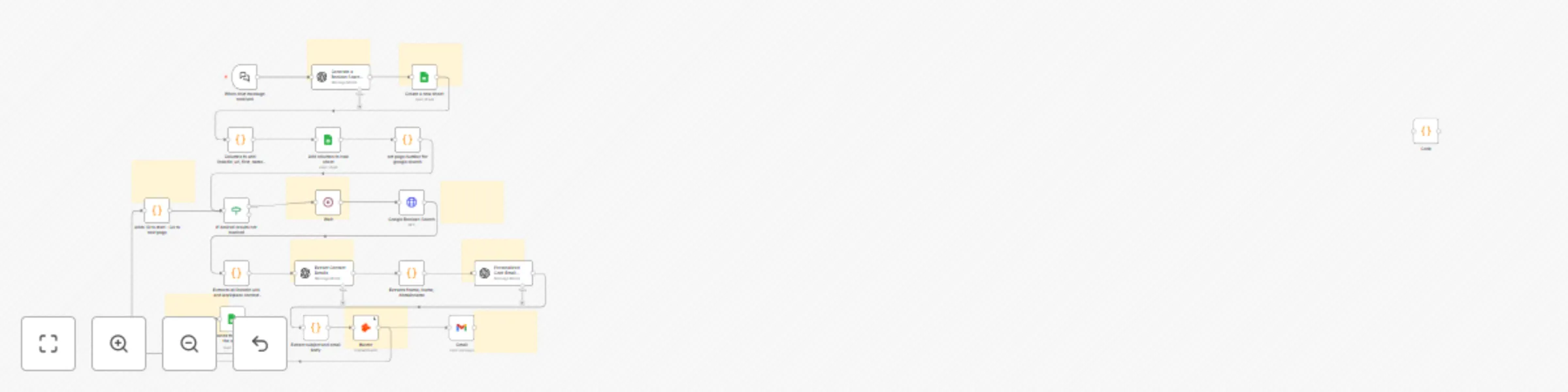
Find and email ANYONE on LinkedIn with OpenAI, Hunter & Gmail

Workflow preview

Workflow preview
100%
Find and email ANYONE on LinkedIn with OpenAI, Hunter & Gmail preview
Open on n8n.io

Important notice

This workflow is provided as-is. Please review and test before using in production.

1. Workflow Overview

Setup Time 5 10 minutes Problem LinkedIn search is BROKEN. Personalized cold emailing takes hours! I waste hours on LinkedIn manually filtering profiles, reading summaries, hoping theyโ€™d replyโ€”t...

Best for

  • Lead Generation automation workflows
  • Multimodal AI automation workflows
  • advanced n8n builders looking for reusable templates

Tools used

n8n-nodes-base.wait, @n8n/n8n-nodes-langchain.chattrigger, n8n-nodes-base.googlesheets, n8n-nodes-base.code, n8n-nodes-base.httprequest, n8n-nodes-base.if, @n8n/n8n-nodes-langchain.openai, n8n-nodes-base.stickynote

Source and attribution

This workflow is cataloged by N8N Workflows and links back to its original n8n.io source page by Abhijay Vuyyuru.

Original n8n.io source

1.1 Workflow description

Title
Find and email ANYONE on LinkedIn with OpenAI, Hunter & Gmail
Workflow name
Find and email ANYONE on LinkedIn with OpenAI, Hunter & Gmail

Setup Time

5-10 minutes

Problem

๐Ÿšจ LinkedIn search is BROKEN. Personalized cold-emailing takes hours!

I waste hours on LinkedIn manually filtering profiles, reading summaries, hoping theyโ€™d replyโ€”tedious, frustrating, inefficient.

But even after finding the email IDs of the contacts, the job to be done is incomplete. ๐—œ ๐˜„๐—ฎ๐—ป๐˜ ๐˜๐—ผ ๐˜€๐˜๐—ฎ๐—ฟ๐˜ ๐—ฎ ๐—ฐ๐—ผ๐—ป๐˜ƒ๐—ฒ๐—ฟ๐˜€๐—ฎ๐˜๐—ถ๐—ผ๐—ป ๐˜„๐—ถ๐˜๐—ต ๐˜๐—ต๐—ฒ๐˜€๐—ฒ ๐—ฐ๐—ผ๐—ป๐˜๐—ฎ๐—ฐ๐˜๐˜€.

If only I could type "๐˜—๐˜ณ๐˜ฐ๐˜ฅ๐˜ถ๐˜ค๐˜ต ๐˜ฎ๐˜ข๐˜ฏ๐˜ข๐˜จ๐˜ฆ๐˜ณ๐˜ด ๐˜ธ๐˜ฐ๐˜ณ๐˜ฌ๐˜ช๐˜ฏ๐˜จ ๐˜ฐ๐˜ฏ ๐˜จ๐˜ฆ๐˜ฏ๐˜ฆ๐˜ณ๐˜ข๐˜ต๐˜ช๐˜ท๐˜ฆ ๐˜ˆ๐˜ ๐˜ช๐˜ฏ ๐˜ ๐˜ฐ๐˜ถ๐˜›๐˜ถ๐˜ฃ๐˜ฆ ๐˜ช๐˜ฏ ๐˜•๐˜ฆ๐˜ธ ๐˜ ๐˜ฐ๐˜ณ๐˜ฌ" and seconds later have 10 personalized outreach emails in my Gmail drafts folder, ready for my review.

It would save me hours of research effort!

Introducing LinkGPT, a LinkedIn Agent, an automated agentic workflow powered by n8n.

Prerequisites:

Required accounts/API keys for Hunter.io, Google, and OpenAI.

This would be helpful for:

๐ŸŽฏ Job Seekers wanting direct outreach to hiring managers (everyone applies to multiple jobs, and crafting personal emails takes hours!)

๐ŸŽฏ Recruiters looking to personalize candidate outreach at scale

๐ŸŽฏ Sales & Founders aiming for targeted customer conversations

Step-by-step workflow:

Takes 5-10 minutes to setup.

  1. Generate a Boolean search string for LinkedIn profiles.
  2. Perform authenticated Google searches using your query.
  3. Extract LinkedIn URLs and workplace context from the search results.
  4. Use OpenAI to extract first name, last name, and domain name from the context.
  5. Use Hunter.io to find emails of the contacts.
  6. Append all results to your connected Google Sheet. Columns: first_name, last_name, domain_name, email, context
  7. Read everything publicly available about your target profiles
  8. Identify common ground (shared backgrounds, interests, experiences)
  9. Craft highly personalized, thoughtful email drafts
  10. Automatically save tailored drafts in your Gmail and Google Sheets

I put together a clear, step-by-step guide on setting this up yourself.

Sample Query

Sample:

Input: "I am headed to NYC later this month, whom should I meet with that works in product management for gen AI products?"

Output: List of 10 contacts with first name, last name, workplace, email address and context about them, and 10 personalized emails waiting for you review in your Gmail drafts folder

1.2 Logical Blocks

This catalog entry is organized from the workflow JSON. The node-level section below shows the executable blocks available for review before importing the template.

2. Block-by-Block Analysis

Block 1 - Wait

Type / Role
n8n-nodes-base.wait - wait
Config choices
Version 1.1

Block 2 - When chat message received

Type / Role
@n8n/n8n-nodes-langchain.chatTrigger - chatTrigger
Config choices
Version 1.1

Block 3 - Create a new sheet

Type / Role
n8n-nodes-base.googleSheets - googleSheets
Config choices
Version 4.5

Block 4 - Add columns to new sheet

Type / Role
n8n-nodes-base.googleSheets - googleSheets
Config choices
Version 4.5

Block 5 - set page number for google search

Type / Role
n8n-nodes-base.code - code
Config choices
Version 2

Block 6 - Google Boolean Search

Type / Role
n8n-nodes-base.httpRequest - httpRequest
Config choices
Version 4.2

Block 7 - If desired results not reached

Type / Role
n8n-nodes-base.if - if
Config choices
Version 2.2

Block 8 - Appends the results to the sheet

Type / Role
n8n-nodes-base.googleSheets - googleSheets
Config choices
Version 4.5

Block 9 - Code

Type / Role
n8n-nodes-base.code - code
Config choices
Version 2

Block 10 - Extracts fname, lname, domainname

Type / Role
n8n-nodes-base.code - code
Config choices
Version 2

Block 11 - Extracts all linkedin urls and workplace context from the google http response

Type / Role
n8n-nodes-base.code - code
Config choices
Version 2

Block 12 - Adds 10 to start - Go to next page

Type / Role
n8n-nodes-base.code - code
Config choices
Version 2

Block 13 - Generate a Boolean Search String

Type / Role
@n8n/n8n-nodes-langchain.openAi - openAi
Config choices
Version 1.8

Block 14 - Extract Contact Details

Type / Role
@n8n/n8n-nodes-langchain.openAi - openAi
Config choices
Version 1.8

Block 15 - Sticky Note4

Type / Role
n8n-nodes-base.stickyNote - stickyNote
Config choices
Version 1

Block 16 - Sticky Note

Type / Role
n8n-nodes-base.stickyNote - stickyNote
Config choices
Version 1

Block 17 - Columns to add: linkedin_url, first_name, last_name, email, context, domain

Type / Role
n8n-nodes-base.code - code
Config choices
Version 2

Block 18 - Sticky Note1

Type / Role
n8n-nodes-base.stickyNote - stickyNote
Config choices
Version 1

Block 19 - Sticky Note3

Type / Role
n8n-nodes-base.stickyNote - stickyNote
Config choices
Version 1

Block 20 - Sticky Note2

Type / Role
n8n-nodes-base.stickyNote - stickyNote
Config choices
Version 1

Block 21 - Sticky Note5

Type / Role
n8n-nodes-base.stickyNote - stickyNote
Config choices
Version 1

Block 22 - Gmail

Type / Role
n8n-nodes-base.gmail - gmail
Config choices
Version 2.1

Block 23 - Extract subject and email body

Type / Role
n8n-nodes-base.code - code
Config choices
Version 2

Block 24 - Personalized Cold-Email Generator

Type / Role
@n8n/n8n-nodes-langchain.openAi - openAi
Config choices
Version 1.8

Showing the first 24 of 29 workflow blocks. Download the JSON for the full node graph.

3. Summary Table

Workflow Find and email ANYONE on LinkedIn with OpenAI, Hunter & Gmail
Complexity advanced
Nodes 29
Categories Lead Generation, Multimodal AI
Author Abhijay Vuyyuru
Published 18 Jun 2025

4. Reproducing the Workflow from Scratch

  1. 1. Download the workflow JSON

    Use the JSON export at /data/workflows/5015/5015.json as the source template for this automation.

  2. 2. Import the template into n8n

    Open n8n, import the downloaded JSON, and review each node before activating the workflow.

  3. 3. Configure credentials and variables

    Replace placeholder credentials, API keys, webhook URLs, account IDs, and environment-specific values with your own settings.

  4. 4. Test with sample data

    Run the workflow manually or in a staging workspace, inspect node output, and confirm downstream systems receive the expected data.

  5. 5. Activate and monitor

    Enable the workflow only after testing, then monitor executions, errors, and rate limits during the first production runs.

5. General Notes & Resources

Review imported nodes carefully before activation. This catalog entry is intended to help you inspect the workflow structure, understand required services, and find related templates faster.

Node names, credentials, schedules, webhook paths, and external service limits may need adjustment for your workspace.

Frequently asked questions

What does Find and email ANYONE on LinkedIn with OpenAI, Hunter & Gmail do?

Setup Time 5 10 minutes Problem LinkedIn search is BROKEN. Personalized cold emailing takes hours! I waste hours on LinkedIn manually filtering profiles, reading summaries, hoping theyโ€™d replyโ€”t...

What do I need before importing this workflow?

Review the workflow JSON, configure any required credentials in n8n, and test the automation in a safe workspace before using it in production.

Can I customize this workflow?

Yes. Use the block-by-block analysis and the downloadable JSON to inspect each node, then adjust credentials, prompts, schedules, filters, or destinations for your Lead Generation, Multimodal AI use case.