Extract Google Ads creatives by domain with SerpAPI and export to CSV
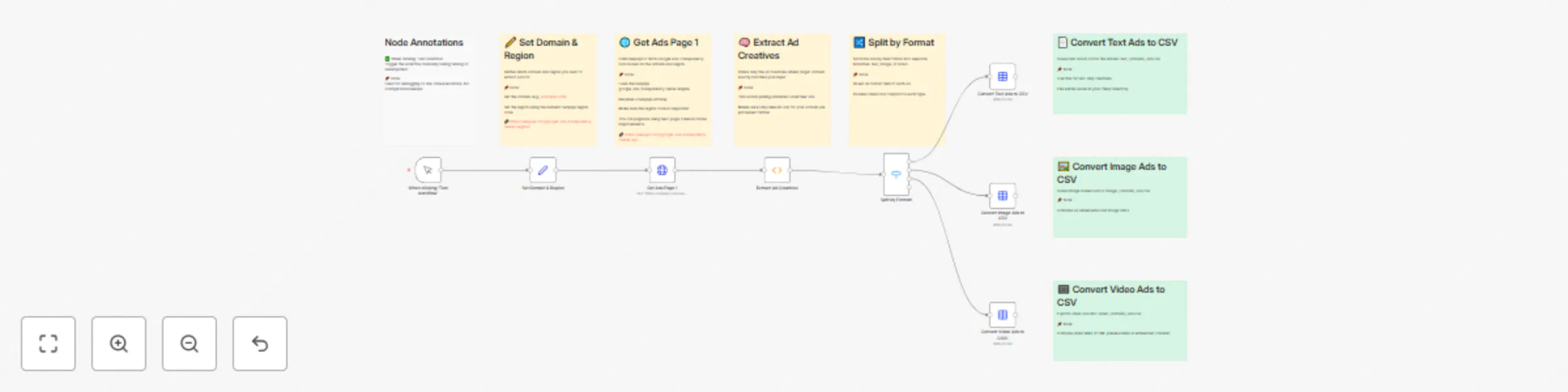
Workflow preview

$20/month : Unlimited workflows
2500 executions/month

THE #1 IN WEB SCRAPING
Scrape any website without limits
HOSTINGER  Early Deal
DISCOUNT 20% Try free
Early DealDISCOUNT 20%
Self-hosted n8n
Unlimited workflows - from $4.99/mo

#1 hub for scraping, AI & automation
6000+ actors - $5 credits/mo
Important notice
This workflow is provided as-is. Please review and test before using in production.
Overview
🧾 Template: Extract Ad Creatives from Google’s Ads Transparency Center
This n8n workflow pulls ad creatives from Google's Ads Transparency Center using SerpApi, filtered by a specific domain and region. It extracts, filters, categorizes, and exports ads into neatly formatted CSV files for easy analysis.
👤 Who’s it for?
- Marketing Analysts researching competitive PPC strategies
- Ad Intelligence Teams monitoring creatives from specific brands
- Digital Marketers gathering visual and copy trends
- Journalists & Watchdogs reviewing ad activity transparency
✅ Features
- Fetch creatives using SerpApi's
google_ads_transparency_centerengine - Filter results to include only ads with an exact match to your target domain
- Categorize by ad format: text, image, or video
- Export CSVs: Generates a downloadable file for each format under the
/files/directory
🛠 How to Use
Edit the “Set Domain & Region” node
domain: e.g.example.comregion: SerpApi numeric region code → See codes
Add your SerpApi API key
- In the “Get Ads Page 1” node’s credentials section.
Run the workflow
- Click "Test workflow" to initiate the process.
Download your results
Navigate to
/files/to find:text_{domain}_ads.csvimage_{domain}_ads.csvvideo_{domain}_ads.csv
📌 Notes
- Only the first page (up to 50 creatives) is fetched; pagination is not included.
- Sticky Notes inside the workflow nodes offer helpful internal annotations.
- CSV files include creative-level details: ad copy, images, video links, etc.