Extract company data from websites with Gemini AI through chat conversation
Workflow preview

$20/month : Unlimited workflows
2500 executions/month

THE #1 IN WEB SCRAPING
Scrape any website without limits
HOSTINGER  Early Deal
DISCOUNT 20% Try free
Early DealDISCOUNT 20%
Self-hosted n8n
Unlimited workflows - from $4.99/mo

#1 hub for scraping, AI & automation
6000+ actors - $5 credits/mo
Important notice
This workflow is provided as-is. Please review and test before using in production.
Overview
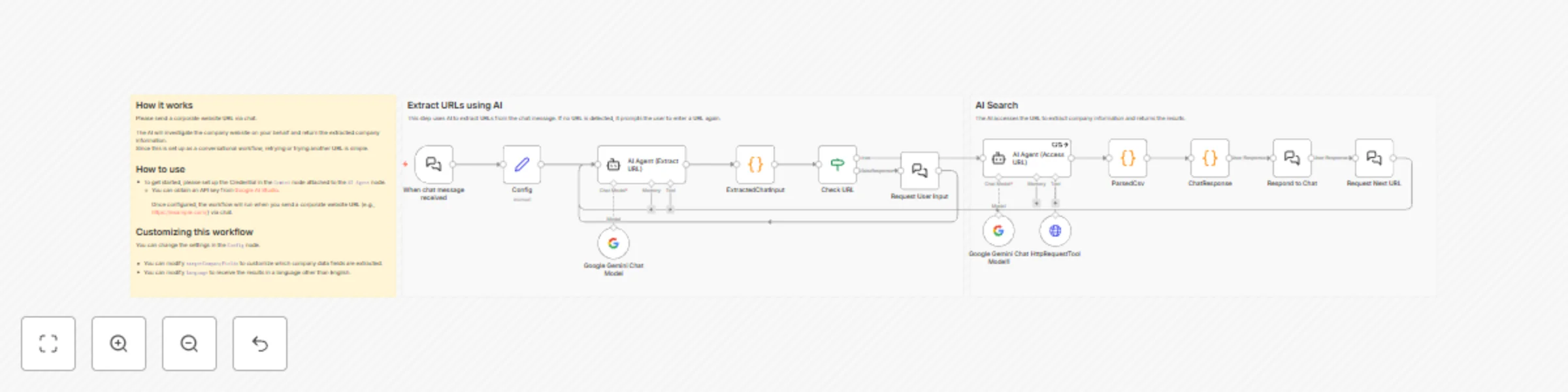
How it works
Please send a corporate website URL via chat.
The AI will investigate the company website on your behalf and return the extracted company information.
Since this is set up as a conversational workflow, retrying or trying another URL is simple.
How to use
- To get started, please set up the Credential in the
Gemininode attached to theAI Agentnode.- You can obtain an API key from Google AI Studio.
Once configured, the workflow will run when you send a corporate website URL (e.g., https://example.com/) via chat.
Customizing this workflow
You can change the settings in the Config node.
- You can modify
targetCompanyFieldsto customize which company data fields are extracted. - You can modify
languageto receive the results in a language other than English.