Export your daily Binance spot portfolio to Google Sheets
Workflow preview

$20/month : Unlimited workflows
2500 executions/month

THE #1 IN WEB SCRAPING
Scrape any website without limits
HOSTINGER  Early Deal
DISCOUNT 20% Try free
Early DealDISCOUNT 20%
Self-hosted n8n
Unlimited workflows - from $4.99/mo

#1 hub for scraping, AI & automation
6000+ actors - $5 credits/mo
Overview
What this workflow does
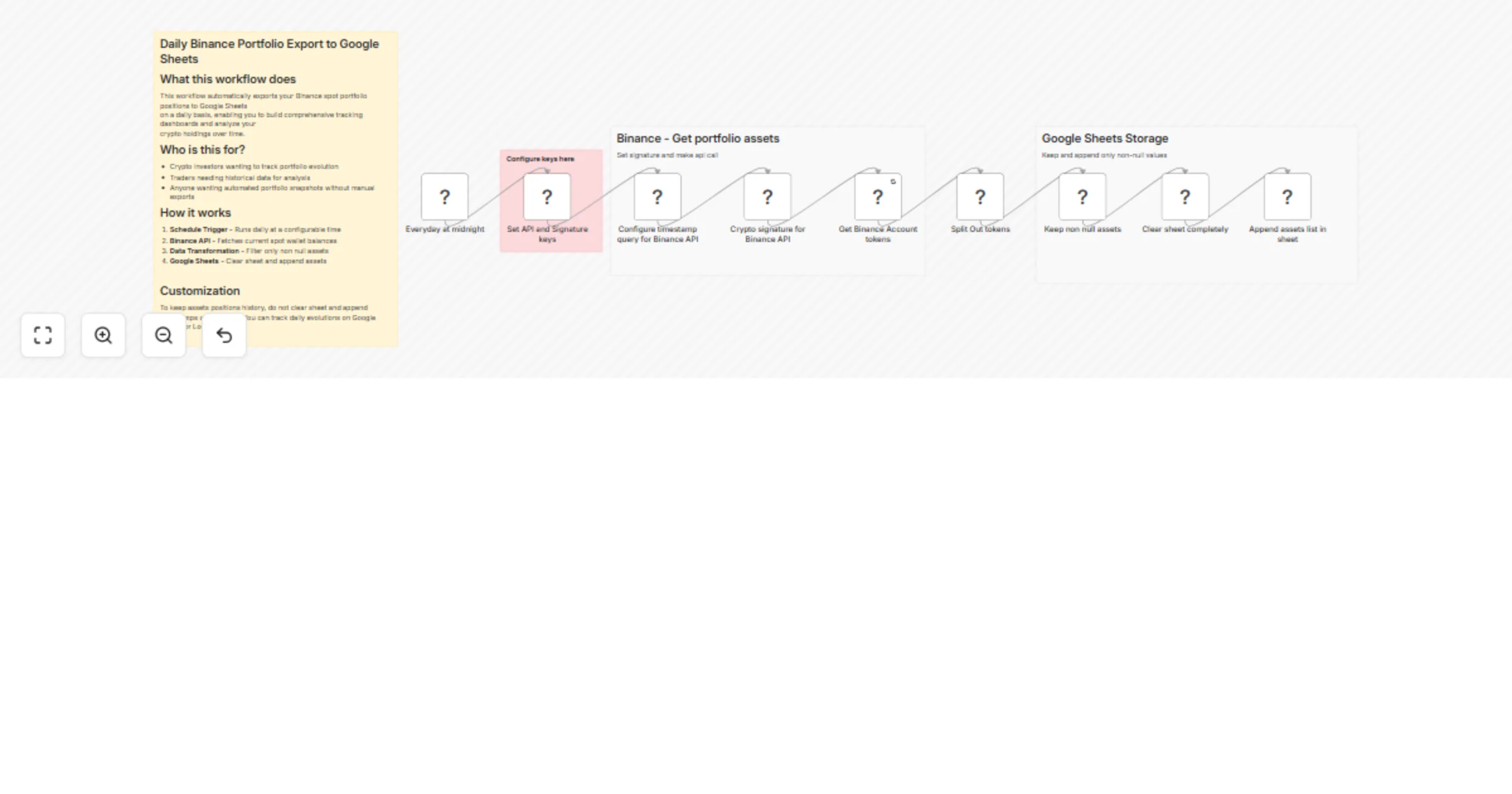
This workflow automatically exports your Binance spot portfolio positions to Google Sheets on a daily basis, enabling you to build comprehensive tracking dashboards and analyze your crypto holdings over time.
Who is this for?
- Crypto investors wanting to track portfolio evolution
- Traders needing historical data for analysis
- Anyone wanting automated portfolio snapshots without manual exports
How it works
- Schedule Trigger - Runs daily at a configurable time
- Binance API - Fetches current spot wallet balances
- Data Transformation - Filters only non-null assets
- Google Sheets - Clears sheet and appends current assets
Setup Instructions
Prerequisites
- Binance account with API access enabled
- Google account with Google Sheets
- n8n instance (cloud or self-hosted)
Step 1: Binance API Configuration
- Go to https://www.binance.com/en/my/settings/api-management
- Create a new API key
- IMPORTANT: Enable ONLY "Read" permissions - DO NOT enable trading or withdrawals
- Whitelist your server IP (recommended for security)
- Save your API Key and Secret Key securely
Step 2: Google Sheets Setup
- Create a new Google Sheet with headers matching your exported fields (e.g., Asset | Balance)
- In n8n, connect your Google account via OAuth2
- Note your spreadsheet ID from the URL
Step 3: Import & Configure
- Import this workflow into n8n
- Add your Binance credentials (API Key + Secret)
- Configure the Google Sheets node with your spreadsheet ID and sheet name
- Adjust the schedule trigger to your preferred time (default: daily)
Customization
Track historical positions: By default, this workflow clears the sheet before each export, giving you a real-time snapshot. To keep position history:
- Remove the "Clear Sheet" action
- Add a timestamp column to track when each export occurred
- Use Google Sheets or Looker Studio to visualize daily evolutions
Add price data: Extend the workflow by adding an HTTP Request node to fetch current prices from Binance API (/api/v3/ticker/price) and calculate portfolio value.