Generate Indian stock investment ideas using Groq AI, Google Sheets and stock API

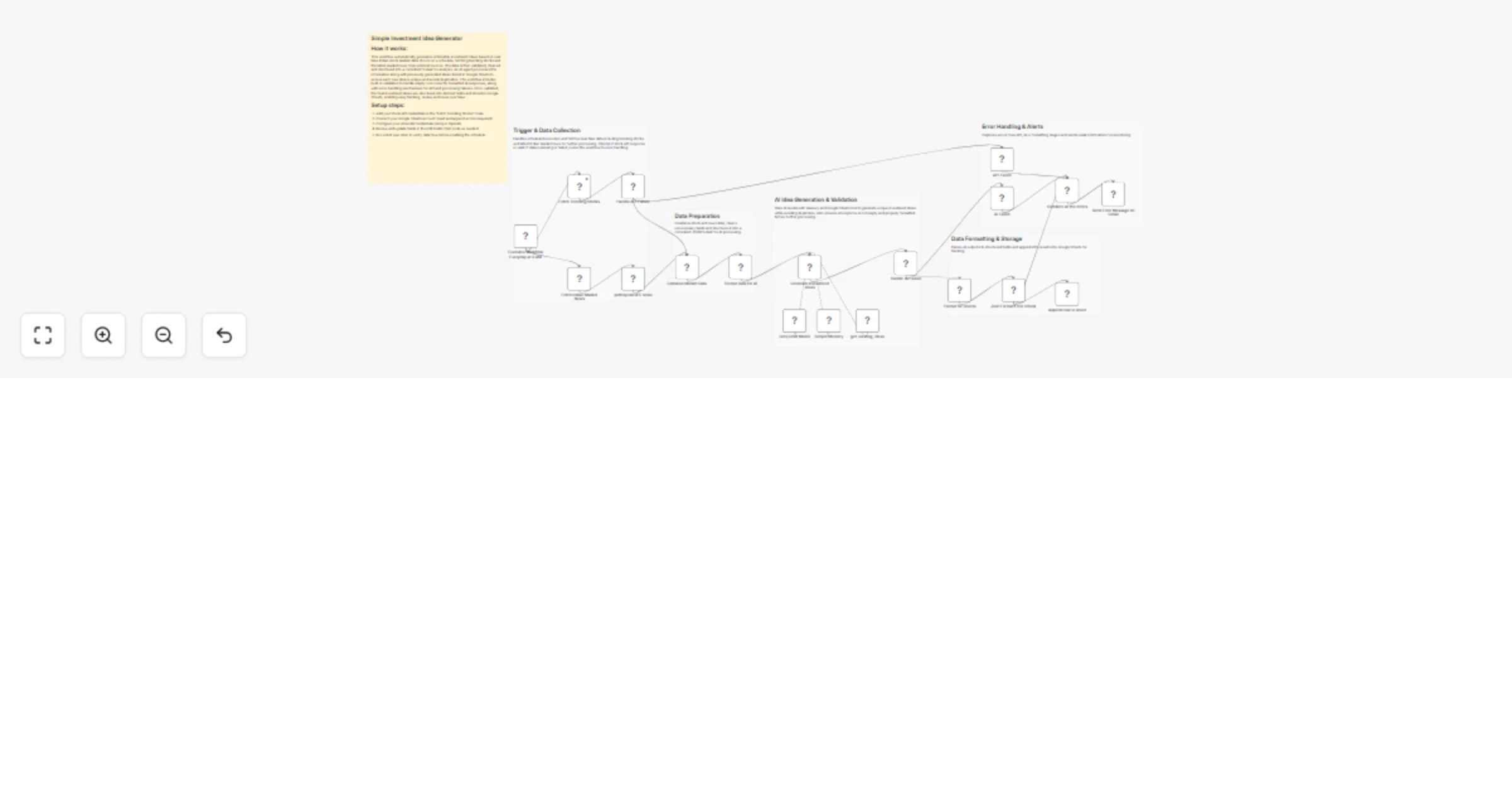
Workflow preview

Workflow preview
100%
Generate Indian stock investment ideas using Groq AI, Google Sheets and stock API preview
Open on n8n.io

1. Workflow Overview

AI Investment Idea Generator using n8n, Groq AI, Google Sheets & Stock API This workflow automatically generates 2–3 high quality Indian stock investment ideas daily by combining trending stock dat...

Best for

  • Crypto Trading automation workflows
  • AI Summarization automation workflows
  • advanced n8n builders looking for reusable templates

Tools used

n8n-nodes-base.httprequest, n8n-nodes-base.merge, n8n-nodes-base.set, @n8n/n8n-nodes-langchain.agent, n8n-nodes-base.rssfeedread, n8n-nodes-base.code, n8n-nodes-base.stickynote, @n8n/n8n-nodes-langchain.lmchatgroq

Source and attribution

This workflow is cataloged by N8N Workflows and links back to its original n8n.io source page by WeblineIndia.

Original n8n.io source

1.1 Workflow description

Title
Generate Indian stock investment ideas using Groq AI, Google Sheets and stock API
Workflow name
Generate Indian stock investment ideas using Groq AI, Google Sheets and stock API

AI Investment Idea Generator using n8n, Groq AI, Google Sheets & Stock API

This workflow automatically generates 2–3 high-quality Indian stock investment ideas daily by combining trending stock data + latest market news, processing it with AI (Groq/OpenAI), avoiding duplicates using Google Sheets and storing results for tracking.

Quick Implementation Steps

  1. Import the workflow into n8n
  2. Add credentials:
  • Stock API (HTTP Headers Auth)
  • Google Sheets OAuth2
  • Groq / OpenAI API
  1. Connect your Google Sheet (same structure as defined)
  2. Activate the workflow (runs daily at 9 AM)
  3. Check your Google Sheet for generated ideas

What It Does

This workflow acts as a mini AI-powered equity research assistant for the Indian stock market. It automatically gathers real-time market insights by pulling:

  • Trending stocks (top gainers & losers)
  • Latest market-related news (via Google News RSS)

It then processes this data into a structured format and feeds it into an AI agent configured with strict rules to generate actionable, non-generic investment ideas.

To maintain quality and avoid repetition, the workflow:

  • Fetches historical ideas from Google Sheets
  • Uses memory to avoid recent duplicates
  • Ensures each new idea is unique, data-backed and sector-driven

Finally, it stores structured results into Google Sheets for easy tracking and analysis.

Who’s It For

  • Retail investors looking for daily stock ideas
  • Financial analysts and research teams
  • Algo trading enthusiasts
  • Content creators (finance blogs, newsletters)
  • Automation enthusiasts using n8n

Requirements

To use this workflow, you need:

  • n8n instance (self-hosted or cloud)
  • Stock API access (via HTTP headers auth)
  • Google Sheets account (read + append permissions)
  • Groq or OpenAI API access
  • A Google Sheet with columns: Date | Title | Stock | Reason | Horizon

How It Works & Set Up

  1. Schedule Trigger (runs daily at 9 AM)
  2. Fetch trending stocks via API
  3. Fetch latest market news via RSS
  4. Merge and format data
  5. Generate investment ideas using AI
  6. Validate and parse output
  7. Store results in Google Sheets
  8. Handle errors and send alerts

How To Customize Nodes

  • Modify API endpoint in stock node
  • Change RSS keywords for news
  • Adjust AI prompt rules
  • Change number of generated ideas
  • Modify Google Sheets mapping
  • Update schedule timing

Add-ons (Enhancements)

  • Slack/Telegram alerts
  • Email digest
  • Sentiment analysis
  • Performance tracking
  • Global market support

Use Case Examples

  1. Daily investment newsletter
  2. Personal research assistant
  3. Trading strategy ideas
  4. Content creation
  5. Portfolio tracking

Troubleshooting Guide

Issue Possible Cause Solution
No stock data API issue Check API credentials
AI empty output Model issue Retry / check logs
JSON error Format issue Fix prompt output
No sheet data Mapping issue Verify columns
No alerts Gmail not set Reconnect Gmail

Need Help?

For setup, customization or advanced automation solutions, contact our n8n workflow developers at WeblineIndia.

1.2 Logical Blocks

This catalog entry is organized from the workflow JSON. The node-level section below shows the executable blocks available for review before importing the template.

2. Block-by-Block Analysis

Block 1 - Fetch Trending Stocks

Type / Role
n8n-nodes-base.httpRequest - httpRequest
Config choices
Version 4.3

Block 2 - Combine Market Data

Type / Role
n8n-nodes-base.merge - merge
Config choices
Version 3.2

Block 3 - Format Data for AI

Type / Role
n8n-nodes-base.set - set
Config choices
Version 3.4

Block 4 - Generate Investment Ideas

Type / Role
@n8n/n8n-nodes-langchain.agent - agent
Config choices
Version 3.1

Block 5 - Fetch Indian Market News

Type / Role
n8n-nodes-base.rssFeedRead - rssFeedRead
Config choices
Version 1.2

Block 6 - Format for Sheets

Type / Role
n8n-nodes-base.code - code
Config choices
Version 2

Block 7 - Sticky Note

Type / Role
n8n-nodes-base.stickyNote - stickyNote
Config choices
Version 1

Block 8 - Sticky Note1

Type / Role
n8n-nodes-base.stickyNote - stickyNote
Config choices
Version 1

Block 9 - Sticky Note2

Type / Role
n8n-nodes-base.stickyNote - stickyNote
Config choices
Version 1

Block 10 - Sticky Note3

Type / Role
n8n-nodes-base.stickyNote - stickyNote
Config choices
Version 1

Block 11 - Groq Chat Model

Type / Role
@n8n/n8n-nodes-langchain.lmChatGroq - lmChatGroq
Config choices
Version 1

Block 12 - getting latest 5 news

Type / Role
n8n-nodes-base.limit - limit
Config choices
Version 1

Block 13 - Append row in sheet

Type / Role
n8n-nodes-base.googleSheets - googleSheets
Config choices
Version 4.7

Block 14 - Sticky Note4

Type / Role
n8n-nodes-base.stickyNote - stickyNote
Config choices
Version 1

Block 15 - API Failed

Type / Role
n8n-nodes-base.set - set
Config choices
Version 3.4

Block 16 - Handle API Failure

Type / Role
n8n-nodes-base.if - if
Config choices
Version 2.3

Block 17 - AI Failed

Type / Role
n8n-nodes-base.set - set
Config choices
Version 3.4

Block 18 - Json Format Error Check

Type / Role
n8n-nodes-base.if - if
Config choices
Version 2.3

Block 19 - Combine all the errors

Type / Role
n8n-nodes-base.merge - merge
Config choices
Version 3.2

Block 20 - Send Error Message on Gmail

Type / Role
n8n-nodes-base.gmail - gmail
Config choices
Version 2.2

Block 21 - Sticky Note5

Type / Role
n8n-nodes-base.stickyNote - stickyNote
Config choices
Version 1

Block 22 - get_existing_ideas

Type / Role
n8n-nodes-base.googleSheetsTool - googleSheetsTool
Config choices
Version 4.7

Block 23 - Simple Memory

Type / Role
@n8n/n8n-nodes-langchain.memoryBufferWindow - memoryBufferWindow
Config choices
Version 1.3

Block 24 - Handle AI Failure

Type / Role
n8n-nodes-base.if - if
Config choices
Version 2.3

Showing the first 24 of 25 workflow blocks. Download the JSON for the full node graph.

3. Summary Table

Workflow Generate Indian stock investment ideas using Groq AI, Google Sheets and stock API
Complexity advanced
Nodes 25
Categories Crypto Trading, AI Summarization
Author WeblineIndia
Published 08 Apr 2026

4. Reproducing the Workflow from Scratch

  1. 1. Download the workflow JSON

    Use the JSON export at /data/workflows/14898/14898.json as the source template for this automation.

  2. 2. Import the template into n8n

    Open n8n, import the downloaded JSON, and review each node before activating the workflow.

  3. 3. Configure credentials and variables

    Replace placeholder credentials, API keys, webhook URLs, account IDs, and environment-specific values with your own settings.

  4. 4. Test with sample data

    Run the workflow manually or in a staging workspace, inspect node output, and confirm downstream systems receive the expected data.

  5. 5. Activate and monitor

    Enable the workflow only after testing, then monitor executions, errors, and rate limits during the first production runs.

5. General Notes & Resources

Review imported nodes carefully before activation. This catalog entry is intended to help you inspect the workflow structure, understand required services, and find related templates faster.

Node names, credentials, schedules, webhook paths, and external service limits may need adjustment for your workspace.

Frequently asked questions

What does Generate Indian stock investment ideas using Groq AI, Google Sheets and stock API do?

AI Investment Idea Generator using n8n, Groq AI, Google Sheets & Stock API This workflow automatically generates 2–3 high quality Indian stock investment ideas daily by combining trending stock dat...

What do I need before importing this workflow?

Review the workflow JSON, configure any required credentials in n8n, and test the automation in a safe workspace before using it in production.

Can I customize this workflow?

Yes. Use the block-by-block analysis and the downloadable JSON to inspect each node, then adjust credentials, prompts, schedules, filters, or destinations for your Crypto Trading, AI Summarization use case.