Export Dialogflow intents with priority levels to Google Sheets via Telegram
Workflow preview


 Early Deal
DISCOUNT 20%

Important notice
This workflow is provided as-is. Please review and test before using in production.
Overview
What does this workflow do?
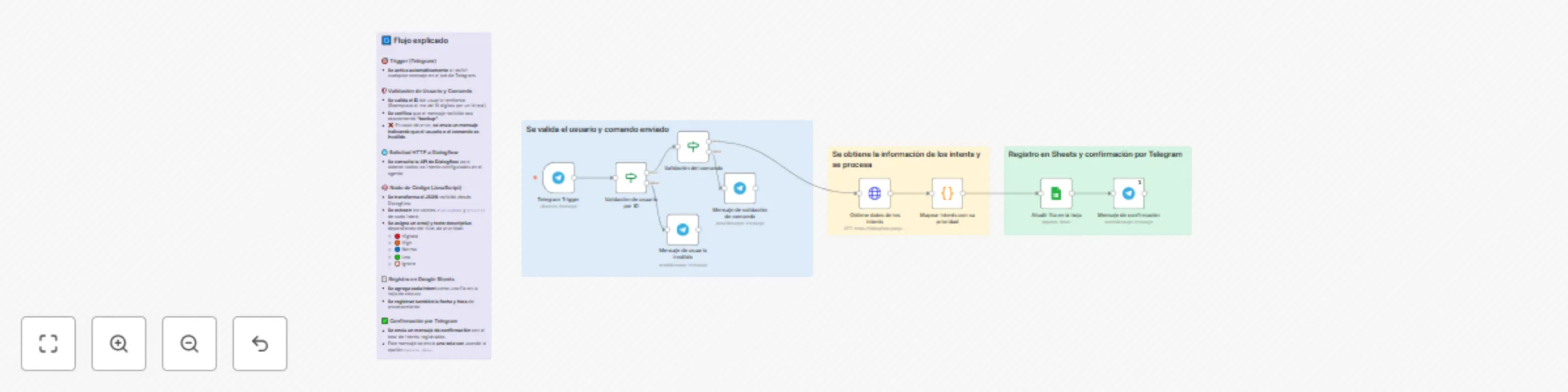
This workflow exports the names of all Dialogflow intents from your agent, together with their priority levels, directly into a Google Sheets spreadsheet.
It is triggered via Telegram and includes visual indicators (emojis) for priority levels.
📜 Overview
🔔 Activation:
Triggered when a validated user sends the keyword (e.g."backup") via Telegram.📥 Data Retrieval:
Fetches all intents of the specified Dialogflow agent using the Dialogflow API.⚙️ Processing:
- Transforms each intent into an n8n-compatible item.
- Extracts the
displayNameandpriorityof each intent. - Assigns an emoji and descriptive label based on priority tier:
🔴 Highest, 🟠 High, 🔵 Normal, 🟢 Low, 🚫 Ignore.
📑 Storage:
Appends each intent (name, priority number, emoji, and description), along with current date and time, to a Google Sheets document.📩 Notification:
Sends a single confirmation message to the Telegram user once insertion is complete (using Execute Once).
🛠️ How to install and configure
Import the workflow: Upload the
.jsoninto your n8n instance.Connect Telegram:
Add your Telegram bot credentials and configure the nodeValidación de usuario por IDwith your Telegram ID.Configure Dialogflow:
Authenticate using a Google Service Account API Credential.
Then, in the Obtiene datos de los intents node, replace the example project ID (TU_PROJECT_ID) with your actual Dialogflow agent's project ID.Connect Google Sheets:
Authorize Google Sheets via OAuth2 and select your destination document/sheet in the nodeAñadir fila en la hoja.Customize trigger keyword:
Adjust the command text (default"backup") if needed.Activate workflow:
Ensure the webhook is correctly set up in Telegram before enabling the workflow.
👥 Who is this for?
🤖 Bot administrators who need quick backups of Dialogflow intent names.
🌐 Teams managing multilingual or multi-intent agents wanting priority oversight.
💻 Development teams needing an automated way to audit or version intent configurations regularly.
💡 Use Cases
⚙️ Backup intents periodically to monitor changes over time.
📊 Visualize priority assignment in a spreadsheet for analysis or team discussion.
📖 Document conversational structure for onboarding or knowledge transfer.