Download KSeF (Poland’s e-invoicing system) invoices to an Excel spreadsheet
Workflow preview


 Early Deal
DISCOUNT 20%

Overview
TL;DR;
Download invoices from Poland's KSeF (Krajowy System e-Faktur) and export them as an XLSX spreadsheet. Handles the full v2 authentication flow automatically.
Download KSeF invoices through n8n
What it does
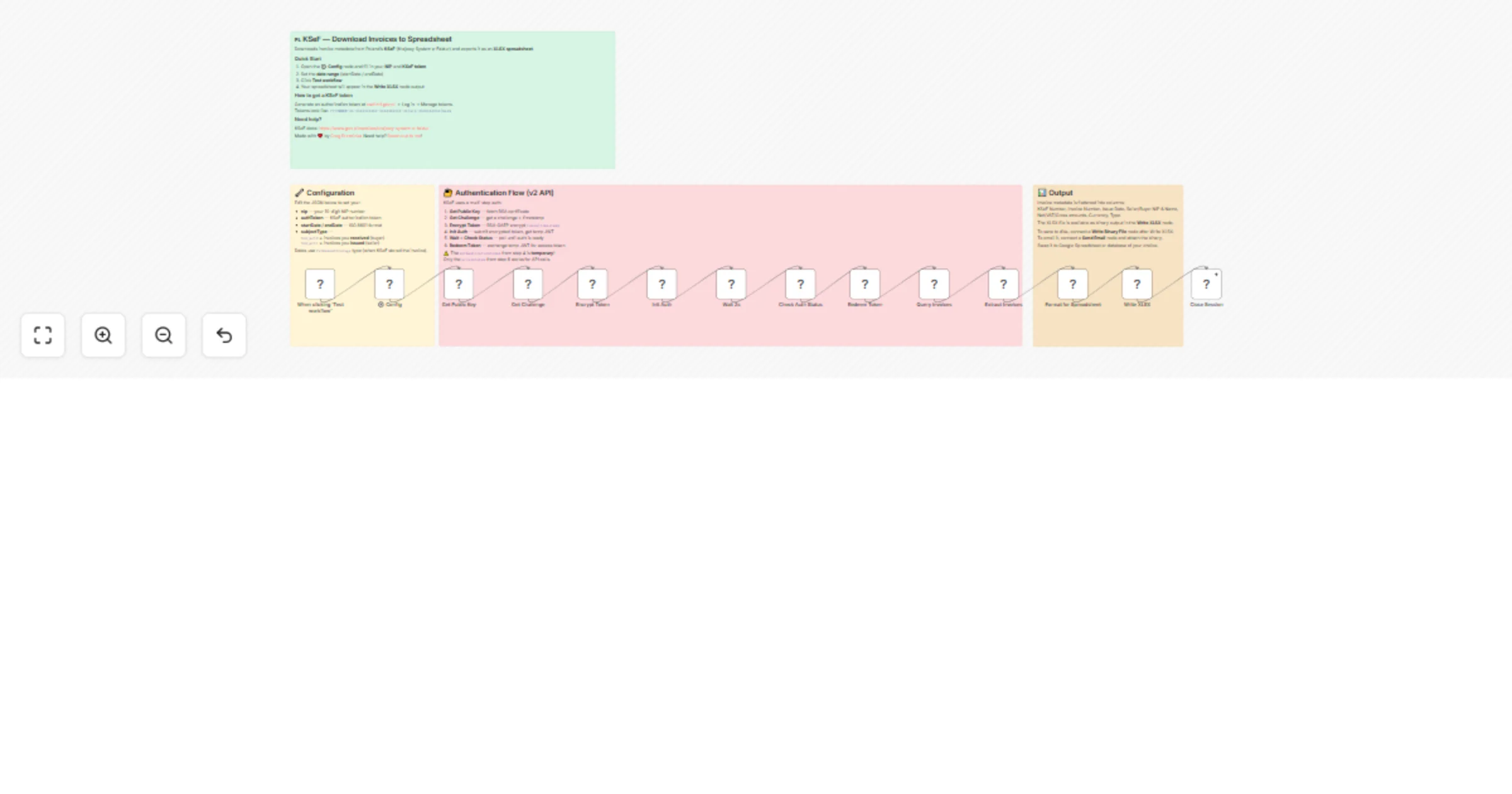
This workflow connects to Poland's KSeF (Krajowy System e-Faktur) API v2, downloads invoice metadata for a configurable date range, and exports everything as a clean Excel spreadsheet (.xlsx).
The spreadsheet includes: KSeF number, invoice number, issue date, seller/buyer NIP and name, net/VAT/gross amounts, currency, invoice type, and more.
Who is it for
Polish companies and accountants who need to bulk-download invoice data from KSeF for bookkeeping, reconciliation, or tax reporting.
How to set up
- Get your KSeF authorization token — log in at ksef.mf.gov.pl, go to token management, and generate a token. It looks like:
YYYYMMDD-XX-XXXXXXXXXX-XXXXXXXXXX-XX|nip-XXXXXXXXXX|hash - Open the ⚙️ Config node and fill in:
nip— your 10-digit NIPauthToken— the KSeF token from step 1startDate/endDate— the date range in ISO 8601 format (e.g.2026-01-01T00:00:00Z)subjectType— useSubject2for invoices you received (as buyer),Subject1for invoices you issued (as seller)
- Click "Test workflow" — the spreadsheet will appear as binary output in the Write XLSX node
How it works (under the hood)
KSeF API v2 requires a 6-step authentication flow:
- Fetch the RSA public key certificate from KSeF
- Request a challenge (nonce + timestamp)
- RSA-OAEP encrypt your token with the challenge timestamp
- Initialize authentication — returns a temporary JWT
- Poll the auth status until it's ready
- Redeem the temporary JWT for a real access token
Only after step 6 can you query invoices. This workflow handles all of that automatically — you just provide your token and NIP.
Extending the workflow
Some ideas for what you can add after the Write XLSX node:
- Write Binary File — save the spreadsheet to disk
- Send Email (Gmail / SMTP) — email the spreadsheet as an attachment
- Google Drive — upload the spreadsheet to Drive
- Postgres / MySQL — write invoice data to a database for querying
- Download Invoice XML — add an HTTP Request node to
GET /invoices/{ksefNumber}with the access token to download the full invoice XML
Requirements
- A KSeF authorization token (generated at ksef.mf.gov.pl)
- No external credentials or API keys needed in n8n — everything goes through the Config node
- Works with n8n self-hosted and cloud
API reference
- KSeF API v2:
https://api.ksef.mf.gov.pl/v2 - KSeF test environment:
https://api-test.ksef.mf.gov.pl/v2 - Official docs: https://www.gov.pl/web/kas/krajowy-system-e-faktur
Made with ❤️ by Greg Brzezinka Need help? Reach out to me!
Tags
ksef, poland, invoices, tax, e-invoicing, spreadsheet, xlsx, accounting
Categories
Finance & Accounting, Data Transformation